
Andoer 1080P Wireless Light Bulb Monitor Camera
Andoer 1080P Wireless Light Bulb Monitor Camera User Manual
Model: 1080P Wireless Light Bulb Monitor Camera
Introduction
Thank you for choosing the Andoer 1080P Wireless Light Bulb Monitor Camera. This device is designed to provide reliable and convenient surveillance for your home, office, store, or other indoor spaces. With its easy E27 bulb socket installation, high-definition video, two-way audio, motion detection, and night vision capabilities, you can monitor your property remotely via a mobile application. Please read this manual thoroughly before operation to ensure proper use and optimal performance.
Коопсуздук маалыматы
- Ensure the power supply is disconnected before installing or removing the camera.
- This camera is designed for indoor use only. Do not expose it to water, moisture, or extreme temperatures.
- Белгиленген томду гана колдонуңузtage range (110V-240V) for the E27 bulb socket.
- Камераны өз алдынча бөлүүгө же оңдоого аракет кылбаңыз. Бардык тейлөөлөрдү квалификациялуу кызматкерлерге тапшырыңыз.
- Камераны жана анын аксессуарларын балдар жетпеген жерде сактаңыз.
- Камераны күн тийе турган жерге же жылуулук булактарынын жанына коюудан алыс болуңуз.
Пакеттин мазмуну
Бардык буюмдардын бар экенин жана жакшы абалда экенин текшерүү үчүн ачканда таңгактын ичиндегисин текшериңиз:
- 1 x Andoer 1080P Wireless Light Bulb Monitor Camera
- 1 x Base (for mounting, if not using E27 socket directly)
- 1 x Колдонуучунун колдонмосу (англисче)
- 2 x Screws (for base installation)
Продукт бүттүview
The Andoer Light Bulb Camera integrates a high-definition surveillance camera into a standard E27 light bulb form factor, allowing for discreet and easy installation. It features a rotating head for wide coverage and an array of infrared and white LEDs for enhanced night vision.

Сүрөт: алдыңкы view of the Andoer 1080P Wireless Light Bulb Monitor Camera, showing the E27 screw base at the top and the camera lens with surrounding LEDs at the bottom.

Image: Diagram illustrating the dimensions of the Andoer Light Bulb Camera. The camera measures 15.5cm in height and 6.8cm in width. The separate base measures 4.2cm in height and 6.3cm in width.
Жайгашуу
1. Орнотуу
- Жайгашкан жерди тандаңыз: Select an indoor location with a standard E27 light bulb socket (110V-240V) that provides a clear view сиз көзөмөлдөгүңүз келген аймак.
- Өчүрүү: Ensure the power to the light bulb socket is turned off before installation.
- Кирүү: Gently screw the Andoer Light Bulb Camera into the E27 socket until it is secure. Do not overtighten.
- Күйгүзүү: Restore power to the light bulb socket. The camera will power on and initiate its self-test.
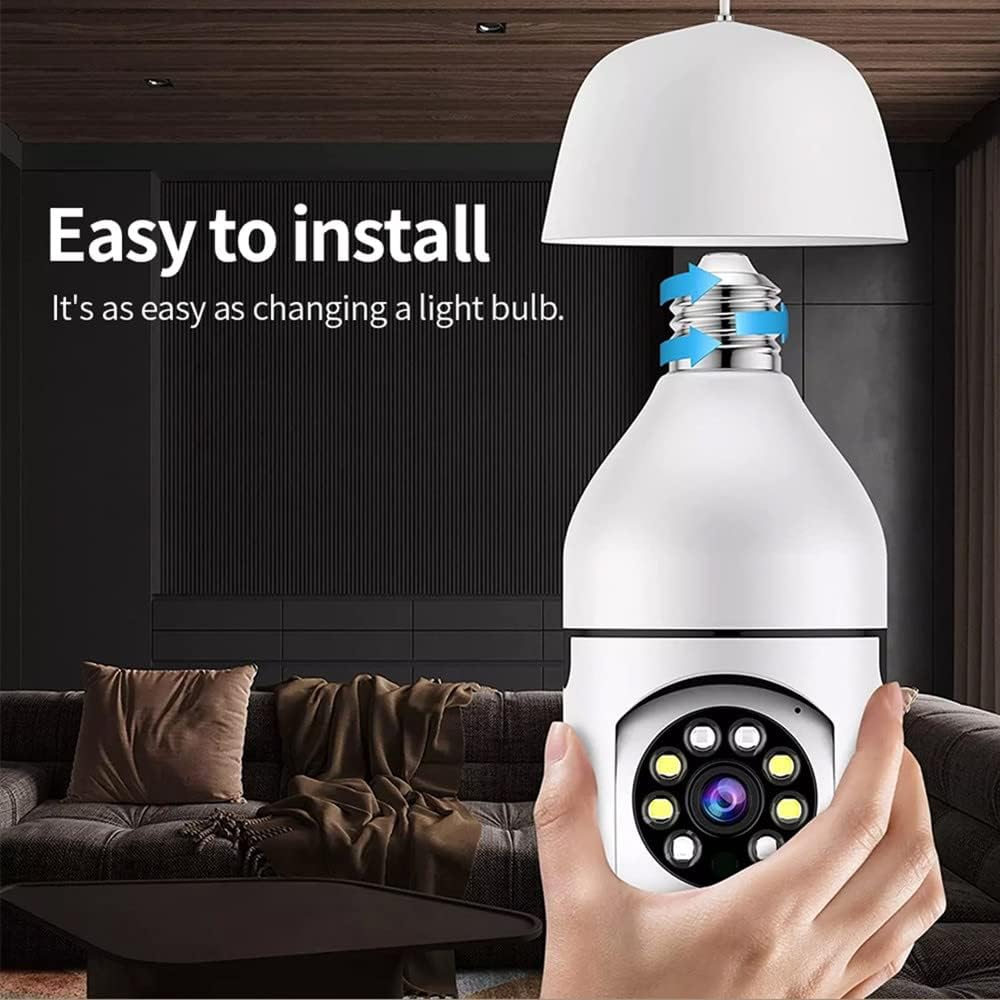
Image: A hand screwing the Andoer Light Bulb Camera into a ceiling-mounted E27 light fixture, demonstrating the ease of installation.
2. Mobile App Download and Connection
The camera operates via a dedicated mobile application. Издөө the recommended app (usually specified in the quick start guide or on the product packaging) on your smartphone's app store (iOS or Android).
- Колдонмону жүктөп алуу: Download and install the mobile application.
- Каттоо эсеби: Open the app and follow the on-screen instructions to register a new account.
- Түзмөк кошуу: Колдонмонун ичиндеги "Түзмөк кошуу" же ушул сыяктуу жолду тандаңыз.
- Wi-Fi'га туташуу:
- Смартфонуңуз 2.4 ГГц Wi-Fi тармагына туташкандыгын текшериңиз. Камера 5 ГГц Wi-Fi колдобойт.
- Follow the app's instructions to connect the camera to your home Wi-Fi network. This typically involves scanning a QR code generated by the app with the camera, or entering your Wi-Fi credentials into the app.
- Device Ready: Once connected, the camera status indicator will change (refer to app for specific indicator behavior), and you will be able to view жандуу тоют.
Иштөө нускамалары
1. Түз эфир View жана PTZ Control
After successful setup, open the mobile app and select your camera from the device list to access the live video feed. You can control the camera's pan (horizontal 360°) and tilt (vertical 90°) movements directly from the app interface by swiping on the screen or using directional controls.

Image: The Andoer Light Bulb Camera positioned next to a smartphone displaying its live video feed. Below are icons representing key features: Motion Detection, Built-in WiFi, PTZ Rotation, 128GB Storage, Two-way Intercom, and Remote Operation.

Image: A split image comparing the visual quality of 720p resolution versus 1080p resolution, highlighting the superior clarity and detail offered by the camera's 1080p output.
2. Эки тараптуу сүйлөшүү
The camera supports two-way audio communication. Tap the microphone icon in the app to speak through the camera's built-in speaker, and listen to audio from the camera's microphone. This feature allows for real-time interaction with people near the camera.
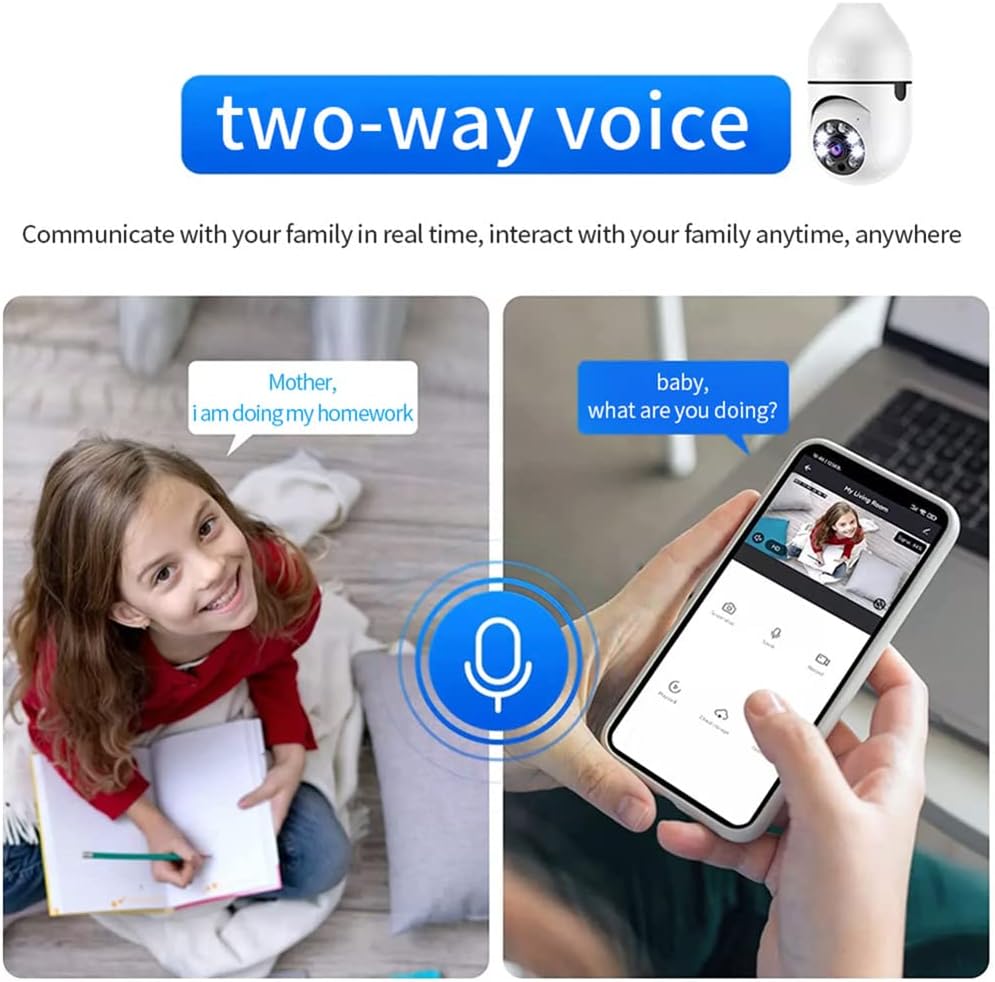
Image: An illustration depicting the two-way voice feature, showing a child speaking to a parent via the camera and a parent responding through a smartphone, emphasizing real-time interaction.
3. Кыймылды аныктоо жана эскертүүлөр
The camera is equipped with smart motion detection. When movement is detected within its field of view, the camera will automatically send an alarm message to your mobile app. You can adjust sensitivity settings and notification preferences within the app.

Image: An illustration demonstrating the motion detection feature. The camera detects a moving object (a person), and an alarm message is immediately sent to the mobile app, showing a notification on a smartphone screen.
4. Түнкү көрүнүш
The camera features advanced night vision with infrared and white lights, allowing for clear image capture even in low-light or complete darkness up to 20 meters. The camera automatically switches between day and night modes based on ambient light conditions.

Image: A split image showing the camera's automatic night vision capability. The top half depicts a scene in day mode with full color, while the bottom half shows the same scene in night mode, rendered in black and white with enhanced clarity.
5. Жаздыруу жана сактоо
The camera supports local storage via a TF (microSD) card up to 128GB (not included). Insert the TF card into the designated slot on the camera. Videos can also be uploaded synchronously to cloud storage (subscription may be required, check app details). This ensures your recordings are safe even if the camera or memory card is damaged.
Сиз кайра аласызview foo жазылганtage directly from the mobile app, filtering by date and time.
Техникалык тейлөө
- Тазалоо: Камера линзасын жана корпусун тазалоо үчүн жумшак, кургак чүпүрөктү колдонуңуз. Суюк тазалоочу каражаттарды же абразивдүү материалдарды колдонбоңуз.
- Программалык камсыздоонун жаңыртуулары: Regularly check the mobile app for firmware updates to ensure optimal performance and security. Follow the app's instructions for updating.
- Сактагычты башкаруу: If using a TF card, periodically check its storage capacity and consider formatting it through the app if performance degrades. Back up important footage форматтоодон мурун.
Проблемаларды чечүү
| Көйгөй | Мүмкүн болгон себеп / Чечим |
|---|---|
| Камера күйбөй жатат. |
|
| Wi-Fi'га туташуу мүмкүн эмес. |
|
| Түз эфирдеги видео агым жок. |
|
| Motion detection alerts not received. |
|
| Two-way talk audio issues. |
|
Техникалык шарттар
| Video Resolution | Max. 1920 x 1080 (1080P) |
| Түнкү көрүнүш аралык | 20 метрге чейин |
| Pan & Tilt (PTZ) | Горизонталдуу 360°, Вертикалдуу 90° |
| Эстутум картасын колдоо | TF card, max. 128GB (not included) |
| Туташтыргыч түрү | E27 лампа розеткасы |
| Киргизүү көлөмүtage | 110V-240V |
| Зымсыз байланыш | Wi-Fi (2.4 ГГц) |
| Башкаруу ыкмасы | Mobile App (Android/iOS compatible) |
| Өзгөчөлүктөр | Night Vision, Motion Sensor, Two-Way Talk, Cloud Storage Support |
| Элементтин өлчөмдөрү | 15.5 см (H) x 6.8 см (W) / 6.1 дюйм (H) x 2.7 дюйм (W) |
| Элемент Салмагы | Болжол менен 10.1 унция (286 г) |
Кепилдик жана колдоо
For warranty information and technical support, please refer to the official Andoer website or contact their customer service directly. Details can usually be found on the product packaging or within the mobile application's "About Us" or "Help" section.
Andoer Official Store: Visit the Andoer Store on Amazon
Ask a question about this manual
Ask about setup, troubleshooting, compatibility, parts, safety, or missing instructions. Manuals+ will review the question and use this page’s manual context to help answer it.