Introduction
Thank you for choosing the PXN 9607X Wireless Controller. This manual will guide you through the setup, operation, and maintenance of your new controller. Please read these instructions carefully to ensure optimal performance and longevity of your device.
Продукт бүттүview
The PXN 9607X is a versatile wireless controller designed for an enhanced gaming experience across multiple platforms. It features advanced functionalities such as adjustable vibration, 6-axis motion sensing, Turbo function, NFC, and a convenient wake-up feature for Nintendo Switch consoles.
Негизги өзгөчөлүктөрү:
- Зымсыз байланыш
- Adjustable Dual Motor Vibration
- Sensitive 6-Axis Gyroscope (Motion Sensing)
- Turbo Function (Manual and Auto Modes)
- NFC функциясы
- One-Button Wake-up for Nintendo Switch
- Long Battery Life (12-20 hours playtime)
- C түрүндөгү кубаттоо порт
Шайкештик:
- Nintendo Switch / Switch Lite / Switch OLED
- PC (Windows)
- iOS (Version 16 and above)

Image: PXN 9607X Wireless Controller compatible with Nintendo Switch, Switch Lite, Switch OLED, PC, and iOS (version 16 only).
Орнотуу жана туташуу
1. First Wireless Connection (Nintendo Switch)
- On your Nintendo Switch, navigate to the "Controllers" menu.
- "Тартипти/Тартипти өзгөртүү" дегенди тандаңыз.
- Long press the power button on the back of the PXN 9607X controller for 3 seconds.
- The 4 LED indicators on the controller will flash cyclically, indicating it has entered pairing mode.
- Once successfully paired, the LED indicator(s) will remain solid.

Сүрөт: Арткы view of the PXN 9607X controller, highlighting the power button for initial pairing.

Image: Visual guide for the first wireless connection process, showing the power button and LED indicators.
2. Connecting to iOS Devices (iOS 16+)
- iOS түзмөгүңүз iOS 16 же андан жогорку версияда иштеп жатканын текшериңиз.
- Long press the power button on the back of the controller to turn it on.
- On your iOS device, go to "Settings" > "Bluetooth".
- Bluetooth күйгүзүү.
- In the "Other Devices" list, select "Pro Controller" to connect.
- Once connected, LED1 on the controller will remain solid.
Video: Demonstrates connecting the PXN 9607X Wireless Switch Controller to an iOS device and setting up Genshin Impact.
3. Компьютерге туташуу
The PXN 9607X controller can be connected to a PC via a USB-C cable for wired play or wirelessly via Bluetooth (if your PC has Bluetooth capabilities).
- Зымдуу туташуу: Connect the controller to your PC using the provided USB-C cable. The PC should automatically detect and install the necessary drivers.
- Bluetooth байланыш:
- Компьютериңизде Bluetooth иштетилгенин текшериңиз.
- Long press the power button on the back of the controller to turn it on.
- On your PC, go to "Settings" > "Devices" > "Bluetooth & other devices".
- "Bluetooth же башка түзмөк кошуу" баскычын чыкылдатып, "Bluetooth" тандаңыз.
- Choose "Pro Controller" from the list of available devices.
- Once connected, the LED indicator(s) on the controller will remain solid.
Иштөө нускамалары
Турбо функциясы
The Turbo function allows for rapid, repeated button presses, giving you an advantage in certain games. The controller supports two Turbo modes: Manual and Auto.
- Кол менен турбо: Press and hold the desired action button (e.g., A, B, X, Y) and then press the 'T' (Turbo) button. The button will now rapidly repeat as long as you hold it down.
- Auto Turbo: Press the desired action button and then press the 'T' (Turbo) button twice. The button will now rapidly repeat automatically without needing to be held down. To deactivate, press the action button and 'T' button once more.

Image: The PXN 9607X controller showing the Turbo function in action during gameplay on a Nintendo Switch.
Жөнгө салынуучу титирөө функциясы
The controller features built-in dual motors with 3 levels of adjustable vibration (Weak, Medium, Strong) to enhance your gaming immersion.
- To adjust vibration intensity, press the Vibration button (often represented by a wave icon or similar) and use the D-pad Up/Down to cycle through the levels.
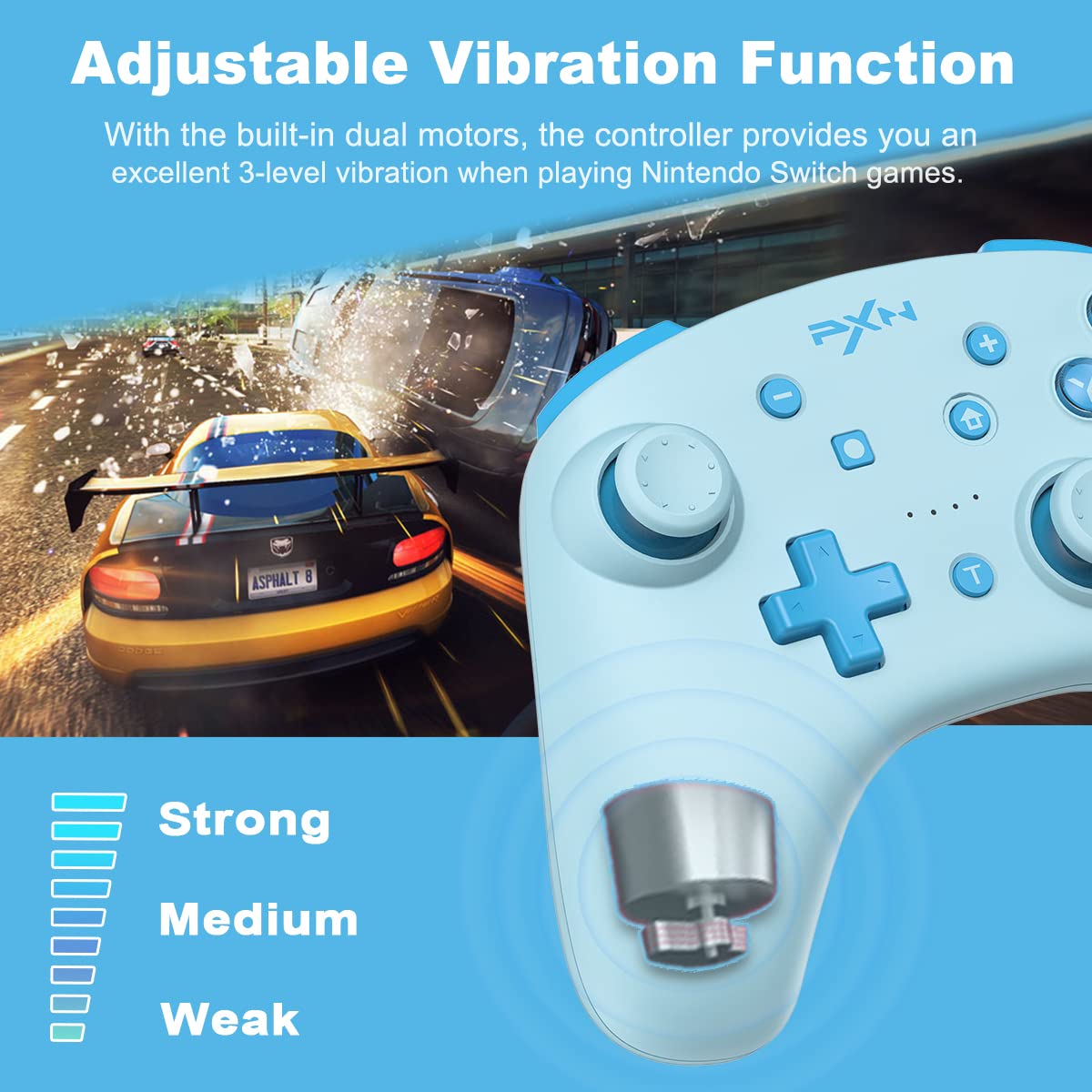
Image: Diagram showing the three adjustable vibration levels (Strong, Medium, Weak) of the PXN 9607X controller.
6-Axis Gyroscope (Motion Sensing)
The built-in 6-axis gyro chip provides precise motion control, making aiming movements smoother and faster in compatible games.
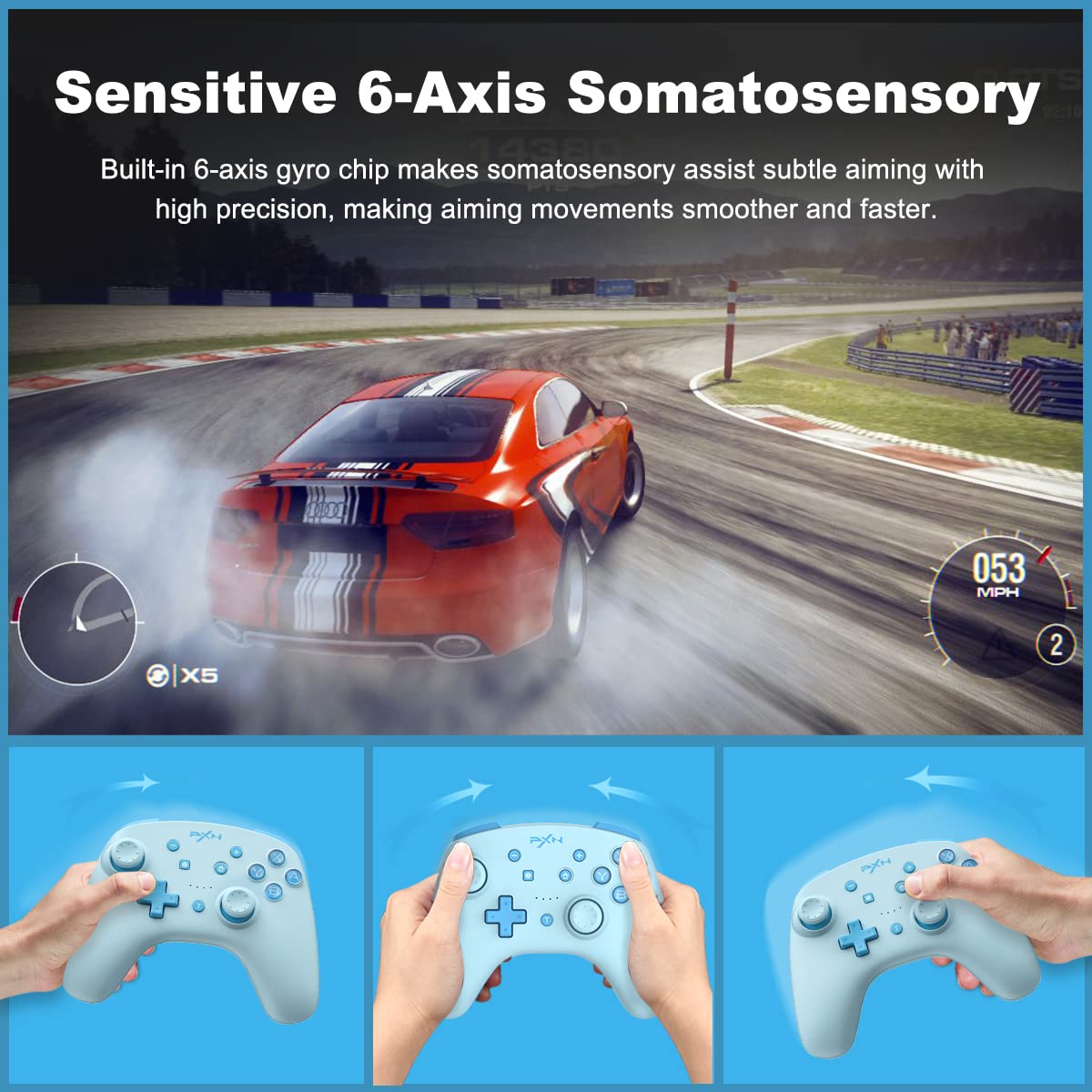
Image: The PXN 9607X controller being used for 6-axis somatosensory control in a racing game.
NFC Function
The PXN 9607X controller includes an NFC function, allowing you to use Amiibo figures or cards with compatible Nintendo Switch games. Simply tap your Amiibo to the NFC touchpoint on the controller to activate its in-game features.

Image: The PXN 9607X controller demonstrating its built-in NFC function with various Amiibo figures.
One-Button Wake-up for Nintendo Switch
To quickly resume your game, simply press and hold the Home button on the controller to remotely wake up your Nintendo Switch console.

Image: The Home button on the PXN 9607X controller being pressed to wake up a Nintendo Switch console.
Заряддоо жана батареянын иштөө мөөнөтү
The PXN 9607X controller is equipped with a 550mAh battery, providing extended playtime.
- Заряддоо убактысы: Толук кубаттоо үчүн болжол менен 2.0 саат.
- Иш убактысы: 12-20 hours of continuous gameplay on a full charge.
- Автоматтык уйку: The controller will automatically enter sleep mode after 5 minutes of inactivity to conserve battery.
- Заряддоо көрсөткүчү: The LED indicators will show charging status and turn off when fully charged.

Image: Information on the PXN 9607X controller's battery life, including 2.0 hours charging time, 12-20 hours working time, and 5-minute auto-sleep.
Микропрограмманы жаңыртуу
To ensure your PXN 9607X controller is always performing at its best and to access the latest features, it is recommended to keep its firmware updated. Follow these steps to update the firmware:
- Расмий PXNге барыңыз webсайт: www.e-pxn.com.
- Navigate to the "Support" section and click on "Tools".
- Find "PXN-9607X Firmware Update" (ensure it matches your model, e.g., V1.26) and click "Download".
- Жүктөлгөндү ачыңыз file and run the "9607X V1.26 Firmware.exe" application.
- Контроллердеги L3 баскычын (сол джойстик баскычын чыкылдатуу) көпкө басыңыз.
- While holding L3, connect the controller to your PC via the USB-C cable.
- Once the software detects the controller, click "Update Firmware" and follow the on-screen prompts.
- Do not disconnect the USB cable during the upgrade process.
- A "Success!" message will appear upon completion.
Эскертүү: Please use a PC with Windows 7 or above to upgrade the firmware. Only 9607X controllers with SN starting with "P21H" can be upgraded to V1.26 firmware.
Проблемаларды чечүү
- Контроллер туташпай жатат: Ensure the controller is charged. Verify Bluetooth is enabled on your device and the controller is in pairing mode. For Switch, ensure "Pro Controller Wired Communication" is enabled in system settings if using wired.
- Киргизүү кечигүү же ажыратуу: Move closer to your device to reduce interference. Ensure no other strong wireless signals are nearby.
- Баскычтар жооп бербейт: Check if the controller is properly paired. Try resetting the controller by pressing the small reset button on the back (if available, usually a pinhole).
- Вибрация иштебейт: Ensure the game supports vibration and it's enabled in both game and system settings. Check the controller's vibration intensity setting.
- Микропрограммалык камсыздоону жаңыртуудагы көйгөйлөр: Ensure you are using a compatible Windows PC and following the steps precisely. Do not disconnect during the update.
Техникалык шарттар
| Модель номери: | PXN-9607X |
| Байланыш: | Зымсыз (Bluetooth), Зымдуу (USB-C) |
| Батарея сыйымдуулугу: | 550mAh |
| Заряддоо убактысы: | Болжол менен 2.0 саат |
| Иш убактысы: | 12-20 саат |
| Автоматтык уйку: | 5 мүнөт аракетсиздик |
| Өлчөмдөрү: | 6.02 x 2.4 x 4.37 дюйм |
| Салмагы: | 13.12 унция |
Кепилдик жана колдоо
For warranty information, technical support, or further assistance, please visit the official PXN webсайтка же түздөн-түз кардарларды тейлөөгө кайрылыңыз. Сатып алуу квитанциясын кепилдик дооматтары үчүн сатып алуунун далили катары сактаңыз.
Официалдуу Webсайт: www.e-pxn.com