
LENRUE A39PRO
LENRUE A39PRO USB-C Computer Speaker User Manual
Model: A39PRO | Brand: LENRUE
1. Киришүү
Thank you for choosing the LENRUE A39PRO USB-C Computer Speaker. This speaker is designed to provide clear and powerful audio for your laptop or desktop computer with a simple plug-and-play Type-C connection. This manual provides detailed instructions for setup, operation, and maintenance to ensure optimal performance and longevity of your device.
2. Пакеттин мазмуну
Пакетте бардык буюмдар бар экенин текшериңиз:
- 1 x LENRUE A39PRO Computer Speaker
- 1 х Колдонуучунун колдонмосу (бул документ)
3. Продукт бүтүп калдыview
The LENRUE A39PRO speaker features a sleek design with intuitive controls and vibrant lighting. Familiarize yourself with the components below.
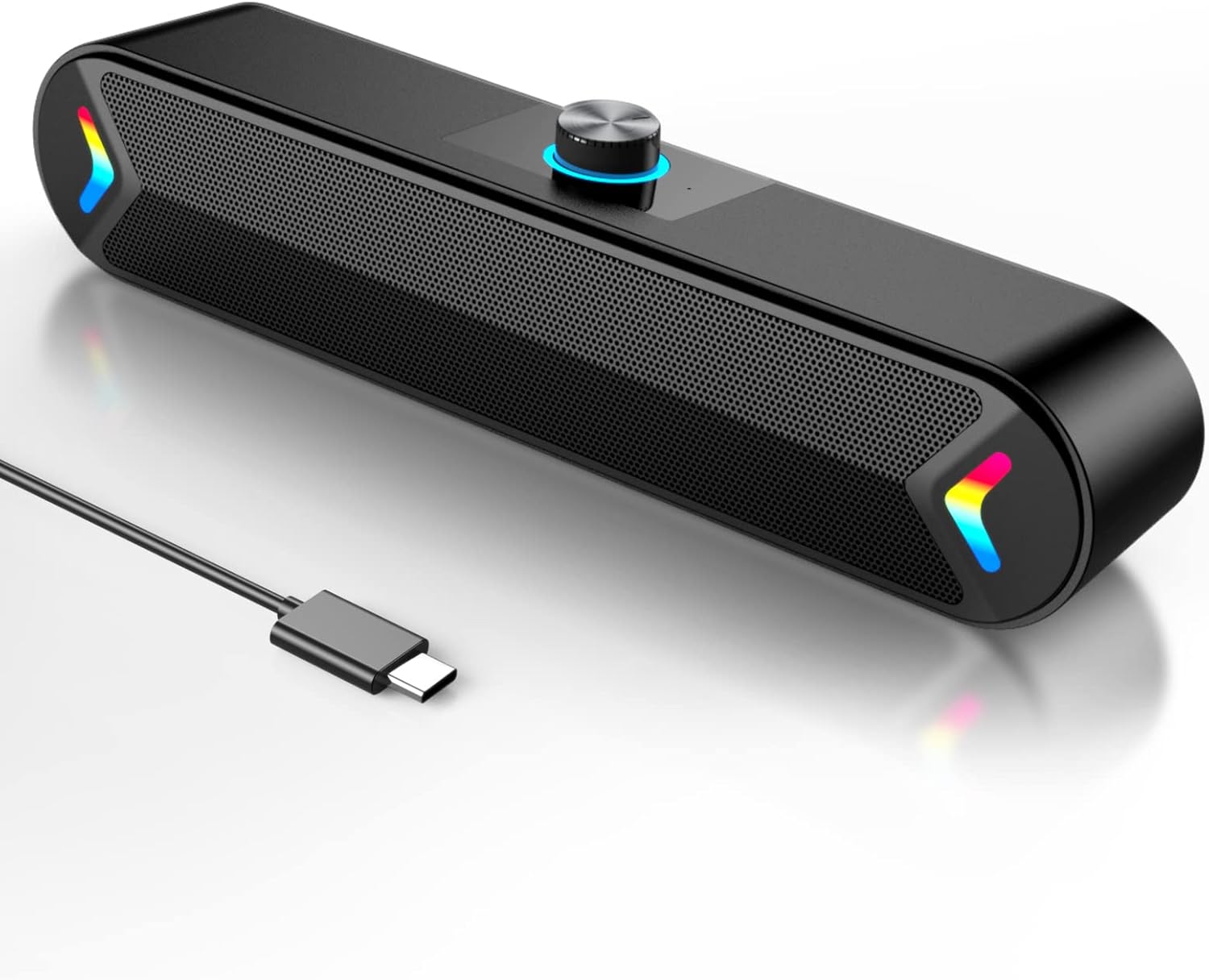
3.1-сүрөт: Фронт view of the LENRUE A39PRO speaker, showing the main grille and integrated USB-C cable.

3.2-сүрөт: Жогорку жана арткы view of the speaker, highlighting the volume knob and the power/light control button.
Негизги компоненттер:
- Үн баскычы: Located on the top, used for adjusting audio volume.
- Кубат/Жарык баскычы: Located on the back, controls power and the colorful light feature.
- USB-C кабели: Integrated cable for both power and audio input.
- Кош 5W драйверлери: Internal components providing clear stereo sound.
- Independent Bass Diaphragm: Enhances bass performance.
4. Орнотуу нускамалары
The LENRUE A39PRO speaker is designed for simple plug-and-play operation. No additional drivers or software are required for most operating systems.
Динамикти туташтыруу:
- Locate an available USB-C port on your laptop or desktop computer.
- Insert the integrated USB-C cable from the LENRUE A39PRO speaker firmly into the USB-C port on your computer.

4.1-сүрөт: Illustrates connecting the speaker's USB-C cable to a laptop's Type-C port.
- The speaker will automatically power on and be recognized by your operating system. You may need to select the "LENRUE A39PRO" as the default audio output device in your computer's sound settings.

4.2-сүрөт: The speaker in operation, connected to a laptop, demonstrating its plug-and-play functionality.
Маанилүү эскертүү: Ensure your device has a Type-C interface for compatibility. The single USB-C cable transmits both audio and electrical power to the speaker.
5. Иштөө нускамалары
Үндү көзөмөлдөө:
- айлантыңыз Көлөм баскычы on the top of the speaker clockwise to increase the volume.
- айлантыңыз Көлөм баскычы үнүн азайтуу үчүн саат жебесине каршы.
Controlling the Colorful Light:
The speaker features a colorful light design that can be controlled via the button on the back.
- басыңыз Кубат/Жарык баскычы once to turn on the speaker and activate the colorful lights.
- басыңыз Кубат/Жарык баскычы a second time to turn off the colorful lights while keeping the speaker powered on.
- басыңыз Кубат/Жарык баскычы a third time to power off both the speaker and the lights.
6. Шайкештик
The LENRUE A39PRO speaker offers wide compatibility with various operating systems and devices that feature a USB-C port for audio and power.

6.1-сүрөт: Visual representation of the speaker's compatibility with Windows, macOS, Chrome OS, Linux, and Unix systems.
Колдоого алынган операциялык системалар:
- Windows PCs (Vista/7/8/10)
- macOS (MacBook Air, Mac mini)
- Google Chromebooks
- Linux
- Unix
Шайкеш түзмөктөр:
- Laptops with Type-C port
- Desktop Computers with Type-C port
7. Кыйынчылыктарды
If you encounter issues with your LENRUE A39PRO speaker, please refer to the following common problems and solutions:
| Көйгөй | Мүмкүн себеп | Чечим |
|---|---|---|
| Динамиктен үн жок. |
|
|
| Lights are off, but speaker is on. | Lights have been toggled off. | Press the Power/Light Button once to cycle through light modes and turn them back on. |
| Үн бурмаланган же түшүнүксүз. |
|
|
| Speaker not recognized by computer. |
|
|
8. Техникалык шарттар
| Өзгөчөлүк | Деталь |
|---|---|
| Модель аты | A39PRO |
| Динамик түрү | Компьютер динамиги |
| Байланыш технологиясы | USB (Type-C) |
| Power Source | Электр зымдары (USB-C аркылуу) |
| Аудио чыгаруу режими | Стерео |
| Динамиктин максималдуу чыгаруу күчү | 10 Watts (2x5W) |
| Controller Type | Баскычты башкаруу |
| Продукциянын өлчөмдөрү (D x W x Y) | 2.17"D x 12.6"W x 2.56"H |
| Элемент Салмагы | 1.3 фунт |
| Түс | Black-USBC |
| Өзгөчө өзгөчөлүк | One Cable with Type-C plug for charging and audio, Colorful light Design |
9. Техникалык тейлөө
Proper care and maintenance will ensure the longevity and optimal performance of your speaker.
- Тазалоо: Use a soft, dry cloth to wipe the surface of the speaker. Do not use liquid cleaners or abrasive materials, as they may damage the finish or internal components.
- Сактагыч: Узак мөөнөткө колдонулбаганда, динамикти күн тийбеген жана өтө температурадан алыс, салкын, кургак жерде сактаңыз.
- Колдонуу: Avoid dropping the speaker or subjecting it to strong impacts, which can damage internal circuitry.
- Суу таасири: The speaker is not waterproof. Avoid exposing it to water or other liquids.
10. Кепилдик жана колдоо
The LENRUE A39PRO speaker comes with a Чектелген Кепилдик. For specific warranty terms, conditions, and support inquiries, please refer to the warranty information provided at the time of purchase or contact LENRUE customer support directly through their official channels.
For further assistance or technical support, please visit the official LENRUE webсайтка же кардарларды тейлөө бөлүмүнө кайрылыңыз.
Ask a question about this manual
Ask about setup, troubleshooting, compatibility, parts, safety, or missing instructions. Manuals+ will review the question and use this page’s manual context to help answer it.