
1. Киришүү
Сатып алганыңыз үчүн рахматasing the Admiral 50 Inch 4K Smart LED TV, model ADL50UMSACN. This manual provides essential information for the safe and efficient use of your new television. Please read this manual thoroughly before operating the TV and retain it for future reference.
This television features a 50-inch 4K UHD display, integrated Google Android TV for smart functionality, Dolby Sound System, built-in Chromecast, Bluetooth, and Wi-Fi connectivity, offering a comprehensive home entertainment experience.
2. Коопсуздук маалыматы
Маанилүү коопсуздук көрсөтмөлөрү:
- Телевизорду иштетүүдөн мурун бардык нускамаларды окуп чыгыңыз.
- Keep the TV away from heat sources, direct sunlight, and water.
- Ensure proper ventilation around the TV to prevent overheating. Do not block ventilation openings.
- Телевизор менен кошо берилген кубат шнурун гана колдонуңуз. Розеткаларды ашыкча жүктөбөңүз.
- Электр шнурын басуудан же кысып калуудан сактаңыз.
- Чагылган бороондо же көпкө чейин пайдаланылбай турганда сыналгыны розеткадан ажыратыңыз.
- Телевизорду өзүңүз тейлөөгө аракет кылбаңыз. Бардык тейлөөлөрдү квалификациялуу тейлөө кызматкерлерине тапшырыңыз.
- Майда бөлүктөрүн жана батареяларды балдар жетпеген жерде сактаңыз.
3. Пакеттин мазмуну
Сураныч, бардык буюмдар бар экенин жана жакшы абалда экендигин текшериңиз:
- Admiral 50 Inch 4K Smart LED TV
- Телевизор (2 даана)
- Алыстан башкаруу
- Электр кабели
- Колдонуучунун Колдонмосу (бул документ)
- Стенд орнотуу үчүн бурамалар
4. Орнотуу
4.1 Телевизорду таңгактан чыгаруу
Carefully remove the TV from its packaging. It is recommended to have two people for this process due to the size and weight of the television. Place the TV screen-down on a soft, flat surface (like a blanket or foam) to prevent damage during stand installation.
4.2 Телевизордун стендин орнотуу
To attach the included stand:
- Сол жана оң жактагы стенд бөлүктөрүн аныктагыла.
- Ар бир стенд бөлүгүн телевизордун түбүндөгү тиешелүү уячаларга тууралаңыз.
- Ар бир тирөөч бөлүгүн берилген бурамалар менен бекитиңиз. Алардын бекем тартылганын, бирок өтө катуу тартпаганын текшериңиз.
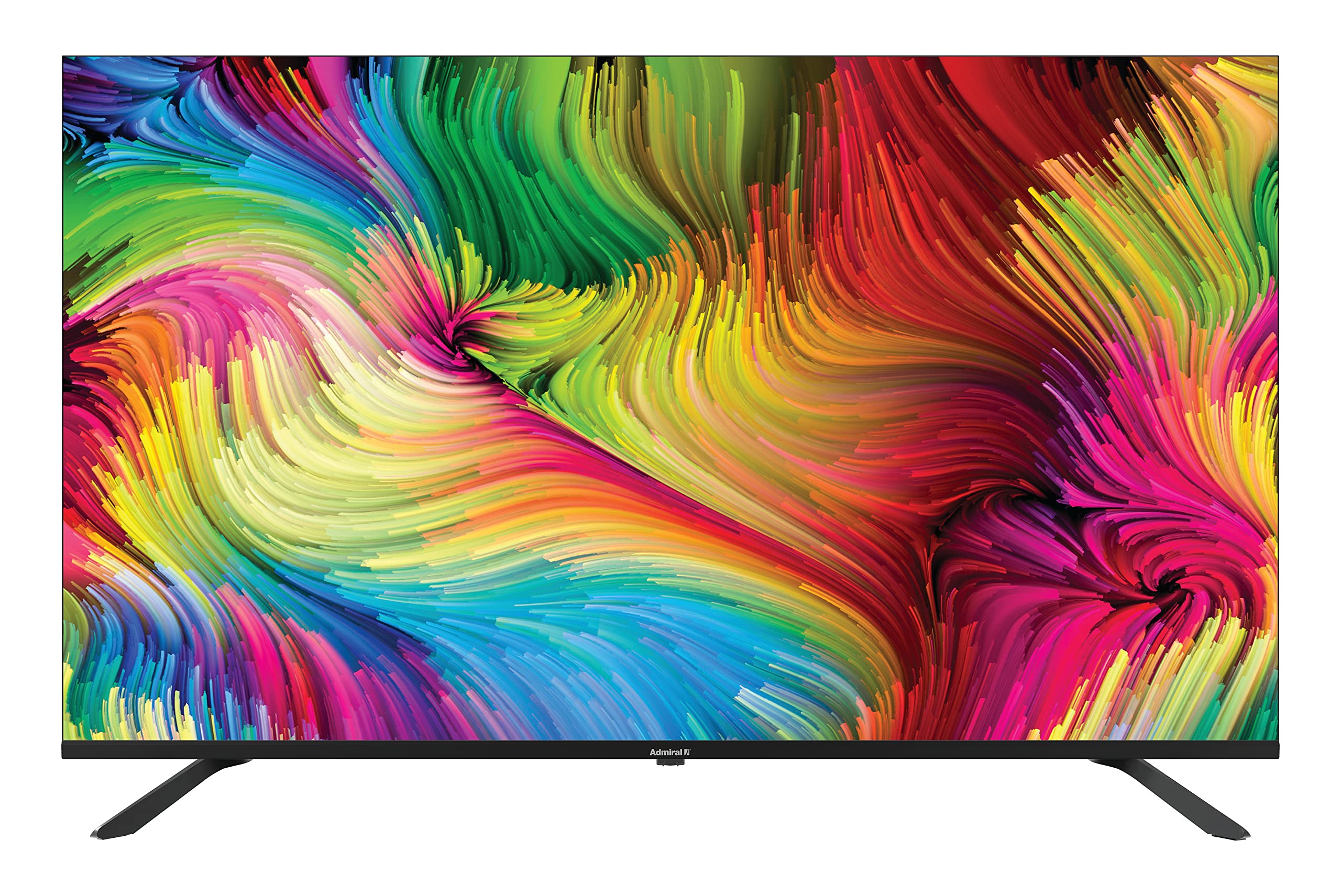
Image: Admiral 50 Inch 4K Smart LED TV with its stand attached, viewбурчтан.
4.3 Дубалга орнотуу (кошумча)
If you choose to wall mount your TV, please consult a professional installer. The TV uses a VESA compatible mounting pattern. Ensure the wall mount can support the weight of the TV (approximately 9.3 kg) and is installed securely.
4.4 Түзмөктөрдү туташтыруу
Connect your external devices (e.g., cable box, Blu-ray player, gaming console) to the appropriate ports on the back or side of the TV. Common connections include HDMI for high-definition video and audio.

Сүрөт: каптал view of the Admiral 50 Inch 4K Smart LED TV, illustrating the slim profile and potential locations for connectivity ports.
4.5 Кубатты туташтыруу жана баштапкы орнотуу
After connecting all devices, plug the power cable into the TV and then into a wall outlet. Press the power button on the TV or remote control. The TV will guide you through the initial setup process, including language selection, network connection (Wi-Fi), and channel scanning.
5. Иштөө нускамалары
5.1 Алыстан башкаруу функциялары
The remote control allows you to access all TV functions. Familiarize yourself with the buttons for power, volume, channel selection, input source, and smart TV navigation.

Image: A person comfortably seated, operating the Admiral 50 Inch 4K Smart LED TV with a remote control.
5.2 Smart TV Features (Google Android TV)
Your Admiral TV runs on Google Android TV, providing access to a wide range of applications and services:
- Колдонмого мүмкүндүк алуу: Navigate to the home screen to find pre-installed apps like Netflix, YouTube, and Amazon Instant Video. You can download more apps from the Google Play Store.
- Chromecast камтылган: Stream content (videos, music, photos) directly from your compatible smartphone, tablet, or computer to the TV screen.
- Wi-Fi туташуусу: Connect to your home wireless network for internet access and smart features.
- Bluetooth: Pair Bluetooth-enabled devices such as headphones or game controllers for enhanced audio or gaming experiences.
- Үн менен башкаруу: Use the voice assistant feature (if available on your remote) to search for content, control playback, and more.
5.3 Телевизордун негизги функциялары
- Күйгүзүү/өчүрүү: Пульттагы же сыналгыдагы кубат баскычын басыңыз.
- Үндү көзөмөлдөө: Үндү жогорулатуу/төмөндөтүү баскычтарын колдонуңуз.
- Канал тандоо: Channel Up/Down баскычтарын же сандык тактаны колдонуңуз.
- Киргизүү булагы: Press the 'Input' or 'Source' button to switch between HDMI, AV, TV, etc.
- Орнотуулар Менюсу: Access picture, sound, network, and system settings via the 'Settings' button on your remote.
6. Техникалык тейлөө
6.1 Экранды тазалоо
Экранды тазалоо үчүн аны жумшак, түксүз чүпүрөк менен акырын сүртүңүз. өжөр белгилери үчүн, жеңил гampчүпүрөккө суу же атайын экран тазалоочу каражат. Do not use harsh chemicals, abrasive cleaners, or alcohol-based solutions as they can damage the screen surface.
6.2 Cleaning the TV Cabinet
Wipe the TV cabinet with a soft, dry cloth. If necessary, a slightly damp кездемени колдонсо болот, андан кийин кургак чүпүрөк менен сүртүңүз. Желдетүүчү тешиктерге суюктук кирбегенин текшериңиз.
6.3 Сактоо
If you need to store the TV for an extended period, unplug it from the power outlet, remove batteries from the remote, and cover it to protect against dust. Store in a cool, dry place.
7. Кыйынчылыктарды
Кардарларды колдоо кызматына кайрылуудан мурун, төмөнкү жалпы маселелерди жана чечимдерди караңыз:
- Кубат жок: Ensure the power cable is securely plugged into both the TV and a working wall outlet. Try plugging another device into the same outlet to confirm it has power.
- Сүрөт же үн жок:
- Check that the correct input source is selected (e.g., HDMI 1, AV).
- Бардык кабелдердин бекем туташтырылганын текшериңиз.
- Үн көлөмүн жогорулатыңыз.
- Алыстан башкаруу иштебейт:
- Батареяларды жаңыларына алмаштырыңыз.
- Пульт менен сыналгынын IR сенсорунун ортосунда эч кандай тоскоолдуктар жок экенин текшериңиз.
- Smart Features/Internet Not Working:
- Check your Wi-Fi connection in the TV's network settings.
- Restart your home router/modem.
- Сыналгыны розеткадан бир нече мүнөткө сууруп, анан кайра сайып, кайра күйгүзүңүз.
- Сүрөттүн сапаты начар:
- Туташкан түзмөгүңүздүн чечилиш орнотууларын текшериңиз.
- Сыналгы менюсунда сүрөт жөндөөлөрүн (жарыктык, контраст, тактык) тууралаңыз.
- Ensure the signal source (antenna, cable, streaming) is strong and clear.
8. Техникалык шарттар
| Өзгөчөлүк | Спецификация |
|---|---|
| Бренд | адмирал |
| Модель номери | ADL50UMSACN |
| Screen Size | 50 дюйм |
| Дисплей технологиясы | LED |
| Резолюция | 4K UHD (3840 x 2160) |
| Жаңыртуу ылдамдыгы | 60 Гц |
| Операция системасы | Google Android TV |
| Байланыш технологиясы | Wi-Fi, Bluetooth |
| Өзгөчөлүктөр | Browser, Chromecast Built-in |
| Колдоого алынган Интернет кызматтары | Amazon Instant Video, Netflix, YouTube |
| Продукциянын өлчөмдөрү (стенд менен) | 111 x 31 x 69.7 см |
| Элемент Салмагы | 9.3 килограмм |
| Камтылган компоненттер | Стенд, телевизор |
9. Кепилдик жана колдоо
Your Admiral 50 Inch 4K Smart LED TV ADL50UMSACN comes with a 2 жылдык кепилдик. Кепилдик дооматтары үчүн сатып алганыңыздын далилин сактап коюңуз.
For technical assistance, troubleshooting beyond this manual, or warranty service, please contact Admiral customer support. Refer to the contact information provided with your purchase documentation or visit the official Admiral webколдоо чоо-жайы үчүн сайт.


