
Introduction
Thank you for choosing the Dpofirs Portable MP3 Player. This device is designed to provide high-quality, lossless audio playback in a compact and durable form factor. This manual will guide you through the setup, operation, and maintenance of your new MP3 player.
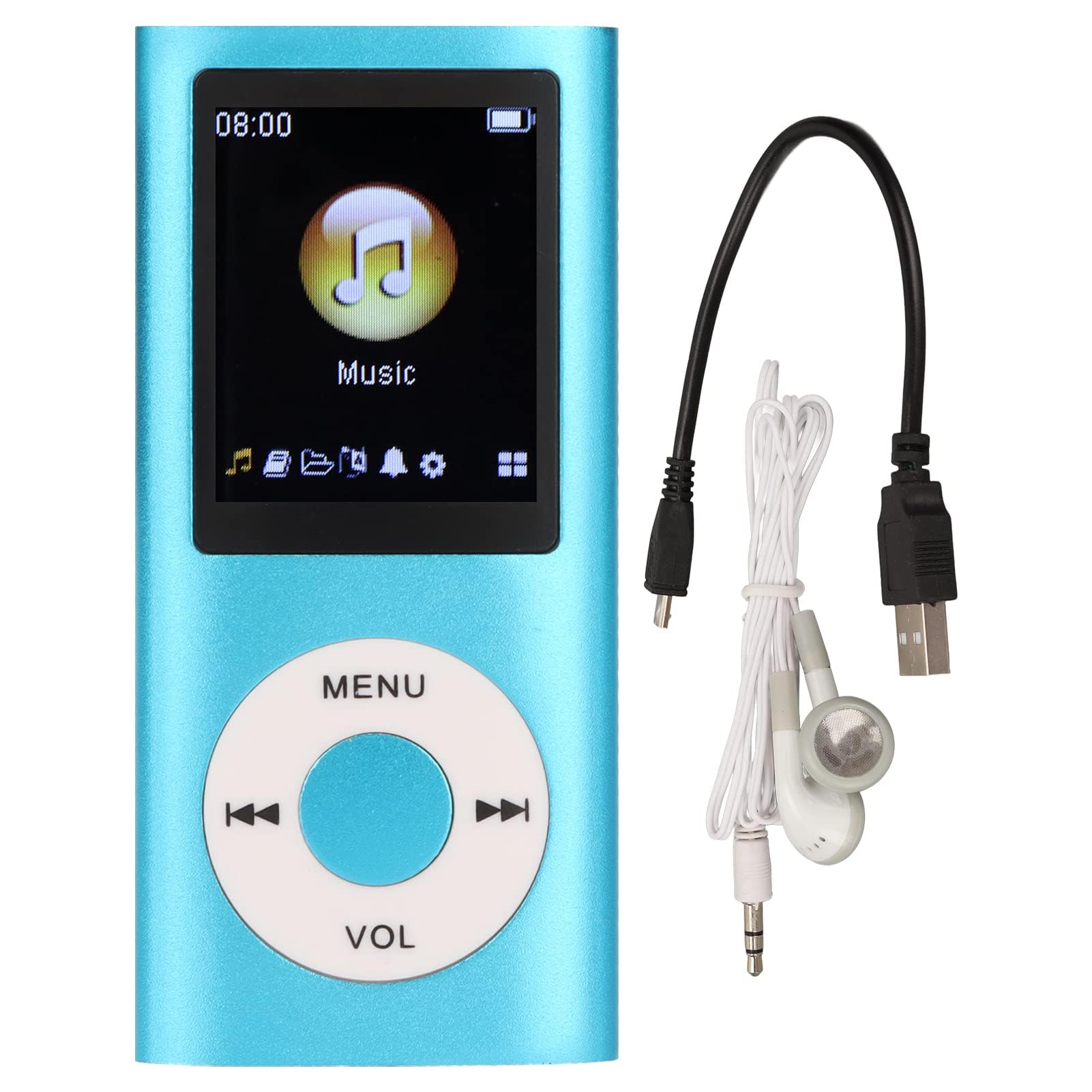
Image: The Dpofirs Portable MP3 Player, featuring a blue aluminum alloy casing and a circular control pad. A person is visible in the background, enjoying music with headphones.
Пакеттин мазмуну
Сураныч, пакетте төмөнкү нерселерди текшериңиз:
- 1 x Dpofirs MP3 Player
- 1 x заряддоо кабели
- 1 х Наушник
Негизги өзгөчөлүктөрү
- Жоготуусуз үн сапаты: Supports MP3, WMA, FLAC, APE, AAC, OGG, and ACELP audio formats.
- Кеңейтүүчү эстутум: Supports up to 64GB memory card (not included). MYMAHDI memory cards are recommended.
- Колдонуучуга ыңгайлуу интерфейс: Easy navigation for selecting songs, creating playlists, and managing playback.
- Батареянын узак иштөө мөөнөтү: Толук зарядда 8 саатка чейин үзгүлтүксүз ойнотуу.
- Туруктуу дизайн: Constructed from premium aluminum alloy for enhanced durability.
- Ойнотуу режимдери: Supports sequential and random playback, and sleep shutdown function.
Жайгашуу
1. Аппаратты заряддоо
Биринчи колдонуудан мурун, MP3 ойноткучуңузду толугу менен заряддаңыз.
- Connect the provided charging cable to the MP3 player's charging port.
- Кабелдин экинчи учун USB кубат адаптерине (кошумча эмес) же компьютердин USB портуна туташтырыңыз.
- The device will indicate charging status. A full charge typically takes approximately 2 hours.
Маанилүү: Ensure the charging cable is functioning correctly. If the device does not charge, try a different USB port or adapter.
2. Эстутум картасын салуу
The MP3 player requires a memory card for storing music.
- Locate the memory card slot on the side of the MP3 player.
- Gently insert a microSD card (up to 64GB, not included) into the slot until it clicks into place.
- Чыгаруу үчүн картаны сыртка чыкканга чейин бир аз түртүңүз.
Эскертүү: A memory card is not included with the player. MYMAHDI brand memory cards are recommended for optimal performance.
3. Наушниктерди туташтыруу
Connect the provided earphones or your preferred 3.5mm audio headphones to the headphone jack on the MP3 player.
Иштөө нускамалары
1. Күйгүзүү/өчүрүү
- To power on, press and hold the power button (usually the Play/Pause button or a dedicated power button) until the screen lights up.
- Өчүрүү үчүн, экран өчкөнгө чейин кубат баскычын кайра басып, кармап туруңуз.
2. Негизги навигация
The MP3 player features a circular control pad with several buttons:
- МЕНЮ: Access the main menu or go back to the previous screen.
- VOL (+/-): Үн деңгээлин тууралаңыз.
- Ойнотуу/тындыруу: Ойнотууну баштоо же тындыруу.
- Кийинки/Мурунку: Skip to the next track or go back to the previous track. Long press to fast forward/rewind.
3. Музыканы өткөрүп берүү Files
Музыканы MP3 ойноткучуңузга өткөрүү үчүн:
- Connect the MP3 player to your computer using the charging cable.
- The player should appear as a removable disk drive on your computer.
- Музыкаңызды сүйрөп барып таштаңыз files (MP3, WMA, FLAC, APE, AAC, OGG, ACELP) into the player's memory card folder.
- Кабелди ажыратуудан мурун, түзмөктү компьютериңизден коопсуз ажыратыңыз.
4. Музыка ойноо
- Негизги менюдан "Музыка" же "Аудио" бөлүмүнө өтүңүз.
- Browse your music by artist, album, genre, or all songs.
- Ойнотууну баштоо үчүн ырды тандаңыз.
- Use the Play/Pause, Next/Previous, and VOL buttons to control playback.
5. Ойнотуу параметрлери
- Ойнотмо тизмелер: Create and manage custom playlists directly on the device.
- Аралаштыруу/Кайталоо: Toggle between sequential playback, shuffle, and repeat modes.
- Sleep Shutdown: Түзмөктүн автоматтык түрдө өчүшү үчүн таймер коюңуз.
Техникалык тейлөө
- Түзмөктү кургак кармаңыз. Нымдуулук ички чынжырларга зыян келтириши мүмкүн.
- Ашыкча температурадан сактаныңыз.
- Clean the device with a soft, dry cloth. Do not use harsh chemicals or cleaning agents.
- Экранды чийилип калуудан коргоңуз.
- Аппаратты колдонбогондо коопсуз жерде сактаңыз.
Проблемаларды чечүү
Түзмөк күйбөйт:
- Ensure the battery is charged. Connect the player to a power source and allow it to charge for at least 30 minutes.
- Try pressing and holding the power button for an extended period (5-10 seconds).
Cannot hear any sound:
- Check if the earphones are properly connected to the headphone jack.
- Increase the volume using the VOL+ button.
- Test with a different pair of earphones to rule out faulty headphones.
- аудиону камсыз кылуу files бузулган эмес жана колдоого алынган форматта.
Музыка files are not recognized:
- Ensure the memory card is properly inserted and recognized by the device.
- Музыка экенин текшериңиз files are in one of the supported formats (MP3, WMA, FLAC, APE, AAC, OGG, ACELP).
- Try reformatting the memory card (this will erase all data) and re-transferring the music.
- Ensure the memory card is not full.
Түзмөк токтоп калат же жооп бербей калат:
- Кайра күйгүзүүгө мажбурлоо үчүн кубат баскычын 10-15 секунд басып туруңуз.
- If available, use a small pin to press the reset button (if present on the device).
Техникалык шарттар
| Бренд | Dpofirs |
| Модель номери | Dpofirs5yhtvp70d23123-13 |
| Материал | Алюминий эритмеси |
| Батарея | Камтылган 200mAh литий батареясы |
| Заряддоо убактысы | Болжол менен 2 саат |
| Ойнотуу убактысы | 8 саатка чейин (толук заряддалган) |
| Эстутум картасын колдоо | Up to 64GB (microSD, not included) |
| Колдоого алынган аудио форматтары | MP3, WMA, FLAC, APE, AAC, OGG, ACELP |
| Байланыш технологиясы | Көмөкчү түзүлүштөр, Bluetooth, Wi-Fi (Note: Bluetooth/Wi-Fi functionality not detailed in product description, focusing on core MP3 player features) |
| Түс | Көк |
| Келип чыккан өлкө | Кытай |
Кепилдик жана колдоо
Specific warranty information for this product is not provided in the available documentation. Please refer to the retailer's return policy or contact the seller directly for details regarding warranty coverage.
For technical support or further assistance, please contact Dpofirs customer service through the platform where you purchased the product.