
1. Продукт бүтүп калдыview
This Hama USB-C to Lightning charging cable is designed for efficient charging and high-speed data synchronization of Apple iPhones, iPads, and iPods. It supports fast charging when used with a compatible fast charger and offers data transfer speeds up to 480 Mbps.
Пакеттин мазмуну
- 1x Hama USB-C to Lightning Charging Cable (1.5m, White)
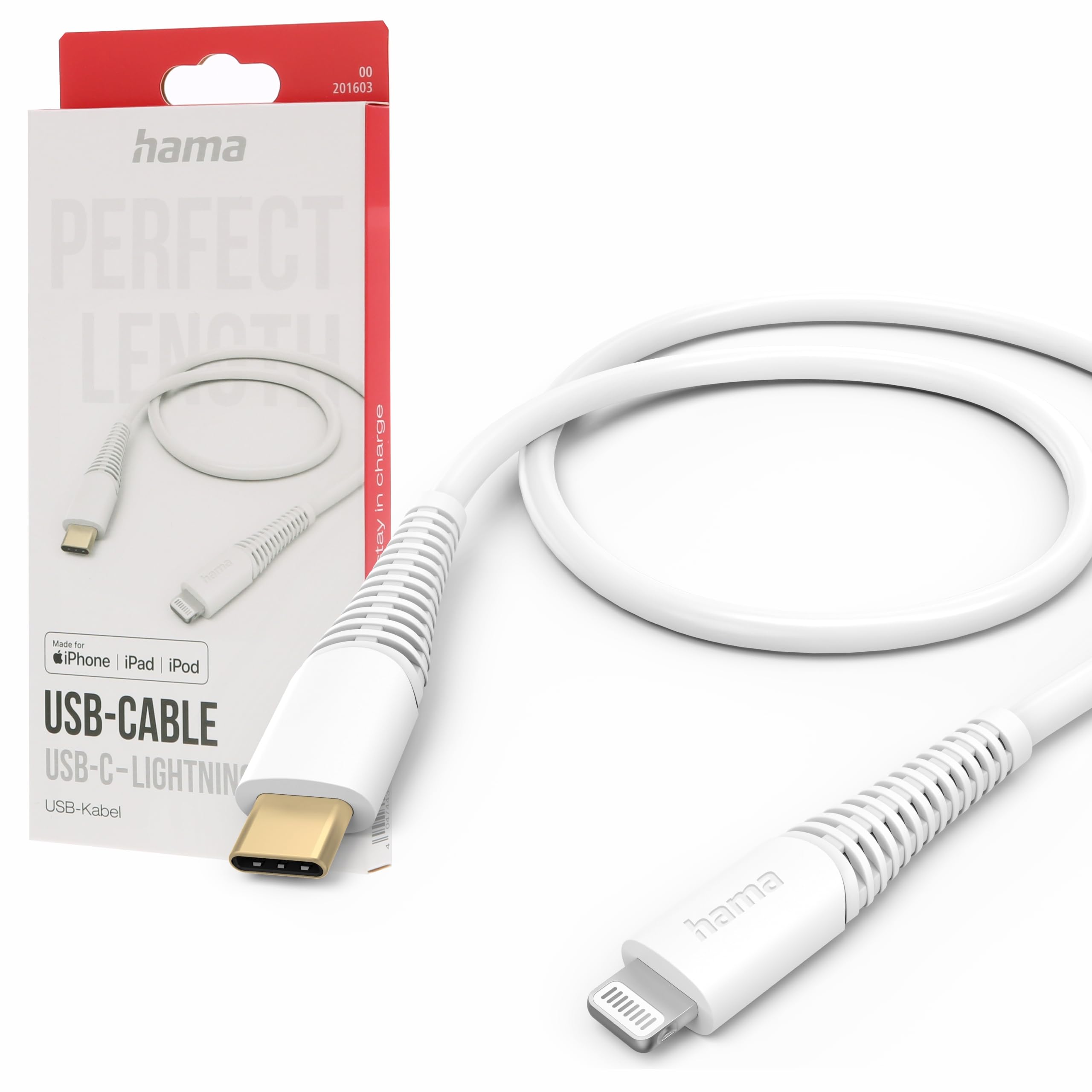
Image: The Hama USB-C to Lightning Charging Cable, white, with a USB-C connector on one end and a Lightning connector on the other.
2. Орнотуу нускамалары
To begin using your Hama USB-C to Lightning cable, follow these simple steps:
- Туташтыргычтарды аныктоо: Locate the USB-C connector (smaller, oval-shaped) and the Lightning connector (flat, reversible) on the cable.
- Кубат булагына/Компьютерге туташуу: Insert the USB-C connector into a compatible USB-C power adapter (for charging) or a USB-C port on your computer (for charging and data transfer).
- Connect to Apple Device: Insert the Lightning connector into the charging port of your iPhone, iPad, or iPod. Ensure a firm connection.
Your device should now begin charging or be recognized by your computer for data transfer.
3. Иштөө нускамалары
Түзмөгүңүздү заряддоо
This cable supports fast charging for compatible Apple devices. For optimal charging speed, use a USB-C power adapter that supports Power Delivery (PD) or other fast charging protocols.
- Connect the USB-C end of the cable to a wall charger or power bank.
- Connect the Lightning end to your Apple device.
- The device's screen will indicate that it is charging.
Маалыматтарды өткөрүү
The cable facilitates high-speed data transfer up to 480 Mbps, allowing you to sync photos, videos, music, and other files between your Apple device and a computer.
- Connect the USB-C end of the cable to a USB-C port on your computer.
- Connect the Lightning end to your Apple device.
- Your computer should recognize the device, allowing you to access its storage for data transfer.
4. Кароо жана тейлөө
To ensure the longevity and optimal performance of your Hama charging cable, please follow these care guidelines:
- Өтө ийилгенден качыңыз: Do not excessively bend or crimp the cable, especially near the connectors, as this can damage the internal wires.
- Кургак кармоо: Кабелди нымдуулуктан жана суюктуктардан коргоңуз. Аны нымдуу чөйрөдө колдонбоңуз.
- Акырын тазалоо: If necessary, clean the cable and connectors with a soft, dry cloth. Avoid using harsh chemicals or abrasive materials.
- Туура сактоо: When not in use, store the cable in a clean, dry place, ideally coiled loosely to prevent tangling and damage.
- Материал: The exterior material is Polychlorure de vinyle (PVC), which is durable but can be damaged by sharp objects or extreme heat.
5. Кыйынчылыктарды
Түзмөк заряддалбай жатат
- Байланыштарды текшерүү: Ensure both the USB-C and Lightning connectors are fully and securely inserted into their respective ports.
- Кубат булагын текшерүү: Confirm that the USB-C power adapter or computer port is functional and providing power. Try a different power source if available.
- Кабелди текшерүү: Check the cable for any visible damage, such as cuts or frayed wires. If damaged, discontinue use.
- Башка түзмөк/кабель менен сынап көрүңүз: Try charging a different Apple device with this cable, or try charging your device with a different, known-working cable to isolate the issue.
Маалыматтарды өткөрүү маселелери
- Коопсуз байланыштар: Ensure the cable is firmly connected to both your computer and Apple device.
- Computer Port: Try connecting the USB-C end to a different USB-C port on your computer.
- Device Trust: On your Apple device, ensure you have tapped 'Trust This Computer' when prompted.
- Программалык камсыздоо/драйверлер: Ensure your computer's operating system and iTunes (if applicable) are up to date.
6. Техникалык шарттар
| Модель номери | 00201603 |
| ASIN | B0BL1CGYP6 |
| Узундук | 1.5 метр |
| Түс | Ак |
| Туташтыргыч түрү | USB Type C, Lightning |
| Connector Gender | Эркектен эркекке |
| Маалыматтарды өткөрүү ылдамдыгы | 480 Мегабит секундасына |
| Максималдуу ток | 3 Amperes |
| Максималдуу томtage | 20 вольт |
| Өзгөчө өзгөчөлүк | High Speed Charging and Data Transfer |
| Шайкеш түзмөктөр | Smartphones (Apple iPhones, iPads, iPods), Power Banks, Laptops, Speakers, Tablets |
| Сырткы материал | Поливинилхлорид (PVC) |
| Продукциянын өлчөмдөрү (L x W x Y) | 19.5 x 9 x 1.5 см |
| Элемент Салмагы | 47.82 грамм |
| Шайкештик | CE |
7. Кепилдик жана колдоо
Hama products are manufactured with high quality standards. This product includes a Запастык тетиктердин 1 жылдык болушу сатып алынган күндөн тартып.
For technical support, warranty claims, or further assistance, please contact Hama customer service through their official website or the retailer where the product was purchased. Please retain your proof of purchase for warranty purposes.
For more information, visit the official Hama webсайт: www.hama.com


