
keenetic KN-3710-01-EU
Keenetic Sprinter AX1800 Mesh Wi-Fi 6 роутер/кеңейткич колдонуучусунун колдонмосу
Model: KN-3710-01-EU | Brand: Keenetic
1. Киришүү
The Keenetic Sprinter AX1800 is a high-performance Mesh Wi-Fi 6 Router/Extender designed to provide fast, reliable, and secure internet connectivity for your home or office. This device supports Wi-Fi 6 (802.11ax) technology, offering dual-band operation (2.4 GHz and 5 GHz) with speeds up to 1800 Mbps. It features four Gigabit Ethernet ports for stable wired connections and can seamlessly switch between router and extender modes. This manual provides essential information for setting up, operating, maintaining, and troubleshooting your Keenetic Sprinter AX1800.
2. Коопсуздук маалыматы
- Аппарат менен кошо берилген кубат адаптерин гана колдонуңуз.
- Do not expose the device to water, fire, high humidity, or extreme temperatures.
- Аппаратты жылуулук булактарынын жанына же тике күн нуруна коюудан алыс болуңуз.
- Ашыкча ысып кетүүнүн алдын алуу үчүн аппараттын айланасында туура желдетүүнү камсыз кылыңыз.
- Аппаратты өз алдынча бөлүүгө же оңдоого аракет кылбаңыз. Бардык тейлөөлөрдү квалификациялуу кызматкерлерге тапшырыңыз.
3. Пакеттин мазмуну
Пакетиңизде бардык буюмдар бар экенин текшериңиз:
- Keenetic Sprinter AX1800 Device
- Кубаттуу адаптер
- Ethernet кабели
- Telephone Cable (if applicable)
- DSL Splitter (if applicable)
- Multi-language Quick Start Guide
4. Продукт бүтүп калдыview
Familiarize yourself with the physical components of your Keenetic Sprinter AX1800.

Сүрөт 4.1: Алдыңкы view of the Keenetic Sprinter AX1800 router, showing the LED indicators for power, internet, Wi-Fi, and network activity.
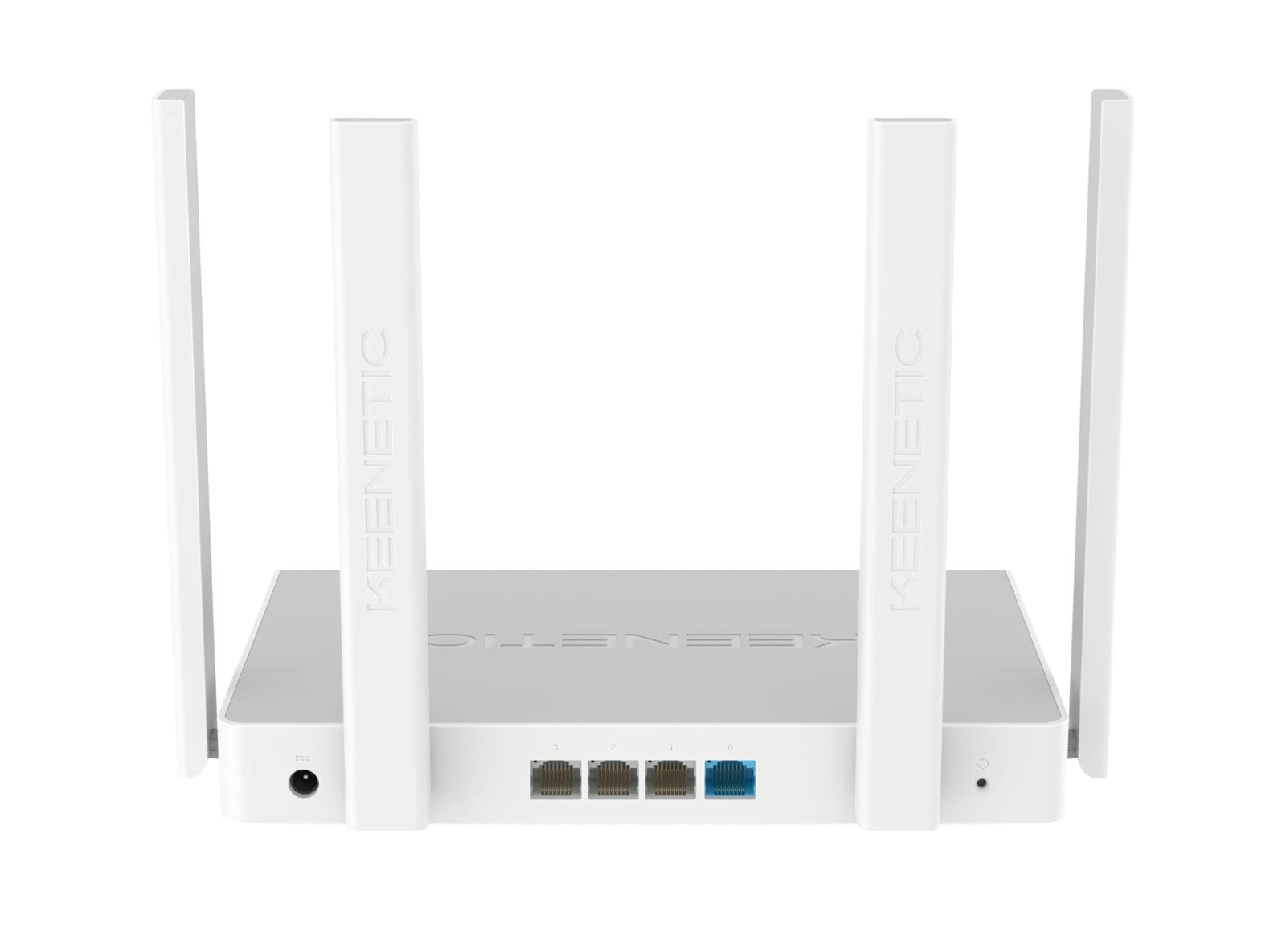
4.2-сүрөт: Арткы view of the Keenetic Sprinter AX1800 router, highlighting the power input, four Gigabit Ethernet ports (one blue for WAN/LAN, three yellow for LAN), and the reset button.
LED көрсөткүчтөрү:
- Power LED: Кубаттын абалын көрсөтөт.
- Интернет LED: Интернетке туташуунун абалын көрсөтөт.
- Wi-Fi LED: Wi-Fi аракетин көрсөтөт.
- LAN диоддору: Тиешелүү Ethernet портторундагы активдүүлүктү көрсөтүңүз.
Порттор жана баскычтар:
- Кубат киргизүү: Кубат адаптерине туташат.
- Gigabit Ethernet Ports (4): One port can function as WAN or LAN, others are LAN.
- Калыбына келтирүү баскычы: Заводдук жөндөөлөрдү калыбына келтирүү үчүн колдонулат.
- Режим которуу: Physical switch to toggle between Router and Extender modes.
5. Орнотуу
5.1 Баштапкы туташуу
- Күйгүзүү: Connect the power adapter to the router's power input and plug it into a power outlet. Wait for the Power LED to stabilize.
- Интернет байланышы: Connect your modem's Ethernet cable to the blue WAN/LAN port on the router.
- Wired Devices (Optional): Connect your computer or other wired devices to any of the yellow LAN ports using an Ethernet cable.
- Зымсыз түзмөктөр: Locate the default Wi-Fi network name (SSID) and password printed on the label at the bottom of the router. Connect your wireless devices to this network.
5.2 Configuration (Web Interface / Mobile App)
You can configure your router using either the web interface or the Keenetic mobile app.
Web Интерфейс:
- ачуу а web туташкан түзмөктөгү браузер.
- Кириңиз
my.keenetic.netor192.168.1.1дарек тилкесинде жана Enter баскычын басыңыз. - Follow the on-screen instructions to complete the initial setup, including setting up your administrator password and Wi-Fi network details.
Мобилдик колдонмо:
- Download the free Keenetic app from your device's app store (Android/iOS).
- Open the app and follow the instructions to discover and set up your Keenetic device.
5.3 Router/Extender Mode Switching
The Keenetic Sprinter AX1800 features a physical switch to easily change its operating mode:
- Багыттоочу режим: The device acts as the primary internet gateway for your network.
- Кеңейтүүчү режим: The device extends an existing Wi-Fi network, providing broader coverage.
To switch modes, locate the physical switch on the device and move it to the desired position. The device will reboot and apply the new settings.
6. Иштөө
6.1 Wi-Fi 6 AX1800 Dual-Band Connectivity
The router supports the latest Wi-Fi 6 standard, providing enhanced speeds and efficiency for multiple devices simultaneously. It operates on two frequency bands:
- 2.4 ГГц: Up to 574 Mbps, ideal for wider coverage and older devices.
- 5 ГГц: Up to 1201 Mbps, ideal for high-bandwidth activities like 4K streaming and online gaming.
6.2 гигабит Ethernet порттору
The four Gigabit Ethernet ports provide stable and high-speed wired connections for devices such as PCs, smart TVs, gaming consoles, and network-attached storage (NAS) devices. These ports ensure minimal latency and maximum throughput for critical connections.
6.3 Өркүндөтүлгөн функциялар
- VPN and Multi-WAN: Supports OpenVPN, WireGuard, L2TP/IPsec, and Multi-WAN for load balancing and automatic failover, enhancing network flexibility and reliability.
- IntelliQoS Bandwidth Control: Automatically prioritizes network traffic for applications like streaming, gaming, and video conferencing to prevent interruptions.
- Integrated Security Features: Includes SPI Firewall, SafeDNS parental controls, and AdGuard ad blocker for comprehensive network protection.
- Guest Network with Captive Portal: Provides a separate, secure network for guests with customizable access options.
- Алыстан башкаруу: Manage your router remotely via the Keenetic mobile app or a secure web interface (HTTPS), including KeenDNS support.
7. Техникалык тейлөө
7.1 Микропрограмма жаңыртуулары
Regularly update your router's firmware to ensure optimal performance, security, and access to new features. Firmware updates can be performed via the web interface or the Keenetic mobile app.
7.2 Тазалоо
To clean the device, use a soft, dry cloth. Do not use liquid cleaners or aerosol sprays. Ensure the device is powered off and unplugged before cleaning.
7.3 Орнотуу
Optimal placement of your router is crucial for Wi-Fi performance. Place the router in a central location, away from obstructions and sources of interference (e.g., microwaves, cordless phones).
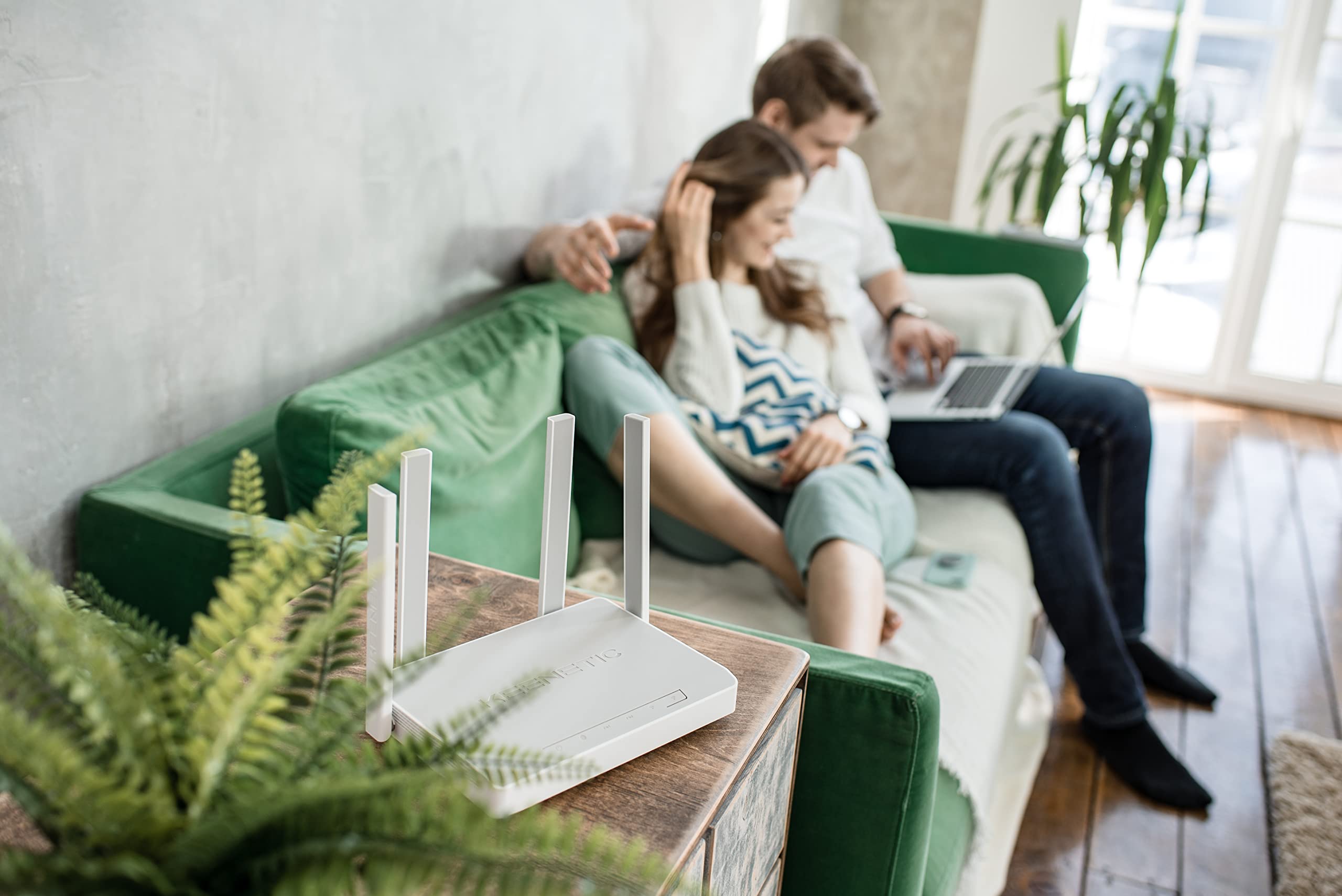
7.1-сүрөт: Мисample of the Keenetic Sprinter AX1800 router mounted vertically on a wall, demonstrating flexible placement options.

7.2-сүрөт: Мисample of the Keenetic Sprinter AX1800 router placed horizontally on a table, illustrating typical desktop placement.
8. Кыйынчылыктарды
Жалпы маселелер жана чечимдер:
- Интернет байланышы жок:
- Check if the Internet LED is lit.
- Ensure the Ethernet cable from your modem is securely connected to the blue WAN/LAN port.
- Модемди жана роутерди өчүрүп күйгүзүңүз.
- Роутердеги интернет провайдериңиздин (ISP) жөндөөлөрүн текшериңиз web интерфейс.
- Wi-Fi сигналы начар:
- Маршрутизаторду бир кыйла борбордук жерге көчүрүңүз.
- Роутерди тоскоолдук жаратышы мүмкүн болгон чоң металл буюмдардын же электрондук түзүлүштөрдүн жанына койбоңуз.
- Consider using the device in Extender mode or adding another Keenetic device for a Mesh Wi-Fi system.
- Кирүү мүмкүн эмес Web Интерфейс:
- Аспабыңыз роутердин тармагына (зымдуу же зымсыз) туташып турганын текшериңиз.
- Браузериңиздин кэшин тазалап көрүңүз же башка браузерди колдонуп көрүңүз.
- Verify the router's IP address (default is 192.168.1.1).
- Унутулган администратор сырсөзү:
- Perform a factory reset by pressing and holding the Reset button for 10 seconds while the device is powered on. Note that this will erase all custom settings.
9. Техникалык шарттар
| Өзгөчөлүк | Description |
|---|---|
| Модель аты | KN-3710 |
| Зымсыз стандарт | 802.11ax (Wi-Fi 6) |
| Жыштык тилкесинин классы | Dual-band (2.4 GHz & 5 GHz) |
| Макс. Зымсыз ылдамдык | AX1800 (2.4 ГГцде 574 Мбит/сек, 5 ГГцде 1201 Мбит/сек) |
| Ethernet порттору | 4 x 10/100/1000M Gigabit Ethernet (1 WAN/LAN, 3 LAN) |
| Антенналар | 4 Тышкы антенналар |
| Өзгөчөлүктөр | QoS, VPN, Multi-WAN, Mesh Support, Guest Network, Parental Control |
| Продукциянын өлчөмдөрү | 24 x 69 x 2.5 см |
| Элемент Салмагы | 400 грамм |
| Өндүрүүчү | Keenetic Limited |
10. Кепилдик жана колдоо
For warranty information and technical support, please refer to the official Keenetic webсайтка же кардарларды тейлөөгө кайрылыңыз. Сатып алуу квитанциясын кепилдик дооматтары үчүн сатып алуунун далили катары сактаңыз.
Онлайн ресурстар: Visit the Keenetic support page for FAQs, firmware downloads, and additional documentation.
Колдоо кызматы менен байланышуу: Refer to the contact information provided in your Quick Start Guide or on the Keenetic official webсайт.
Ask a question about this manual
Ask about setup, troubleshooting, compatibility, parts, safety, or missing instructions. Manuals+ will review the question and use this page’s manual context to help answer it.