
Introduction
Thank you for choosing the ciciglow 10-inch Android 11 Tablet. This manual provides essential information for setting up, operating, maintaining, and troubleshooting your device. Please read this manual thoroughly before using your tablet to ensure optimal performance and longevity.
Кутуда эмне бар
Таңгактан чыгаргандан кийин, төмөндө көрсөтүлгөн нерселердин бардыгы бар экенин жана жакшы абалда экендигин текшериңиз:
- 1 x ciciglow 10-inch Tablet
- 1 x Data Cable
- 1 х кубат адаптери
- 1 x OTG кабели
- 1 x Зымдуу гарнитура
- 1 x Чыгарып чыгаруучу төөнөгүч
- 1 x User Manual
Продукт бүттүview
The ciciglow 10-inch tablet is designed for a versatile user experience, featuring a robust set of hardware and software capabilities.
Негизги өзгөчөлүктөрү:
- 10 дюймдук IPS HD дисплей: Features full-screen eye protection and a dual anti-blue light design to reduce eye strain.
- Powerful 10-Core Processor: Equipped with an MT6711 10-core 2.5GHz CPU, 6GB RAM, and 128GB ROM for smooth performance in gaming and multimedia.
- Узак мөөнөттүү 8800 мАч батарея: Provides extended usage for work, study, entertainment, and creative tasks.
- Android 11 операциялык системасы: Offers faster internet access, stable video streaming, and smoother application launches.
- Dual SIM/Memory Card Slot: Supports dual SIM dual standby (2 SIM cards or 1 SIM card and 1 memory card simultaneously).
- Кош камералар: Features an 8MP front camera and a 20MP rear camera for high-definition photography and video calls.
- Байланыш: Supports 2.4G/5G dual-band Wi-Fi, Bluetooth 5.0, and 4G cellular networks (GSM850/900/1800/1900, WCDMA: 850/2100, LTE: BAND1/3/5/28AB/40/41F).
- GPS and GLONASS Support: For accurate navigation.

Figure 1: The 10-inch IPS HD display with eye protection features.

Figure 2: The tablet's 8800mAh battery ensures extended usage.

Figure 3: Front (8MP) and Rear (20MP) cameras for capturing moments.

Figure 4: The tablet runs on the Android 11 operating system.
Жайгашуу
1. Баштапкы заряддоо
Before first use, fully charge the tablet using the provided power adapter and USB-C cable. Connect the USB-C cable to the tablet's Type-C port and the adapter to a power outlet. The charging indicator will show the charging status.
2. Күйгүзүү / Өчүрүү
- Күйгүзүү үчүн: Press and hold the Power button until the ciciglow logo appears on the screen.
- Өчүрүү үчүн: Өчүрүү менюсу пайда болгонго чейин Күйгүзүү баскычын басып, кармап туруңуз. "Өчүрүү" дегенди тандап, ырастаңыз.
- Кайра баштоо үчүн: From the power-off menu, select "Restart".
3. Inserting SIM/Memory Card
Locate the SIM/memory card tray on the side of the tablet. Use the provided ejection pin to open the tray. Carefully place your SIM card(s) and/or memory card into the designated slots, ensuring correct orientation. Gently push the tray back into the tablet until it clicks into place.
Note: The tablet supports two SIM cards or one SIM card and one memory card simultaneously.
4. Баштапкы орнотуу устасы
Upon first power-on, the tablet will guide you through an initial setup process. Follow the on-screen instructions to select your language, connect to Wi-Fi, set up your Google account, and configure other basic settings.
Иштөө нускамалары
1. Навигациянын негиздери
- тийүү: Аны тандоо үчүн сүрөтчөнү же опцияны басыңыз.
- Серпүү: Экрандарды сыдыруу же чабыттоо үчүн манжаңызды экранга сүйрөңүз.
- Чымчып-кичирейтүү: Сүрөттөрдү чоңойтуу же кичирейтүү үчүн эки манжаңызды колдонуңуз жана web барактар.
- Башкы экран: Негизги экранга кайтуу үчүн "Башкы бет" баскычын (адатта тегерек же төрт бурчтуу сүрөтчө) басыңыз.
- Артка: Tap the Back button (usually a triangle or arrow icon) to return to the previous screen.
- Акыркы колдонмолор: Tap the Recent Apps button (usually a square or three vertical lines icon) to view жана жакында колдонулган колдонмолордун ортосунда которулуу.
2. Wi-Fi туташуусу
- барыңыз Орнотуулар > Тармак жана интернет > Wi-Fi.
- Wi-Fi которуштуруу On.
- Тизмеден каалаган Wi-Fi тармагын тандаңыз.
- Эгер суралса, сырсөздү киргизип, таптаңыз Туташуу.
3. Bluetooth Жупташтыруу
- барыңыз Орнотуулар > Туташкан түзмөктөр > Bluetooth.
- Bluetooth которуштуруу On.
- Жупташтыргыңыз келген түзмөк жупташтыруу режиминде экенин текшериңиз.
- Select the device from the "Available devices" list and follow any on-screen prompts to complete pairing.

Figure 5: The tablet supports 5G network connectivity and Bluetooth 5.0 for file өткөрүп берүү.
4. Камераны колдонуу
Open the Camera app from your home screen or app drawer. You can switch between the front and rear cameras, select different modes (photo, video), and adjust settings as needed. Tap the shutter button to take a photo or start/stop video recording.
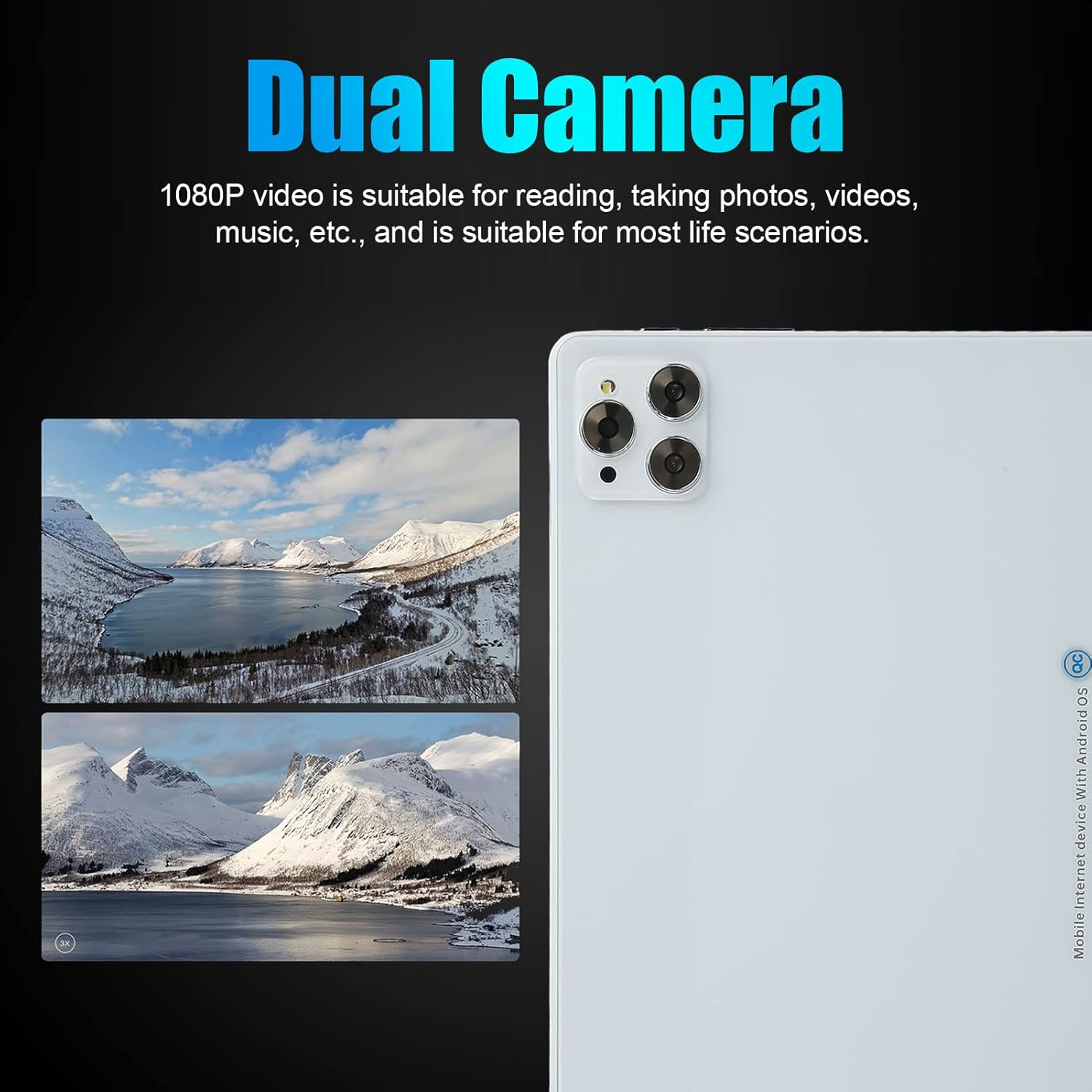
Figure 6: The dual cameras are suitable for various scenarios including reading, taking photos, and videos.
5. GPS навигациясы
The tablet supports GPS and GLONASS for accurate location services. Use pre-installed map applications or download your preferred navigation app from the Google Play Store. Ensure location services are enabled in Орнотуулар > Жайгашкан жер.

Figure 7: GPS navigation capabilities for indoor and outdoor use.
Техникалык тейлөө
- Тазалоо: Планшеттин экранын жана корпусун тазалоо үчүн жумшак, түксүз чүпүрөктү колдонуңуз. Катуу химиялык заттарды же абразивдүү материалдарды колдонуудан алыс болуңуз.
- Батареяга кам көрүү: To prolong battery life, avoid fully discharging the battery frequently. Charge the tablet regularly and avoid exposing it to extreme temperatures.
- Программалык камсыздоо жаңыртуулары: Regularly check for and install system updates to ensure your tablet has the latest features and security patches. Go to Орнотуулар > Система > Системаны жаңыртуу.
- Сактагычты башкаруу: Мезгил-мезгили менен ачык-айкын керексиз files and uninstall unused apps to free up storage space and improve performance.
- Коргоо: Тамчыдан жана чийилүүдөн сактануу үчүн коргоочу капты жана экран коргоочуну колдонууну ойлонуп көрүңүз.
Проблемаларды чечүү
| Көйгөй | Мүмкүн чечим |
|---|---|
| Планшет күйбөйт. | Ensure the battery is charged. Connect the tablet to the charger for at least 30 minutes, then try powering on again. |
| Wi-Fi туташуу маселелери. | Check if Wi-Fi is enabled in settings. Restart your router and the tablet. Ensure you are entering the correct Wi-Fi password. |
| Колдонмолор бузулуп же катып жатат. | Close background apps. Clear the cache of the problematic app (Settings > Apps > [App Name] > Storage & cache > Clear cache). Restart the tablet. If the issue persists, consider uninstalling and reinstalling the app. |
| Жай аткаруу. | Колдонулбаган колдонмолорду жабыңыз. Кэшти жана убактылуу колдонмолорду тазалаңыз files. Check for system updates. Consider performing a factory reset as a last resort (back up your data first). |
| SIM карта табылган жок. | SIM карта лотокко туура салынганын текшериңиз. Планшетті өчүрүп күйгүзүңүз. SIM карта операторуңузда иштеп турганын текшериңиз. |
Техникалык шарттар
| Өзгөчөлүк | Деталь |
|---|---|
| Модель номери | cicigloww9ge87rhsp2304-11 |
| Операция системасы | Android 11 |
| Процессор | MT6711, 10 Cores, 2.5 GHz |
| RAM | 6 ГБ |
| Ички сактагыч (ROM) | 128 ГБ |
| Кеңейтүүчү сактагыч | 128 ГБ чейин эстутум картасын колдойт |
| Дисплей | 10-inch IPS, 1200 x 1920 HD Resolution |
| Bluetooth | BT5.0 |
| I/O порттору | 1 x 3.5mm Headphone Jack, 1 x Type-C Port |
| Баяндамачылар | Кош баяндамачылар |
| Микрофон | Колдоого алынган |
| Wi-Fi | Dual-band 2.4G/5G (802.11b, 802.11n) |
| Тармак стандарты | GSM850/900/1800/1900, WCDMA: 850/2100, LTE: BAND1/3/5/28AB/40/41F (Dual SIM Dual Standby) |
| Gravity Sensor | Ооба |
| GPS/ГЛОНАСС | Колдоого алынган |
| Камералар | Front: 8 MP, Rear: 20 MP |
| Видео форматтары | AVI, MP4, FLV, 3GP, MKV, WMV, etc. |
| Аудио форматтары | MP3, WMA, OGG, AAC, WAV, FLAC, etc. |
| Сүрөт форматтары | JPG / BMP / PNG / GIF |
| Батарея | 8800 мАч литий батареясы |
| Өлчөмдөрү (пакет) | 29 x 20 x 6 см |
| Салмагы (пакет) | 800 грамм |
| Келип чыккан өлкө | Кытай |
Кепилдик жана колдоо
Your ciciglow tablet comes with a standard manufacturer's warranty. Please refer to the warranty card included in your package for specific terms and conditions. For technical support, troubleshooting assistance, or warranty claims, please contact the retailer or ciciglow customer service through their official channels. Keep your purchase receipt as proof of purchase.
For further assistance, please visit the official ciciglow webсайтка же алардын колдоо тобуна кайрылыңыз.