
1. Киришүү
Thank you for choosing the TMEZON 4G LTE Solar Wireless Outdoor Security Camera. This manual provides detailed instructions for the installation, operation, and maintenance of your camera. Please read this manual thoroughly before use to ensure proper functionality and to maximize the camera's performance.
This camera is designed for outdoor surveillance in areas without Wi-Fi access, utilizing 4G LTE connectivity. It features a built-in rechargeable battery and a solar panel for continuous power, 2K resolution, 355° pan and 90° tilt capabilities, color night vision, PIR motion detection, and two-way audio communication.
2. Пакеттин мазмуну
Сураныч, алгандан кийин пакеттин мазмунун текшериңиз. Эгерде кандайдыр бир нерселер жок болсо же бузулса, кардарларды колдоо менен байланышыңыз.
- TMEZON 4G LTE Solar Wireless Outdoor Security Camera
- Күн панели
- Кронштейн орнотуу
- Монтаждоо бурамалар жана анкерлер
- USB заряддоо кабели
- User Manual
- Pre-installed 100MB SIM Card
3. Продукт бүтүп калдыview
Камеранын компоненттери менен таанышып алыңыз.

Сүрөт: алдыңкы view of the TMEZON 4G LTE Solar Wireless Outdoor Security Camera, showing the main camera unit, solar panel, and antennas. This camera operates using 4G LTE signal, eliminating the need for Wi-Fi.
- Камера линзасы: Video foo тартатtage.
- Инфракызыл диоддор: Кара жана ак түнкү көрүү үчүн.
- Жарыктар: Түнкүсүн түстүү көрүү жана ойготкуч жарыктандыруу үчүн.
- PIR сенсор: Detects motion based on heat signatures.
- Микрофон: Эки тараптуу байланыш жана жаздыруу үчүн аудио жаздырат.
- Баяндамачы: Эки тараптуу байланыш жана ойготкучтар үчүн аудио чыгарат.
- Антенналар: For 4G LTE signal reception.
- Күн панели: Ички батарея күндүн нуру менен заряддалат.
- SIM карта слоту: For the 4G LTE SIM card.
- Микро SD карта слоту: For local video storage (up to 128GB, not included).
- Калыбына келтирүү баскычы: Камераны заводдук жөндөөлөргө кайтаруу үчүн колдонулат.
- USB кубаттоо порту: For initial charging or manual charging.
4. Орнотуу
4.1 Алгачкы заряддоо
Before first use, fully charge the camera's built-in battery using the provided USB cable and a 5V/2A power adapter (not included). The charging indicator light will turn solid blue when fully charged.
4.2 SIM картаны жана Micro SD картаны орнотуу
The camera comes with a pre-installed 100MB SIM card. If you wish to use your own SIM card or install a Micro SD card for local storage, follow these steps:
- Locate the SIM card and Micro SD card slots on the camera body. These are typically protected by a rubber cover.
- Этияттык менен резина капкакты ачыңыз.
- Insert the Nano SIM card into the SIM card slot with the gold contacts facing down and the notched corner oriented correctly. Push until it clicks into place.
- Insert a Micro SD card (Class 10 or higher, up to 128GB, not included) into the Micro SD card slot with the gold contacts facing down. Push until it clicks into place.
- Ensure both cards are securely seated.
- Close the rubber cover firmly to maintain the camera's IP65 waterproof rating.

Сүрөт: Жакын план view of the camera's card slots, showing how to insert a Nano SIM card (included) and a Micro SD card (not included).
4.3 App Installation & Account Creation
The camera operates with the UBox app. Download it from your smartphone's app store (iOS App Store or Google Play Store).
- Издөө "UBox" in your app store and download the application.
- Open the UBox app and register a new account using your email address.
- Каттоо жана кирүү процессин аяктоо үчүн экрандагы көрсөтмөлөрдү аткарыңыз.
4.4 Камераны жупташтыруу
- Ensure your camera is powered on and fully charged.
- Open the UBox app and tap the "+" icon to add a new device.
- Select "4G Camera" or "Add 4G Device" from the options.
- Камерада же анын таңгагында жайгашкан QR кодун сканерлеңиз.
- Follow the app's prompts to connect the camera. The camera will emit a voice prompt when successfully connected.
- Оңой аныктоо үчүн камераңызды атаңыз.
4.5 Камераны орнотуу
Choose a suitable location for mounting the camera. Consider areas with good 4G signal reception and sufficient sunlight exposure for the solar panel.
- Жайгашкан жерди тандоо: Identify a mounting spot that provides the desired viewing angle and receives direct sunlight for several hours daily.
- Бургулоо тешиктерин белгилөө: Use the mounting bracket as a template to mark the positions for drilling holes on the wall or surface.
- Бургулоо тешиктери: Drill holes at the marked positions. Insert wall anchors if mounting on masonry or concrete.
- Кронштейнди тиркөө: Берилген бурамалар аркылуу монтаждык кронштейнди дубалга бекитиңиз.
- Камераны тиркөө: Mount the camera onto the bracket. Adjust the angle of the solar panel to maximize sun exposure.
- Коопсуз байланыштар: Ensure all cables (solar panel to camera) are securely connected and protected from weather.

Image: The TMEZON camera mounted outdoors with its solar panel, illustrating its wire-free, solar-powered operation.

Image: The camera being sprayed with water, highlighting its IP65 waterproof rating, suitable for outdoor use in various weather conditions.
5. Иштөө нускамалары
5.1 Live View & Кыйшайтуу/Эңкейтүү башкаруусу
Access the live video feed and control the camera's movement through the UBox app.
- Open the UBox app and select your camera from the device list.
- Жандуу видео каналы пайда болот.
- Use the directional controls (pan/tilt) on the app interface to rotate the camera horizontally (355°) and vertically (90°).

Image: A smartphone displaying the live view from the camera, with on-screen controls for 355° horizontal and 90° vertical rotation.
5.2 Кыймылды аныктоо жана эскертүүлөр
The camera uses PIR (Passive Infrared) detection to identify human movement and send alerts.
- Enable motion detection in the camera settings within the UBox app.
- Adjust sensitivity levels as needed to minimize false alarms.
- When motion is detected, the camera will send an alert notification to your smartphone.
- The camera can also activate its spotlights and siren as an alarm.

Image: A smartphone screen showing a "Motion Detection" alarm message from the UBox app, indicating a person detected by the camera.

Image: The camera's alarm siren and flashes activating in response to an intruder, with a smartphone notification showing "Person is detected from Device 01."
5.3 Эки тараптуу аудио
Камеранын орнотулган микрофонун жана динамикти колдонуп, коноктор менен байланышыңыз же баскынчыларды коркутуңуз.
- Түз эфирде view, tap the microphone icon in the UBox app to speak.
- Сиздин үнүңүз камеранын динамикасы аркылуу берилет.
- Release the microphone icon to listen to the audio from the camera's location.
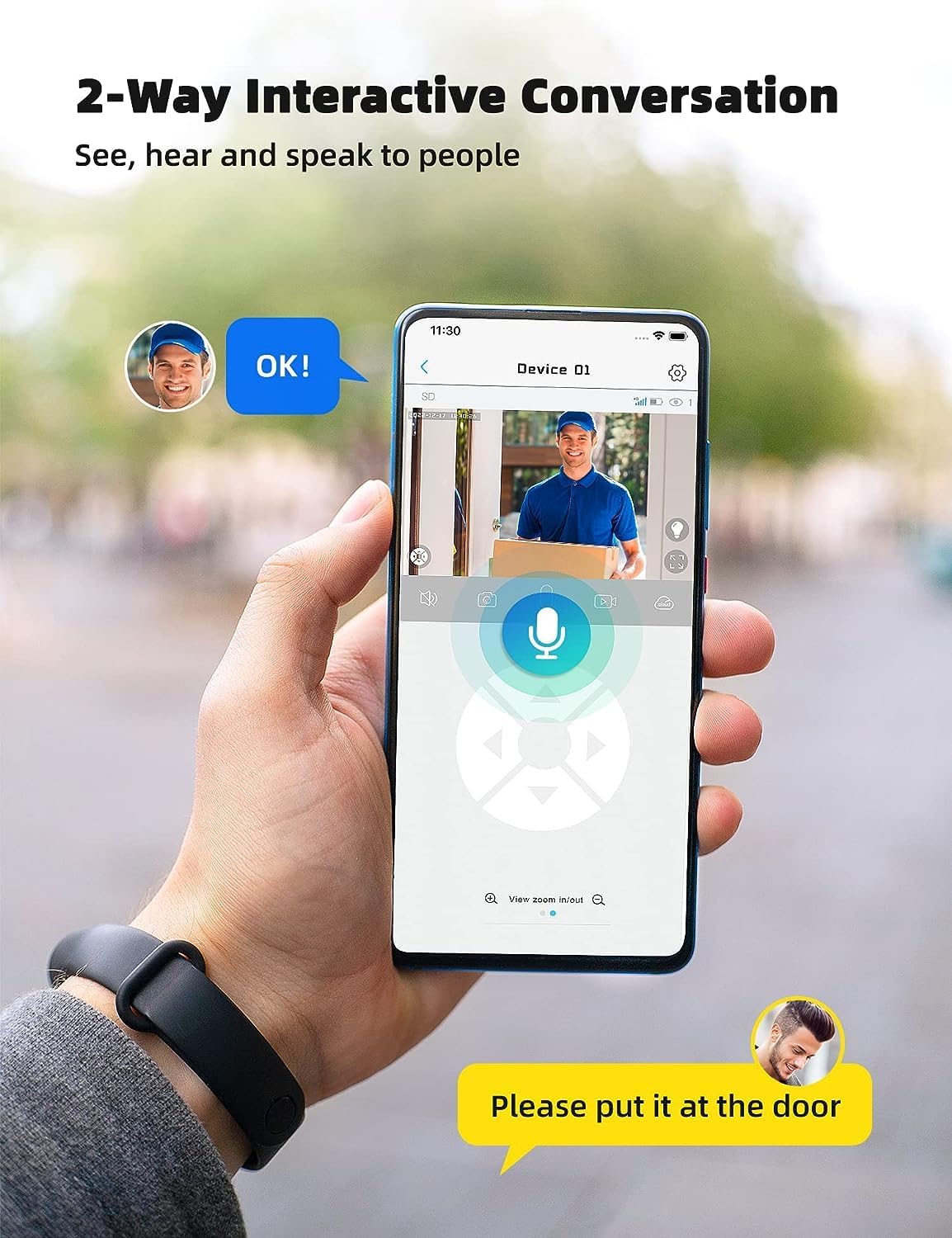
Image: A smartphone displaying the UBox app interface for two-way communication, showing a person speaking through the camera to a delivery person.

Image: A user communicating in real-time with a delivery person via the camera's two-way audio feature, instructing them to place a package by the door.
5.4 Жаздыруу жана ойнотуу
The camera supports both Micro SD card storage and cloud storage (subscription may be required).
- Motion-triggered events are automatically recorded.
- үчүн view recordings, navigate to the "Playback" section in the UBox app.
- Кайталоо үчүн дата менен убакытты тандаңызview foo жазылганtage.
- If the Micro SD card is full, older recordings will be overwritten by new ones.
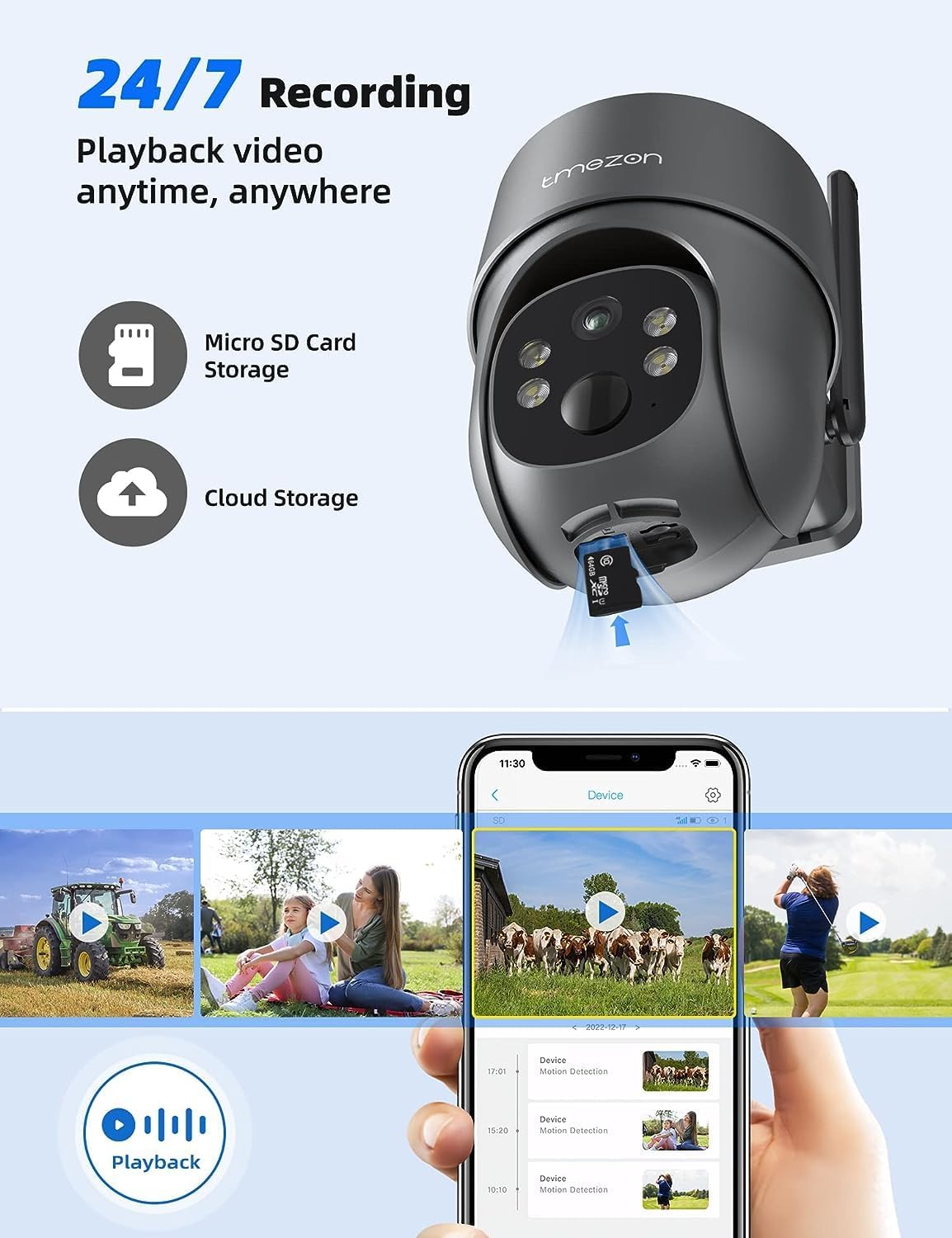
Image: A smartphone displaying the UBox app's playback interface, showing a timeline of recorded events and various video clips.
5.5 Түнкү көрүү режимдери
Камера эки түнкү көрүү режимин сунуштайт:
- Инфракызыл (ИК) түнкү көрүү: Жарык аз шарттарда даана кара жана ак видео көрсөтөт.
- Түнкү көрүнүш: Activates the camera's spotlights to provide full-color video even in darkness. This mode can be enabled in the app settings.
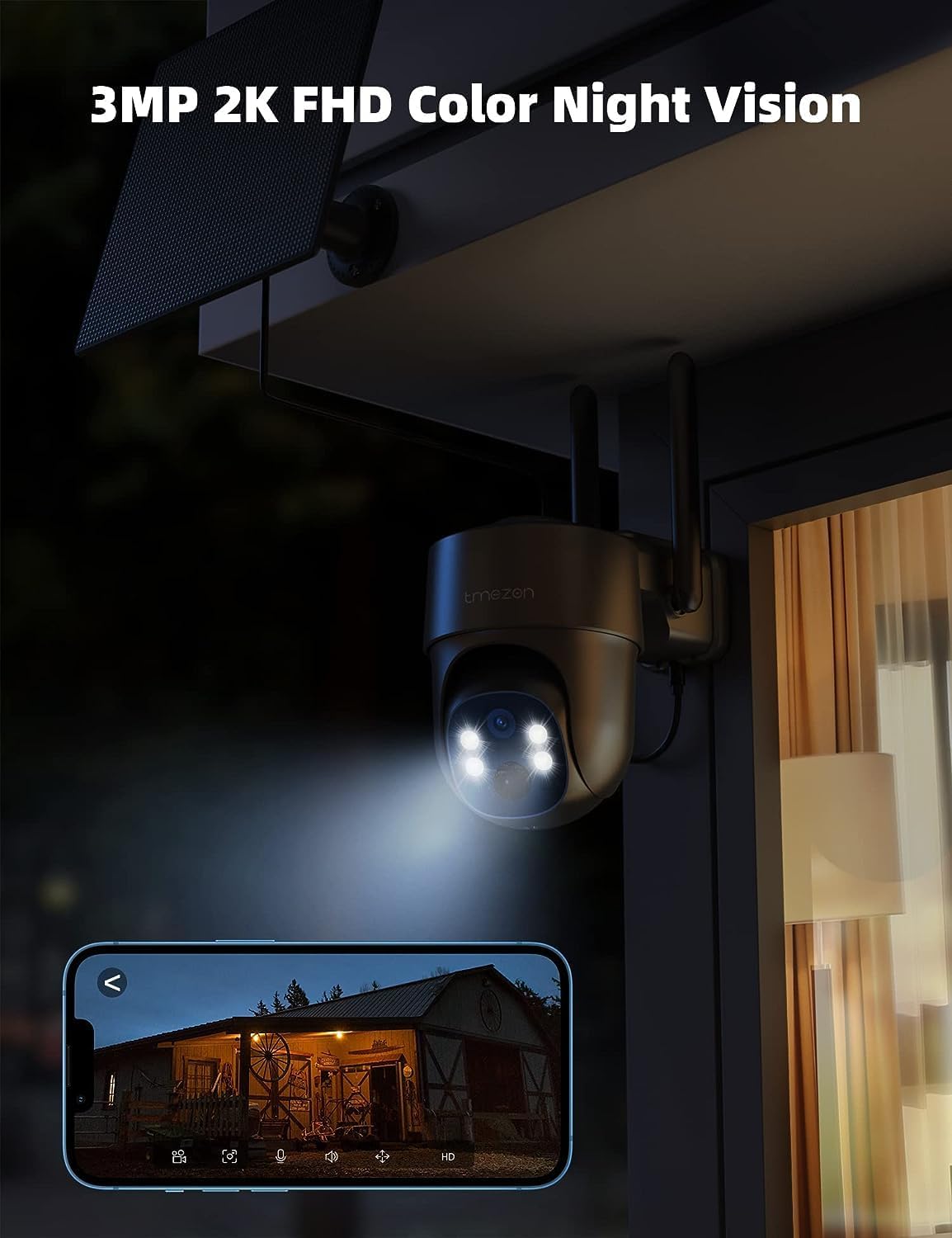
Image: The TMEZON camera operating at night with its spotlights on, providing clear 2K color night vision of the surrounding area.

Image: A split image demonstrating the difference between night vision with spotlights off (monochrome) and spotlights on (color), showcasing the camera's 2K color night vision capability.
6. Техникалык тейлөө
6.1 Battery & Solar Panel Care
- Regularly check the battery level in the UBox app.
- Ensure the solar panel is clean and free from dust, dirt, or obstructions (e.g., leaves, snow) to ensure efficient charging.
- Position the solar panel to receive maximum direct sunlight throughout the day.
- If the camera's battery level is consistently low due to insufficient sunlight, consider manually charging it via the USB port.
6.2 Тазалоо
- жумшак колдонуу, damp cloth to clean the camera lens and body.
- Do not use harsh chemicals or abrasive cleaners, as these can damage the camera's finish or lens.
- Ensure the rubber covers for the card slots and charging port are securely closed after any maintenance to maintain waterproofing.
7. Кыйынчылыктарды
7.1 Camera Not Connecting to 4G Network
- SIM карта туура салынганын жана иштетилгенин текшериңиз.
- Check if the SIM card has an active data plan.
- Verify 4G signal strength at the camera's location. Move the camera to an area with better signal if necessary.
- Restart the camera by pressing the reset button or power cycling it.
7.2 Тез-тез өчүрүүлөр
- Poor 4G signal strength can cause disconnections. Relocate the camera or consider a 4G signal booster.
- Ensure the camera's battery is sufficiently charged.
7.3 Кыймылды аныктоо иштебей жатат же жалган сигналдар өтө көп
- Check motion detection settings in the UBox app. Ensure it is enabled.
- Adjust PIR sensitivity levels. Lower sensitivity for fewer false alarms, higher for more sensitive detection.
- Ensure there are no objects (e.g., tree branches, reflective surfaces) that might trigger false alarms in the detection zone.
7.4 Cannot View Жазуулар
- Ensure a Micro SD card is inserted correctly and formatted (if applicable) in the app.
- Check if cloud storage is active and your subscription is valid.
- Verify that motion detection recording is enabled in the app settings.
7.5 Camera Not Charging via Solar Panel
- Ensure the solar panel is clean and free from obstructions.
- Күн панелинин кабелинин камерага бекем туташтырылганын текшериңиз.
- Check if the solar panel is receiving direct sunlight for several hours daily.
- In prolonged cloudy weather, manual charging via USB may be required.
8. Техникалык шарттар
| Өзгөчөлүк | Деталь |
|---|---|
| Модель номери | MZ-C8-4G-EU |
| Байланыш технологиясы | Зымсыз (4G LTE) |
| Резолюция | 2K (2000 Pixels effective capture) |
| Пан бурчу | 355 градус |
| Тит бурч | 90 градус |
| Түнкү көрүнүш | Түнкү көрүнүш |
| Өзгөчөлүктөр | Motion Detector, Two-Way Audio |
| Power Source | Solar Powered (with 9,600 mAh rechargeable battery) |
| Батарея түрү | 2 Литий-ион (кошулган) |
| Тtage | 5 вольт |
| Ватtage | 5 Ватт-саат |
| IP рейтинги | IP65 (Суу өткөрбөйт) |
| Сактагыч | Micro SD Card (up to 128GB, not included), Cloud Storage (subscription optional) |
| Controller Type | Android (UBox App) |
| Монтаж түрү | Дубалга орнотуу |
9. Кепилдик жана колдоо
9.1 Кепилдик маалыматы
TMEZON products typically come with a standard manufacturer's warranty. Please refer to the warranty card included in your package or visit the official TMEZON webдеталдуу кепилдик шарттары жана шарттары үчүн сайт. Сатып алуу квитанциясын кепилдик дооматтары үчүн сатып алуунун далили катары сактаңыз.
9.2 Кардарларды колдоо
If you encounter any issues or have questions regarding your TMEZON 4G LTE Solar Wireless Outdoor Security Camera, please contact TMEZON customer support. Contact information can usually be found on the official webсайтында же продуктунун таңгагында.
- Онлайн колдоо: Visit the TMEZON official webКөп берилүүчү суроолор, көйгөйлөрдү аныктоо боюнча колдонмолор жана байланыш формалары үчүн сайт.
- Электрондук почта колдоо: Кардарларды колдоо электрондук почта дарегин алуу үчүн продуктуңуздун документтерин караңыз.