
Introduction
This manual provides detailed instructions for the installation, operation, and maintenance of your EZoneTronics PCD001 Portable Wireless Car Stereo. Please read this manual thoroughly before using the device to ensure proper functionality and to prevent damage.
Продукт бүттүview
Негизги өзгөчөлүктөрү
- 7-Inch Touchscreen Display: Provides a clear and responsive interface for navigation and media control.
- Зымсыз Apple CarPlay & Android Auto: Seamlessly integrates with Apple and Android smartphones for navigation, music, and communication.
- FM тараткыч: Connects to your vehicle's original radio system via AUX Out or FM Out for audio output.
- Plug and Play орнотуу: Designed for easy setup without modifying existing car equipment.
- Ар тараптуу орнотуу параметрлери: Can be mounted on the dashboard or windshield using a suction cup holder.
- Кошумча функциялар: Supports Bluetooth connectivity, hands-free calling, voice control (Siri/Google Assistant), video playback, and music streaming.
- Медиа шайкештиги: Supports SD card and USB devices for media playback.
Кутуда эмне бар
Таңгактан чыгарууда бардык компоненттер бар экенин текшериңиз:
- 1 x EZoneTronics PCD001 Portable Wireless Car Stereo Unit
- 1 x Mounting Bracket (for dash or windshield)
- 1 x Car Charger (power adapter)
- 1 x Driving Recorder (if included in your package)
- 1 x SD Card (if included in your package)
- 1 x Webcam (if included in your package)
Note: The inclusion of the Driving Recorder, SD Card, and Webcam may vary by package.
Орнотуу жана орнотуу
Аппаратты орнотуу
The device can be mounted on your car's dashboard or windshield. Choose a location that does not obstruct your view же транспорт каражаттарын башкарууга тоскоолдук кылуу.
- Бетти тазалоо: Ensure the chosen mounting surface (dashboard or windshield) is clean and dry.
- Сорох чөйчөктү тиркөө: Press the suction cup firmly onto the surface and engage the locking mechanism to secure it.
- Бурчту тууралоо: Use the adjustable arm and swivel joint to position the screen for optimal viewing. The mount allows for 360-degree rotation and 180-degree angle adjustment.
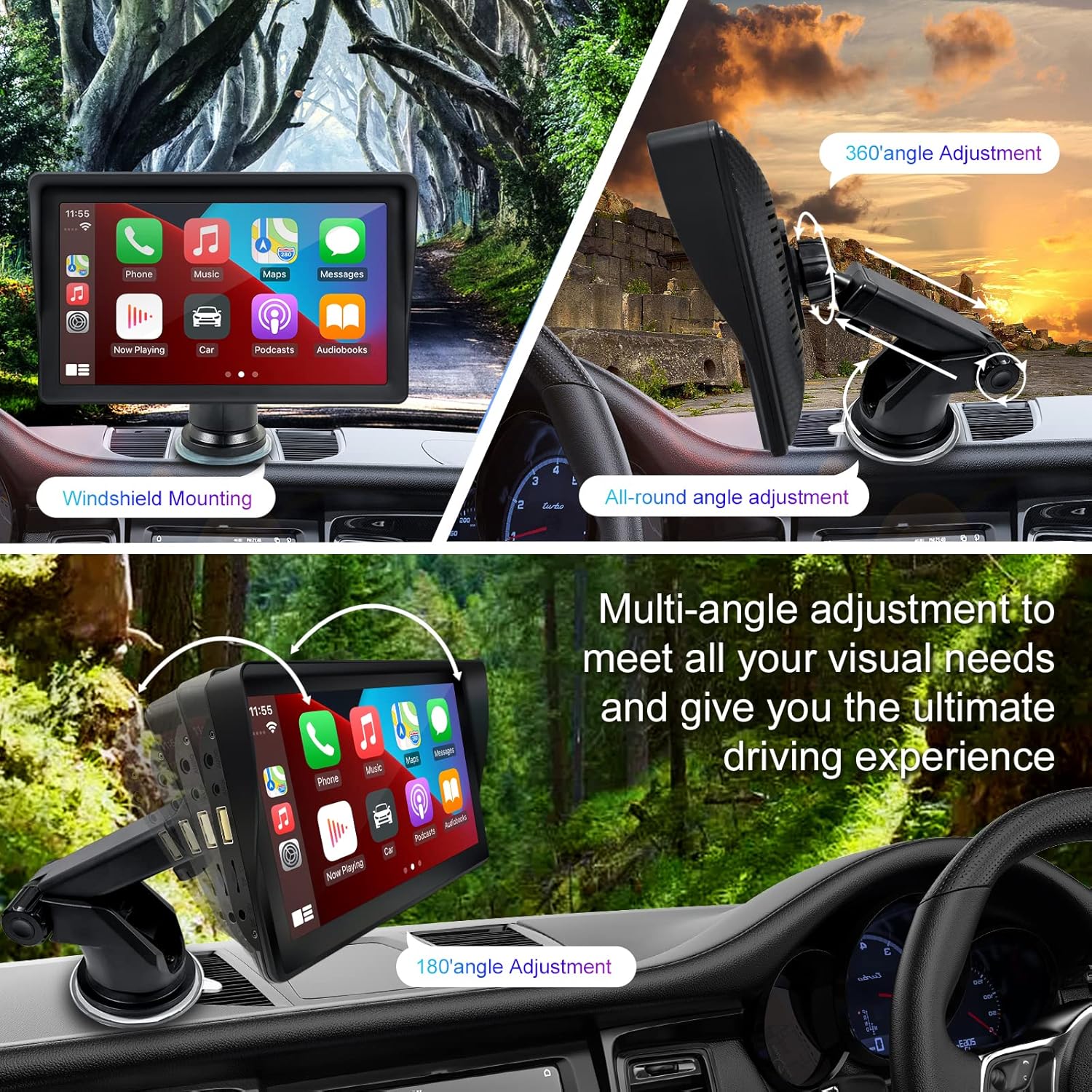
Figure 1: Mounting options and angle adjustments for the portable car stereo.
Power Connection
Connect the provided car charger to the device's power input port and then into your vehicle's 12V power outlet (cigarette lighter socket). The device supports 12-24V power input.
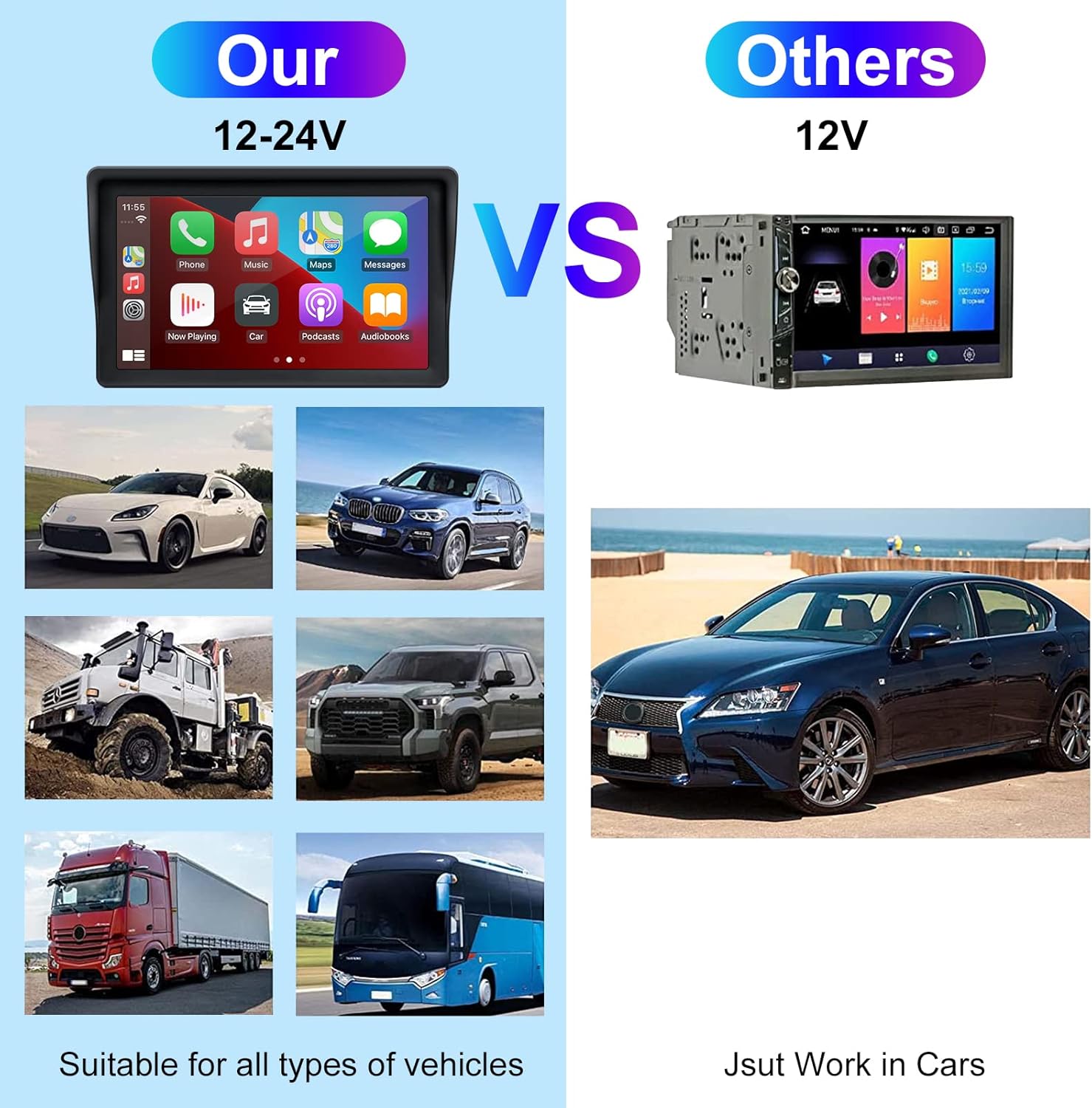
Figure 2: The EZoneTronics unit is compatible with 12-24V vehicle power systems.
Иштөө нускамалары
Initial Power On and Interface
Once powered, the device will boot up and display the main interface. This interface provides access to Apple CarPlay, Android Auto, and other functions.

Figure 3: Main interface displaying Apple CarPlay.
Connecting to Apple CarPlay or Android Auto
The device supports wireless connection for both Apple CarPlay and Android Auto.
- Bluetooth жана Wi-Fi иштетүү: Смартфонуңузда Bluetooth жана Wi-Fi иштетилгенин текшериңиз.
- Түзмөктү жупташтыруу: On the car stereo, navigate to the Bluetooth settings and pair with your smartphone.
- Автоматтык туташуу: Once paired, the device should automatically prompt you to connect to Apple CarPlay or Android Auto. Follow the on-screen instructions on both the car stereo and your phone to complete the setup.
- Mirror шилтемеси: For devices not supporting CarPlay or Android Auto, or if you prefer, you can use the Mirror Link function to display your phone's screen on the unit.

Figure 4: Wireless connection for Apple CarPlay and Android Auto.
Audio Output (FM Transmitter / AUX Out)
To output audio from the car stereo to your vehicle's sound system, you have two primary options:
- FM тараткыч:
- On the EZoneTronics unit, select the FM Transmitter function.
- Колдонулбаган FM жыштыгын тандаңыз.
- Tune your vehicle's FM radio to the same frequency. Audio from the portable stereo will now play through your car's speakers.
- AUX чыгышы:
- Connect an AUX cable from the AUX Out port on the EZoneTronics unit to your vehicle's AUX In port.
- Select AUX input on your vehicle's audio system.


Figure 5: FM Transmitter and other core functions.
Voice Control (Siri / Google Assistant)
Once connected to Apple CarPlay or Android Auto, you can activate your smartphone's voice assistant (Siri or Google Assistant) for hands-free control. This allows you to make calls, send messages, get directions, and play music using voice commands.
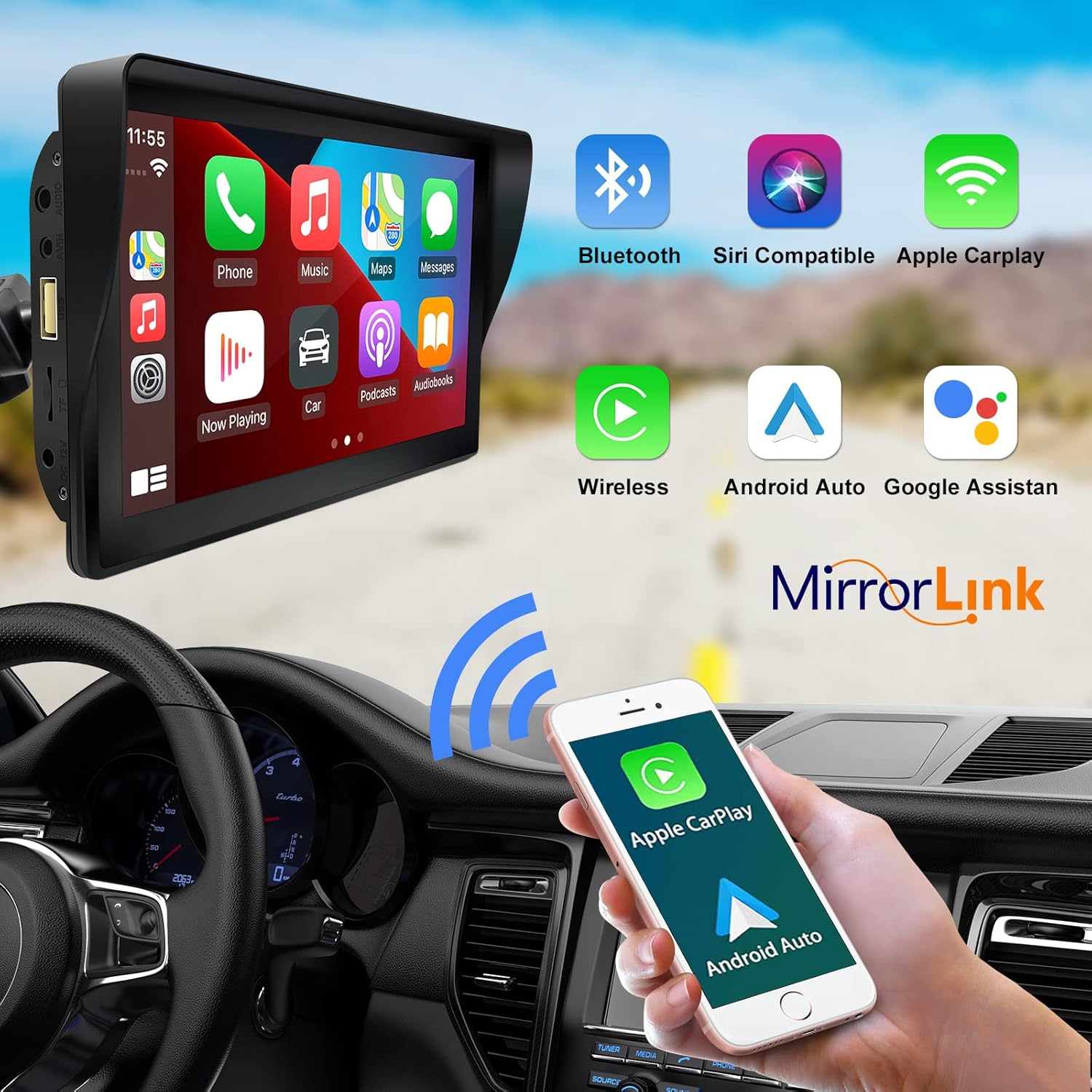
Figure 6: Voice control and connectivity features.
Media Playback (SD Card / USB)
The unit supports media playback from SD cards and USB devices.
- Insert an SD card into the designated slot or a USB drive into the USB port.
- Navigate to the media player application on the car stereo.
- Каалаган аудио же видеону тандаңыз fileойнотуу үчүн.


Figure 7: USB and SD card media playback options.
Проблемаларды чечүү
If you encounter issues with your EZoneTronics PCD001, refer to the following common problems and solutions:
| Көйгөй | Мүмкүн болгон себеп / Чечим |
|---|---|
| Түзмөк күйбөйт. |
|
| Cannot connect to Apple CarPlay / Android Auto wirelessly. |
|
| Унаа динамиктеринен аудио чыгышы жок. |
|
| Сенсордук экран жооп бербей жатат. |
|
| GPS navigation is inaccurate or not working. |
|
Техникалык шарттар
| Өзгөчөлүк | Деталь |
|---|---|
| Модель аты | PCD001 |
| Бренд | EZoneTronics |
| Screen Size | 7 дюйм |
| Дисплей түрү | IPS |
| Сенсордук экран түрү | Capacitive |
| Операция системасы | Android (Internal OS for unit functions, supports CarPlay/Android Auto) |
| Байланыш технологиясы | Wireless CarPlay, Wireless Android Auto, Bluetooth, FM Transmitter, AUX Out |
| Аудио чыгаруу режими | AUX, Stereo |
| Колдоого алынган спутниктик навигация системасы | GPS (via connected smartphone) |
| Монтаж түрү | Башкаруу панелине орнотуу, алдыңкы айнек орнотуу |
| Шайкеш түзмөктөр | Smartphones (Apple iOS and Android) |
| Унаа кызматынын түрү | Car (Universal 12-24V compatibility) |
Техникалык тейлөө
Proper maintenance ensures the longevity and optimal performance of your EZoneTronics PCD001.
- Экранды тазалоо: Экранды акырын сүртүү үчүн жумшак, түксүз чүпүрөктү колдонуңуз. өжөр тактар үчүн, бир аз гampчүпүрөккө суу же экранды тазалоочу каражат. Катуу химиялык заттардан же абразивдүү материалдардан алыс болуңуз.
- Кабелдик башкаруу: Ensure all cables are neatly routed and secured to prevent entanglement or damage.
- Температура: Аппаратты өтө ысык жана муздак температурага узак убакытка дуушар кылуудан алыс болуңуз.
- Программалык камсыздоо жаңыртуулары: Мезгил-мезгили менен өндүрүүчүнүн текшерүү website or device settings for any available software updates to improve performance and add features.
Кепилдик жана колдоо
Кепилдик маалымат
The EZoneTronics PCD001 Portable Wireless Car Stereo comes with a бир жылдык кепилдик сатып алынган күндөн тартып. Бул кепилдик кадимки колдонуудагы өндүрүштүк кемчиликтерди жана бузулууларды камтыйт. Ал туура эмес колдонуудан, кырсыктардан, уруксатсыз өзгөртүүлөрдөн же туура эмес орнотуудан келип чыккан зыянды камтыбайт.
Кепилдик дооматтары үчүн сатып алганыңыздын далилин сактап коюңуз.
Кардарларды колдоо
For technical assistance, warranty claims, or further inquiries, please contact EZoneTronics customer support:
- Webсайт: www.ezonetronics.com
- Электрондук почта: support@ezonetronics.com
When contacting support, please provide your product model (PCD001) and a detailed description of the issue.