
1. Продукт бүтүп калдыview
The Samsung Crystal UHD 4K Smart TV UE43AU7090UXZT offers a high-quality viewing experience with its 4K resolution and smart features. This manual provides essential information for setting up, operating, and maintaining your television.
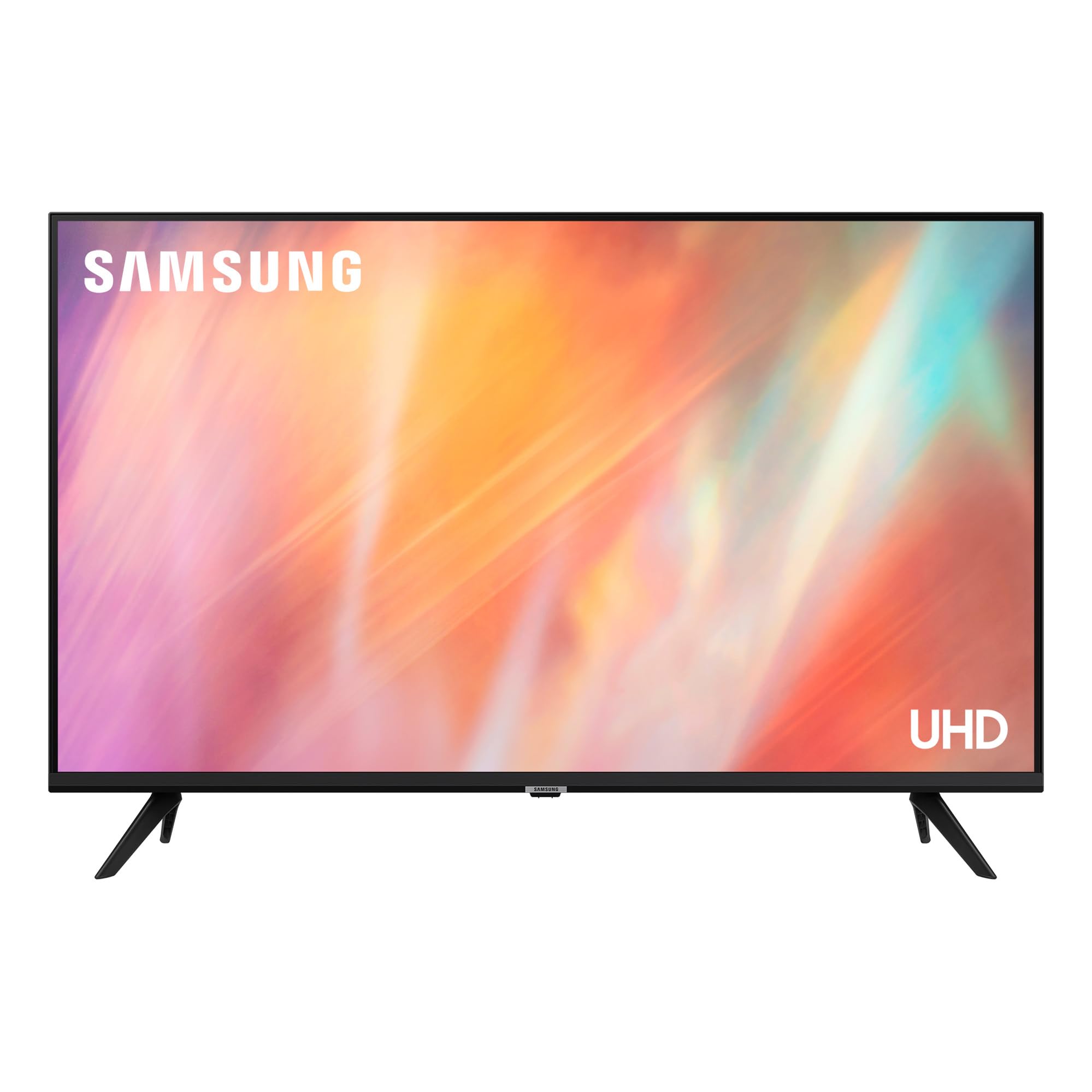
Сүрөт 1.1: Алдыңкы view of the Samsung Crystal UHD 4K Smart TV UE43AU7090UXZT.
2. Орнотуу
2.1 Таңгактан чыгаруу жана текшерүү
Carefully remove the television from its packaging. Inspect all components for any signs of damage. Ensure all listed accessories are present, including the Smart TV and remote control.
2.2 Стендди орнотуу
Телевизор стенди орнотуу үчүн:
- Сыналгы экранын сызып кетпеши үчүн жумшак, тегиз бетке ылдый каратып кой.
- Align the two stand feet with the corresponding slots on the bottom of the TV.
- Secure the feet using the provided screws. Ensure the feet are firmly attached to prevent instability.
Note: If you experience any wobbling after installation, re-check the screw tightness and ensure the feet are correctly seated.
2.3 Дубалга орнотуу
This TV supports VESA wall mounts with a standard of 200 x 200 mm. For wall mounting, consult a professional installer and refer to the wall mount kit's instructions for safe and secure installation.
2.4 Кубатты туташтыруу
Plug the power cord into the TV's power input, then connect the other end to a wall outlet. The TV will enter standby mode.
2.5 Баштапкы орнотуу
Биринчи жолу күйгүзүлгөндө, сыналгы сизди баштапкы орнотуу процессине жетектейт:
- Тил тандоо: Өзүңүзгө жаккан тилди тандаңыз.
- Тармак туташуусу: Connect to your home Wi-Fi network. You can also use an Ethernet cable for a wired connection.
- Smart Hub орнотуу: Configure your Samsung account to access smart features and applications.
- Каналды жөндөө: The TV is equipped with a DVB-T2 tuner. Follow the on-screen prompts to scan for available digital terrestrial channels.
- Смартфон интеграциясы: For a streamlined setup, you can connect your smartphone to automatically transfer Wi-Fi settings and Samsung account information.
3. Сыналгыңызды иштетүү
3.1 Алыстан башкаруу
The included remote control features a minimalist design. Use the directional pad and central 'Select' button for navigation. Dedicated buttons provide quick access to power, volume, channel, and the Smart Hub.
3.2 Smart Hub жана тиркемелер
The Smart Hub, powered by the Tizen operating system, provides access to a variety of streaming services and applications. Popular apps like Netflix, Disney+, and MyCanal are pre-installed or easily downloadable.

Image 3.1: The Smart TV interface showing various applications and connectivity options.
3.3 Сүрөт орнотуулары
Your TV features a Crystal Processor 4K for enhanced color and clarity, and supports HDR (HDR10) for improved contrast in bright and dark scenes. Adjust picture modes (e.g., Standard, Dynamic, Movie) and fine-tune settings like brightness, contrast, sharpness, and color saturation through the TV's menu.

Image 3.2: Visual representation of the TV's 4K display capabilities.
3.4 Аудио орнотуулары
The TV is equipped with OTS Lite for dynamic audio that follows the action and supports Dolby Digital Plus for immersive sound. It features 20W speakers with 5.1 channel audio output. You can customize sound profiles (e.g., Standard, Adaptive Sound) and use the built-in equalizer for detailed audio adjustments to suit your preferences.

Image 3.3: The TV's audio system delivering rich sound, suitable for music and movies.
3.5 Оюн функциялары
For an enhanced gaming experience, the Motion Xcelerator technology provides smoother motion and reduced blur. Connect your gaming console via HDMI for optimal performance.
3.6 Connectivity and Screen Mirroring
The TV offers multiple connectivity options including 3 HDMI ports, 2 USB ports, Ethernet, Bluetooth, and Wi-Fi. You can mirror content from compatible devices to your TV screen using Wi-Fi Direct or other screen mirroring features.
3.7 Ата-эненин көзөмөлү
Integrated parental control features allow you to manage content access and viewing times. Refer to the TV's on-screen menu for detailed setup instructions.
4. Техникалык тейлөө
4.1 Телевизоруңузду тазалоо
- Экран: Экранды жумшак, кургак микрофибер чүпүрөк менен акырын сүртүңүз. өжөр белгилери үчүн, жеңил гampкездемени суу же атайын экран тазалагыч менен сүртүңүз. Күчтүү химиялык заттардан алыс болуңуз.
- Дене: Телевизордун рамасын жана арткы панелин тазалоо үчүн жумшак, кургак чүпүрөктү колдонуңуз.
- Тазалоодон мурун дайыма сыналгыдан ажыратыңыз.
4.2 Программалык камсыздоо жаңыртуулары
Оптималдуу иштөөнү жана эң акыркы функцияларга жетүүнү камсыз кылуу үчүн программалык камсыздоонун жаңыртууларын үзгүлтүксүз текшерип жана орнотуп туруңуз. Адатта, бул параметрди телевизордун жөндөөлөр менюсунан "Колдоо" же "Программалык камсыздоону жаңыртуу" бөлүмүнөн таба аласыз.
5. Кыйынчылыктарды
Телевизоруңузда көйгөйлөргө туш болсоңуз, төмөнкү жалпы көйгөйлөрдү чечүү кадамдарын караңыз:
- Кубат жок: Электр шнурунун сыналгыга да, жумушчу розеткага да бекем сайылганын текшериңиз. Башка розеткадан аракет кылып көрүңүз.
- Сүрөт/үн жок: Verify the correct input source is selected. Check all HDMI and audio cables for secure connections. Increase the volume.
- Алыстан башкаруу иштебейт: Replace the AA batteries in the remote. Ensure there are no obstructions between the remote and the TV.
- Тармакка туташуу маселелери: Restart your Wi-Fi router and the TV. Re-enter your Wi-Fi password in the TV's network settings.
- Туруксуз стенд: Re-check the installation of the stand feet, ensuring all screws are tightened properly.
- Үн жардамчысынын көйгөйлөрү: If a voice assistant is speaking unexpectedly, check accessibility settings in the TV menu to disable voice guidance.
- Жалпы маселелер: Perform a factory reset through the TV's settings menu as a last resort. This will erase all personalized settings.
For further assistance, please contact Samsung customer support.
6. Техникалык шарттар
| Өзгөчөлүк | Спецификация |
|---|---|
| Модель аты | AU7090 |
| Модель номери | UE43AU7090UXZT |
| Screen Size | 43 дюйм |
| Дисплей технологиясы | LED |
| Резолюция | 4K UHD (3840 x 2160) |
| Жаңыртуу ылдамдыгы | 50 Гц |
| HDR колдоо | HDR10 |
| Операция системасы | Тизен |
| Аудио чыгаруу | 20 Watt, 5.1 Channel, Dolby Digital Plus |
| Байланыш | 3x HDMI, 2x USB, Ethernet, Wi-Fi, Bluetooth |
| VESA орнотуу стандарты | 200 x 200 мм |
| Өлчөмдөрү (Тирөөч менен Туурасы x БxТ) | 95.8P x 63.1l x 21.8H см |
| Салмагы (турбастан) | 7.4 килограмм |
| Камтылган компоненттер | 1x Smart TV, 1x Пульт |
7. Кепилдик жана колдоо
7.1 Кепилдик маалыматы
This Samsung TV comes with a 2 жылдык өндүрүүчүнүн кепилдиги. Кепилдик дооматтары үчүн сатып алганыңыздын далилин сактап коюңуз. Кепилдик нормалдуу колдонуудагы материалдардагы жана жасалгадагы кемчиликтерди камтыйт.
7.2 Кардарларды колдоо
For technical support, service, or warranty inquiries, please contact Samsung customer service. You can find contact information and additional resources on the official Samsung webсайт.