
Wooask WOO09
Wooask W09 тил котормочу түзмөгү колдонуучусунун колдонмосу
Model: WOO09
1. Киришүү
The Wooask W09 Language Translator Device is an advanced, portable tool designed for real-time two-way voice and photo translation across 144 languages and accents. Utilizing cutting-edge AI technology, it facilitates seamless communication for travel, business, and learning purposes. This manual provides detailed instructions for setting up, operating, and maintaining your device to ensure optimal performance.

Сүрөт: алдыңкы жана арткы view of the Wooask W09 Language Translator Device, showcasing анын саркеч дизайны жана компакт форма фактору.
2. Негизги өзгөчөлүктөрү
- Two-way Voice Translation: Supports 144 languages and accents with up to 97% accuracy for real-time communication.
- Fast AI Translator: Powered by Google, Microsoft, and Nuance engines, offering response times under 0.5 seconds.
- HD Image Translation: Translates text from images in 42 languages, recognizing both print and handwritten fonts.
- Батареянын узак иштөө мөөнөтү: 1500mAh battery provides 8 hours of continuous work and a week of standby time.
- HD сенсордук экран: 2.4-inch retina screen (240x230 resolution) for intuitive navigation and clear display.
- Байланыш: Supports Wi-Fi and Hotspot connections for online translation.
3. Түзмөктүн жайгашуусу жана башкаруу элементтери

Image: Diagram illustrating the physical layout of the Wooask W09, including the On/Off Button, Volume buttons, Touch Screen, Translation Keys (A and B), USB Charging Port, Microphone, Camera, and Speaker.
- Күйгүзүү/өчүрүү баскычы: Located on the side, used to power the device on or off.
- Vol+ / Vol- Buttons: Динамиктин үнүн тууралаңыз.
- Сенсордук экран: Main interface for navigation and interaction.
- Translation Key A: Press and hold to speak for translation.
- Translation Key B: Press and hold to speak for translation in the second language.
- USB кубаттоо порту: Аппаратты заряддоо үчүн.
- Микрофон: Котормо үчүн үн менен киргизилген маалыматтарды жаздырат.
- Камера: Сүрөттөрдү которуу үчүн колдонулат.
- Баяндамачы: Которулган аудиону чыгарат.
4. Орнотуу колдонмосу
4.1 Алгачкы заряддоо
Before first use, fully charge the Wooask W09 device. Connect the included USB cable to the device's charging port and plug the other end into a compatible USB power adapter (not included) or a computer's USB port. The charging indicator will show the charging status. A full charge typically takes 1-2 hours.
4.2 Күйгүзүү/өчүрүү
- Күйгүзүү үчүн: Press and hold the On/Off button until the screen lights up.
- Өчүрүү үчүн: Press and hold the On/Off button until a power-off prompt appears on the screen. Select "Power Off" to shut down the device.
4.3 Тармакка туташуу (Wi-Fi жана хотспот)
The Wooask W09 requires an internet connection for real-time translation. You can connect via Wi-Fi or a mobile hotspot.
- Негизги экрандан, "Орнотуулар" сүрөтчөсүн таптаңыз.
- Select "WLAN" (Wi-Fi).
- Wi-Fi которгучун "Күйгүзүү" абалына коюңуз.
- The device will scan for available networks. Select your desired Wi-Fi network from the list.
- Эгер суралса, сырсөздү киргизип, "Туташуу" баскычын басыңыз.
- Туташкандан кийин абал тилкесинде Wi-Fi сөлөкөтү пайда болот.

Image: Screenshot of the Wooask W09 screen showing the Wi-Fi and Hotspot connection options, with a list of available Wi-Fi networks.
5. Иштөө нускамалары
5.1 Voice Translation (Two-way)
The W09 supports real-time two-way voice translation. Ensure you are connected to the internet.
- Негизги экрандан "Үн менен которууну" таптаңыз.
- Select the two languages for translation (e.g., English to Spanish). The left side of the screen will display the first language, and the right side the second.
- To speak in the first language, press and hold Translation Key A (usually the top button). Speak clearly into the microphone. Release the button when finished. The device will translate and speak the text in the second language.
- To speak in the second language, press and hold Translation Key B (usually the bottom button). Speak clearly into the microphone. Release the button when finished. The device will translate and speak the text in the first language.
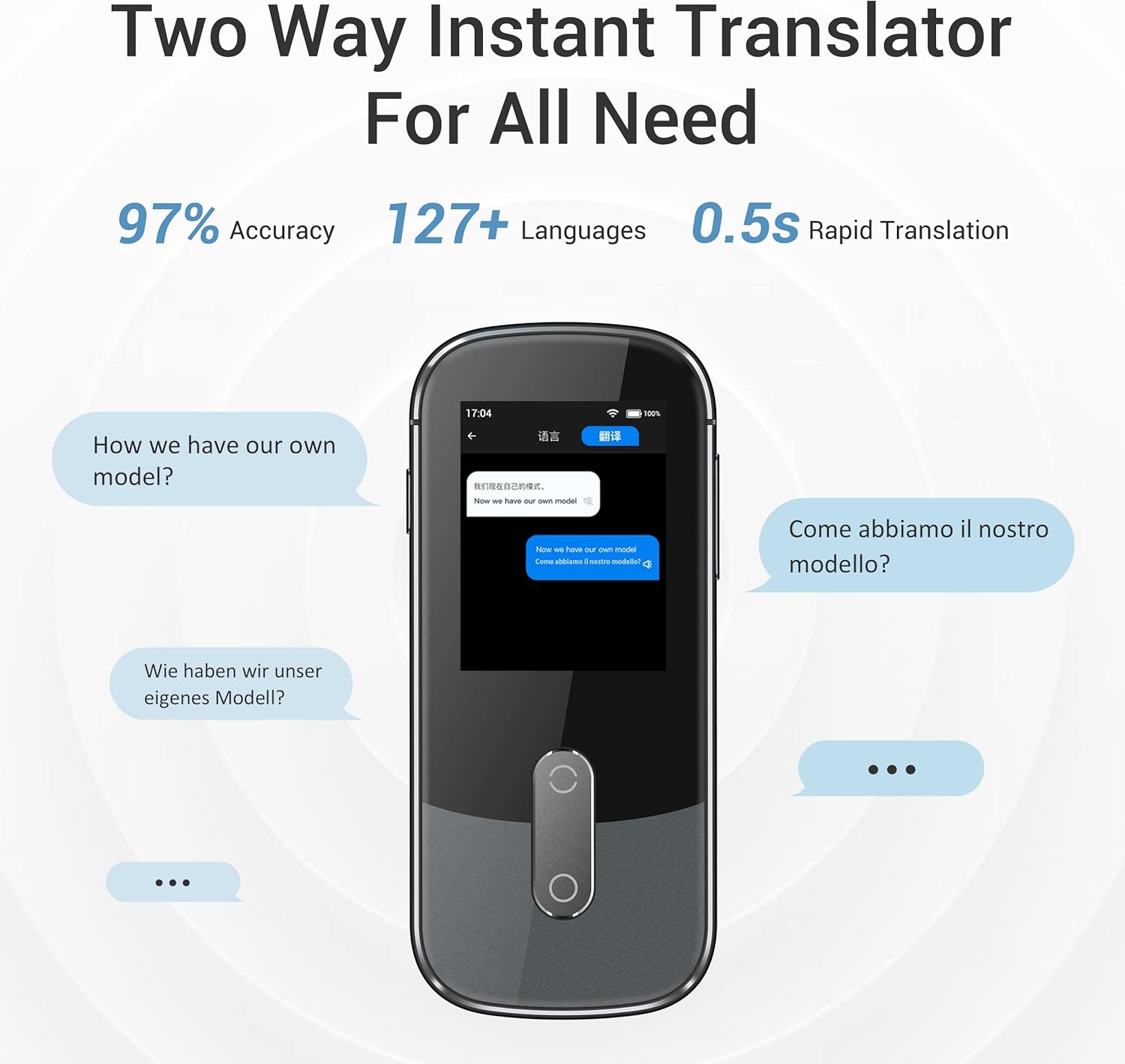
Image: Screenshot of the Wooask W09 screen demonstrating two-way instant translation, showing text bubbles in different languages.
5.2 Сүрөттөрдү которуу
The W09 can translate text from images, useful for signs, menus, or documents.
- Негизги экрандан "Сүрөт котормосун" таптаңыз.
- Select the source language (language of the text in the image) and the target language (language you want to translate to).
- Point the device's camera at the text you wish to translate. Ensure the text is well-lit and clear within the camera frame.
- Tap the capture button on the screen. The device will process the image and display the translated text.
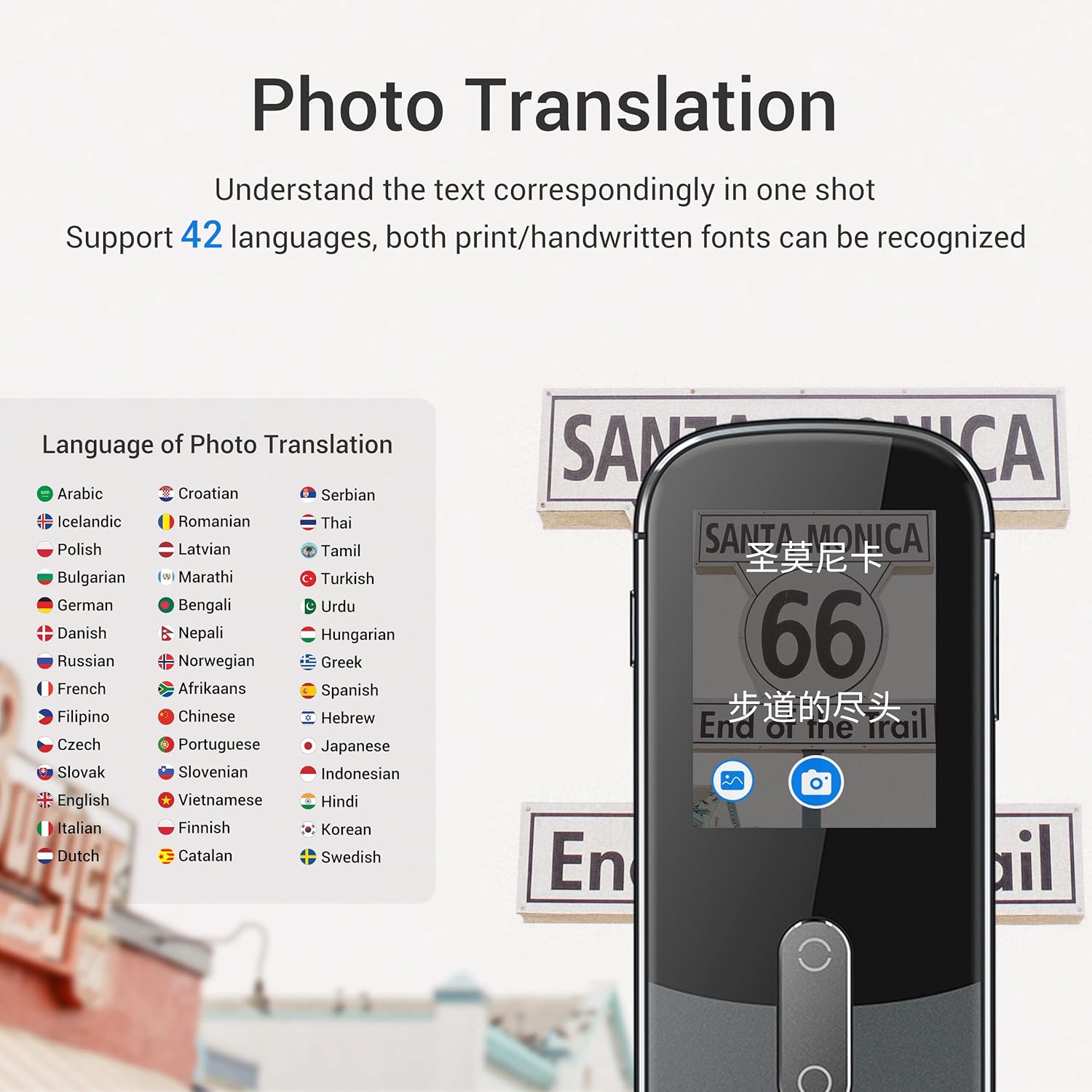
Image: Screenshot of the Wooask W09 screen showing the photo translation interface, with a list of supported languages and an example of text being translated from a sign.
5.3 Offline Translation (If Supported)
Some language pairs may support offline translation. To use this feature:
- Go to "Settings" and then "Offline Download".
- Download the desired language packs while connected to Wi-Fi.
- Once downloaded, you can perform basic voice translation for those language pairs without an internet connection.
6. Техникалык тейлөө
- Тазалоо: Түзмөктү тазалоо үчүн жумшак, кургак, мамыксыз чүпүрөктү колдонуңуз. Суюк тазалоочу каражаттарды же аэрозольдорду колдонбоңуз.
- Батареяга кам көрүү: Батареянын иштөө мөөнөтүн узартуу үчүн, бат-баттан батарейканы толук зарядсыздандырбаңыз. Аппаратты узак убакыт бою колдонбосо дагы, үзгүлтүксүз заряддаңыз.
- Сактагыч: Аппаратты түз күн нурунан жана экстремалдык температурадан алыс салкын, кургак жерде сактаңыз.
- Программалык камсыздоо жаңыртуулары: Periodically check for software updates via the "Settings" menu to ensure optimal performance and access to new features.
7. Кыйынчылыктарды
| Көйгөй | Мүмкүн болгон себеп / Чечим |
|---|---|
| Түзмөк күйбөй жатат. | Battery might be depleted. Connect to charger and try again. If still unresponsive, perform a hard reset (refer to manufacturer's webбар болсо, конкреттүү нускамалар үчүн сайт). |
| Котормо туура эмес же жай. |
|
| Wi-Fi'га туташпай жатат. |
|
| Сүрөттөрдү которуу иштебей жатат. |
|
8. Техникалык шарттар
| Өзгөчөлүк | Деталь |
|---|---|
| Модель номери | WOO09 |
| Дене өлчөмдөрү | 120 x 47 x 13 мм |
| Элемент Салмагы | 8.8 унция (97 г) |
| Screen Size | 2.4" TFT (IPS) |
| Screen Resolution | 240 x 230 |
| Камера | 500M пиксел |
| Батарея сыйымдуулугу | 1500mAh литий-ион |
| Микрофон | 2 Mic Array |
| Баяндамачы | Hi-fi динамикасы |
| Заряддоо порту | Микро USB |
| Тармакты колдоо | 2.4G WiFi |
9. Кепилдик жана колдоо
For warranty information, technical support, or further inquiries, please refer to the official Wooask webсайтка же түздөн-түз кардарларды тейлөөгө кайрылыңыз. Сатып алуу квитанциясын кепилдик дооматтары үчүн сатып алуунун далили катары сактаңыз.
кире аласыз Amazon'догу Wooask дүкөнү көбүрөөк продукт маалымат жана колдоо ресурстар үчүн.
Ask a question about this manual
Ask about setup, troubleshooting, compatibility, parts, safety, or missing instructions. Manuals+ will review the question and use this page’s manual context to help answer it.