
Introduction
The LENCENT 65W GaN III 7-in-1 Charging Station is a versatile desktop power solution designed for fast charging multiple devices. It features 3 AC outlets, 2 USB-C ports, and 2 USB-A ports, powered by advanced GaN III technology for high efficiency and compact size. Ideal for home, office, or travel, it provides stable and safe power for laptops, smartphones, tablets, and other electronics.
This charging station utilizes advanced GaN III technology, enabling ultra-fast charging with up to 65W output via USB-C. This allows for high-speed charging of laptops, tablets, and smartphones simultaneously. The integrated Smart IC automatically adjusts the optimal current for each connected device, significantly reducing charging times.
With its 7-in-1 design, this unit eliminates the need for multiple chargers and frequent plug switching, keeping your workspace organized and efficient. Its compact and lightweight design makes it highly portable for travel or use in various settings.
Кутуда эмне бар
- 1 x LENCENT 65W GaN III 7-in-1 Charging Station
- 2 х USB кабелдери
- 1 x User Manual
Продукт бүттүview

Figure 1: The LENCENT 65W GaN III 7-in-1 Charging Station, showcasing its compact design and multiple ports.
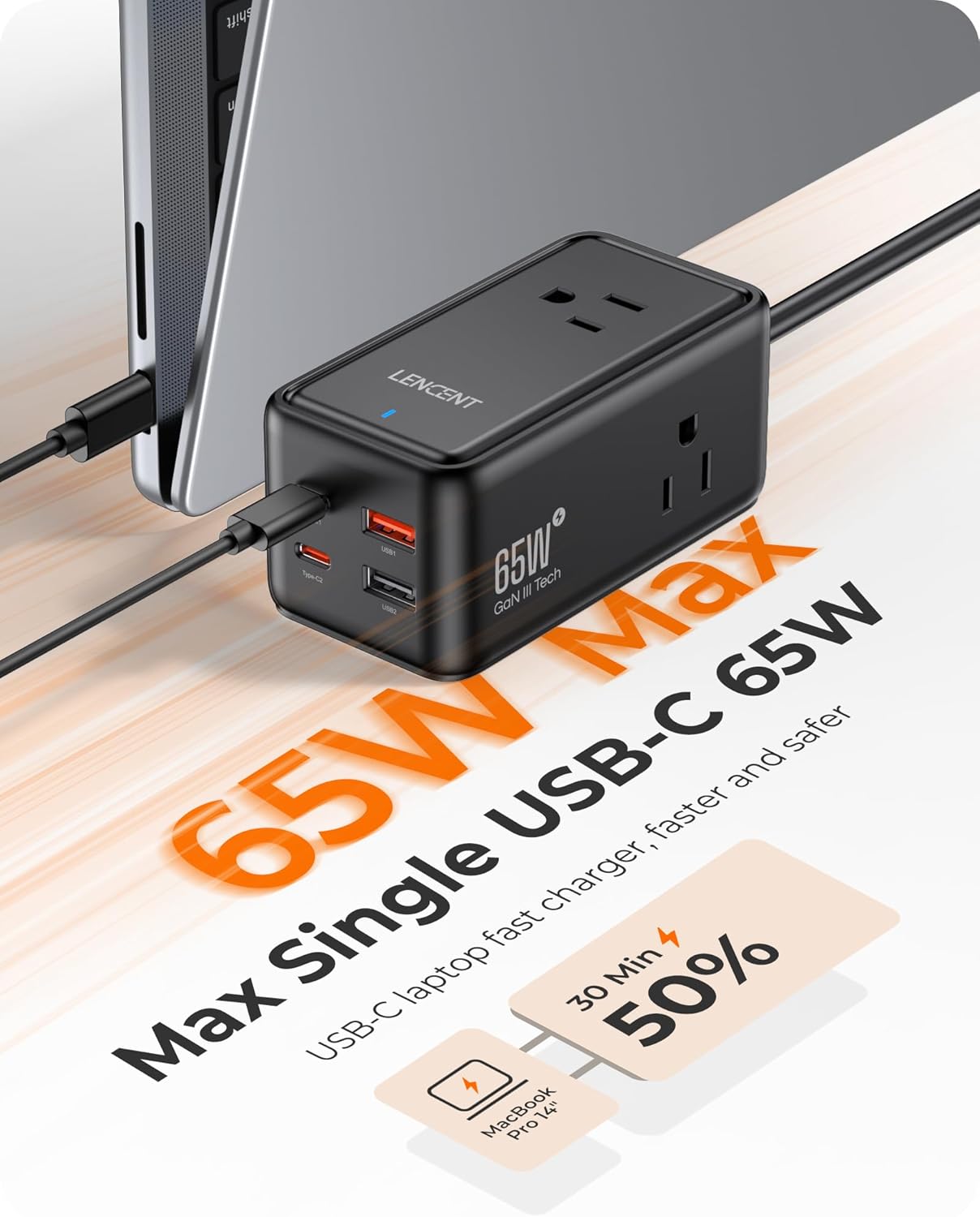
Figure 2: The charging station connected to a laptop, highlighting its 65W single USB-C output for rapid charging.
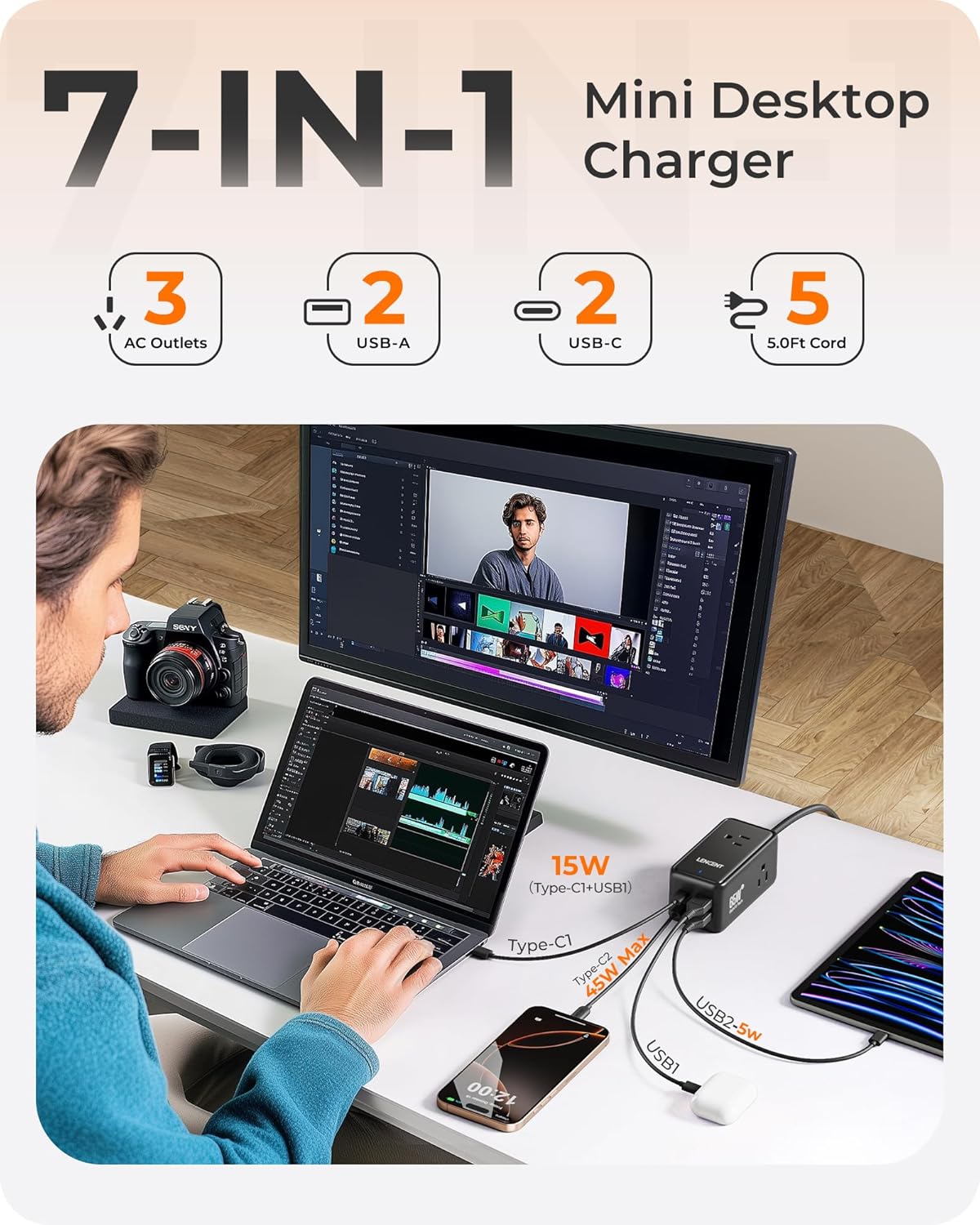
Figure 3: A desktop setup illustrating the 7-in-1 multi-device charging capability, with AC outlets, USB-C, and USB-A ports in use.

Figure 4: The compact size of the charging station, making it suitable for travel and business trips.
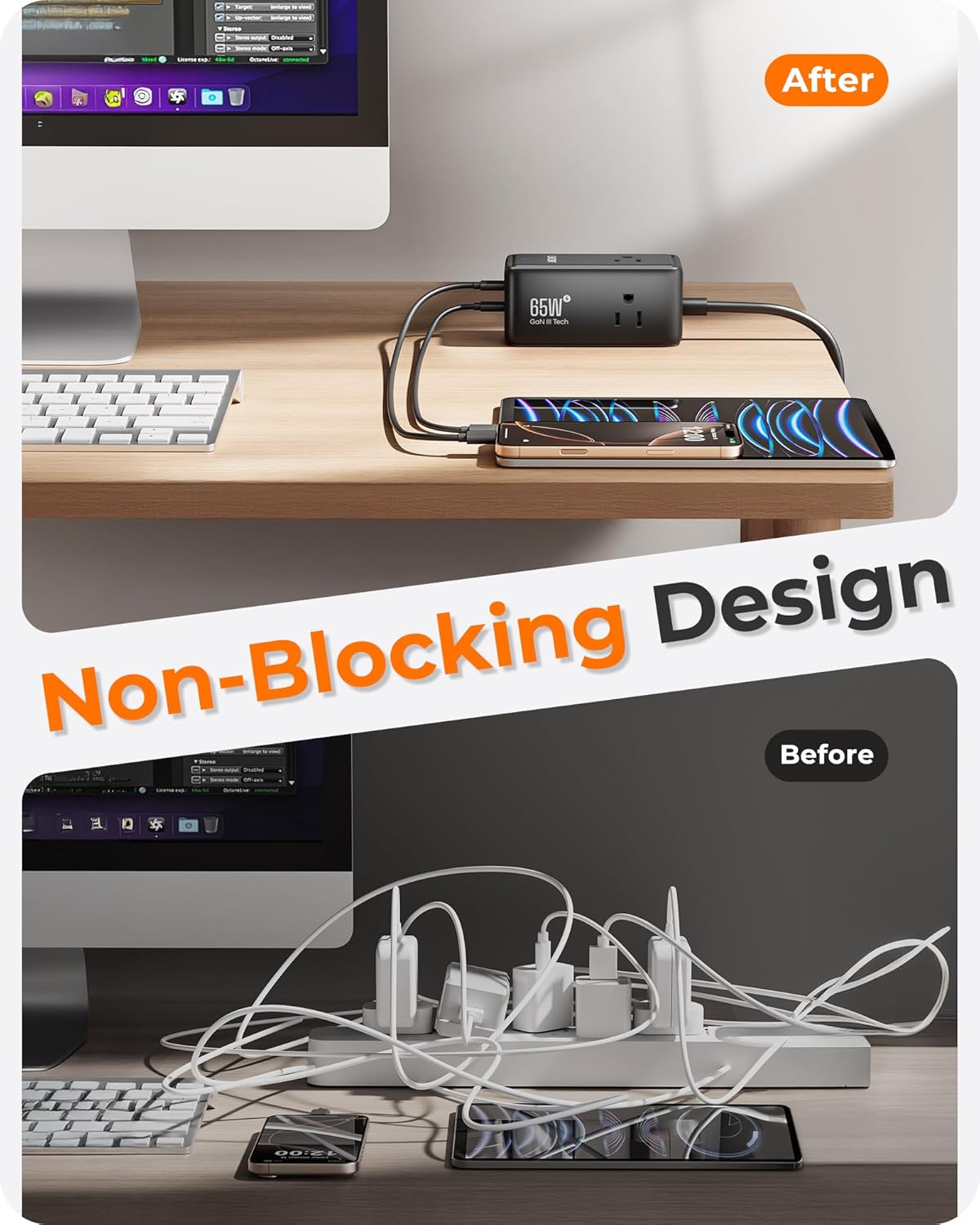
Figure 5: A comparison showing the non-blocking design of the LENCENT charging station versus a traditional power strip, promoting a tidier desk.
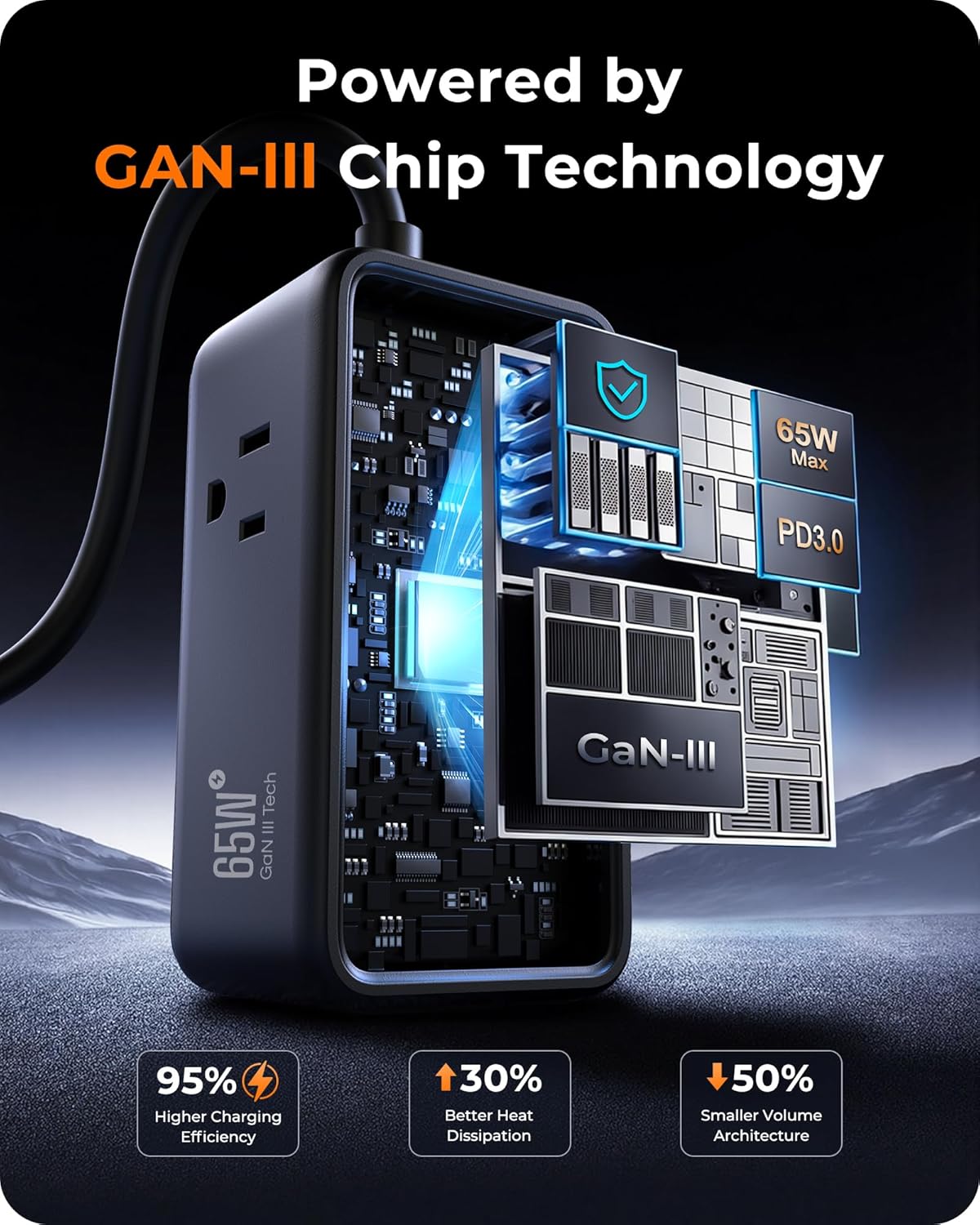
6-сүрөт: Ички view illustrating the GaN III chip technology, which contributes to higher charging efficiency, better heat dissipation, and a smaller volume architecture.

Figure 7: The charging station demonstrating universal compatibility with a wide range of devices, including laptops, tablets, phones, printers, and other desk accessories.
Орнотуу нускамалары
- Аппаратты таңгактан чыгаруу: Carefully remove the LENCENT 65W GaN III 7-in-1 Charging Station and any included accessories from its packaging.
- Жайгашкан жерди тандаңыз: Place the charging station on a stable, flat surface, such as a desk or tabletop, ensuring it is away from direct sunlight, heat sources, and moisture. The 5ft extension cord provides flexibility for placement.
- Кубатка туташуу: Plug the charging station's power cord into a standard 125V AC wall outlet. The indicator light on the unit will illuminate, confirming it is receiving power.
- Түзмөктөрдү туташтыруу: Plug your devices into the appropriate ports:
- For AC-powered devices (e.g., monitors, lamps, printers), use the 3 AC outlets.
- For USB-C powered devices (e.g., laptops, tablets, smartphones), use the 2 USB-C ports.
- For USB-A powered devices (e.g., older smartphones, smartwatches, earbuds), use the 2 USB-A ports.
- Коопсуз байланыштарды камсыз кылуу: Verify that all cables are securely plugged into both the charging station and your devices to ensure proper charging.
Иштөө нускамалары
- Күйгүзүү: Once plugged into a wall outlet, the charging station is active. There is no separate power button.
- Түзмөктөрдү кубатталууда: Connect your devices using their respective charging cables to the available AC, USB-C, or USB-A ports. The charging station will automatically detect the device and deliver the optimal charging current.
- Тез кубаттоо: For devices that support fast charging (e.g., Power Delivery via USB-C), ensure you use compatible cables to achieve the maximum charging speeds. A single USB-C port can deliver up to 65W.
- Көп түзмөктү кубаттоо: The charging station is designed to charge up to 7 devices simultaneously. Note that when multiple devices are connected, the total power output is distributed among them. For optimal fast charging of high-power devices like laptops, it is recommended to charge them individually or with fewer other devices connected.
- Коопсуздук өзгөчөлүктөрү: The unit includes multiple safety protections (over-voltage, over-current, short-circuit, over-temperature, over-power). If an issue occurs, the unit may temporarily stop charging to protect connected devices. Disconnect and reconnect devices if this happens.
Техникалык тейлөө
- Тазалоо: Disconnect the charging station from the power outlet before cleaning. Use a dry, soft cloth to wipe the exterior. Do not use liquid cleaners or sprays.
- Сактагыч: When not in use, store the charging station in a cool, dry place, away from extreme temperatures and humidity.
- Кабелдик башкаруу: Avoid bending or kinking the power cord or connected charging cables excessively to prevent damage.
- Текшерүү: Periodically inspect the charging station and its cables for any signs of damage, such as frayed wires or cracked casing. Эгерде бузулуу табылса, колдонууну токтотуңуз.
Проблемаларды чечүү
- Түзмөк кубатталбай жатат:
- Кубаттоочу станциянын розеткага бекем сайылганын текшериңиз.
- Verify that the charging cable is properly connected to both the device and the charging station.
- Кабелдин же порттун бузук экенин текшерүү үчүн башка кубаттоочу кабелди же портту колдонуп көрүңүз.
- Түзмөктүн өзү туура иштеп жатканын текшериңиз.
- Жай кубаттоо:
- Ensure you are using a high-quality cable that supports fast charging for your device.
- If multiple devices are connected, the power output is shared. Disconnect some devices to allow more power to your primary device.
- Verify that your device supports the fast charging protocols offered by the charging station (e.g., Power Delivery for USB-C).
- Ашыкча ысып кетүү:
- The GaN III technology is designed for efficient heat dissipation. However, if the unit feels excessively hot, disconnect all devices and unplug the station. Allow it to cool down.
- Ensure adequate ventilation around the charging station. Do not cover it.
- Power Fluctuations (e.g., laptop screen flickering):
- Some devices, especially laptops, may experience brief power interruptions when new devices are plugged into or unplugged from the charging station, as the station re-negotiates power distribution. This is generally normal behavior.
- If flickering is persistent or severe, try connecting the affected device to a dedicated AC outlet or reducing the number of simultaneously connected devices.
Техникалык шарттар
| Өзгөчөлүк | Description |
|---|---|
| Бренд | ЛЕНЦЕНТ |
| Модель номери | SK011USUSB |
| Ватtage | 65 Ватт (макс) |
| Киргизүү көлөмүtage | 125 вольт |
| Output Voltage | 20 вольт (ток) |
| AC розеткалары | 3 |
| USB-C порттору | 2 |
| USB-A порттору | 2 |
| Жалпы USB порттору | 4 |
| Узартуу шнурунун узундугу | 5 фут |
| Технология | GaN III |
| Материал | Пластик |
| Элемент Салмагы | 275 грамм |
| Өлчөмдөр | 3.9 × 1.9 × 1.8 inches (approximate) |
Кепилдик маалымат
This LENCENT charging station comes with a 2 жылдык өндүрүүчү кепилдик. Please retain your proof of purchase for warranty claims. The warranty covers defects in materials and workmanship under normal use. It does not cover damage caused by misuse, accidents, unauthorized modifications, or external factors.
Кардарларды колдоо
For any questions, technical assistance, or warranty claims, please contact LENCENT customer support:
- Сатуучу: LencentUS
- Amazon дүкөнү: Visit the LENCENT Store on Amazon
- Жалпы суроолор: Refer to the contact information provided on the official LENCENT webсайт же сатып алуу платформасы аркылуу.
Расмий продукт Videos
LENCENT 65W USB C GaN Desktop Charger for Home Office
Бул видеодо толук маалымат берилетview of the LENCENT 65W USB C GaN Desktop Charger, demonstrating its features and suitability for home and office environments. (Duration: 0:35)