
1. Киришүү
The GONEO Portable Power Station GNV-USY16 is a versatile and reliable power source designed for various applications, including outdoor activities, emergency backup, and powering sensitive electronics. This manual provides essential information for safe operation, optimal performance, and proper maintenance of your device. Please read this manual thoroughly before using the power station.
2. Маанилүү коопсуздук нускамалары
- Түзмөктү бөлүктөргө бөлбөңүз, оңдобоңуз же өзгөртпөңүз. Туура эмес кайра чогултуу өрткө же жаракатка алып келиши мүмкүн.
- Түзмөктү отко же жогорку температурага (60°C/140°F жогору) дуушар кылбаңыз.
- Түзмөктү ванна бөлмөсүндө, жамгыр же нымдуулукка дуушар болгон жерлерде колдонбоңуз же сактабаңыз.
- Use only the recommended accessories and chargers.
- Агрегатты балдардан жана үй жаныбарларынан алыс кармаңыз.
- Кулап түшүүдөн, катуу соккулардан же катуу титирөөдөн алыс болуңуз.
- Порттарга бөтөн нерселерди киргизбеңиз.
- Колдонуу жана кубаттоо учурунда жакшы желдетүүнү камсыз кылыңыз. Түзмөктү жаппаңыз.
- Өрт чыккан учурда кургак порошок өрт өчүргүчтү колдонуңуз.
3. Продукт бүтүп калдыview
3.1 Пакеттин мазмуну
- GONEO Portable Power Station GNV-USY16
- AC кубат адаптери
- Унаа заряддоо кабели
- User Manual
3.2 Компонентти идентификациялоо

Сүрөт: алдыңкы view of the GONEO Portable Power Station GNV-USY16, highlighting its various ports, display, and carrying handle.
3.3 Киргизүү/чыгыш порттору

Image: Close-up of the power station's input and output ports, including DC, PV, Car Socket, USB-C, USB-A, and AC outlets, with exampшайкеш келген түзмөктөрдүн саны аз.
- DC Input/Output (12V/12A): For charging the power station or powering 12V DC devices.
- PV киргизүү: For connecting solar panels to charge the power station.
- Car Socket (12V/12A): 12V автоунаа шаймандарын кубаттоо үчүн.
- USB-C Input/Output (PD 100W): For fast charging the power station or compatible USB-C devices.
- USB-A Output (5V/2.4A): Стандарттык USB түзмөктөрүн кубаттоо үчүн.
- AC чыгышы (110V/600W): Standard AC outlets for household appliances.
3.4 LED Display Panel

Сүрөт: деталдуу view of the 5.5-inch LED display, showing indicators for charging status (DC, CAR, PD), battery percentage, estimated time to full/empty, input/output power, and active output ports (DC, CIG, USB-A, USB-C, AC, LIGHT).
The 5.5-inch LED display provides real-time information about the power station's status:
- Батарея Персенtage: Учурдагы заряддын деңгээлин көрсөтөт.
- Time to Full/Empty: Estimated time remaining for charging or discharging.
- Киргизүү күчү: Displays the current power input (in Watts).
- Чыгуу күчү: Displays the current power output (in Watts).
- Заряддоо көрсөткүчтөрү: DC, CAR, PD icons illuminate to show the active charging method.
- Чыгуу көрсөткүчтөрү: Icons for DC, CIG (Car Socket), USB-A, USB-C, AC, and LIGHT illuminate when their respective outputs are active.
4. Орнотуу жана алгачкы колдонуу
- Пакеттен чыгаруу: Электр станциясын жана бардык аксессуарларды таңгактан этияттык менен алып салыңыз.
- Баштапкы төлөм: Before first use, fully charge the power station using the provided AC adapter. Connect the AC adapter to the DC input port and plug it into a wall outlet. The LED display will show charging progress.
- Күйгүзүү/өчүрүү: Press and hold the main power button for a few seconds to turn the unit on or off.
5. Операция
5.1 Электр станциясын заряддоо
The power station can be recharged using three methods:
- AC адаптери: Connect the provided AC adapter to the DC input port.
- Күн панели: Connect a compatible 100W solar panel to the PV input port.
- USB-C PD 100W: Use a compatible USB-C PD charger and cable.
For fastest charging, use both the USB-C PD port and the DC input port simultaneously. This can fully recharge the battery in approximately 2 hours.
5.2 Түзмөктөр
To power a device, ensure the power station is turned on. Press the respective output button (e.g., AC, DC, USB) to activate the desired port. The corresponding icon on the LED display will illuminate.
- AC чыгаруу: Connect devices requiring 110V AC power (up to 600W).
- DC Output/Car Socket: 12V туруктуу ток түзмөктөрүн туташтырыңыз.
- USB-A/USB-C Output: Connect USB-powered devices for charging.
5.3 LED Flashlight Function
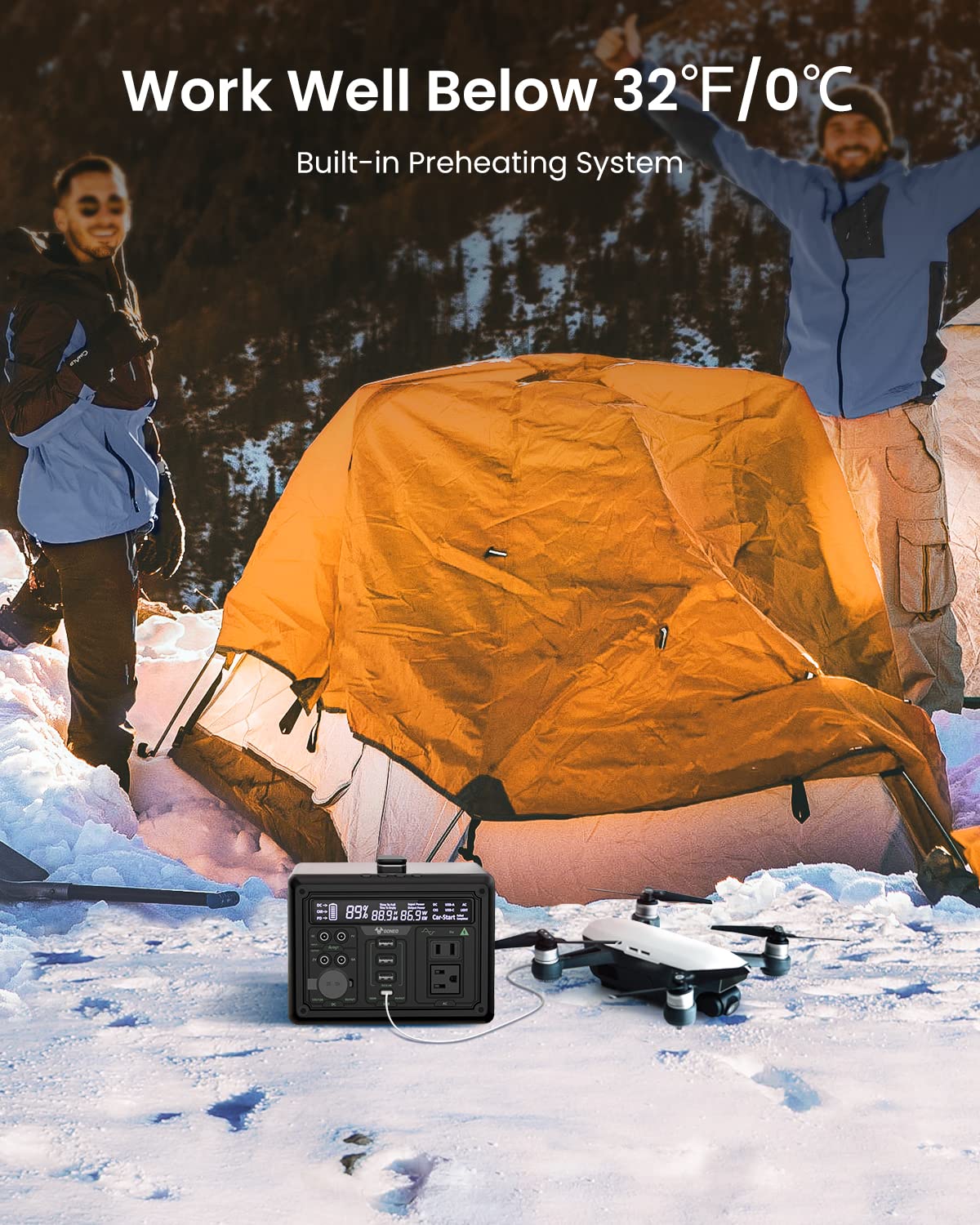
Image: The GONEO Power Station's 6.5-inch LED flashlight panel illuminating a camping tent at night, demonstrating its four lighting modes: Normal, Bright, SOS, and Flashing.
The power station features a 6.5-inch LED flashlight panel with four lighting modes:
- Кадимки: Стандарттык жарыктандыруу.
- Жаркын: Increased brightness for enhanced visibility.
- SOS: Эл аралык кырсык сигналын күйгүзөт.
- Жаркылдоо: A continuous flashing pattern.
To activate or cycle through modes, press the dedicated flashlight button.
5.4 Төмөн температурада иштөө

Image: The GONEO Power Station in a snowy outdoor setting, demonstrating its ability to operate effectively in cold conditions (below 32°F/0°C) due to its built-in preheating system, shown charging a drone.
The power station includes a built-in preheating system that automatically detects low temperatures (down to -20°C/-4°F) and initiates heating to ensure optimal battery performance and charging capability in cold environments.
5.5 Тынч иштөө
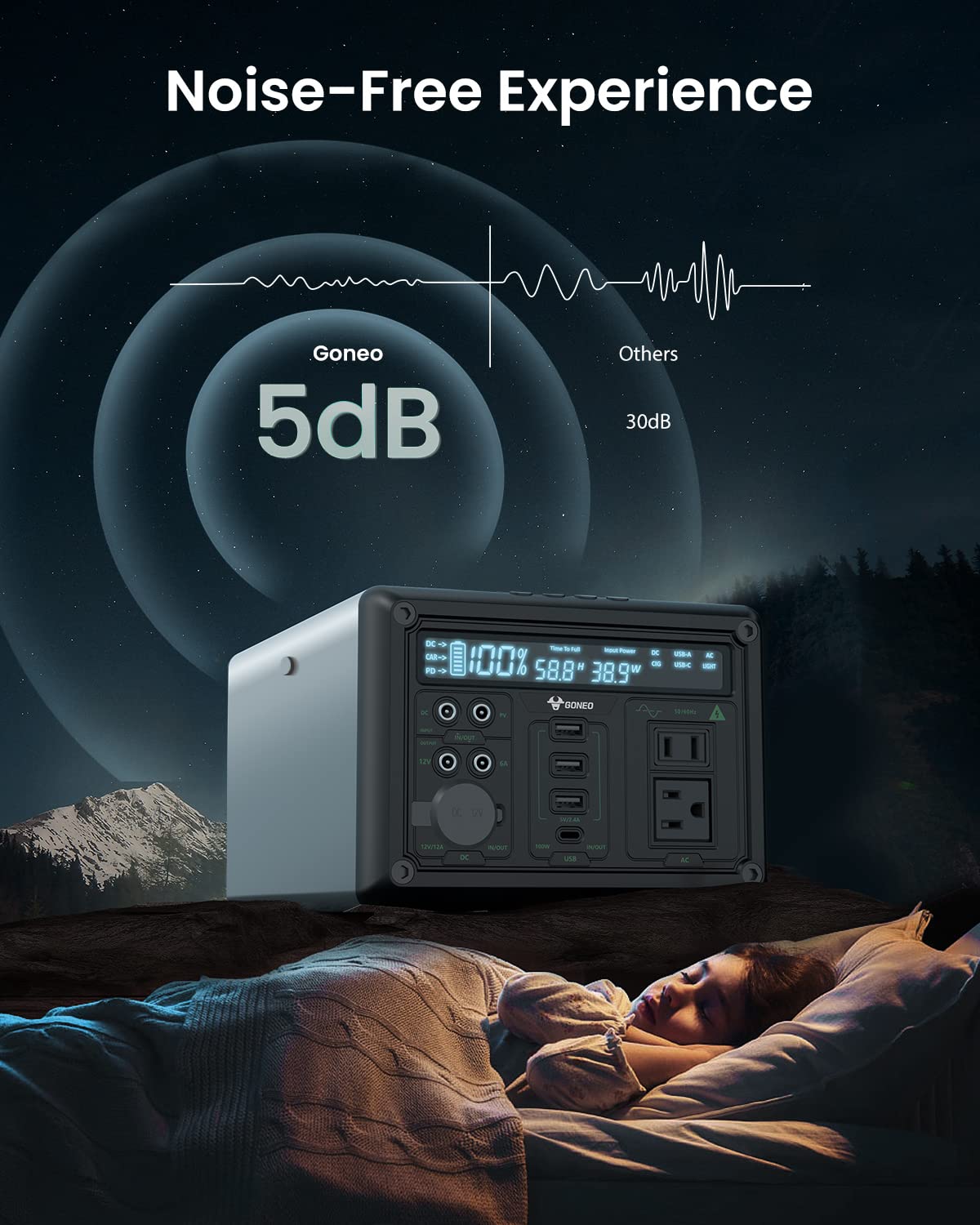
Image: The GONEO Power Station operating at a low noise level of 5dB, depicted next to a person sleeping peacefully in a tent, illustrating its fanless design for a quiet environment.
Designed with a fanless cooling system, the power station operates at a low noise level of approximately 5dB, providing a quiet environment suitable for camping, RV trips, or during power outages.
6. Кароо жана тейлөө
- Тазалоо: Use a dry, soft cloth to wipe the exterior of the unit. Do not use abrasive cleaners or solvents.
- Сактагыч: Store the power station in a cool, dry place, away from direct sunlight and extreme temperatures. For long-term storage, charge the unit to 50-80% every 3-6 months to preserve battery life.
- Батареяга кам көрүү: Avoid fully discharging the battery frequently. Recharge the unit promptly after use.
7. Кыйынчылыктарды
| Көйгөй | Мүмкүн себеп | Чечим |
|---|---|---|
| Түзмөк күйбөйт | Батарея толугу менен зарядсызданды; Кубат баскычы жетишерлик көпкө басылган жок. | Түзмөктү кубаттаңыз; Кубат баскычын 3-5 секунд басып туруңуз. |
| Порттардан чыгуу жок | Output port not activated; Device draws too much power; Battery is low. | Press the corresponding output button; Check device wattagд) Электр станциясын кайра заряддоо. |
| Акырын заряддоо | Using a low-power charger; Environmental temperature is too low. | Use the provided AC adapter or a 100W PD charger; Ensure unit is within operating temperature range. |
8. Техникалык шарттар
| Модел | GNV-USY16 |
| Батарея сыйымдуулугу | 607Wh (Lithium Ion) |
| AC Output | 110V, 600W (Pure Sine Wave) |
| DC киргизүү | 12V/12A |
| USB-C Киргизүү/Чыгуу | PD 100W |
| USB-A чыгаруу | 5V/2.4A |
| Car Socket Output | 12V/12A |
| LED фонарик | 6.5 inch, 4 Modes (Normal, Bright, SOS, Flashing) |
| Өлчөмдөрү (LxWxH) | 27.94 x 18.8 x 13.72 см (11.0 x 7.4 x 5.4 дюйм) |
| Салмагы | Берилген маалыматтарда көрсөтүлгөн эмес |
| Материал | Алюминий |
| Иштөө температурасы | -20°Cден 40°Cге чейин (-4°Fтен 104°Fге чейин) |
9. Кепилдик жана Кардарларды колдоо
For warranty information, technical support, or any questions regarding your GONEO Portable Power Station GNV-USY16, please refer to the warranty card included with your product or contact GONEO customer service directly. Contact details are typically available on the official GONEO webсайт же сатып алуу платформасы аркылуу.