
Introduction
The Datalogic QuickScan QD2590 is a high-performance, handheld 2D barcode imager designed for various point-of-sale (POS) and general-purpose applications. This device offers fast and reliable scanning of 1D and 2D barcodes, ensuring efficient data capture. Its durable design and flexible connectivity options (USB, RS-232) make it suitable for diverse environments. This manual provides essential information for setting up, operating, maintaining, and troubleshooting your QD2590 scanner.
Жайгашуу
1. Сканерди ачуу
Бардык компоненттерди таңгактан кылдаттык менен алып салыңыз. "Кутуда эмне бар" бөлүмүндө саналган нерселердин бардыгы бар экенин текшериңиз.
- QuickScan QD2590 Portable 1D/2D Barcode Reader (Black)
2. Сканерди туташтыруу
The QD2590 scanner supports USB and RS-232 connectivity. Connect the appropriate cable to the scanner's interface port and then to your host device (computer, POS system).
USB туташуу үчүн: Plug the USB cable into an available USB port on your computer. The scanner will typically be recognized automatically, and necessary drivers will be installed by the operating system.
For RS-232 Connection: Connect the RS-232 cable to a serial port on your host device. Ensure proper configuration of the serial port settings on your host system to match the scanner's default settings (e.g., baud rate, data bits, parity, stop bits).
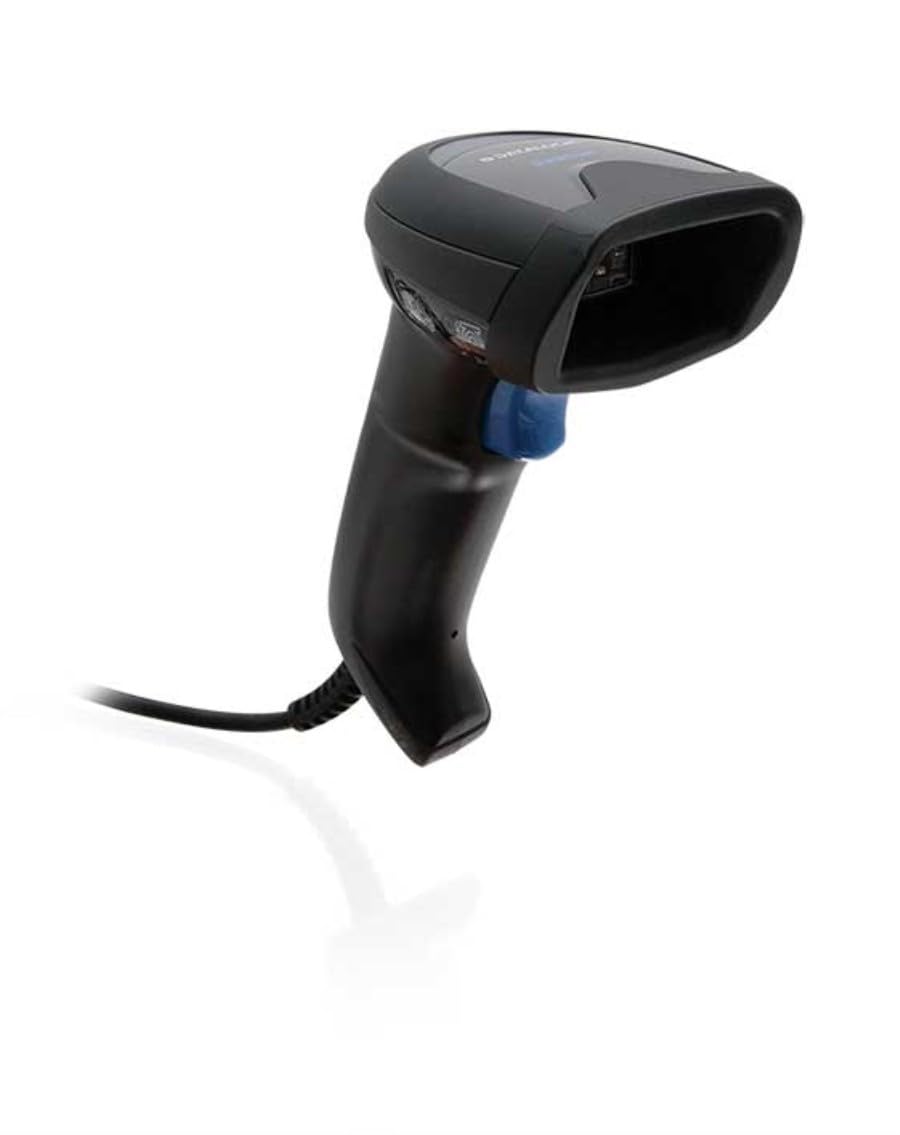
Image: The Datalogic QuickScan QD2590 scanner showing its wired connection.
Сканерди иштетүү
1. Сканерлөөнүн негизги жол-жобосу
- Сканер туура туташтырылганын жана күйүп турганын текшериңиз.
- Сканердин терезесин сканерлегиңиз келген штрих-кодго багыттаңыз.
- Триггер баскычын басып, кармап туруңуз. Кызыл багыттоочу нур пайда болот.
- Center the aiming beam over the entire barcode.
- Once the barcode is successfully read, the scanner will emit an audible beep and/or the LED indicator will change color (typically green).
- Release the trigger button. The scanned data will be transmitted to your host device.
2. Scanning Feedback
- Good Read Indicator: A successful scan is typically indicated by a green LED and a configurable beep sound.
- Максаттуу нур: The red aiming beam helps position the scanner correctly over the barcode.

Сүрөт: алдыңкы view of the Datalogic QuickScan QD2590, highlighting the scanning area.
Техникалык тейлөө
1. Сканерди тазалоо
To ensure optimal performance, keep the scanner's window clean. Use a soft, lint-free cloth dampened with water or a mild, non-abrasive cleaner. Do not use harsh chemicals, solvents, or abrasive materials, as these can damage the scanning window or casing.
2. Сактоо
When not in use, store the scanner in a clean, dry environment, away from extreme temperatures, direct sunlight, and corrosive materials. Avoid dropping or subjecting the scanner to excessive impact.
Проблемаларды чечүү
| Көйгөй | Мүмкүн себеп | Чечим |
|---|---|---|
| Сканер күйбөйт. | Cable not connected properly; host device not powered on. | Check cable connections. Ensure host device is powered on. |
| Сканер штрих-коддорду окубайт. | Barcode damaged or poorly printed; incorrect symbology enabled; scanning window dirty; scanner not configured correctly. | Try scanning a different barcode. Clean the scanning window. Refer to the full product manual for symbology enablement and advanced configuration. |
| Сканерленген маалыматтар туура эмес же толук эмес. | Incorrect data formatting; partial scan. | Ensure the aiming beam covers the entire barcode. Check host application settings for data formatting. |
| No audible beep on good read. | Beeper disabled in configuration. | Refer to the full product manual to enable the beeper. |
For more detailed troubleshooting and advanced configuration, please refer to the complete Datalogic QuickScan QD2590 product manual available on the Datalogic webсайт.
Техникалык мүнөздөмөлөр
| Өзгөчөлүк | Деталь |
|---|---|
| Модель номери | W126053080 |
| Сканер түрү | Handheld 2D Imager |
| Скандоочу элементтин түрү | 2D Imager - Red LED Sensor |
| сенсор токтому | 1280 x 800 пиксель |
| Скандоо ылдамдыгы | секундуна 60 кадр (кадр/секунда) |
| Minimum Bar Symbol Width | 3 млн |
| Байланыш технологиясы | Wired (USB, RS-232) |
| Power Source | DC 5V (via cable) |
| Өлчөмдөрү (W x D x H) | 6.8 см х 12.6 см х 14.8 см |
| Салмагы | 145 г |
| Түс | Кара |
| Шайкеш түзмөктөр | Smartphone, laptop, desktop, tablet |
| Реал View Бурч | 40 градус |
Кепилдик жана колдоо
Кепилдик маалымат
The Datalogic QuickScan QD2590 barcode scanner comes with a 2 жылдык өндүрүүчүнүн кепилдиги. Бул кепилдик нормалдуу колдонуудагы материалдардагы жана жасалгадагы кемчиликтерди камтыйт. Кепилдик дооматтары үчүн сатып алганыңыздын далилин сактап коюңуз.
Кардарларды колдоо
For technical assistance, product inquiries, or warranty service, please contact Datalogic customer support. Visit the official Datalogic webбайланыш маалыматтары, көп берилүүчү суроолор жана кошумча ресурстар үчүн сайт.
Datalogic расмий өкүлү Webсайт: www.datalogic.com