
Introduction
The MikroTik hAP ax2 is a high-performance WiFi 6 router designed to enhance your home network with advanced wireless capabilities. Featuring a state-of-the-art dual-band, dual-chain radio with 4 to 4.5 dBi gain and support for the 802.11ax standard with Wave2, this device offers significantly higher speeds compared to previous generations. It provides up to 40% higher speed in the 5GHz band and up to 90% higher speed in the 2.4GHz band, enabling efficient handling of demanding network tasks such as large media file transfers over wireless connections.
Equipped with a modern quad-core CPU clocked at 864 MHz and 1 GB of RAM, the hAP ax2 is capable of managing complex firewall rules, IPsec hardware encryption, multi-thread applications, and advanced RouterOS features. Enhanced security is provided through WPA3 encryption support. The device offers versatile mounting options, allowing it to be placed vertically, horizontally, or wall-mounted without compromising signal strength.
Продукт бүттүview
The MikroTik hAP ax2 is a compact yet powerful router. It features five Gigabit Ethernet ports, with one port supporting Power over Ethernet (PoE) In/Out functionality. The device is designed for efficient heat dissipation with its ventilated casing.

Figure 1: MikroTik hAP ax2 Router, front view, standing vertically on a clear base.

Figure 2: MikroTik hAP ax2 Router, side view, showing ventilation and status LEDs.
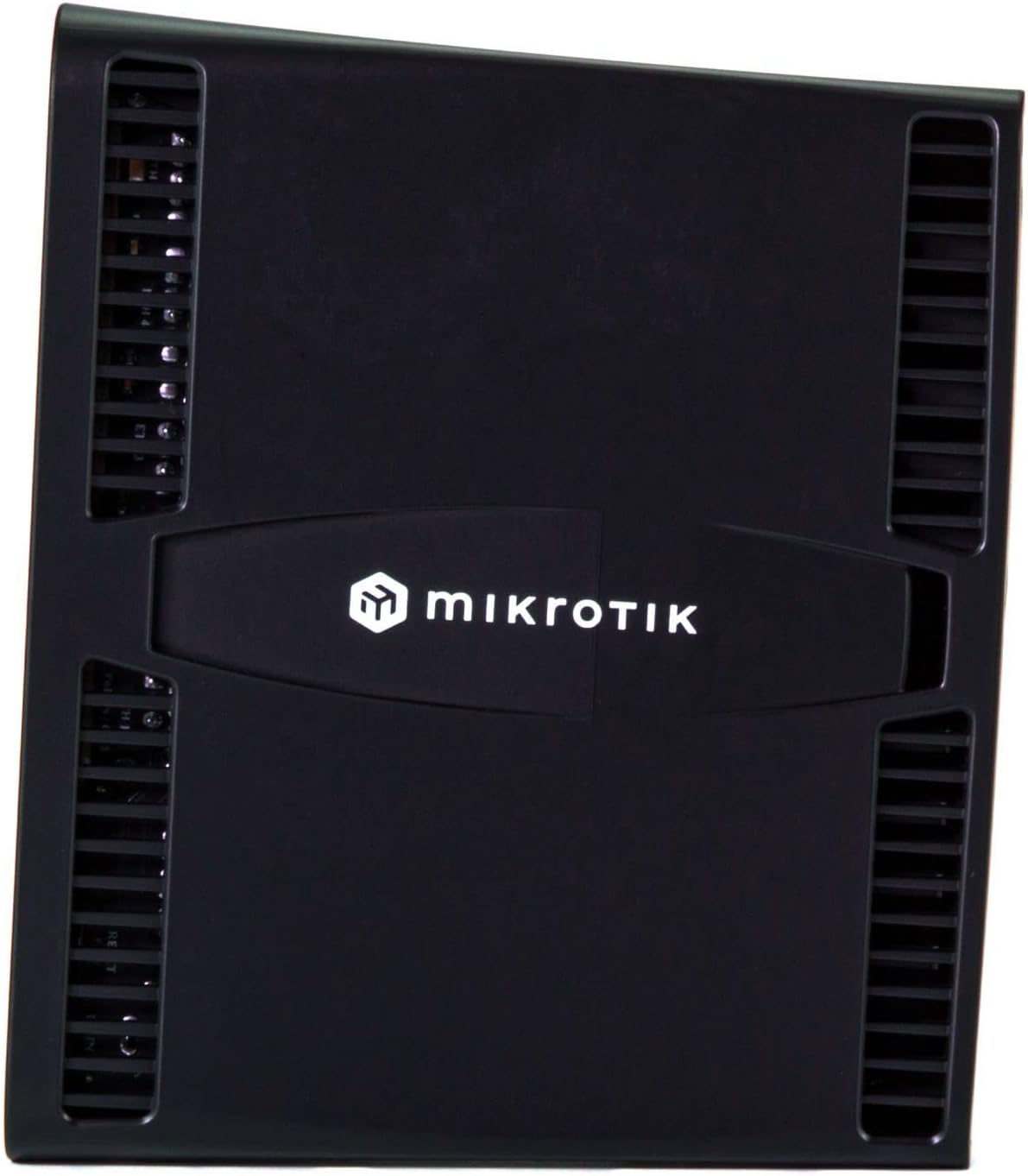
Figure 3: MikroTik hAP ax2 Router, top view, showing the MikroTik logo.

Figure 4: MikroTik hAP ax2 Router, rear view, showing power input, reset button, and Ethernet ports.

Figure 5: MikroTik hAP ax2 Router, close-up of the rear ports, detailing DC input, PWR, USR, PoE Out, Internet PoE In/Out, and LAN ports 2-5.
Пакеттин мазмуну
Пакетиңизде бардык буюмдар бар экенин текшериңиз:
- MikroTik hAP ax2 Router
- Кубаттуу адаптер
- Quick Start Guide
Жайгашуу
Follow these steps for initial setup of your MikroTik hAP ax2 router:
- Кубат туташуу: Connect the included power adapter to the DC input port on the router and then to a power outlet. The PWR LED should illuminate.
- Интернет байланышы: Connect your internet service provider's modem or main network cable to the 'Internet PoE In/Out' port (Port 1) on the router.
- Жергиликтүү тармак туташуусу: Connect your computer or other network devices to any of the LAN ports (2-5) using an Ethernet cable. Alternatively, connect wirelessly using the default Wi-Fi network details provided on the device label or quick start guide.
- Баштапкы конфигурация: ачуу а web browser on your connected computer and navigate to the default IP address of the router (commonly http://192.168.88.1). Log in using the default credentials (usually 'admin' with no password initially). Follow the on-screen instructions to set up your network, including changing the default password, configuring Wi-Fi settings, and updating firmware.
- Орнотулган программаны жаңыртуу: It is highly recommended to update the RouterOS firmware to the latest stable version for optimal performance and security. This can typically be done through the RouterOS web interface (WinBox) or command line interface.
Иштөө нускамалары
Once set up, the hAP ax2 operates as your primary network router and wireless access point. Here are key operational aspects:
- Wi-Fi туташуусу: Connect your wireless devices (laptops, smartphones, tablets) to the Wi-Fi networks broadcast by the hAP ax2. The router supports both 2.4 GHz and 5 GHz bands with 802.11ax (Wi-Fi 6) for high-speed and efficient connections.
- Ethernet туташуусу: Use the Gigabit Ethernet LAN ports for wired connections to devices requiring stable and high-speed network access, such as desktop computers, gaming consoles, or network-attached storage (NAS).
- PoE Out: Port 1 can provide Power over Ethernet (PoE Out) to power compatible devices, simplifying cable management for devices like IP cameras or other MikroTik equipment. Ensure the connected device supports the PoE standard provided by the hAP ax2.
- RouterOS Management: The router runs MikroTik's RouterOS, offering extensive configuration options. You can manage your network via the web интерфейс (WebFig), the dedicated WinBox application, or the command-line interface (CLI) for advanced settings like firewall rules, VPNs, QoS, and more.
- LED көрсөткүчтөрү: Monitor the status LEDs on the device for network activity, power status, and Wi-Fi operation. Refer to the RouterOS documentation for detailed explanations of LED behavior.
Видео 1: Расмий продукт көргөзмөсүasing the MikroTik hAP ax2 router's features and design.
Техникалык тейлөө
Proper maintenance ensures the longevity and optimal performance of your hAP ax2 router:
- Программалык камсыздоонун жаңыртуулары: Regularly check for and install RouterOS firmware updates. These updates often include security patches, bug fixes, and new features.
- Физикалык тазалоо: Keep the router free from dust and debris. Use a soft, dry cloth to clean the exterior. Ensure ventilation slots are not blocked to prevent overheating.
- Оптималдуу жайгаштыруу: Place the router in a central location, away from obstructions and sources of interference (e.g., microwaves, cordless phones) to maximize Wi-Fi coverage and performance.
- Камдык конфигурация: Periodically back up your router's configuration. This allows for quick restoration of your settings in case of a factory reset or device replacement.
- Power Cycle: If experiencing minor network issues, a simple power cycle (unplugging the power adapter for 10 seconds and plugging it back in) can often resolve them.
Проблемаларды чечүү
If you encounter issues with your hAP ax2, refer to the following common troubleshooting steps:
- Интернетке кирүү жок:
- Модемиңиз туура иштеп жатканын текшериңиз.
- Ensure the Ethernet cable from your modem is securely connected to the 'Internet PoE In/Out' port (Port 1) on the router.
- Verify your router's WAN configuration in RouterOS.
- Wi-Fi сигналы/ылдамдыгы начар:
- Маршрутизаторду тоскоолдуктардан жана тоскоолдуктардан алыс, борбордук жерге жылдырыңыз.
- Check for overlapping Wi-Fi channels with neighboring networks and adjust your router's channel settings.
- Ensure your devices support Wi-Fi 6 (802.11ax) to benefit from the router's full capabilities.
- Роутердин конфигурациясына кирүү мүмкүн эмес:
- Компьютериңиз роутерге Ethernet же Wi-Fi аркылуу туташкандыгын текшериңиз.
- Туура IP дарегин колдонуп жатканыңызды текшериңиз (http://192.168.88.1 by default) and login credentials.
- Эгер сырсөзүңүздү унутуп калсаңыз, заводдук жөндөөлөргө кайтаруу керек болушу мүмкүн (нускамаларды алуу үчүн Тез баштоо колдонмосун караңыз).
- Түзмөк күйбөй жатат:
- Check the power adapter and ensure it is securely connected to both the router and a working power outlet.
- Электр розеткасын башка аспап менен текшериңиз.
For more detailed troubleshooting or advanced configurations, consult the official MikroTik RouterOS documentation available on their webсайт.
Техникалык шарттар
| Өзгөчөлүк | Деталь |
|---|---|
| Бренд | MikroTik |
| Модель аты | C52iG-5HaxD2HaxD-TC |
| Зымсыз стандарт | 802.11ax (Wi-Fi 6) |
| Жыштык тилкесинин классы | Кош тилкелүү (2.4 ГГц, 5 ГГц) |
| CPU | Төрт ядролуу IPQ-6010 864 МГц |
| RAM | 1 ГБ |
| Ethernet порттору | 5 x Gigabit Ethernet (Port 1 with PoE In/Out) |
| Коопсуздук протоколу | WPA3 |
| Операция системасы | RouterOS |
| Антенна түрү | Ички |
| Маалыматтарды өткөрүү ылдамдыгы | 1200 Мбит/с чейин (5 ГГц), 574 Мбит/с чейин (2.4 ГГц) |
| Элемент Салмагы | 0.5 грамм |
| Элементтин өлчөмдөрү (L x W x Y) | 7.87" x 5.91" x 5.91" |
Кепилдик жана колдоо
Your MikroTik hAP ax2 router comes with a 2 жылдык өндүрүүчүнүн кепилдиги. Бул кепилдик нормалдуу колдонуудагы материалдардагы жана жасалгадагы кемчиликтерди камтыйт.
For technical support, warranty claims, or additional resources, please visit the official MikroTik website or contact their authorized support channels. Ensure you have your product model number and purchase information available when seeking support.