
MONODEAL DG10 Pro
MONODEAL DG10 Pro Bone Conduction Headphones User Manual
Model: DG10 Pro
Introduction
Thank you for choosing the MONODEAL DG10 Pro Bone Conduction Headphones. This manual provides detailed instructions on how to set up, operate, and maintain your headphones and the included replacement charging cable. Please read this manual thoroughly before use to ensure optimal performance and longevity of your device.
Продукт бүттүview жана компоненттер
The MONODEAL DG10 Pro headphones offer a unique open-ear listening experience using bone conduction technology, coupled with a noise-canceling microphone for clear communication. This package also includes a dedicated magnetic charging cable.
Кутуда эмне бар:
- MONODEAL DG10 Pro Bone Conduction Headphones
- Replacement Magnetic Charging Cable

Image: The MONODEAL DG10 Pro Bone Conduction Headphones with its adjustable boom microphone, alongside the magnetic charging cable.
Жайгашуу
1. Наушниктерди заряддоо:
Before first use, fully charge your MONODEAL DG10 Pro headphones. Connect the magnetic charging cable to the charging port on the headphones and the USB-A end to a compatible USB power source (e.g., computer USB port, wall adapter). The LED indicator on the headphones will show charging status.
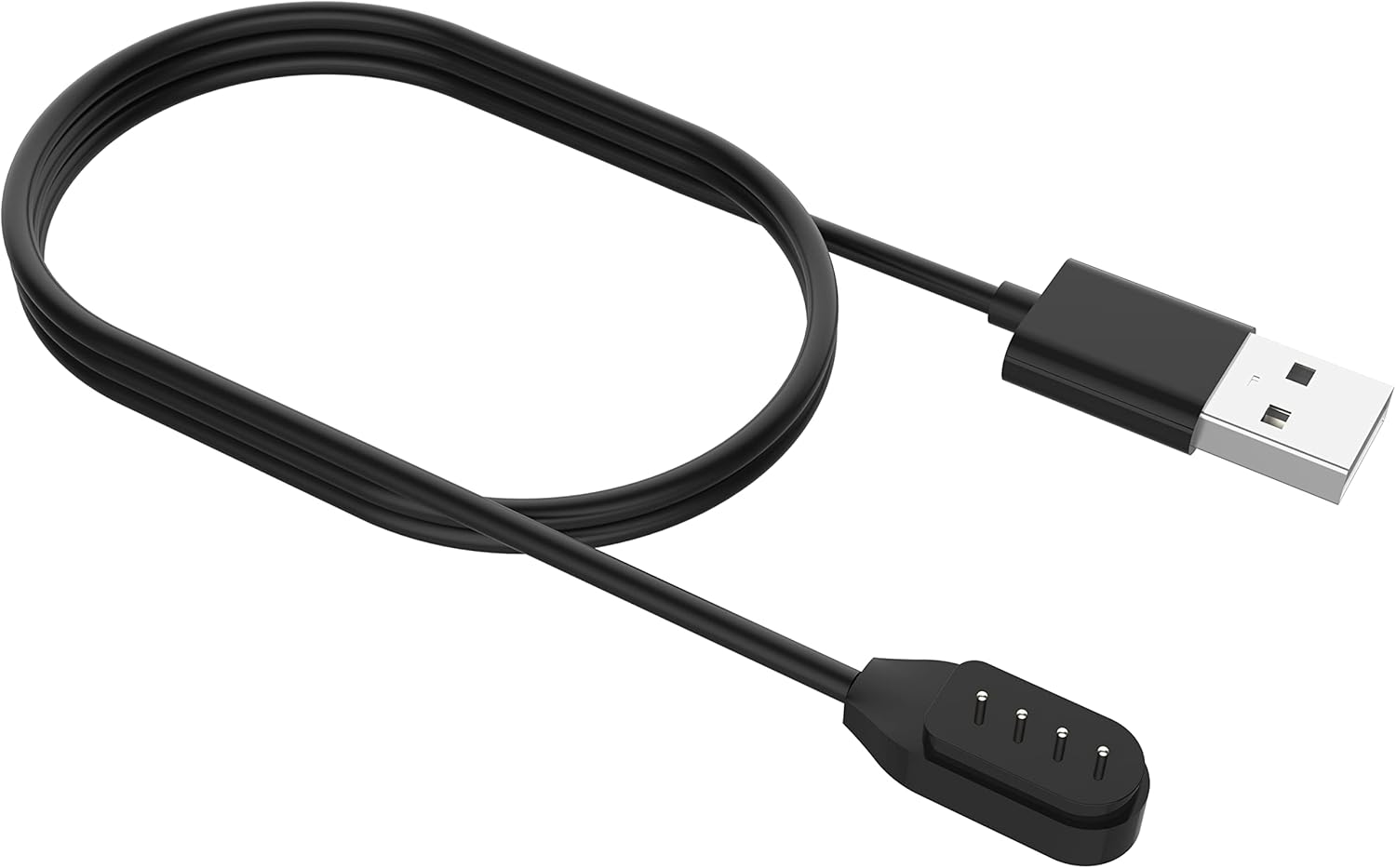
Image: Close-up of the magnetic charging cable, showing the USB-A connector and the magnetic charging pins.
2. Bluetooth жупташтыруу:
- Күйгүзүү: Кулакчындардын кубат баскычын LED индикатору күйүп-өчкөнгө чейин басып туруңуз, бул жупташтыруу режимин көрсөтөт.
- Bluetooth иштетүү: Түзмөгүңүздө (смартфон, планшет, компьютер) Bluetooth иштетиңиз.
- Түзмөктү тандоо: In your device's Bluetooth settings, search for "MONODEAL DG10 Pro" and select it to connect.
- Ырастоо: Once connected, the LED indicator on the headphones will change, and you may hear an audible confirmation.
The headphones support multipoint pairing, allowing connection to two devices simultaneously. This enables seamless switching between devices for calls or audio playback.

Image: A visual representation of the DG10 Pro headphones connected simultaneously to a smartphone, tablet, and laptop, illustrating multipoint pairing.
Иштөө нускамалары
Наушник тагынуу:
Position the headphones with the transducers resting on your cheekbones, just in front of your ears. The band should wrap around the back of your head. The lightweight and ergonomic design ensures comfort even during extended wear.

Image: A man wearing the DG10 Pro headphones, demonstrating the open-ear comfort and proper placement on the cheekbones.
Негизги башкаруу элементтери:
The headphones feature intuitive touch controls for various functions.
- Күйгүзүү/өчүрүү: Кубат баскычын басып, кармап туруңуз.
- Ойнотуу/тындыруу: Single tap the multi-function button.
- Үнүн жогорулатуу/төмөндөтүү: Атайын үн баскычтарын колдонуңуз.
- Кийинки трек: Double tap the multi-function button.
- Мурунку трек: Triple tap the multi-function button.
- Чалууга жооп берүү/аяктоо: Single tap the multi-function button during an incoming call.
- Чакырууну четке кагуу: Кирүүчү чалуу учурунда көп функциялуу баскычты басып, кармап туруңуз.
- Үн Жардамчысын жандыруу: Көп функциялуу баскычты басып, кармап туруңуз (узактыгы үчүн белгилүү бир моделди текшериңиз).
Using the Dual Mic ENC Noise Canceling Feature:
The adjustable boom microphone, combined with dual-mic ENC (Environmental Noise Cancellation) technology, ensures clear voice pickup and reduces background noise during calls. Position the microphone close to your mouth for optimal clarity.

Image: An infographic detailing the dual-mic ENC noise cancellation, showing omnidirectional pickup and the closed-loop bone-conducting oscillator for clear calls.
Коопсуздук жана маалымдуулук:
Due to their open-ear design, the DG10 Pro headphones allow you to remain aware of your surroundings while listening to audio or taking calls. This feature is particularly beneficial in environments where situational awareness is crucial, such as during work or driving.

Image: A man in a car wearing the DG10 Pro headphones, highlighting the ability to stay connected while remaining aware of the environment.
Техникалык тейлөө
Тазалоо:
- Наушниктерди жумшак менен сүртүңүз, гamp кездеме.
- Катуу химиялык заттарды же абразивдүү тазалоочу каражаттарды колдонбоңуз.
- Заряддоодон мурун кубаттоо порту кургак экенин текшериңиз.
Сактагыч:
Store the headphones in a cool, dry place away from direct sunlight and extreme temperatures. Avoid bending or twisting the band excessively.
Проблемаларды чечүү
| Көйгөй | Мүмкүн себеп | Чечим |
|---|---|---|
| Кулакчындар күйбөйт. | Батарея аз. | Charge the headphones fully using the provided cable. |
| Түзмөк менен жупташтыруу мүмкүн эмес. | Наушник жупташтыруу режиминде эмес; түзмөктө Bluetooth өчүк; аппарат өтө алыс. | Ensure headphones are in pairing mode; enable Bluetooth on your device; move device closer (within 10 meters). |
| Үн жок же үнү төмөн. | Үнү өтө төмөн; туташкан эмес; аудио булагында көйгөй бар. | Increase volume on headphones and device; ensure proper Bluetooth connection; check audio source. |
| Microphone not clear. | Microphone position; environmental noise. | Adjust the boom microphone closer to your mouth; ensure ENC is active (if applicable); reduce background noise if possible. |
Техникалык шарттар
- Модель аты: DG10 Pro
- Бренд: MONODEAL
- Байланыш технологиясы: Зымсыз
- Зымсыз байланыш технологиясы: Bluetooth 5.3
- Bluetooth диапазону: 10 метр
- Кулак жайгаштыруу: Ачык кулак
- Форма фактору: On Ear
- Аудио драйвер түрү: Сөөк өткөргүч айдоочу
- Башкаруу түрү: Медиа башкаруу, тийүү
- Микрофон: Dual Mic ENC Noise Canceling Boom Microphone
- Материал: Алюминий, силикон
- Салмагы: Болжол менен 33 г
- Сууга туруктуулук деңгээли: Сууга чыдамдуу эмес
- Камтылган компоненттер: Headphones, Magnetic Charging Cable
Кепилдик жана колдоо
For warranty information and customer support, please refer to the warranty card included with your product or visit the official MONODEAL website. You can also contact MONODEAL customer service through the platform where you purchased the product.
MONODEAL Official Store: Visit MONODEAL Store on Amazon
Ask a question about this manual
Ask about setup, troubleshooting, compatibility, parts, safety, or missing instructions. Manuals+ will review the question and use this page’s manual context to help answer it.