
1. Киришүү
The Daytech Wireless Caregiver Pager System is designed to provide reliable and convenient communication between caregivers and those needing assistance, such as the elderly, patients, or children. This system ensures that help is just a button press away, offering peace of mind and enhanced safety within the home or care environment.
The system typically includes a plug-in receiver and wearable call buttons (wrist pagers). Its wireless design allows for flexible placement and ease of use.

Image 1.1: Daytech Wireless Caregiver Pager System components, including the receiver and two wrist call buttons.
2. Продукциянын компоненттери
Your Daytech Wireless Caregiver Pager System package includes the following items:
- 1 x Plug-in Receiver: The central unit that receives signals from the call buttons and emits alerts.
- 2 x Wrist Call Buttons: Wearable, waterproof buttons for initiating alerts.
- Колдонуучунун колдонмосу: Бул документ.

Image 2.1: The system provides peace of mind for both the person needing care and the caregiver.
3. Орнотуу нускамалары
Follow these steps to set up your Daytech Wireless Caregiver Pager System:
- Ресиверди сайыңыз: Insert the receiver into a standard electrical outlet in a central location where the alert can be easily heard.
- Prepare Call Buttons: The wrist call buttons come with pre-installed alkaline batteries. Ensure they are ready for use.
- Жупташтыруу (зарыл болсо): The units are typically pre-paired. If re-pairing or adding new buttons, follow these steps:
- Plug the Receiver into the socket.
- Press the Volume Control button on the receiver and hold it until it emits a "ding-dong" sound. This indicates it is in pairing mode.
- Press the Call Button on the wrist pager. The receiver will make a "ding-dong" sound, confirming successful pairing.
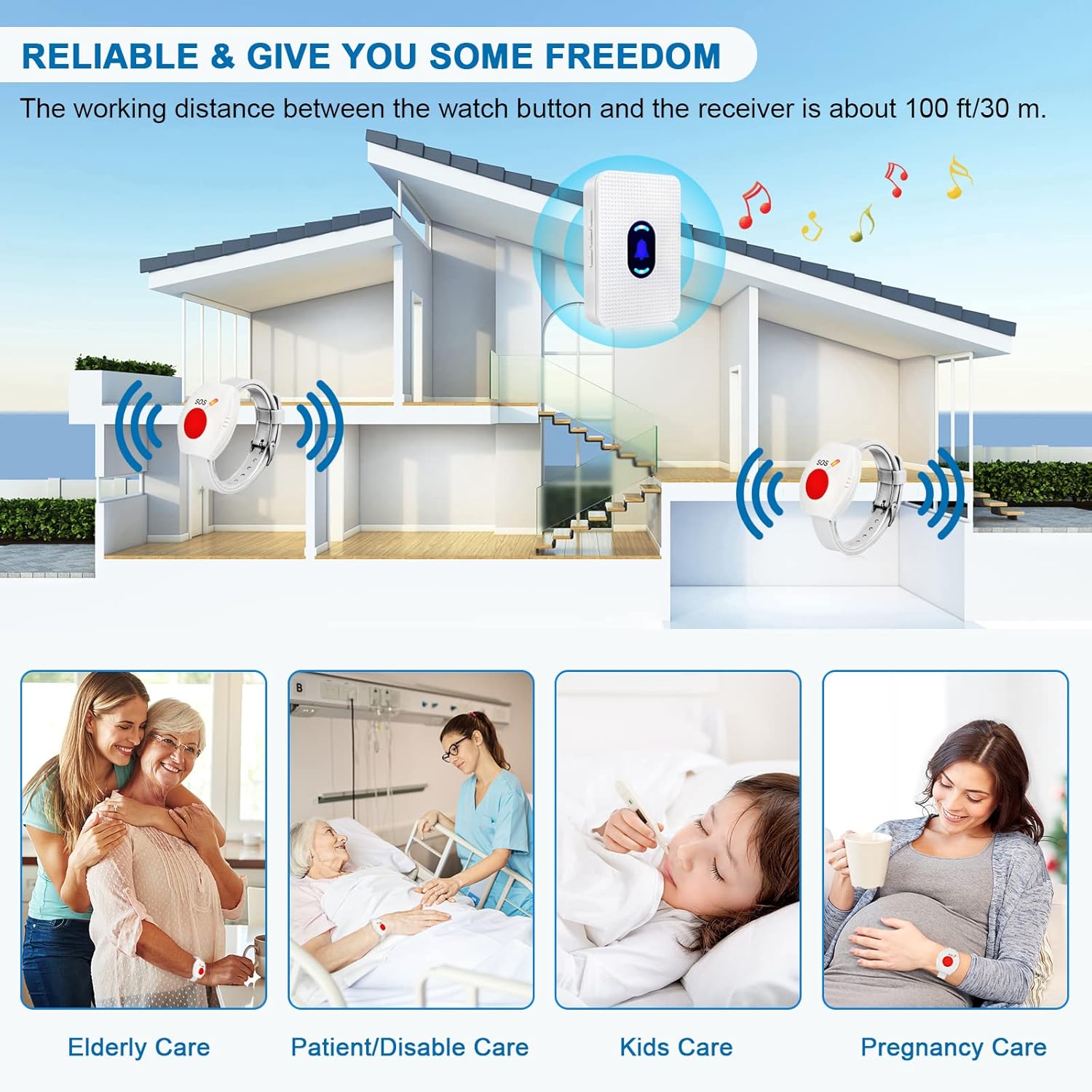
Image 3.1: Detailed steps for modifying ringtone and pairing the devices.
4. Иштөө нускамалары
4.1 Initiating an Alert
To send an alert, simply press the large red SOS button on the wrist call pager. The receiver will sound the selected chime and flash its LED indicator.
4.2 Үндү тууралоо
The receiver features 5 adjustable volume levels, including a mute mode. Use the dedicated volume control button on the side of the receiver to cycle through the volume settings.

Image 4.1: Location of the volume control button on the receiver.
4.3 Selecting Ringtone
The receiver offers 55 different chimes. Use the 'Forward' and 'Backward' buttons on the side of the receiver to browse and select your preferred ringtone.
4.4 Түнкү жарык режими
To activate or deactivate the night light mode on the receiver, press and hold the middle button (bell icon) for 5 seconds.
4.5 Системанын кеңейиши
The Daytech receiver is designed to be expandable and can be paired with various other Daytech transmitters, such as door/window sensors, additional call buttons, or dog doorbells. Each paired transmitter can be set with a different ringtone for easy identification.

Image 4.2: The system is expandable with various Daytech transmitters.
4.6 Иштөөнү көрсөтүү
Video 4.1: This video demonstrates the adjustable volume levels and various ringtones of the Daytech Caregiver Pager System, as well as how different call buttons trigger alerts.
5. Техникалык тейлөө
To ensure the longevity and optimal performance of your Daytech Caregiver Pager System, please follow these maintenance guidelines:
- Тазалоо: Wipe the receiver and call buttons with a soft, dry cloth. Do not use abrasive cleaners or solvents.
- Батареяны алмаштыруу: The wrist call buttons use alkaline batteries. If the signal strength weakens or the button stops responding, replace the battery. Refer to the specifications for battery type.
- Суу каршылык: The wrist call buttons are designed to be water-resistant, suitable for daily splashes or showers. However, they are not intended for prolonged submersion in water. Ensure the battery compartment is securely sealed after replacement.
- Сактагыч: Системаны узак убакыт бою колдонбогон учурда, аны салкын, кургак жерде, күндүн түз нурунан жана өтө жогорку температурадан алыс сактаңыз.
6. Кыйынчылыктарды
If you encounter any issues with your Daytech Wireless Caregiver Pager System, refer to the following common troubleshooting steps:
| Көйгөй | Мүмкүн себеп | Чечим |
|---|---|---|
| Баскыч басылганда ресивер үн чыгарбайт. | Receiver unplugged; button battery low/dead; units out of range; units not paired. | Ensure receiver is plugged in; replace button battery; move units closer; re-pair the units (see Section 3. Setup). |
| Кыска иштөө диапазону. | Obstructions (thick walls, metal structures); electromagnetic interference; low button battery. | Relocate receiver to a more central position; avoid placing near large metal objects or strong electronic devices; replace button battery. |
| Receiver sounds continuously or randomly. | Interference from other wireless devices; button stuck. | Check if any other devices are causing interference; inspect call button for damage or stuck button. Re-pair if necessary. |
If the problem persists after trying these solutions, please contact Daytech customer support.
7. Техникалык шарттар
| Өзгөчөлүк | Деталь |
|---|---|
| Модель номери | E-01W |
| Башкаруу ыкмасы | тийүү |
| Ызы-чуу деңгээли | 110 дБ (Макс) |
| Монтаж түрү | Wall Mount (Receiver) |
| Максималдуу диапазон | 800 Фут (болжол менен 240 метр) |
| Элемент Салмагы | 5.9 унция |
| Пакеттин өлчөмдөрү | 4.8 x 2.91 x 2.64 дюйм |
| Батареялар камтылганбы? | Ооба |
| Батареянын сүрөттөлүшү | щелочтуу |
| Power Source | Battery Powered (Buttons), Plug-in (Receiver) |
| Тtage | 260 Volts (Receiver input) |
| Түс | Ак |
8. Кепилдик жана колдоо
For detailed warranty information and customer support, please refer to the official Daytech website or the contact information provided with your purchase. A digital copy of the user guide is also available for download at https://manuals.plus/m/67d6b89a8bab3e7d5184b912a68b617864973d3b14763878e99923d78ffe4926.
Daytech is committed to providing high-quality products and excellent customer service. If you have any questions or require assistance, do not hesitate to reach out to our support team.