
Introduction
Сатып алганыңыз үчүн рахматasing the BRUNO Cloud Clock Digital LED Clock. This manual provides essential information for the safe and efficient use of your new clock. Please read these instructions thoroughly before use and retain them for future reference.
Коопсуздук маалыматы
- Аппаратты экстремалдык температурага, түз күндүн нуруна же жогорку нымдуулукка дуушар кылбаңыз.
- Аппаратты жерге түшүрүүдөн же катуу таасирлерден сактаныңыз.
- Аппаратты суудан жана башка суюктуктардан алыс кармаңыз.
- Аппаратты өз алдынча бөлүүгө же оңдоого аракет кылбаңыз. Жардам алуу үчүн квалификациялуу тейлөө кызматкерлерине кайрылыңыз.
- Dispose of batteries according to local regulations. Do not mix old and new batteries, or different types of batteries.
Пакеттин мазмуну
Пакетте бардык буюмдар бар экенин текшериңиз:
- BRUNO Cloud Clock Digital LED Clock (Main Unit)
- Dedicated USB Cable (approx. 1m)
- CR2032 Coin Battery (for backup, pre-installed in main unit)

Image: The BRUNO Cloud Clock comes in a compact cardboard box, indicating 'CLOUD CLOCK' and 'BRUNO' branding.
Продукт бүттүview
The BRUNO Cloud Clock is a digital LED clock designed for indoor use, featuring a modern cloud shape. It displays time, date, and temperature, and includes an electronic alarm function. It can operate in a power-saving mode or an always-on display mode.
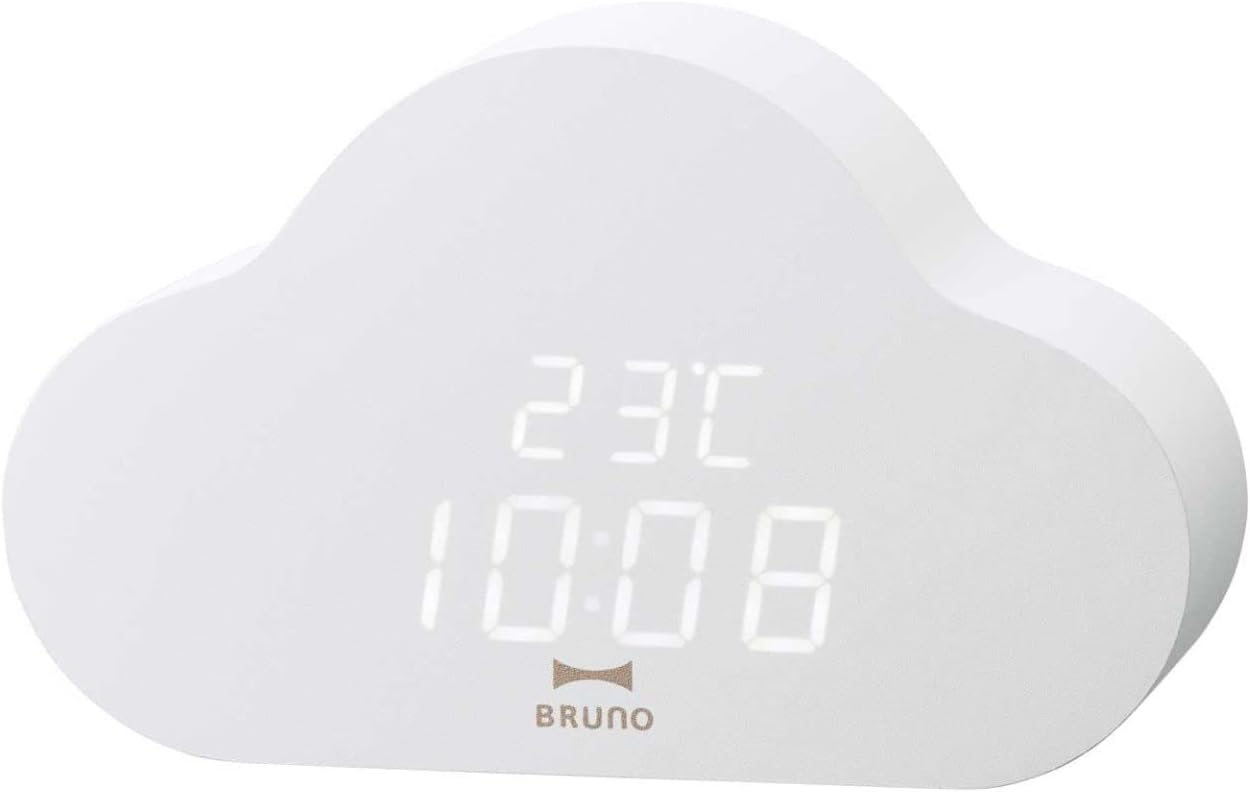
Image: The front of the BRUNO Cloud Clock, showing the digital LED display with time and temperature.

Image: The BRUNO Cloud Clock positioned on a wooden desk, showcasing its aesthetic in a home environment.
Жайгашуу
Саатты иштетүү
The BRUNO Cloud Clock can be powered by either 3 AAA dry cell batteries or via a DC 5V USB power supply. A CR2032 coin battery is pre-installed for backup purposes to retain settings during power loss.
- Using AAA Batteries: Open the battery compartment on the back of the clock. Insert 3 AAA batteries, ensuring correct polarity (+/-). Close the compartment securely.
- Using USB Power: Connect the dedicated USB cable to the DC 5V port on the back of the clock. Plug the other end into a USB power adapter (DC5V 1A input recommended, not included) or a compatible USB port.

Image: The rear panel of the Cloud Clock, showing the battery compartment for 3 AAA batteries, the DC 5V USB input, and control buttons.

Image: The dedicated USB cable provided with the BRUNO Cloud Clock, used for external power supply.
Иштөө нускамалары
The clock features three control buttons on the back: SET, UP, жана ылдый.
Убакыт жана дата орнотуу
- басып, кармап туруңуз SET Убакытты орнотуу режимине өтүү үчүн баскычын басыңыз. Сааттын сандары күйүп-өчүп турат.
- колдонуу UP жана ылдый саатты тууралоо үчүн баскычтар.
- Басыңыз SET мүнөт жөндөөсүнө өтүү үчүн дагы. менен тууралоо UP/ылдый.
- Басууну улантыңыз SET жыл, ай жана күн жөндөөлөрүн өзгөртүү үчүн, ар бирин тууралоо UP/ылдый.
- Датаны койгондон кийин басыңыз SET орнотуу режиминен чыгуу үчүн.
12/24 саат дисплей
Кадимки дисплей режиминде басыңыз UP 12 сааттык жана 24 сааттык форматтардын ортосунда которулуу үчүн баскычты басыңыз.
Ойготкучту орнотуу
- Кадимки дисплей режиминде басыңыз ылдый баскычына view учурдагы ойготкуч убактысы.
- басып, кармап туруңуз ылдый Ойготкучту орнотуу режимине өтүү үчүн баскычын басыңыз. Ойготкуч саатынын сандары күйүп-өчүп турат.
- колдонуу UP жана ылдый ойготкуч саатын тууралоо үчүн баскычтар.
- Басыңыз SET to move to alarm minute setting. Adjust with UP/ылдый.
- Басыңыз SET again to activate/deactivate the alarm. An alarm icon will appear on the display when activated.
- Басыңыз SET ойготкучту орнотуу режиминен чыгуу үчүн.
Дисплей режимдери
The clock supports two main display modes:
- Энергияны үнөмдөө режими: The display turns off after a period of inactivity. It can be activated by sound (e.g., clapping) or by pressing any button. This mode conserves battery life.
- Always-On Display Mode: The display remains continuously lit. This mode consumes more power.
Refer to the full instruction manual for detailed steps on switching between these modes.

Сүрөт: деталдуу view of the Cloud Clock's digital display, clearly showing the time and temperature readings.
Техникалык тейлөө
Тазалоо
To clean the clock, gently wipe the surface with a soft, dry cloth. Do not use abrasive cleaners, solvents, or chemical sprays, as these may damage the finish or electronic components.
Батареяны алмаштыруу
When the display dims or the clock functions become erratic, it may be time to replace the AAA batteries. Follow the steps in the 'Powering the Clock' section to replace them. The internal CR2032 backup battery typically lasts for several years and does not require frequent replacement.
Проблемаларды чечүү
| Көйгөй | Мүмкүн себеп | Чечим |
|---|---|---|
| Дисплей күңүрт же өчүк. | Low AAA battery power or power-saving mode is active. | Replace AAA batteries or connect via USB power. Activate the display by sound or button press if in power-saving mode. |
| Time/Date resets frequently when using batteries. | AAA batteries are depleted quickly, especially in always-on display mode. | This clock is designed for optimal performance with continuous USB power. If using batteries, utilize the power-saving mode to extend battery life. Frequent battery replacement may be necessary in always-on mode. |
| Clock does not respond to button presses. | No power or very low battery. | Ensure fresh AAA batteries are installed correctly or connect the clock to a stable USB power source. |
| Туура эмес убакыт же дата көрсөтүлдү. | Орнотуулар тууралоону талап кылат. | Follow the 'Setting Time and Date' instructions to correct the display. |
Техникалык шарттар
- Модел: BCA030-WH
- Өлчөмдөрү: W164 × H103 × D43 мм
- Салмагы: Болжол менен 290 г
- Кубат булагы: 3 x AAA dry cell batteries or DC 5V (USB)
- Камдык күч: 1 x CR2032 coin battery (pre-installed)
- USB киргизүү: DC5V 1A
- Функциялары: Time (12/24h), Date, Temperature Display, Electronic Alarm, Power-Saving Mode, Always-On Display Mode
- Материал: Resin (Frame)
- Аксессуарлар: Dedicated USB cable (approx. 1m), CR2032 coin battery (pre-installed)
- Estimated Battery Life (AAA batteries):
- Power-Saving Mode: Approx. 9 months (10 lights/day), 5 months (20 lights/day), 3 months (30 lights/day)
- Always-On Display Mode: Approx. 30 hours
Кепилдик жана колдоо
For warranty information or technical support, please refer to the warranty card included with your product or visit the official BRUNO webсайт. Сатып алуу квитанциясын кепилдик дооматтары үчүн сатып алуунун далили катары сактаңыз.