
1. Киришүү
The Nobsound VFD253 is a versatile audio device that integrates multiple functions into a single unit. It serves as an audio spectrum analyzer, a Bluetooth receiver, an audio switcher, and a high-precision clock. This manual provides essential information for setting up, operating, and maintaining your VFD253 to ensure optimal performance.

Сүрөт 1.1: The Nobsound VFD253 Audio Spectrum Analyzer Receiver displaying the time.
2. Негизги өзгөчөлүктөрү
- Көп функционалдуу дизайн: Combines an audio spectrum analyzer, Bluetooth 5.0 receiver, 3.5mm AUX audio switcher, and a high-precision clock.
- High-Resolution VFD Display: Features a 25x15 dedicated green VFD display for accurate visualization of audio frequency bands.
- Ар тараптуу аудио киргизүүлөр: Includes a built-in microphone pickup, Bluetooth 5.0 connectivity, and two 3.5mm AUX inputs for compatibility with various audio sources like smartphones, PCs, game players, ampлиферлер жана баяндамачылар.
- Adjustable Display Modes & Brightness: Offers 5 decorative music spectrum display modes and 2 clock display modes. The VFD backlight brightness can be adjusted manually (3 levels) or automatically to suit different environments.
- High-Precision Clock: Equipped with an RX8025T built-in crystal oscillator, providing a clock accuracy of ±3ppm, resulting in an annual error of less than 1 minute.
- Wide Frequency Range & AGC Display: Supports an 80Hz-16KHz frequency sweep. A special Automatic Gain Control (AGC) algorithm and customized output curve ensure optimal visual effects across a wide range of input signal levels, preventing under-display for low inputs and over-display for high inputs.
- Customizable Display Effects: Individual adjustments for gain, brightness, main light column fall speed, hold time, and peak fall speed.
- Өчүрүү эстутуму: All settings are saved automatically and retained after power cycling, eliminating the need for re-configuration.
- Ыңгайлуу алыстан башкаруу: Allows easy adjustment of all settings from a distance.

Сүрөт 2.1: Бүттүview of the VFD253's multi-functional capabilities, including audio spectrum analysis, Bluetooth, and AUX inputs.

Сүрөт 2.2: The VFD253 displaying an audio spectrum in a typical home audio environment, highlighting its wide frequency range and AGC display.
3. Пакеттин мазмуну
Сураныч, пакетте төмөнкү нерселерди текшериңиз:
- 1 × Nobsound VFD253 Audio Spectrum Analyzer Receiver
- 1 × USB Type-C кабели
- 1 × Remote Control (Батареялар камтылган эмес)

Сүрөт 3.1: The Nobsound VFD253 package contents: the main unit, a USB Type-C cable, and a remote control.
4. Продукт бүтүп калдыview (Controls and Ports)
Familiarize yourself with the various controls and connection ports on your VFD253 unit.

Сүрөт 4.1: Front panel buttons and rear panel connections of the VFD253. Front buttons include 'Mode -', 'Mode +', and 'Audio source selection / Power switch'. Rear ports include 3.5mm AUX output, microphone pickup, 3.5mm AUX input (IN1), 3.5mm AUX input (IN2), and DC IN (Type-C).
- Front Panel баскычтары:
- Mode -: Decreases display mode or setting value.
- Mode +: Increases display mode or setting value.
- Audio Source Selection / Power Switch: Short press to cycle through audio inputs; long press to power on/off.
- Арткы панелдин порттору:
- 3.5 мм AUX чыгышы: а менен туташат ampкөтөргүч же активдүү спикерлер.
- Микрофонду алуу: Built-in microphone for ambient sound analysis.
- 3.5mm AUX Input (IN1): Connects to an audio source via 3.5mm cable.
- 3.5mm AUX Input (IN2): Connects to a second audio source via 3.5mm cable.
- DC IN (Type-C): Түзмөк үчүн кубат киргизүү.
5. Орнотуу
- Кубат туташуу: Connect the provided USB Type-C cable to the DC IN port on the rear of the VFD253 and plug the other end into a suitable USB power adapter (5V DC, not included).
- Күйгүзүү: Long press the 'Audio Source Selection / Power Switch' button on the front panel or press the power button on the remote control to turn on the unit.
- Аудио киргизүү туташуу:
- Bluetooth: Select Bluetooth input using the front panel button or remote. Enable Bluetooth on your audio source (e.g., smartphone, PC) and pair with 'VFD253'.
- AUX киргизүү: Connect your audio source (e.g., CD player, PC) to either the IN1 or IN2 3.5mm AUX input port using a 3.5mm audio cable. Select the corresponding AUX input.
- Микрофон: Select the microphone input to analyze ambient sound.
- Audio Output Connection (Optional): If using the VFD253 as an audio switcher, connect the 3.5mm AUX Output port to your ampкөтөргүч же активдүү спикерлер.
6. Иштөө нускамалары
6.1. Негизги операция
- Күйгүзүү/өчүрүү: Long press the 'Audio Source Selection / Power Switch' button on the front panel or press the Күч пульттагы баскыч.
- Киргизүүнү тандоо: Short press the 'Audio Source Selection / Power Switch' button on the front panel or use the Киргизүү button on the remote to cycle through AUX1, AUX2, Bluetooth, and Microphone inputs.
- Дисплей режимин тандоо: колдонуу Mode button on the remote to switch between the 5 music spectrum display modes and 2 clock display modes.
- Жарыктыкты жөндөө: колдонуу Жарыктык button on the remote to adjust the VFD display brightness manually (3 levels). The unit also supports automatic brightness adjustment.
6.2. Advanced Settings (via Remote Control)
The remote control provides access to various advanced settings for customizing the display effects.
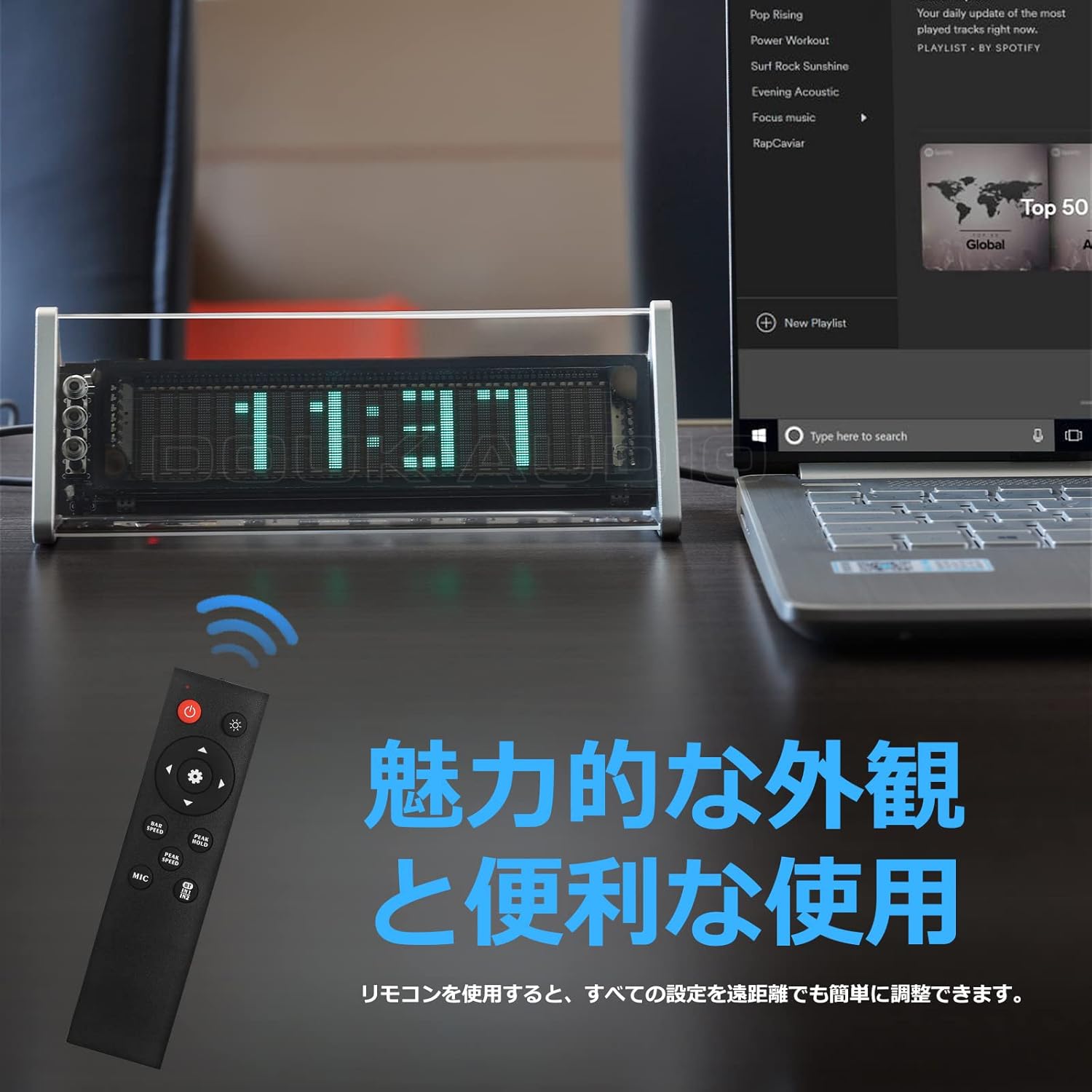
Сүрөт 6.1: The remote control for the Nobsound VFD253, showing buttons for power, input, mode, brightness, gain, and speed adjustments.
- Пайданы тууралоо: колдонуу Gain +/- buttons to adjust the input sensitivity, affecting the height of the spectrum display.
- Fall Speed Adjustment: колдонуу Ылдамдык +/- buttons to adjust the fall speed of the main light column and peak indicators.
- Hold Time Adjustment: Adjust the duration for which peak indicators remain on screen.
- MIC Input Toggle: колдонуу MIC button to enable or disable the built-in microphone input.
- Орнотуулар эс: All adjustments are automatically saved thanks to the power-off memory function.
7. Дисплей режимдери
The VFD253 offers a variety of visual display options to enhance your audio experience or provide time information.
7.1. Music Spectrum Display Modes (5 Types)
These modes visualize the audio input in different dynamic patterns on the VFD screen.

Сүрөт 7.1: Examples of various music spectrum display modes available on the VFD253.

Сүрөт 7.2: А деталдуу view of one of the music spectrum display modes.
7.2. Clock Display Modes (2 Types)
When no audio signal is detected for a period, or when manually selected, the unit can display the time.

Сүрөт 7.3: А деталдуу view of one of the clock display modes.
8. Техникалык шарттар
| Өзгөчөлүк | Спецификация |
|---|---|
| Бренд | Nobsound |
| Модел | VFD253 |
| Дисплей түрү | Digital VFD (25 × 15 resolution) |
| Жыштык диапазону | 80Гц - 16КГц |
| Сааттын тактыгы | ±3ppm (annual error < 1 minute) |
| Байланыш | Bluetooth 5.0, 2 × 3.5mm AUX Input, 1 × 3.5mm AUX Output |
| Power Input | DC 5V (USB Type-C) |
| Өлчөмдөрү (L × H × D) | 184 мм × 66 мм × 75 мм (болжол менен 7.24 дюйм × 2.60 дюйм × 2.95 дюйм) |
| Таза Салмак | 322 г (0.71 фунт) |
| Frame Material | ABS |
9. Кыйынчылыктарды
If you encounter any issues with your VFD253, please refer to the following common problems and solutions:
- Дисплей жок:
- Ensure the USB Type-C power cable is securely connected and receiving power.
- Press the power button on the unit or remote to ensure it is turned on.
- No Audio Output (when using AUX Out):
- Verify that the correct input source (AUX1, AUX2, or Bluetooth) is selected.
- Check all 3.5mm audio cable connections between the source, VFD253, and your ampкөтөргүч/спикерлер.
- Сиздин камсыз кылуу amplifier/speakers are powered on and set to the correct input.
- Display Not Reacting to Audio:
- Ensure an audio source is playing and connected correctly.
- If using microphone input, ensure the MIC input is enabled and there is ambient sound.
- тууралаңыз Пайда setting via the remote control to increase sensitivity.
- Bluetooth жупташтыруу маселелери:
- Ensure the VFD253 is set to Bluetooth input mode.
- Аудио булак түзмөгүңүздөгү Bluetooth'ту өчүрүп, кайра иштетиңиз.
- Move the audio source closer to the VFD253 to ensure a strong signal.
- Алыстан башкаруу иштебейт:
- Пульттун батареяларын текшерип, алмаштырыңыз.
- Ensure there is a clear line of sight between the remote and the VFD253.
10. Техникалык тейлөө
To ensure the longevity and proper functioning of your Nobsound VFD253, follow these maintenance guidelines:
- Тазалоо: Use a soft, dry cloth to wipe the unit. Avoid using abrasive cleaners, solvents, or chemical sprays, as these can damage the finish or internal components.
- Курчап турган чөйрө: Place the unit in a dry, well-ventilated area away from direct sunlight, high temperatures, humidity, and strong magnetic fields.
- Колдонуу: Агрегатты кылдаттык менен колдонуңуз. Аны түшүрүүдөн же катуу таасирлерге дуушар кылуудан алыс болуңуз.
- Демонтаж: Түзмөктү бөлүктөргө бөлүүгө же өзгөртүүгө аракет кылбаңыз. Бул кепилдикти жокко чыгарат жана зыянга же жаракатка алып келиши мүмкүн.
11. Кепилдик жана колдоо
Nobsound products are designed for reliability and performance. For warranty information, technical support, or service inquiries, please refer to the official Nobsound webсайтка же ыйгарым укуктуу дилериңизге кайрылыңыз.
- Онлайн колдоо: Visit the official Nobsound website for FAQs, product updates, and contact information.
- Кардарларды тейлөө: If you require further assistance, please contact Nobsound customer support with your product model and purchase details.