
Alarm.com V724X
Alarm.com ADC-V724X Сырткы Wi-Fi камерасынын колдонуучу колдонмосу
Модель: V724X
Introduction
The Alarm.com ADC-V724X is an advanced outdoor Wi-Fi camera designed to enhance the security of your property. It features High Dynamic Range (HDR) for clear imaging, two-way audio for communication, 1080p resolution, and a wide 117-degree field of view. Equipped with Video Analytics and IR Night Vision, it provides intelligent detection and monitoring capabilities. The camera also includes a MicroSD card slot for local storage and boasts an IP66 ingress protection rating, ensuring durability in various outdoor conditions.
Коопсуздук маалыматы
- Ensure the camera is installed by a qualified professional or with proper safety precautions.
- Use only the specified 12VDC power supply.
- Камераны анын иштөө диапазонунан тышкаркы экстремалдык температурага дуушар кылбаңыз.
- Линзаны күчтүү жарык булактарына узак убакытка түз тийгизүүдөн алыс болуңуз.
- Кандайдыр бир тейлөө же тазалоо иштерин жүргүзүүдөн мурун электр энергиясын өчүрүңүз.
- Балдар жетпеген жерде сактаңыз.
Пакеттин мазмуну
Пакетте бардык буюмдар бар экенин текшериңиз:
- Alarm.com ADC-V724X Outdoor Wi-Fi Camera
- Монтаждоочу жабдуулар (буроолор, анкерлер)
- Орнотуу боюнча колдонмо
- Power Adapter (12VDC)
Жайгашуу
1. Физикалык орнотуу
The ADC-V724X camera is designed for outdoor wall mounting. Choose a location that provides the desired field of view жана Wi-Fi тармагыңыздын диапазонунда.
- Монтаждоо бетин даярдаңыз: Use the included mounting template (if provided) or the camera base to mark drill holes.
- Бургулоо тешиктери: Drill pilot holes for the mounting screws. Insert wall anchors if mounting into drywall or masonry.
- Тоону камсыз кылуу: Берилген бурамаларды колдонуп, камеранын бекитүүчү негизин бетке бекем бекитиңиз.
- Камераны тиркөө: Connect the camera body to the mounted base. Adjust the camera angle for optimal coverage.

Сүрөт 1: Алдыңкы view of the ADC-V724X camera, highlighting its compact design and lens.
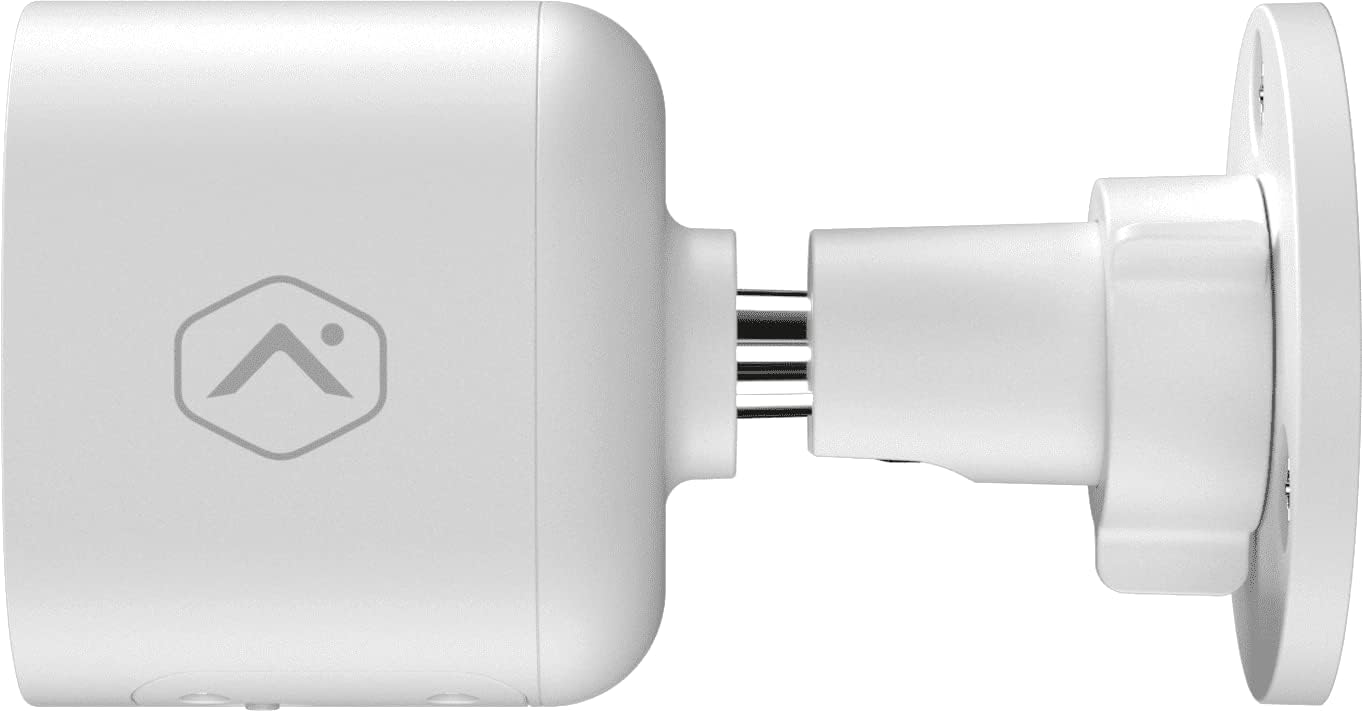
2-сүрөт: Side profile of the camera, illustrating how it connects to the wall mount.

3-сүрөт: Бурчтуу view of the camera, demonstrating its adjustable mounting capabilities.
2. Power Connection
Connect the provided 12VDC power adapter to the camera's power input. Ensure the connection is secure and protected from weather elements if applicable.
3. Тармактык туташуу (Wi-Fi)
The ADC-V724X connects to your network via Wi-Fi (2.4 or 5 GHz). Integration with your Alarm.com system typically requires activation through your Alarm.com service provider.
- Күйгүзүү: Plug in the camera. The LED indicator will show its status (refer to LED status guide in your Alarm.com app or provider's documentation).
- Add to System: Contact your Alarm.com service provider to add the camera to your existing security system. They will guide you through the process, which often involves scanning a QR code on the camera or entering its MAC address.
- Wi-Fi'ды конфигурациялоо: Your service provider will assist in connecting the camera to your home Wi-Fi network through the Alarm.com app or webсайт.

4-сүрөт: Артка view of the camera, displaying the QR code and product information essential for system integration.
Камераны иштетүү
Once installed and connected, the ADC-V724X camera operates primarily through the Alarm.com Customer Webсайт жана мобилдик колдонмо.
Live View жана Жаздыруу
- Түз эфирге кирүү: Open the Alarm.com app or website, navigate to the camera section, and select the ADC-V724X to view анын жандуу тоюту.
- Onboard Recording (Smart View): The camera supports local recording to a MicroSD card (sold separately, up to 512 GB). This allows for continuous, encrypted recordings that can be viewed from anywhere via the Alarm.com platform.
- Булут жаздыруу: Depending on your Alarm.com service plan, video clips triggered by events (e.g., motion) will be uploaded to the cloud for secure storage and access.
Эки тараптуу аудио
Камерада орнотулган микрофон жана динамик бар, бул эки тараптуу байланышты камсыз кылат.
- Байланышты баштоо: Түз эфирден view in the Alarm.com app, tap the microphone icon to speak through the camera's speaker. Release the icon to listen.
- Audio in Recorded Clips: Audio is included in recorded video clips, providing additional context for events.
Video Analytics and Alerts
Configure Video Analytics rules through your Alarm.com account to receive smarter, more relevant alerts.
- аныктоо зоналары: Камеранын талаасындагы белгилүү бир аймактарды аныктаңыз view кыймылды аныктоо үчүн.
- Object Classification: The camera can differentiate between people, animals, and vehicles, reducing false alerts.
- Эскертүү орнотуулары: Customize notifications (e.g., push notifications, email) for specific events detected by Video Analytics.
Түнкү көрүнүш (IR)
The camera automatically switches to infrared (IR) night vision in low-light conditions, providing clear black-and-white video.
- Автоматтык иштетүү: The camera's built-in light sensor detects ambient light levels and activates IR LEDs as needed.
- Оптималдуу аткаруу: Ensure no obstructions are blocking the IR illuminators on the camera's front.
Техникалык тейлөө
Камераны тазалоо
- Объектив: Gently wipe the camera lens with a soft, clean, lint-free cloth. If necessary, use a small amount of lens cleaning solution. Avoid abrasive cleaners.
- Дене: Камеранын корпусун жарнама менен сүртүңүзamp кездеме. Катуу химиялык заттарды же эриткичтерди колдонбоңуз.
- Жыштыгы: Clean the camera periodically, especially if installed in dusty or high-traffic areas, to ensure optimal image quality.
MicroSD картасын башкаруу
The camera supports a MicroSD card for local storage. The slot is located on the bottom of the camera, protected by a cover.
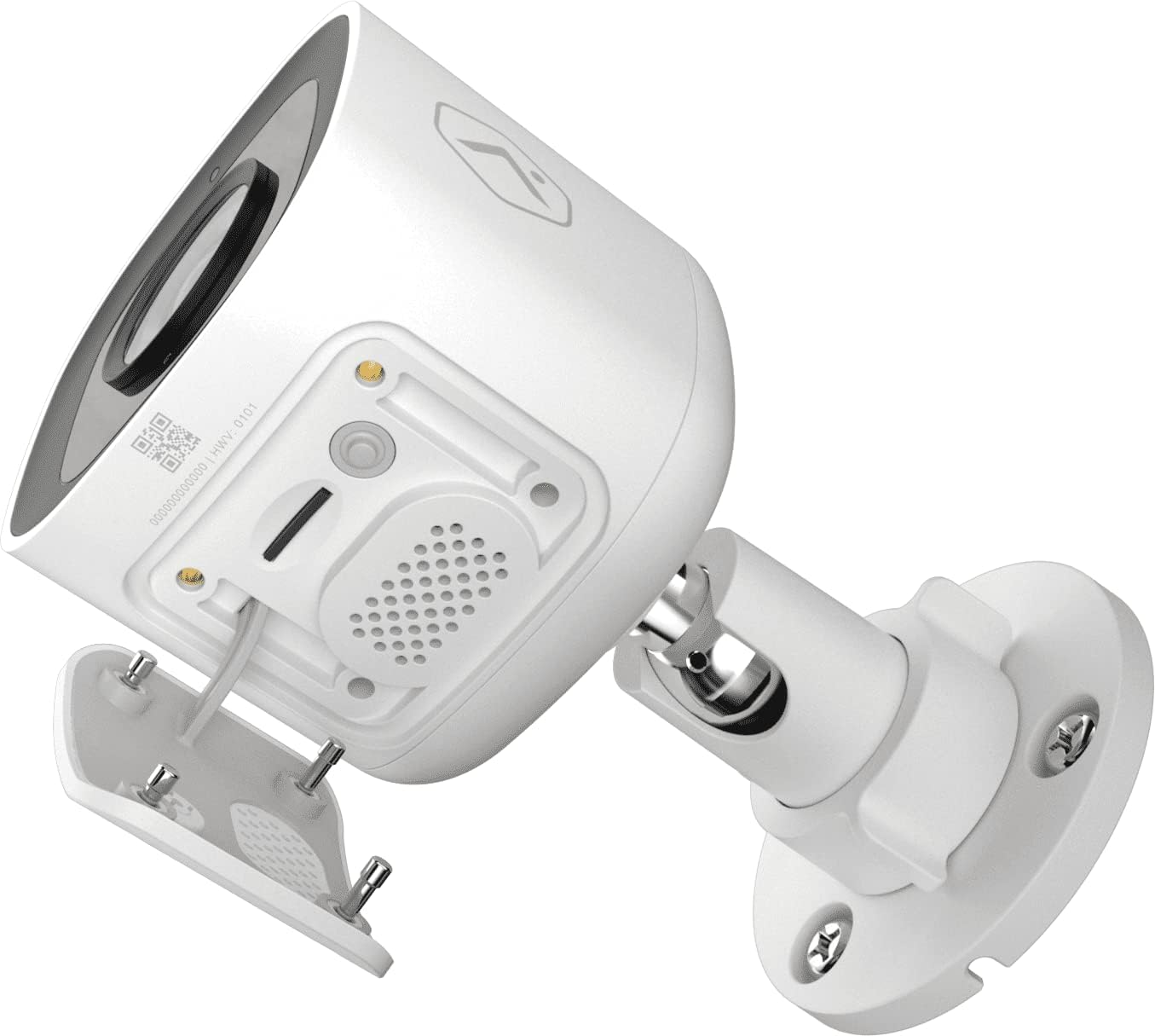
5-сүрөт: Төмөнкү view of the camera showing the access panel for the MicroSD card slot.
- Орнотуу: Carefully insert a compatible MicroSD card (up to 512 GB) into the slot until it clicks into place. Ensure the camera is powered off before insertion or removal.
- Форматтоо: The Alarm.com system may prompt you to format the card upon first use.
- Алмаштыруу: If the card becomes full or corrupted, replace it with a new one. Data on the card can be managed through the Alarm.com platform.
Проблемаларды чечүү
| Көйгөй | Мүмкүн себеп | Чечим |
|---|---|---|
| Камера күйбөй жатат | Электр кубаты жок, адаптер туура эмес, туташуу бош. | Check power outlet, ensure adapter is securely connected to camera and power source. |
| Wi-Fi'га туташпай жатат | Incorrect Wi-Fi password, camera too far from router, network interference. | Verify Wi-Fi password. Move camera closer to router or use a Wi-Fi extender. Reduce interference from other devices. Contact your Alarm.com provider for assistance with network setup. |
| Сүрөттүн сапаты начар | Кир линза, жарыктын аздыгы, тармактын өткөрүү жөндөмдүүлүгүндөгү көйгөйлөр. | Камера линзасын тазалаңыз. Жетиштүү жарыктандырууну камсыз кылыңыз же түнкү көрүү жөндөөлөрүн текшериңиз. Интернет байланышынын туруктуулугун текшериңиз. |
| Эки тараптуу аудио иштебейт | Microphone/speaker blocked, volume too low, app settings. | Ensure nothing is obstructing the microphone or speaker. Check volume settings in the Alarm.com app. |
| No local recording | No MicroSD card, incompatible card, card full/corrupted. | Insert a compatible MicroSD card. Format the card via the Alarm.com app. Replace the card if corrupted. |
For further assistance, please contact your Alarm.com service provider.
Техникалык шарттар
| Өзгөчөлүк | Деталь |
|---|---|
| Модель номери | V724X |
| Натыйжалуу камера резолюциясы | 2MP |
| Видеонун максималдуу чечилиши | 1920 x 1080 (1080p Full HD) |
| талаасы View (FOV) | 117 градус |
| Аудио | 2-Way Audio (Microphone and Speaker) |
| Түнкү көрүнүш түрү | IR (Инфракызыл) |
| Байланыш | Wi-Fi (2.4 or 5 GHz) |
| Жергиликтүү сактагыч | MicroSD Card Slot (up to 512 GB, sold separately) |
| Кирүү коргоо рейтинги | IP66 |
| Электр камсыздоо | 12VDC |
| Өлчөмдөрү (L x W x Y) | 2.5 x 2.5 x 4.5 дюйм |
| Салмагы | 1.46 фунт (0.66 килограмм) |
| Өзгөчөлүктөр | HDR, Video Analytics, Motion Sensor |
Кепилдик жана колдоо
For warranty information and technical support, please refer to the documentation provided by your Alarm.com service provider or visit the official Alarm.com website. Support for the ADC-V724X camera is typically handled through your authorized Alarm.com dealer or installer.
Онлайн ресурстар:
Ask a question about this manual
Ask about setup, troubleshooting, compatibility, parts, safety, or missing instructions. Manuals+ will review the question and use this page’s manual context to help answer it.