
1. Киришүү
Thank you for choosing the Arrow Dancer BX17 Wireless Earbuds. These earbuds are designed to provide a superior audio experience with advanced features such as Bluetooth 5.3 connectivity, long playtime, and a comfortable, secure fit. This manual will guide you through the setup, operation, and maintenance of your new earbuds to ensure optimal performance and longevity.
2. Коопсуздук маалыматы
- Кулакчындарды же заряддоо кутучасын экстремалдык температурага, тике күн нуруна же жогорку нымдуулукка калтырбаңыз.
- Аппаратты түшүрүүдөн, сүзүүдөн же ажыратуудан качыңыз.
- Балдардан жана үй жаныбарларынан алыс кармаңыз.
- Берилген заряддоо кабелин же тастыкталган эквивалентти гана колдонуңуз.
- Clean the earbuds and case with a soft, dry cloth. Do not use harsh chemicals.
- Үндүн катуу деңгээлинде узакка созулган угуу угуунун бузулушуна алып келиши мүмкүн. Үндү коопсуз деңгээлге тууралаңыз.
3. Кутуда эмне бар
Сураныч, пакеттин мазмунун текшерип, бардык буюмдар бар экенин текшериңиз:
- Arrow Dancer BX17 Wireless Earbuds (Left and Right)
- Charging Case with Digital LED Display
- USB Type-C кубаттоочу кабель
- Кулак жаздыкчалары (S, M, L өлчөмдөрү)
- User Manual

Image: All components included in the Arrow Dancer BX17 package.
4. Продукт бүтүп калдыview
The Arrow Dancer BX17 earbuds feature an over-ear hook design for a secure and comfortable fit, ideal for sports and active use. The charging case includes a digital LED display to show battery levels for both the case and individual earbuds.

Image: Rose Gold BX17 Earbuds and Charging Case.
5. Орнотуу
5.1 Кулакчындарды жана кутучаны заряддоо
Before first use, fully charge the earbuds and the charging case. The digital LED display on the case indicates the battery percentage of the case and charging status of each earbud.
- Кулакчындарды заряддоо кутусуна салыңыз.
- USB Type-C заряддоо кабелин корпустагы кубаттоо портуна жана кубат булагына туташтырыңыз.
- The LED display will show charging progress. A full charge for the earbuds takes approximately 30 minutes, and the case takes about 45 minutes.
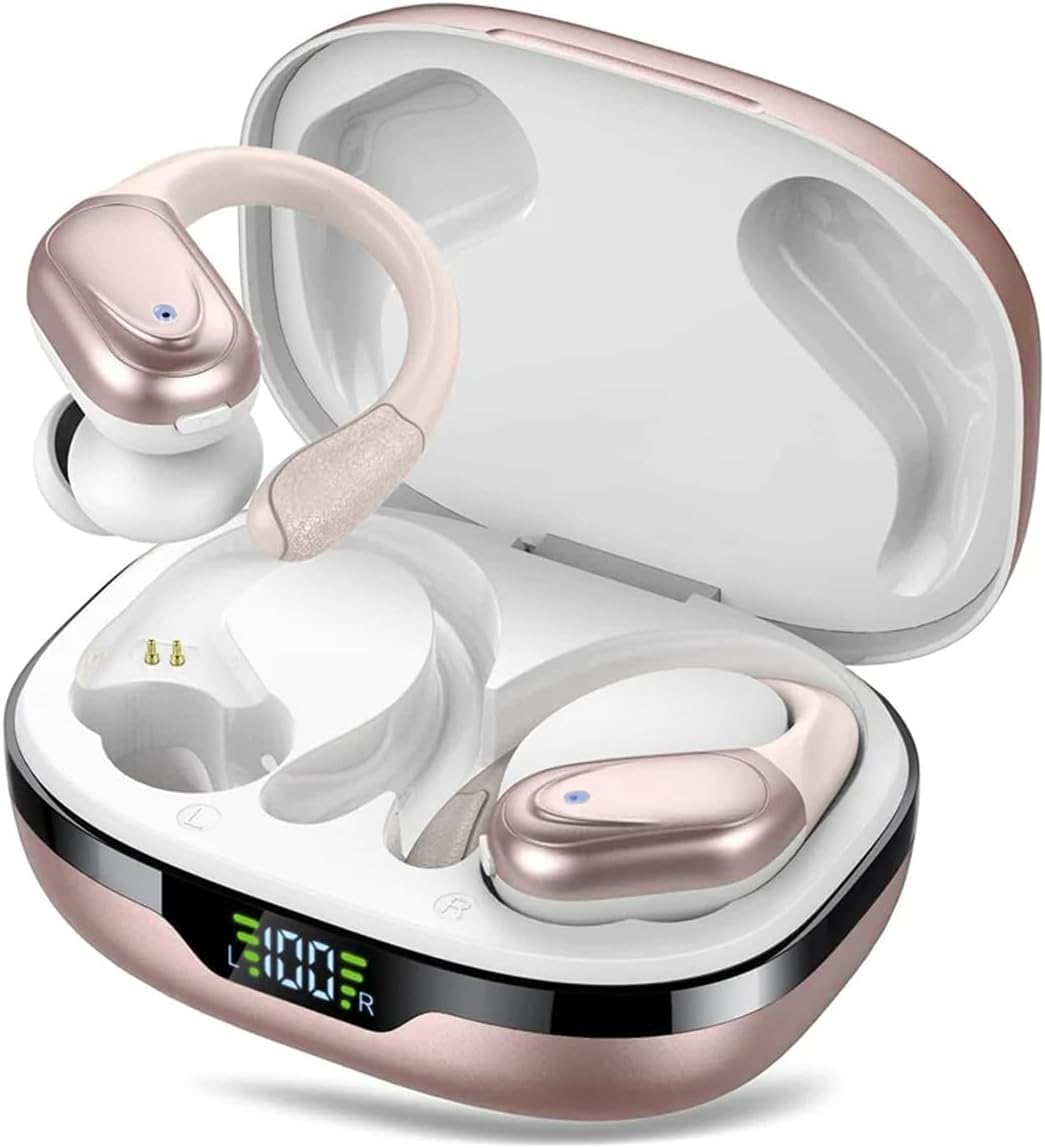
Image: Digital Power Display on the charging case.
The earbuds offer up to 10 hours of playtime on a single charge, with the charging case providing an additional 50 hours, totaling 60 hours of combined playtime.

Image: 60 Hours Long Playtime capability.
5.2 Сиздин аппаратыңыз менен жупташуу
The BX17 earbuds feature automatic pairing for convenience.
- Заряддоо кутусунун капкагын ачыңыз. Кулакчындар жупташтыруу режимине автоматтык түрдө кирет.
- Түзмөгүңүздө (смартфон, планшет, ноутбук) Bluetooth иштетиңиз.
- Издөө available Bluetooth devices and select "BX17" from the list.
- Туташтырылгандан кийин, сиз ырастоо сурамын угасыз жана кулакчындар колдонууга даяр болот.
Video: Demonstrates automatic pairing and basic features of the BX17 Wireless Earbuds.
6. Иштөө нускамалары
6.1 Кулакчындарды тагынуу
The BX17 earbuds are designed with soft silicone ear hooks for a comfortable and secure fit, preventing them from falling off during activities.

Image: Comfortable Fit, IPX7 Waterproof, and Compact Design features.
6.2 Сенсордук башкаруу
Кулакчындарда музыканы жана чалууларды оңой башкаруу үчүн интуитивдик сенсордук башкаруу бар.

Image: One Button Control diagram for earbud functions.
- Ойнотуу/тындыруу: Click once on either earbud.
- Кийинки трек: Hold for 2 seconds on the Right earbud.
- Мурунку трек: Hold for 2 seconds on the Left earbud.
- Көлөмү: Click once on the Right earbud.
- Үнүн азайтуу: Click once on the Left earbud.
- Чалууга жооп берүү/аяктоо: Click once on either earbud.
- Чакырууну четке кагуу: Кулакчындардын бирин эки жолу чыкылдатыңыз.
- Үн жардамчысын (Siri) жандыруу: Ар бир кулакчыныңызды 2 секунд кармап туруңуз.
- Күйгүзүү/өчүрүү: Ар бир кулакчыныңызды 5 секунд кармап туруңуз.
6.3 Чалууларды башкаруу
The built-in high-quality microphone with ENC (Environmental Noise Cancellation) ensures crystal clear calls, making conversations feel like face-to-face interactions.

Image: ENC for HD Voice technology.
6.4 Mono/Binaural Mode
You can use either earbud independently (mono mode) or both together (binaural mode) for a seamless audio experience.
7. Техникалык тейлөө
7.1 Тазалоо
Regular cleaning helps maintain the performance and hygiene of your earbuds.
- Кулакчындарды жана кубаттоочу кутуну жумшак, кургак, түксүз чүпүрөк менен сүртүңүз.
- Remove ear tips and clean them with mild soap and water if necessary, then dry thoroughly before reattaching.
- Кулакчындардагы жана кутудагы кубаттоо контакттары таза жана кургак экенин текшериңиз.
7.2 Сууга туруктуулук
The earbuds are IPX7 waterproof, meaning they can resist sweat and rain during exercise. However, they are not designed for swimming or submersion in water.

Image: IPX7 Waterproof feature for resistance against sweat and rain.
7.3 Сактоо
Колдонулбаганда, кулакчындарды коргоо жана кубаттоо үчүн кубаттоочу кутучага сактаңыз.
8. Кыйынчылыктарды
If you encounter any issues with your Arrow Dancer BX17 earbuds, please refer to the following common problems and solutions:
| Көйгөй | Мүмкүн чечим |
|---|---|
| Кулакчындар жупташкан жок | Ensure earbuds are charged. Place them back in the case, close the lid, then open it again to re-enter pairing mode. Check your device's Bluetooth settings and forget/remove "BX17" if previously connected, then try pairing again. |
| Бир кулактын үнү чыкпайт | Ensure both earbuds are charged and connected. Try placing both back in the case and taking them out again. Restart your device. |
| Заряддоо куту заряддалбай жатат | USB-C кабелин жана кубат адаптерин текшериңиз. Кабелдин корпуска да, кубат булагына да бекем туташтырылганын текшериңиз. |
| Үн сапаты начар | Ensure earbuds are properly seated in your ears. Try different sized ear tips for a better seal. Clean the earbuds. Move closer to your connected device to avoid interference. |
| Сенсордук башкаруу жооп бербей жатат | Манжаларыңыздын таза жана кургак экенине ынаныңыз. Кулакчындарды кутуга салып, чыгарып алып, кайра күйгүзүп көрүңүз. |
9. Техникалык шарттар
| Өзгөчөлүк | Деталь |
|---|---|
| Модель аты | AD BX 17 Wireless Earbuds |
| Bluetooth версиясы | 5.3 |
| Bluetooth диапазону | 10 метр |
| Ойнотуу убактысы (Бир кубаттоо) | 10 саатка чейин |
| Жалпы ойноо убактысы (Кеп менен) | 60 саатка чейин |
| Наушник заряддоо убактысы | Болжол менен 30 мүнөт |
| Ишти заряддоо убактысы | Болжол менен 45 мүнөт |
| Суу каршылык | IPX7 |
| Аудио драйверинин өлчөмү | 13.4 мм |
| Жыштык диапазону | 20 Гц - 20 000 Гц |
| Башкаруу түрү | Баскыч, Баскыч |
| Микрофон | Built-in, with ENC |
| Материал | Пластмасса, резина |
| Түс | Rose Gold |
10. Кепилдик жана колдоо
Arrow Dancer products are built with quality and reliability in mind. For warranty information, technical support, or any inquiries regarding your BX17 Wireless Earbuds, please refer to the contact information provided on the product packaging or visit the official Arrow Dancer webсайт. Кепилдик дооматтары үчүн сатып алганыңыздын далилин сактап коюңуз.