
1. Киришүү
Сатып алганыңыз үчүн рахматasing the LEVOIT LTF-F361-WEU Tower Fan. This manual provides important information regarding the safe operation, maintenance, and troubleshooting of your new fan. Please read this manual thoroughly before use and retain it for future reference.
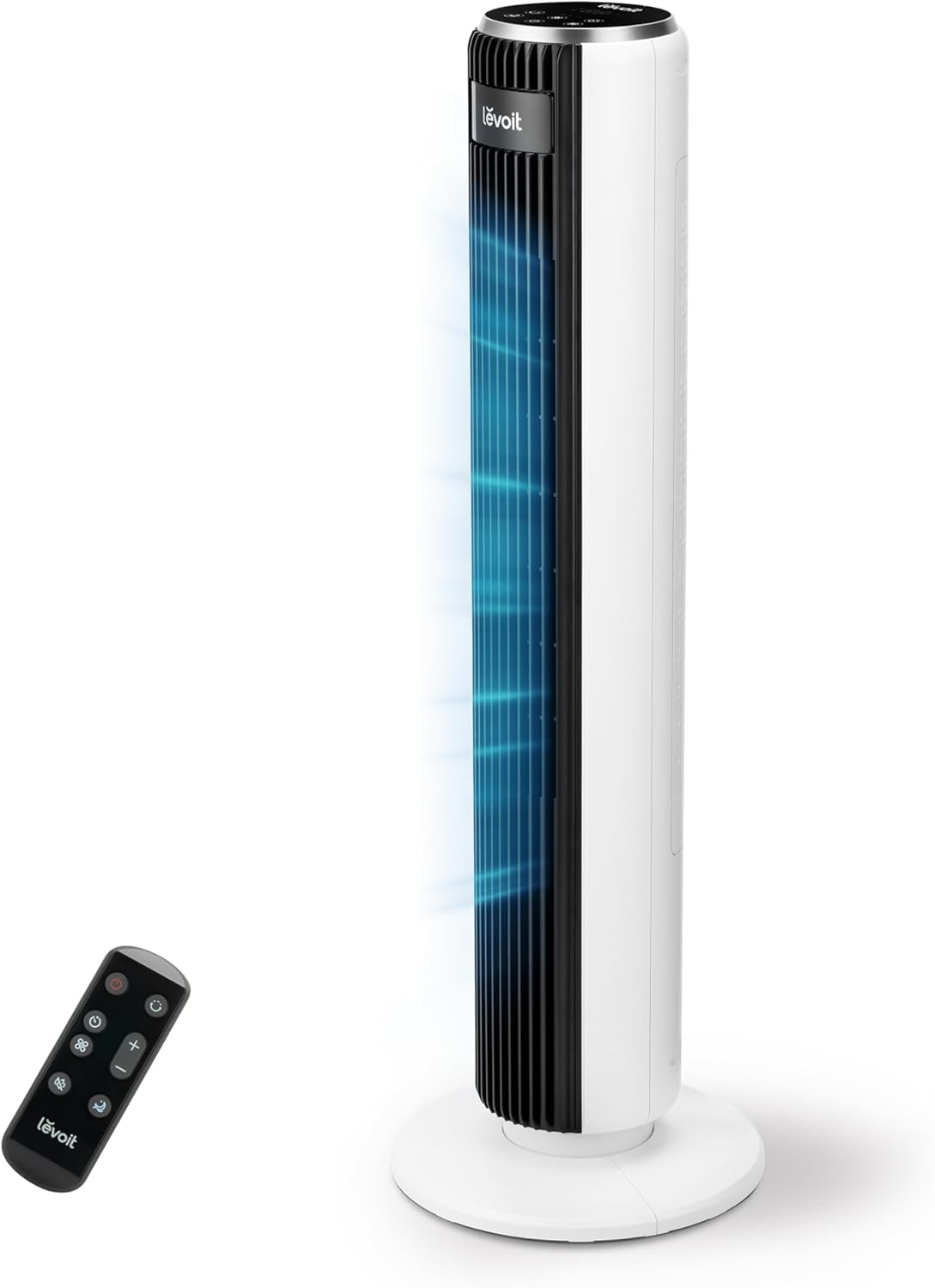
Image 1.1: The LEVOIT LTF-F361-WEU Tower Fan, a sleek and modern cooling device.
2. Маанилүү коопсуздук нускамалары
To reduce the risk of fire, electric shock, or injury, please read and follow all instructions and warnings in this manual.
- Вентиляторду ар дайым туруктуу, тегиз жерге коюңуз.
- Желдеткичти нымдуу жерде колдонбоңуз же damp жайлар, мисалы, ванна бөлмөлөрү.
- Желдеткичти суудан жана башка суюктуктардан алыс кармаңыз.
- Вентилятор иштеп жатканда, торчого манжаларыңызды же бөтөн нерселерди киргизбеңиз.
- Вентилятор колдонулбай турганда, аны жылдырганда же тазалоонун алдында аны розеткадан сууруп коюңуз.
- Желдеткичти шнур же сайгыч бузулган менен иштетпеңиз.
- Электр шнурын ысытылган беттерден алыс кармаңыз.
- Бул шайман физикалык, сезүү же акыл-эс жөндөмү начар же тажрыйбасы жана билими жок адамдар (анын ичинде балдар) үчүн, эгерде алардын коопсуздугуна жооптуу адам тарабынан көзөмөлсүз же шайманды колдонуу боюнча көрсөтмө болбосо, колдонууга арналбайт.
3. Пакеттин мазмуну
Сураныч, алгандан кийин пакеттин мазмунун текшериңиз. Эгерде кандайдыр бир нерселер жок болсо же бузулса, кардарларды колдоо менен байланышыңыз.
- LEVOIT LTF-F361-WEU Tower Fan
- Алыстан башкаруу
- User Manual
4. Орнотуу жана чогултуу
The LEVOIT LTF-F361-WEU Tower Fan is designed for easy assembly. Follow these steps to set up your fan:
- Желдеткичти таңгактан чыгаруу: Бардык компоненттерди таңгактан кылдаттык менен алып салыңыз.
- Базаны чогултуу: The base is designed for straightforward attachment. Align the fan body with the base and secure it according to the instructions provided in the quick start guide (if applicable).
- Туташуу кубаты: Электр шнурын ылайыктуу электр розеткасына сайыңыз.
The rear grille is detachable for easy cleaning, secured by a single nut.

Сүрөт 4.1: Бүттүview of the fan's control panel, remote control storage, and the detachable rear cover for maintenance.
5. Иштөө нускамалары
Your LEVOIT Tower Fan offers multiple settings for personalized comfort. You can control the fan using the touch control panel on top or the included remote control.
5.1 Күйгүзүү/өчүрүү
Вентиляторду күйгүзүү же өчүрүү үчүн башкаруу панелиндеги же пульттагы кубат баскычын басыңыз.
5.2 желдеткич ылдамдыгы
The fan features 5 adjustable speeds. Use the speed buttons on the control panel or remote to cycle through the speed settings (1-5).
5.3 Шамал режими
Select from 4 distinct wind modes to suit your preference:
- Кадимки режим: Тандалган ылдамдыкта туруктуу аба агымын камсыз кылат.
- Авто режим: Adjusts fan speed automatically based on ambient temperature, ensuring optimal comfort and energy efficiency.
- Уйку режими: Operates at a very low noise level (as low as 23 dB) with automatic display dimming for an undisturbed night's sleep.
- Турбо режими: Delivers the highest fan speed for rapid cooling.

Image 5.1: Illustration of the fan's Auto Mode, demonstrating how it adjusts speed based on room temperature for optimal comfort.

Image 5.2: The fan operating in Advanced Sleep Mode, providing quiet airflow (23 dB) for a comfortable night's rest.
5.4 Термелүү
Activate the 90° oscillation feature to distribute airflow across a wider area. This ensures comprehensive room coverage with a maximum range of 7 meters.

Image 5.3: The fan's 90-degree oscillation feature, illustrating how it provides wide-ranging cool air.
5.5 Таймер функциясы
Set the fan to automatically turn off after a specified period, up to 12 hours. Use the timer button on the control panel or remote to adjust the duration.
5.6 Алыстан башкаруу
The included remote control allows convenient operation from a distance. Ensure the remote has working batteries and is pointed towards the fan's receiver.
Видео 5.4: Кыскача алдын алаview demonstrating the LEVOIT Tower Fan's oscillation feature and quiet operation. This video highlights the fan's movement and low noise level.
Видео 5.5: Продукциянын расмий көргөзмөсүasing the various features and modes of the LEVOIT Tower Fan, including its quiet operation, multiple speeds, and oscillation.
6. Техникалык тейлөө жана тазалоо
Regular cleaning helps maintain the performance and longevity of your fan.
6.1 Тышкы тазалоо
- Тазалоодон мурун ар дайым желдеткичти сууруп алыңыз.
- Сырткы беттерин жумшак менен сүртүңүз, гamp кездеме. Абразивдүү тазалагычтарды же эриткичтерди колдонбоңуз.
- Желдеткичти кайра сайрдан мурун толугу менен кургагандыгын текшериңиз.
6.2 Internal Cleaning (Detachable Rear Cover)
The rear cover is detachable for easy access to the internal components for cleaning.
- Желдеткичти ажыратыңыз.
- Locate the single nut securing the rear cover and unscrew it.
- Carefully remove the rear cover.
- Use a soft brush or vacuum cleaner to remove dust and debris from the fan blades and internal components.
- The rear cover can be washed with water. Ensure it is completely dry before reattaching.
- Reattach the rear cover and secure it with the nut.

Image 6.1: Illustration of the detachable rear cover and internal fan components, highlighting the ease of cleaning.
7. Кыйынчылыктарды
Эгер күйөрманыңызда кандайдыр бир көйгөйгө туш болсоңуз, төмөнкү жалпы көйгөйлөрдү жана чечимдерди караңыз:
| Көйгөй | Мүмкүн себеп | Чечим |
|---|---|---|
| Желдеткич күйбөйт. | Электр энергиясы жок. | Электр шнурунун иштеген розеткага бекем сайылганын текшериңиз. Электр өчүргүчтү текшериңиз. |
| Алсыз аба агымы. | Air inlet/outlet blocked or dirty. | Clean the air inlet and outlet grilles. Ensure there are no obstructions around the fan. |
| Желдетүүчү адаттан тыш үн чыгарат. | Foreign object inside or fan not on a level surface. | Unplug the fan and check for any foreign objects. Place the fan on a stable, level surface. |
| Пульт иштебей жатат. | Батареялар өлүп калган же туура эмес салынган. | Replace the batteries with new ones, ensuring correct polarity. Point the remote directly at the fan. |
If the problem persists after trying these solutions, please contact LEVOIT customer support.
8. Техникалык шарттар
| Өзгөчөлүк | Деталь |
|---|---|
| Модель номери | LTF-F361-WEU |
| Өлчөмдөрү (L x W x Y) | 16.51 x 16.51 x 91.95 см |
| Салмагы | 3.6 килограмм |
| Күч | 39 Ватт |
| Тtage | 220.0 V |
| Ызы-чуу деңгээли | 23 dB (lowest) - 28 dB (typical) |
| Шамалдын ылдамдыгы | 7 м/сек чейин |
| Термелүү | 90 градус |
| Таймер | 12 саат |
| Өзгөчөлүктөр | Portable, Automatic Shut-off Function, Remote Control |
9. Кепилдик жана Кардарларды колдоо
9.1 Кепилдик маалыматы
LEVOIT камсыз кылат 2 жылдык кепилдик for this tower fan. This warranty covers defects in materials and workmanship under normal use. Please retain your proof of purchase for warranty claims.
9.2 Кардарларды колдоо
If you have any questions about your product, warranty, or need technical assistance, please contact LEVOIT customer support. Our professional team is ready to assist you.
For more information, visit the official LEVOIT webсайтка кайрылыңыз же жергиликтүү дистрибьютериңиз менен байланышыңыз.