
ЭНДОРФИ EY5A080
ENDORFY Thock TKL Wireless Keyboard Колдонуучунун колдонмосу
Модел: EY5A080
1. Киришүү
Thank you for choosing the ENDORFY Thock TKL Wireless Keyboard. This manual provides detailed instructions for setting up, operating, maintaining, and troubleshooting your new keyboard. Please read this manual carefully before use to ensure optimal performance and longevity of your device.
2. Пакеттин мазмуну
Пакетиңизде бардык буюмдар бар экенин текшериңиз:
- ENDORFY Thock TKL Wireless Keyboard
- USB-C - USB-A кабели
- 2.4 GHz USB Wireless Receiver
- Баскыч капкагын/Которуу тартуучу куралы
- Колдонуучунун Колдонмосу (бул документ)
3. Орнотуу
3.1 Initial Setup and Charging
Before first use, it is recommended to fully charge the keyboard. Connect the provided USB-C cable to the keyboard's USB-C port and the USB-A end to a powered USB port on your computer or a wall adapter. The keyboard's indicator light will show charging status.
3.2 Туташуу режимдери
The ENDORFY Thock TKL Wireless Keyboard supports three connection modes: 2.4 GHz Wireless, Bluetooth, and Wired (USB-C).
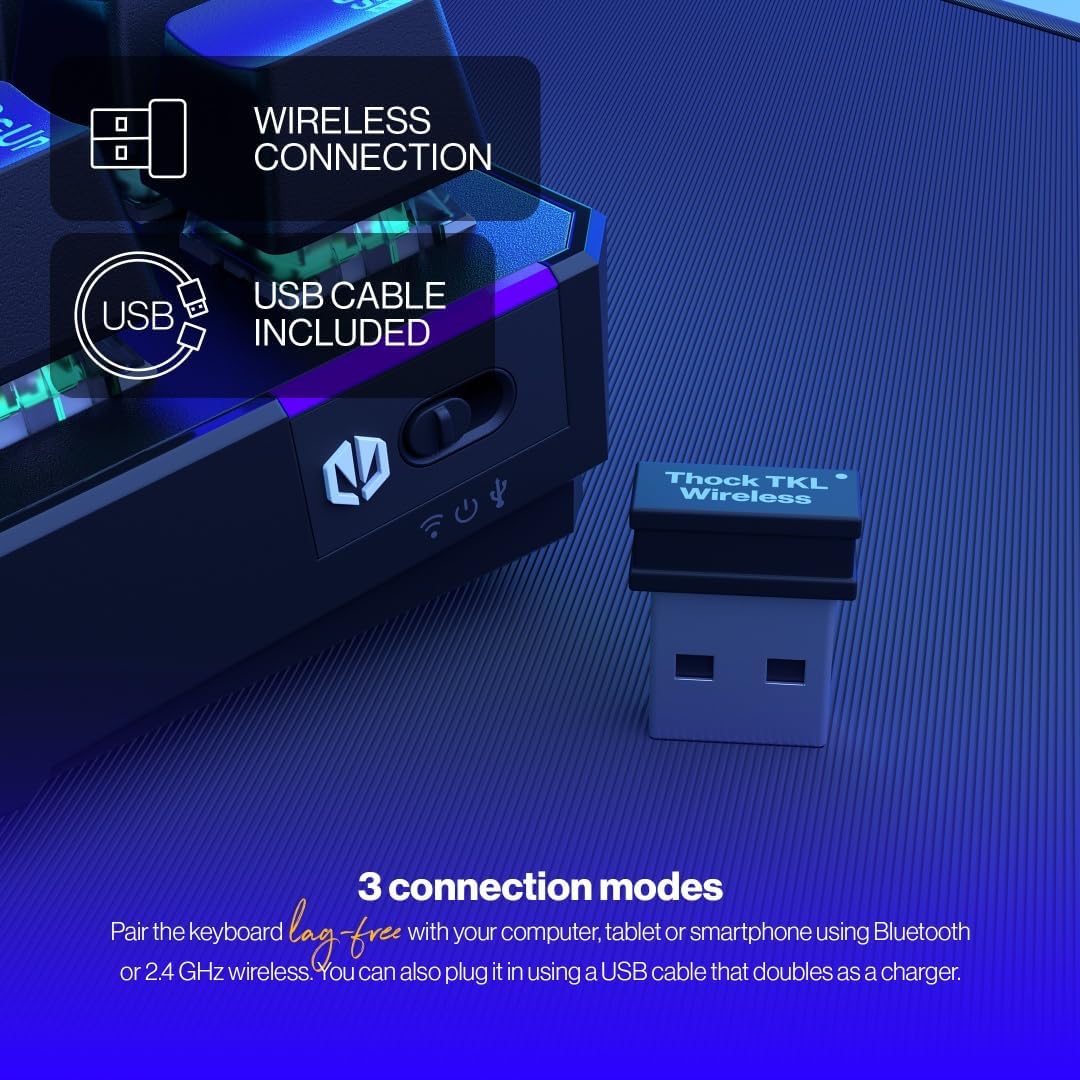
The keyboard offers versatile connectivity options including 2.4 GHz wireless, Bluetooth, and a wired USB connection.
3.2.1 2.4 ГГц зымсыз байланыш
- Locate the 2.4 GHz USB wireless receiver in your package.
- USB ресиверди компьютериңиздеги жеткиликтүү USB портуна сайыңыз.
- On the keyboard, locate the mode switch (usually on the side or back) and set it to the '2.4G' or wireless icon position.
- Баскычтоп сиздин компьютериңизге автоматтык түрдө кошулушу керек.
3.2.2 Bluetooth байланышы
- On the keyboard, set the mode switch to the 'BT' or Bluetooth icon position.
- The keyboard will enter pairing mode (indicator light may flash).
- Компьютериңизде же түзмөгүңүздө Bluetooth жөндөөлөрүн ачып, жаңы түзмөктөрдү издеңиз.
- Select 'ENDORFY Thock TKL' (or similar name) from the list of available devices to pair.
3.2.3 Зымдуу туташуу
- Берилген кабелдин USB-C учун клавиатурадагы USB-C портуна туташтырыңыз.
- Кабелдин USB-A учунун компьютериңиздеги жеткиликтүү USB портуна туташтырыңыз.
- The keyboard will function as a wired keyboard and will also charge its internal battery.

The USB-C port on the side of the keyboard allows for wired connection and charging.
4. Иштөө нускамалары
4.1 Негизги функциялар
The Thock TKL keyboard features a standard 87-key US layout. Many keys have secondary functions accessible via the 'Fn' key. Refer to the keycaps for specific Fn combinations (e.g., Fn + F1-F12 for media controls, volume, etc.).
4.2 RGB арткы жарыгын ыңгайлаштыруу
The keyboard features programmable ARGB backlighting. You can cycle through various lighting effects and colors directly on the keyboard using specific Fn key combinations, or through the dedicated software for more advanced customization.
The keyboard features excellent ARGB backlighting, allowing for various color and effect customizations.
4.3 Программалык камсыздоону колдонуу
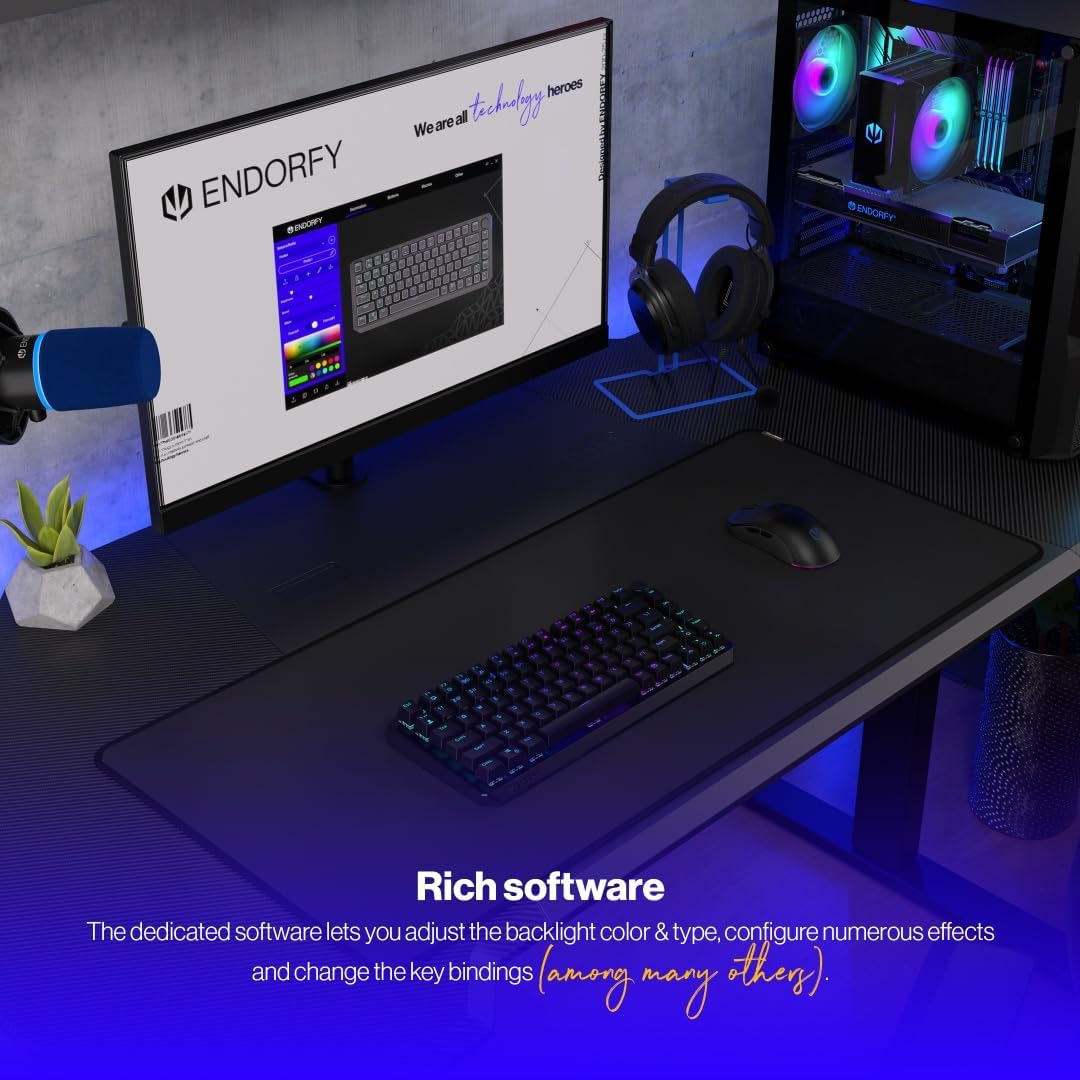
For advanced customization of key bindings, macros, and RGB lighting effects, download and install the dedicated ENDORFY software from the official website. The software provides a graphical interface to fine-tune your keyboard settings.

The dedicated software allows for comprehensive adjustment of backlight color, type, effects, and key bindings.
5. Техникалык тейлөө
5.1 Тазалоо
To clean your keyboard, first disconnect it from your computer. Use a soft, dry cloth to wipe down the keycaps and chassis. For deeper cleaning, you may use a can of compressed air to remove dust and debris from between the keys. Avoid using harsh chemicals or abrasive materials.
5.2 Ыкчам алмаштыргычтар
The ENDORFY Thock TKL keyboard features hot-swappable switches, allowing you to easily change them without soldering. Use the provided switch puller tool to carefully remove switches. Align the new switch with the pins and gently press it into place until it clicks.

The hot-swap feature allows for easy replacement of switches using the included tool.

The keyboard comes equipped with Kailh Box Red switches, known for their smooth and linear actuation.
5.3 Баскыч капкагын алмаштыруу
The keyboard uses durable PBT Double Shot keycaps. To remove a keycap, use the keycap puller tool (often combined with the switch puller) to gently pull it upwards. To install a new keycap, align it with the switch stem and press down firmly until it is seated.

The durable PBT Double Shot keycaps are resistant to wear and maintain their appearance over time.
6. Кыйынчылыктарды
6.1 Баскычтоп жооп бербейт
- Баскычтоп кубатталганын текшериңиз.
- Туташуу режиминин которуштуруусу (2.4G, BT, Wired) туура коюлганын текшериңиз.
- For wireless connections, ensure the USB receiver is properly plugged in or Bluetooth is paired. Try a different USB port.
- For wired connection, try a different USB cable or port.
- Компьютериңизди өчүрүп күйгүзүңүз.
6.2 Арткы жарык иштебей жатат же туура эмес
- Fn баскыч айкалышы аркылуу арткы жарыктын күйгүзүлгөнүн текшериңиз.
- Check the brightness level.
- If using the software, ensure settings are applied correctly.
- Perform a factory reset if available (refer to software or advanced Fn commands).
6.3 Ачкычтар катталбайт
- Баскычтоптун таза жана клавиатуранын астындагы таштандылардан таза экенин текшериңиз.
- If a specific key is not working, try hot-swapping the switch with a known working one to diagnose if the issue is with the switch or the keyboard PCB.
- Update keyboard firmware if available.
7. Техникалык шарттар
| Модель номери | EY5A080 |
| Баскычтоптун түрү | Механикалык, TKL (ачкычсыз) |
| Которгучтар | Kailh Box Red (Hot-Swappable) |
| Баскыч капкактары | PBT Double Shot |
| Макет | US Layout, 87 Keys |
| Байланыш | 2.4 GHz Wireless, Bluetooth, USB-C Wired |
| Арткы жарык | ARGB Programmable |
| Батарея | 1 литий-иондук батарейка (кошулган) |
| Продукциянын өлчөмдөрү | 14.23 x 5.51 x 1.67 дюйм (361.50 x 140 x 42.50 мм) |
| Элемент Салмагы | 1.74 фунт |
| Шайкеш түзмөктөр | PC, Gaming Consoles, Tablets, Smartphones |

Жогорку view dimensions of the ENDORFY Thock TKL Wireless Keyboard.

Side view dimensions illustrating the adjustable height options of the keyboard.
8. Кепилдик жана колдоо
The ENDORFY Thock TKL Wireless Keyboard comes with a 2 жылдык кепилдик сатып алынган күндөн тартып. Кепилдик дооматтары үчүн сатып алганыңыздын далилин сактап коюңуз.
For technical support, driver downloads, firmware updates, or further information, please visit the official ENDORFY webсайт:
http://endorfy.com/kb/EY5A-THOCK-TKL-WIRELESS
You may also contact ENDORFY customer support directly through the contact information provided on their webсайт.
Ask a question about this manual
Ask about setup, troubleshooting, compatibility, parts, safety, or missing instructions. Manuals+ will review the question and use this page’s manual context to help answer it.