Introduction
Thank you for choosing the B.C Zeb Fame 1 USB Powered 2.0 Speaker. This manual provides essential information for setting up, operating, and maintaining your new speakers. Please read these instructions carefully before use to ensure optimal performance and longevity of your product.
Пакеттин мазмуну
Пакетте бардык буюмдар бар экенин текшериңиз:
- 2 x B.C Zeb Fame 1 Speakers
- 1 x Integrated USB Power and 3.5mm Audio Cable
Продукт бүттүview
The B.C Zeb Fame 1 speakers are designed to deliver clear audio for your computer or laptop. They feature USB power, a 3.5mm audio input, and integrated RGB lighting with multiple modes.

Фронт view of the B.C Zeb Fame 1 speakers showcasing the RGB lighting. Each speaker features a vibrant, illuminated front panel.
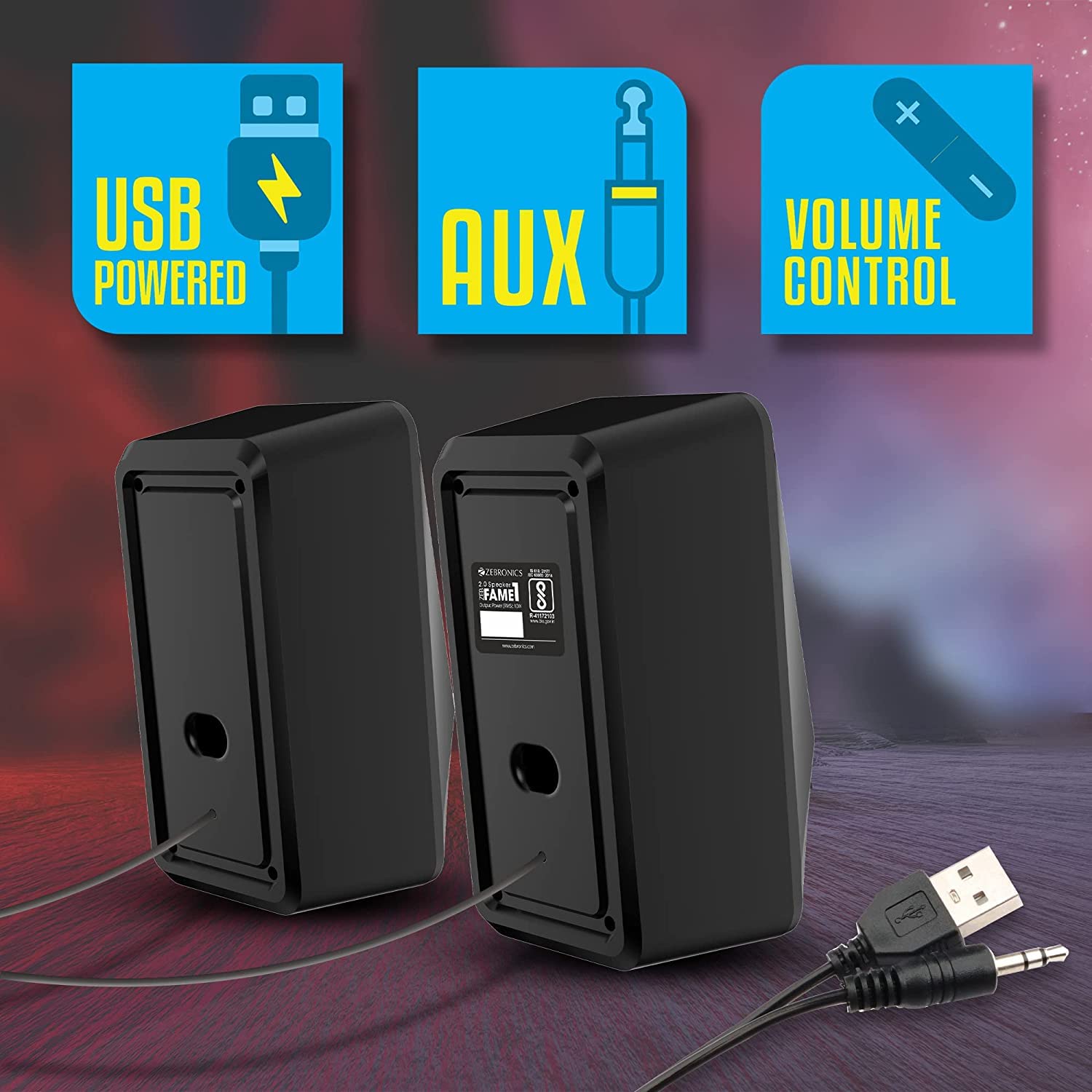
Арткы view of the B.C Zeb Fame 1 speakers, illustrating the integrated USB power cable and 3.5mm audio input cable for connectivity.
Controls
The speakers feature an in-line control unit for easy access to volume and RGB lighting adjustments.

Деталдаштырылган view of the in-line control unit. The top section shows the RGB control switch, and the middle section displays the volume control knob.
- Үндү көзөмөлдөө: A rotary knob to adjust the audio output level.
- RGB Control Switch: A button to cycle through the various RGB lighting modes.
Жайгашуу
Follow these steps to connect your B.C Zeb Fame 1 speakers:
- Аудио туташтыруу: Plug the 3.5mm audio jack from the speaker cable into the audio output port (headphone jack) of your computer, laptop, or smartphone.
- Туташуу кубаты: Insert the USB-A connector from the speaker cable into an available USB port on your computer, laptop, or a 5VDC USB power adapter (not included). The speakers will power on automatically.
- Спикерлер: Place the two speakers on either side of your monitor or listening area for optimal stereo sound.
Иштөө нускамалары
Аудио ойнотуу
- Ensure the speakers are properly connected for both audio and power as described in the Setup section.
- Play audio from your connected device (computer, laptop, or smartphone).
- Adjust the volume using the in-line volume control knob on the speaker cable. You may also need to adjust the volume on your connected device.
RGB LED Modes
The speakers feature 7 distinct RGB LED modes. To change the lighting mode:
- Press the RGB control switch on the in-line control unit to cycle through the available lighting effects.
- Continue pressing until you find your desired lighting mode.
Техникалык тейлөө
To ensure the longevity and proper functioning of your speakers, follow these maintenance guidelines:
- Тазалоо: Динамиктин бетин сүртүү үчүн жумшак, кургак чүпүрөктү колдонуңуз. Суюк тазалоочу каражаттарды же абразивдүү материалдарды колдонбоңуз.
- Курчап турган чөйрө: Keep the speakers in a dry environment, away from direct sunlight, extreme temperatures, and excessive dust.
- Колдонуу: Avoid dropping the speakers or subjecting them to strong impacts. Do not attempt to disassemble the speakers, as this will void the warranty.
Проблемаларды чечүү
Эгерде сиз динамиктериңизде көйгөйлөргө туш болсоңуз, төмөнкү жалпы көйгөйлөрдү жана чечимдерди караңыз:
| Көйгөй | Мүмкүн себеп | Чечим |
|---|---|---|
| Динамиктерден үн жок |
|
|
| RGB lights are not working |
|
|
| Үн бурмаланган же түшүнүксүз |
|
|
Техникалык шарттар
- Модел: B.C ZEB FAME 2.0
- Чыгуу күчү: 10 Вт RMS (5 Вт x 2)
- Айдоочунун көлөмү: Dual 63.5mm
- Кубат киргизүү: DC 5V (USB аркылуу)
- Байланыш: 3.5mm Audio Jack, USB (for power)
- RGB режимдери: 7
- Продукциянын өлчөмдөрү: 9.5D x 19W x 19H Сантиметр
- Элемент Салмагы: 500 г
- Шайкеш түзмөктөр: Laptops, Personal Computers, Smartphones
Кепилдик жана колдоо
Бул продукт менен келет 1 жылдык кепилдик сатып алынган күндөн тартып. Кепилдик дооматтары үчүн сатып алуунун далили катары сатып алуу дүмүрчөгүңүздү сактап коюңуз.
For technical support or warranty inquiries, please contact your retailer or refer to the warranty information provided with your product packaging.


