
1. Киришүү
Thank you for choosing the Lecoo DS102 Wireless Bluetooth + AUX 6W Stereo Soundbar Portable Speaker. This device is designed to provide a high-quality audio experience with versatile connectivity options. Please read this manual carefully before use to ensure proper operation and to maximize the lifespan of your speaker.

Сүрөт 1: Алдыңкы view of the Lecoo DS102 Soundbar Speaker.
2. Пакеттин мазмуну
The package for your Lecoo DS102 speaker includes the following items:
- 1x Lecoo DS102 Wireless Bluetooth AUX Soundbar Speaker
- 1x Колдонуучунун колдонмосу
Video 1: Unboxing the Lecoo DS102 Soundbar Speaker, showing the speaker and included manual.
3. Орнотуу
The Lecoo DS102 speaker is designed for easy setup. It receives power via a USB connection and offers both AUX and Bluetooth for audio input.
3.1 Кубат туташтыруу
- Connect the USB cable from the speaker to a powered USB port (e.g., computer, USB wall adapter).
- The speaker will power on automatically.
3.2 Audio Connection Options
The DS102 offers two primary ways to connect for audio playback:
Bluetooth туташуу
- Динамик күйгүзүлгөнүн текшериңиз.
- Түзмөгүңүздө (смартфон, планшет, компьютер) Bluetooth иштетип, жеткиликтүү түзмөктөрдү издеңиз.
- Select "Lecoo DS102" from the list to pair. A confirmation sound will indicate successful pairing.
AUX туташуу
- 3.5 мм аудио кабелинин бир учун (киргизилген эмес) динамиктеги AUX киргизүү портуна туташтырыңыз.
- 3.5 мм аудио кабелдин экинчи учун түзмөгүңүздүн аудио чыгаруу уячасына туташтырыңыз.
- Кабель аныкталганда, динамик автоматтык түрдө AUX режимине өтөт.

Image 2: The Lecoo DS102 speaker showing Bluetooth and wired AUX connectivity.
Video 2: Demonstration of connecting the Lecoo DS102 speaker via USB for power and AUX for audio input.
4. Иштөө нускамалары
4.1 Үндү башкаруу
The Lecoo DS102 features a rotary control knob for easy volume adjustment. Rotate the knob clockwise to increase the volume and counter-clockwise to decrease it.

Image 3: Close-up of the rotary volume control knob.
Video 3: A hand adjusting the rotary volume control knob on the Lecoo DS102 speaker.
4.2 Аудио ойнотуу
Once connected via Bluetooth or AUX, simply start playing audio from your connected device. The soundbar will output the audio.
Video 4: The Lecoo DS102 speaker playing music, demonstrating its audio output.
5. Өзгөчөлүктөрү
- Exceptional Audio Performance: The Lecoo DS102 Bluetooth + Wired V5.0 Stereo 6W Soundbar Portable Speaker delivers a high-quality audio experience with 6W output power, filling your room with sound. Bluetooth 5.0 technology ensures seamless connectivity within 10 to 30 meters, allowing you to enjoy wireless music sharing.
- Ар тараптуу байланыш параметрлери: In addition to Bluetooth, the Lecoo DS102 is equipped with AUX and USB connections. This allows for easy connection to various devices, including wired connections. The rotary control knob provides convenient volume adjustment.
- Компакт жана көрктүү дизайн: With its stylish and compact dimensions (380mm x 75mm x 60mm), the Lecoo speaker seamlessly fits into any environment. Enjoy excellent sound quality whether at home or during outdoor activities.
- Durable and Environmentally Adaptable: A wide operating temperature range of -20°C to +45°C makes the Lecoo DS102 suitable for use in various environments, from indoor spaces to outdoor events. Its durable construction ensures long-lasting use.
- Ideal for Home and Outdoor Use: The Lecoo DS102 is an excellent choice for those looking to create a home theater system or a high-quality audio system. It offers a rich sound experience with various audio outputs, ensuring impressive sound quality at all times.
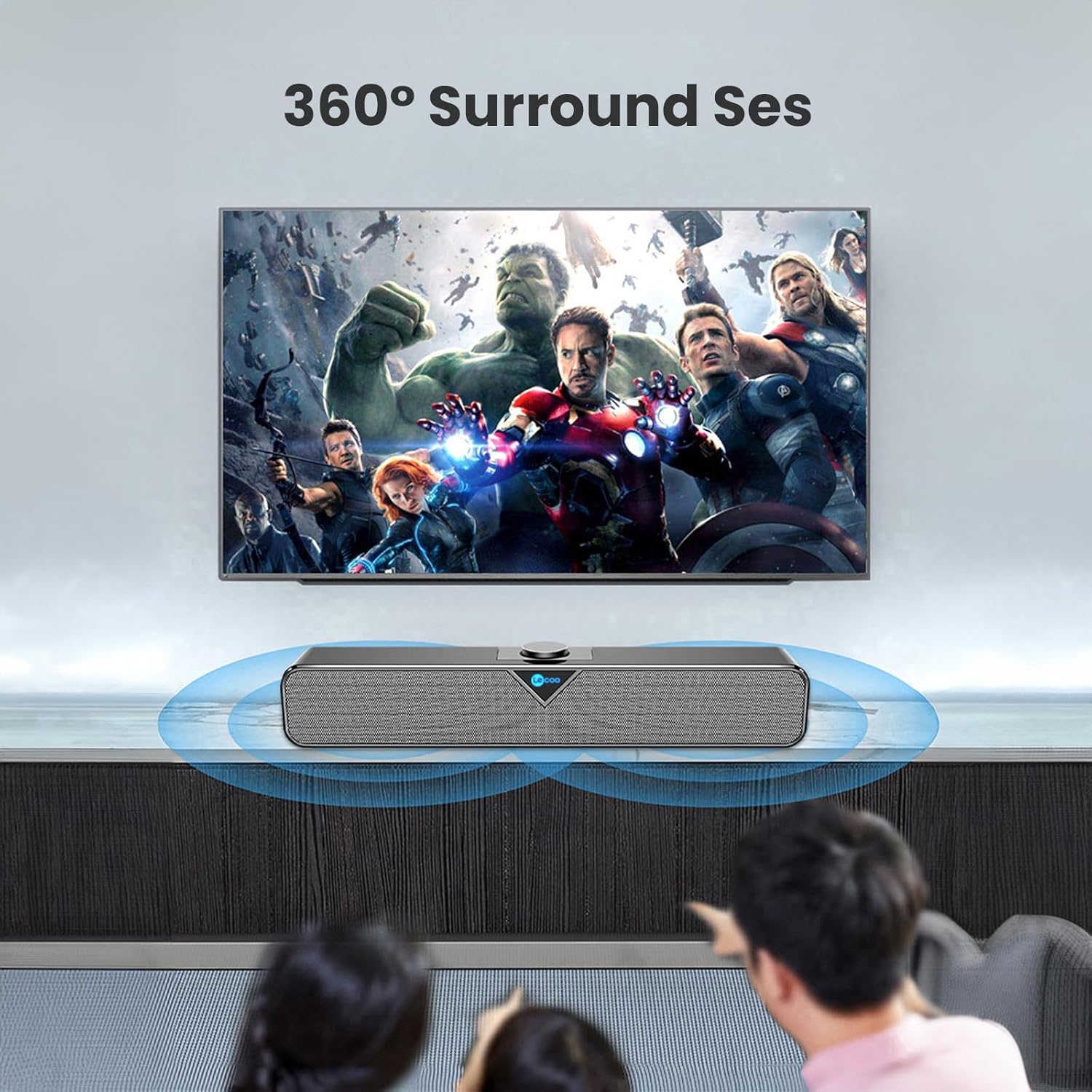
Image 4: The Lecoo DS102 speaker illustrating its sound projection.

Image 5: The Lecoo DS102 speaker integrated into a home entertainment setup.

Image 6: Internal diagram highlighting the dual speaker design.
6. Техникалык шарттар
| Спецификация | Нарк |
|---|---|
| Модель аты | DS102 |
| Динамик түрү | Саундбар |
| Негизги өзгөчөлүктөрү | Bass Boost, Shock Resistant, Lightweight, High-Resolution Audio |
| Сунушталган Колдонуулар | Smartphones or Tablets, Computers, DVD Players, Music Players, Gaming Consoles, Surround Sound Systems, Televisions |
| Шайкеш түзмөктөр | Monster, Samsung, Vestel, Xiaomi, iPhone |
| Түс | Кара |
| Камтылган компоненттер | 1x User Manual, 1x Lecoo DS102 Wireless Bluetooth AUX Soundbar Speaker |
| Продукциянын өлчөмдөрү (D x W x Y) | 6D x 38W x 7.5H см |
| Продукт Салмагы | 1200 грамм |
| Импеданс | 4 Ом |
| Суу өткөрбөйт | Жок |
| Кепилдик түрү | Official Distributor Warranty |
| Максималдуу диапазон (Bluetooth) | 10 метр (393.7 дюйм) |
| Саны | 1 |
| Башкаруу ыкмасы | Айлануучу баскыч |
| Зымсыз байланыш технологиясы | Bluetooth |
| Power Source | Wired Electric (USB) |
| Өндүрүүчү | Lecoo |
| Биринчи жеткиликтүү күн | 1-март, 2023-жыл |
| Динамиктин максималдуу чыгаруу күчү | 6 Ватт |
| Байланыш технологиясы | Bluetooth+Wired (AUX) |
| Аудио чыгаруу режими | Моно |
| Монтаж түрү | Иш такта орнотуу |
7. Техникалык тейлөө
To ensure the longevity and optimal performance of your Lecoo DS102 speaker, follow these maintenance guidelines:
- Тазалоо: Динамиктин бетин тазалоо үчүн жумшак, кургак чүпүрөктү колдонуңуз. Суюк тазалоочу каражаттарды же абразивдүү материалдарды колдонбоңуз.
- Сактагыч: Динамикти түз күн нурунан жана өтө температурадан алыс салкын, кургак жерде сактаңыз.
- Колдонуу: Динамикти түшүрүүдөн же катуу таасирлерден сактаныңыз.
- Суу таасири: Бул продукт суу өткөрбөйт. Сууга же жогорку нымдуулукка дуушар кылбаңыз.
8. Кыйынчылыктарды
If you encounter any issues with your Lecoo DS102 speaker, please refer to the following common problems and solutions:
- Үн жок:
- Ensure the speaker is powered on and the USB cable is securely connected.
- Динамиктин жана туташкан түзмөгүңүздүн үнүнүн деңгээлин текшериңиз.
- If using Bluetooth, ensure the speaker is paired correctly and within range. Try re-pairing.
- If using AUX, ensure the 3.5mm audio cable is fully inserted into both the speaker and your device.
- Булак түзмөгүңүздө туура аудио чыгышы тандалганын текшериңиз.
- Bluetooth туташуу маселелери:
- Динамик башка түзмөккө туташып турбаганын текшериңиз.
- Move your device closer to the speaker to ensure it is within the 10-30 meter range.
- Түзмөгүңүздөгү Bluetooth'ту өчүрүп, күйгүзүңүз, андан кийин кайра жупташтырып көрүңүз.
- Some users have noted that the Bluetooth feature is always active. Ensure no unintended devices are connected.
- Sound Distortion at High Volume:
- Reduce the volume level on both the speaker and your source device.
- For optimal sound quality, it is recommended to use the speaker at around 80% of its maximum volume.
- No Power On/Off Button:
- The Lecoo DS102 does not feature a dedicated power on/off button. To power off the device, disconnect the USB power cable.
9. Кепилдик жана колдоо
The Lecoo DS102 speaker comes with an Official Distributor Warranty in Turkey. For warranty claims, technical support, or further assistance, please contact your local Lecoo distributor or authorized service center.
Сураныч, кепилдик максаттары үчүн сатып алганыңыздын далилин сактап коюңуз.