
1. Киришүү
This manual provides essential information for the safe and efficient operation of your Tbest AT2-1500X Variable Frequency Drive (VFD) speed controller. Please read this manual thoroughly before installation, operation, or maintenance to ensure proper use and prevent potential hazards.
The Tbest AT2-1500X VFD is designed for controlling the speed of single-phase AC motors up to 1.5 kW. It features a unique control method for high torque, precision, and a wide speed regulation range. Its robust design offers good anti-trip performance and adaptability to various environmental conditions, including power fluctuations, temperature, humidity, and dust interference. The VFD incorporates optimized PWM control technology and electromagnetic compatibility for low noise and reduced electromagnetic interference.
2. Коопсуздук чаралары
ЭСКЕРТҮҮ: Failure to follow these safety instructions may result in death, severe injury, or serious damage to the inverter.
- Always ensure the power supply is disconnected before performing any wiring or maintenance on the VFD.
- Do not touch the VFD terminals when power is applied, as this can cause severe damage to the inverter.
- Do not install the VFD in environments with flammable materials to avoid fire hazards.
- The ground terminal of the inverter must be properly and securely grounded.
- Avoid installing the VFD in environments with explosive gases to prevent explosion hazards.
- Only qualified personnel should perform internal inspections or repairs of the VFD. Incorrect procedures can lead to damage or injury.

Сүрөт 1: Алдыңкы view of the VFD showing the control panel and safety warning label.
3. Продукциянын өзгөчөлүктөрү
- Жогорку аткаруу: Utilizes a unique control method to achieve high torque, high precision, and a wide speed regulation range.
- Жакшыртылган туруктуулук: Features good anti-trip performance and adaptability to power fluctuations, temperature, humidity, and dust interference.
- Low Noise & EMI: Optimized PWM control technology and electromagnetic compatibility minimize operational noise and electromagnetic interference.
- User-Friendly Wiring: Easy to use and connect with screw terminals for convenient wiring.
- Натыйжалуу жылуулук диссипациясы: Designed with a large heat sink to ensure effective heat dissipation and prolonged operational life.
4. Техникалык шарттар
| Параметр | Нарк |
|---|---|
| Модел | AT2-1500X |
| Колдонмо диапазону | Универсал |
| Power Phase | Бир фазалуу |
| Номиналдуу ток | 8 А |
| Rated Voltage | AC 220 V (Single Phase) |
| Supply Voltage | Low Voltage |
| Suitable Motor Power | 1.5 кВт |
| Фильтр | Жок |
| DC Power Source Type | Учурдагы түрү |
| Башкаруу ыкмасы | V/F Open-Loop Control |
| Adjutable Output Voltage Metod | PWM башкаруу |
| Өлчөмдөрү (болжол менен) | 12.5 x 12.5 x 18 см |
| Product Reference Number | Tbesth8d7koib43 |

2-сүрөт: Арткы view of the VFD, highlighting cooling and terminal access.

3-сүрөт: Төмөнкү view of the VFD, illustrating the heat sink design for efficient cooling.
5. Орнотуу жана орнотуу
Proper installation is crucial for the safe and reliable operation of the VFD. Ensure all safety precautions are followed before proceeding.
5.1 Монтаждоо
- Mount the VFD in a clean, dry, and well-ventilated area, away from direct sunlight, excessive heat, moisture, and dust.
- Ensure sufficient clearance around the VFD for proper airflow, especially around the heat sink and cooling fans.
- Avoid mounting on flammable surfaces.
5.2 Электр зымдары
All wiring must be performed by a qualified electrician and in accordance with local electrical codes.
- Кубаттуулукту киргизүү (У, У): Connect the single-phase AC 220V power supply to the 'L' and 'N' terminals.
- Мотордун чыгышы (U, V, W): Connect the single-phase AC motor to the 'U', 'V', and 'W' terminals. For single-phase motors, typically two of these terminals are used, or specific wiring instructions for your motor should be followed.
- Жер (GND): Connect the ground terminal to a reliable earth ground. This is critical for safety.
- Башкаруу терминалдары: The VFD includes additional control terminals for external control signals (e.g., start/stop, speed reference). Refer to the detailed wiring diagram for specific connections.

4-сүрөт: Детальдуу view of the VFD's screw terminals for electrical connections.
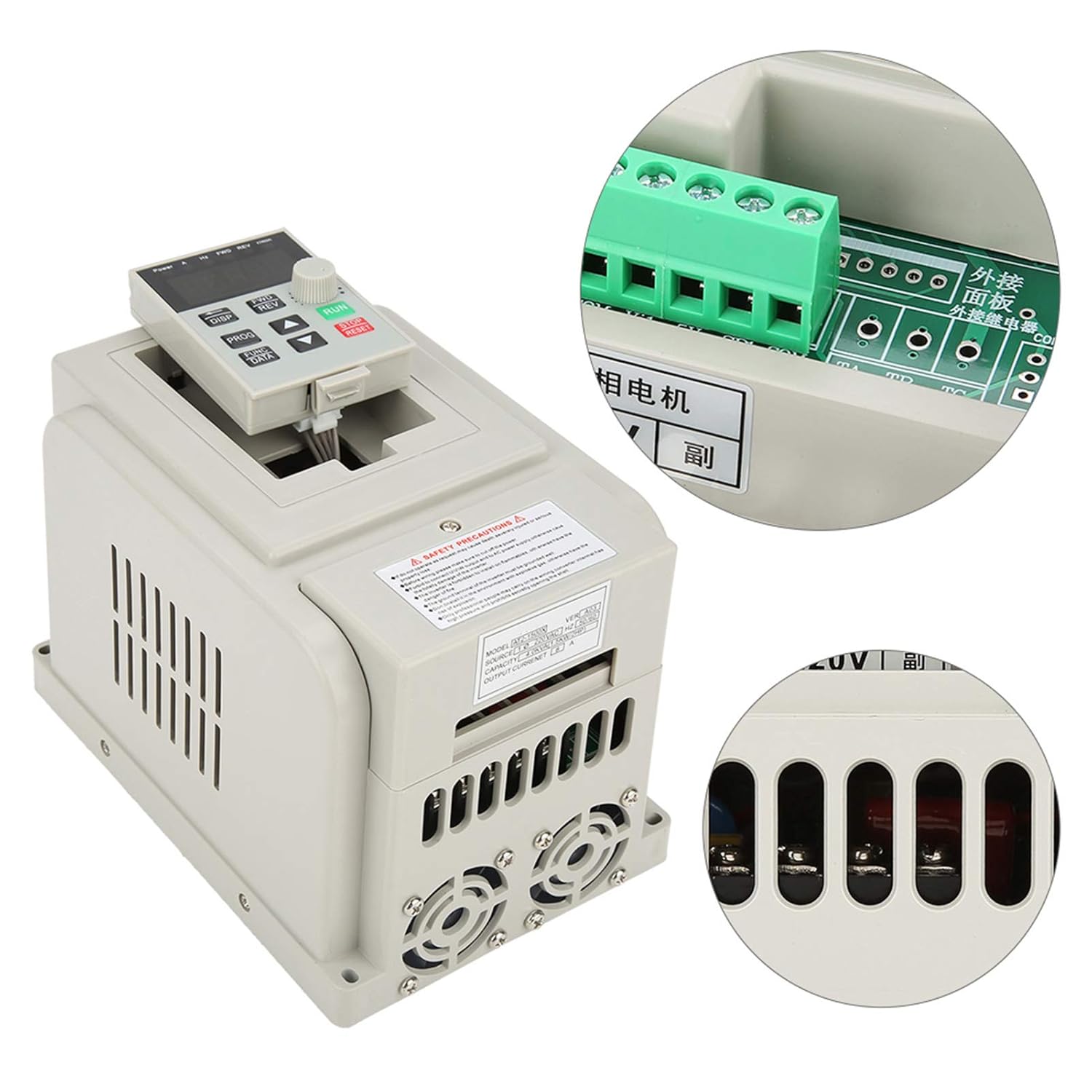
Figure 5: ашыкview of the VFD with a focus on the control panel and wiring interface.
6. Иштөө нускамалары
The VFD features an intuitive control panel for easy operation.

Figure 6: Control panel of the Tbest AT2-1500X VFD.
6.1 Башкаруу панелинин үстүнөview
- Дисплей: Shows operational parameters such as frequency, current, voltage, жана ылдамдык.
- ДИСП баскычы: Cycles through different display parameters.
- FWD/REV Buttons: Controls the forward and reverse direction of the motor.
- PROG баскычы: Enters programming mode to adjust VFD parameters.
- FUNC/DATA Button: Used to select functions or confirm data entry in programming mode.
- Өйдө/төмөн жебе баскычтары: Adjusts parameter values or navigates through menus.
- Ротари баскычы: Provides fine adjustment for speed or parameter values.
- RUN баскычы (жашыл): Моторду иштетет.
- STOP/RESET Button (Red): Stops the motor or resets fault conditions.
6.2 Негизги операция
- Күйгүзүү: Ensure all wiring is correct and secure, then apply power to the VFD. The display will illuminate.
- Жыштыкты/Ылдамдыкты коюңуз: Use the Up/Down arrow buttons or the rotary knob to set the desired output frequency (and thus motor speed). The display will show the current frequency.
- Моторду ишке киргизүү: басыңыз RUN button to start the motor. The VFD will accelerate the motor to the set frequency.
- Багытын өзгөртүү: If configured, use the FWD/REV buttons to change the motor's rotation direction.
- Моторду токтотуу: басыңыз ТОКТОТ/КАЛЫПТАҢЫР button to stop the motor. The VFD will decelerate the motor to a stop.
- Параметрди тууралоо: For advanced settings, press the ПРОГ button to enter programming mode. Use the arrow buttons and FUNC/DATA button to navigate and modify parameters. Refer to the full programming manual (if available) for detailed parameter descriptions.
7. Техникалык тейлөө
Үзгүлтүксүз техникалык тейлөө VFDңиздин узак мөөнөттүү иштешин жана оптималдуу иштешин камсыз кылат.
- Тазалоо: Periodically clean the VFD's exterior, especially the ventilation openings and heat sink fins, to prevent dust accumulation. Use a soft, dry cloth. Do not use liquid cleaners.
- желдеткич текшерүү: Check the cooling fans for proper operation and ensure they are free from obstructions. Replace noisy or malfunctioning fans.
- Терминал текшерүү: Annually, inspect all wiring terminals for tightness and signs of corrosion or overheating. Retighten connections as necessary (ensure power is off).
- Экологиялык шарттар: Иштөө чөйрөсү белгиленген температуранын жана нымдуулуктун чегинде сакталышын камсыз кылыңыз.
8. Кыйынчылыктарды
Бул бөлүм жалпы маселелер боюнча жалпы жетекчиликти камсыз кылат. Татаал көйгөйлөр үчүн техникалык колдоо менен байланышыңыз.
| Көйгөй | Мүмкүн себеп | Чечим |
|---|---|---|
| Мотор иштебейт | No power, incorrect wiring, STOP/RESET button pressed, parameter error. | Check power supply. Verify wiring connections. Press RUN. Check VFD parameters. |
| Motor runs at incorrect speed | Incorrect frequency setting, motor parameters not matched. | Adjust frequency using rotary knob/arrow buttons. Verify motor parameters in VFD settings. |
| VFD ката кодун көрсөтөт | Ашыкча токtage, undervolvoltage, overheat, motor overload. | Note the error code. Press STOP/RESET. Consult the full VFD manual for specific error code meanings and solutions. Check motor load and power supply. |
| Ашыкча ызы-чуу же титирөө | Motor imbalance, mechanical issue, VFD parameter mismatch. | Inspect motor and mechanical connections. Review VFD motor parameters. |
9. Кепилдик жана колдоо
Specific warranty information for the Tbest AT2-1500X VFD is not provided in this manual. For details regarding warranty coverage, technical support, or service, please contact your retailer or the manufacturer directly. Ensure you have your product model number (AT2-1500X) and any purchase documentation available when seeking support.