
1. Бүттүview
The Lutron Sunnata On/Off Accessory Switch (model ST-AS-IV) is designed to expand the functionality of your existing Sunnata LED+ dimmers (STCL-153MH-xx only). This accessory switch enables 3-way and multi-location lighting control, allowing you to manage a single light from two or more locations. It provides on/off switching control, while the main Sunnata dimmer (sold separately) handles dimming. The switch features a smooth fade on and fade off for comfortable light adjustment and a 30-second delayed fade-to-off function.
Негизги өзгөчөлүктөрү:
- Accessory Switch: For use exclusively with Sunnata LED+ dimmers (STCL-153M-WH, sold separately). Not for standalone use.
- 3-Way Control: Control lights from two locations when paired with a Sunnata LED+ dimmer.
- Көп жайгашкан жерди көзөмөлдөө: Expand control to up to 10 locations by adding up to nine additional Sunnata accessory switches with one Sunnata dimmer.
- Интуитивдик операция: Single tap for a preset favorite light level, double tap for full brightness, and push-and-hold for a 30-second delayed fade-to-off.
- Нейтралдуу зым талап кылынбайт: Compatible with existing wiring in homes of any age.
- Эстетикалык дал келүү: Designed to match the look and feel of Sunnata LED+ dimmers.
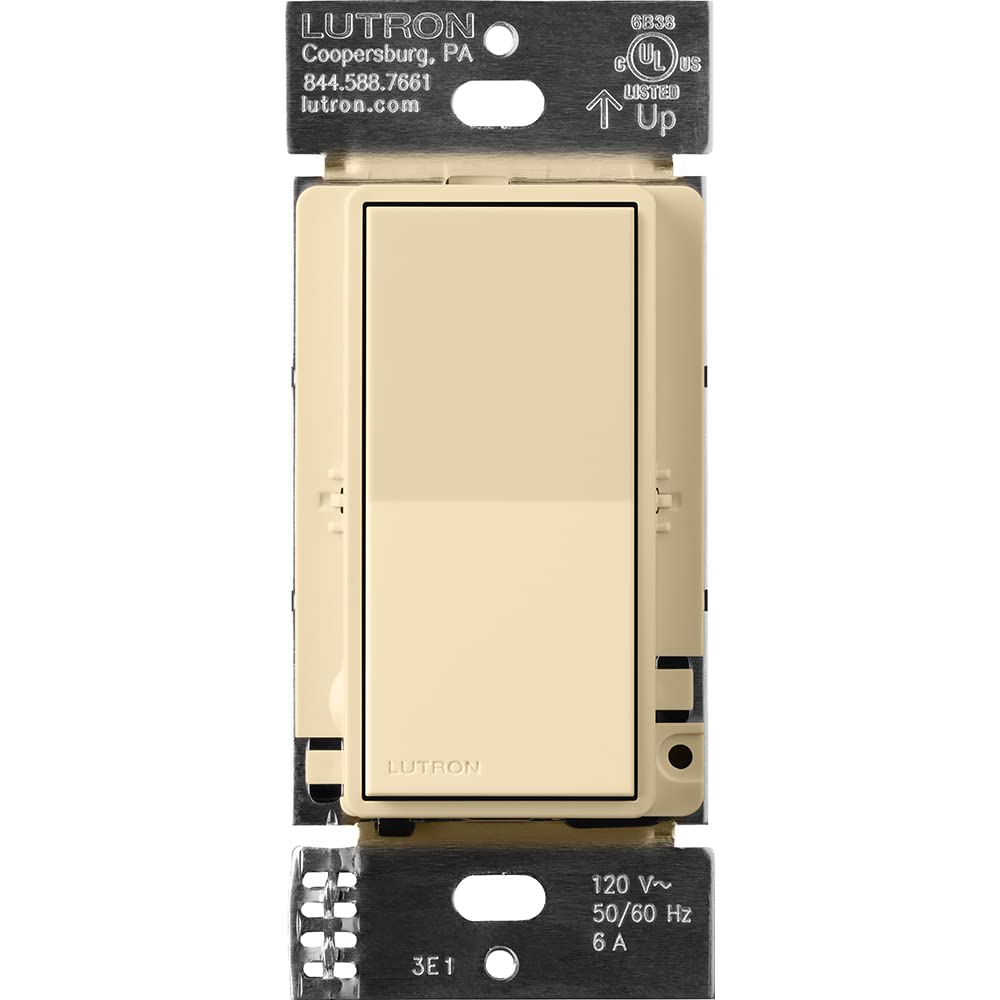
Figure 1: Lutron Sunnata On/Off Accessory Switch in Ivory.

Figure 2: The Ivory Sunnata Accessory Switch and available color options.
2. Коопсуздук боюнча маанилүү маалымат
Please read and understand all instructions before installing or using this product. Improper installation can result in serious injury or death. Always consult a qualified electrician if you are unsure about any part of the installation process.
Жалпы коопсуздук чаралары:
- ЭСКЕРТҮҮ: ШОК КОРКУНУЧУ. May result in serious injury or death. Turn off power at the circuit breaker or fuse box before installation.
- Бардык улуттук жана жергиликтүү электрдик кодекстерге ылайык орнотуңуз.
- Use only with compatible Lutron Sunnata LED+ dimmers (STCL-153MH-xx).
- Do not use with standard on/off switches or other dimmer types.
- Ensure the wiring connections are secure and properly insulated.
- Иштөө температурасы диапазону: 32°F – 104°F (0°C – 40°C).
3. Орнотуу жана орнотуу
The Sunnata accessory switch is designed for easy installation and works with existing wiring, requiring no neutral wire. It must be used in conjunction with a compatible Sunnata LED+ dimmer.
Зымдар бүттүview:
The accessory switch connects to the main dimmer using traveler wires. Ensure power is off at the circuit breaker before beginning any wiring. Follow the detailed wiring instructions provided in the product packaging or consult the Lutron Wiring Wizard online.
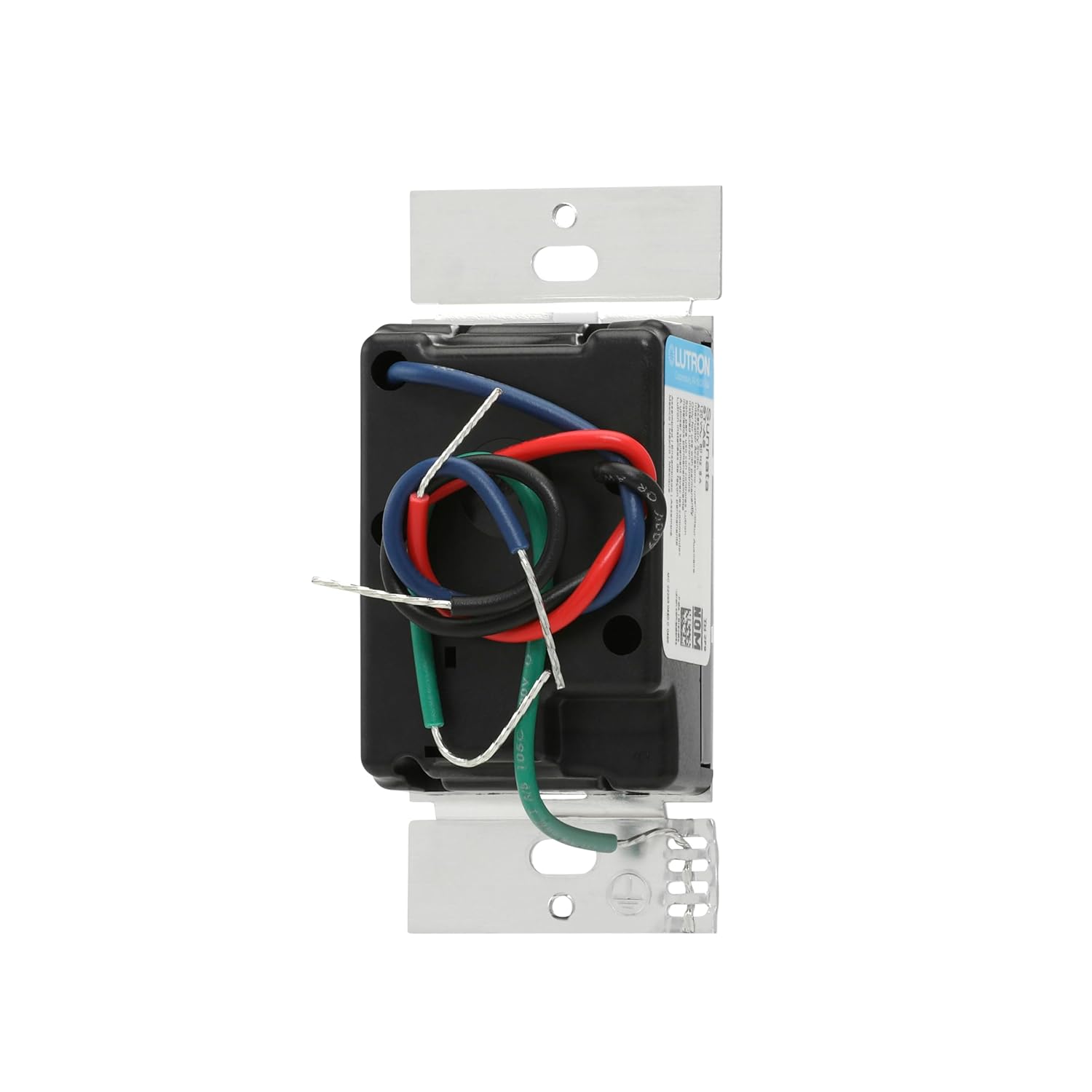
3-сүрөт: Арткы view of the accessory switch with wiring terminals.
3-Way and Multi-Location Applications:
This accessory switch allows for control of a single light from multiple points. In a 3-way setup, one dimmer and one accessory switch control the light. For multi-location control, up to nine accessory switches can be added to a single dimmer.

4-сүрөт: Мисample of a 3-way wiring configuration.

5-сүрөт: Мисample of a multi-location wiring configuration.
Орнотуу видеолору:
Video 1: A closer look at the light switch, including its components and basic wiring considerations.
Video 2: Additional information on the light switch, including wiring details for installation.
Video 3: Important considerations before purchasing and installing the switch, including wiring.
4. Иштөө нускамалары
The Sunnata accessory switch provides intuitive control for your lighting system when paired with a Sunnata LED+ dimmer.
Негизги операция:
- Күйгүзүү/өчүрүү: Tap the top or bottom of the switch to turn lights on or off.
- Favorite Light Level: Tap the switch once to recall your favorite preset light level, which is set on the main Sunnata dimmer.
- Толук жарыктык: Double tap the switch to bring lights to full brightness.
- Кечиктирилген өчүү-өчүрүү: Push and hold the switch for 30 seconds to activate a delayed fade-to-off, allowing you time to exit the room before lights extinguish.
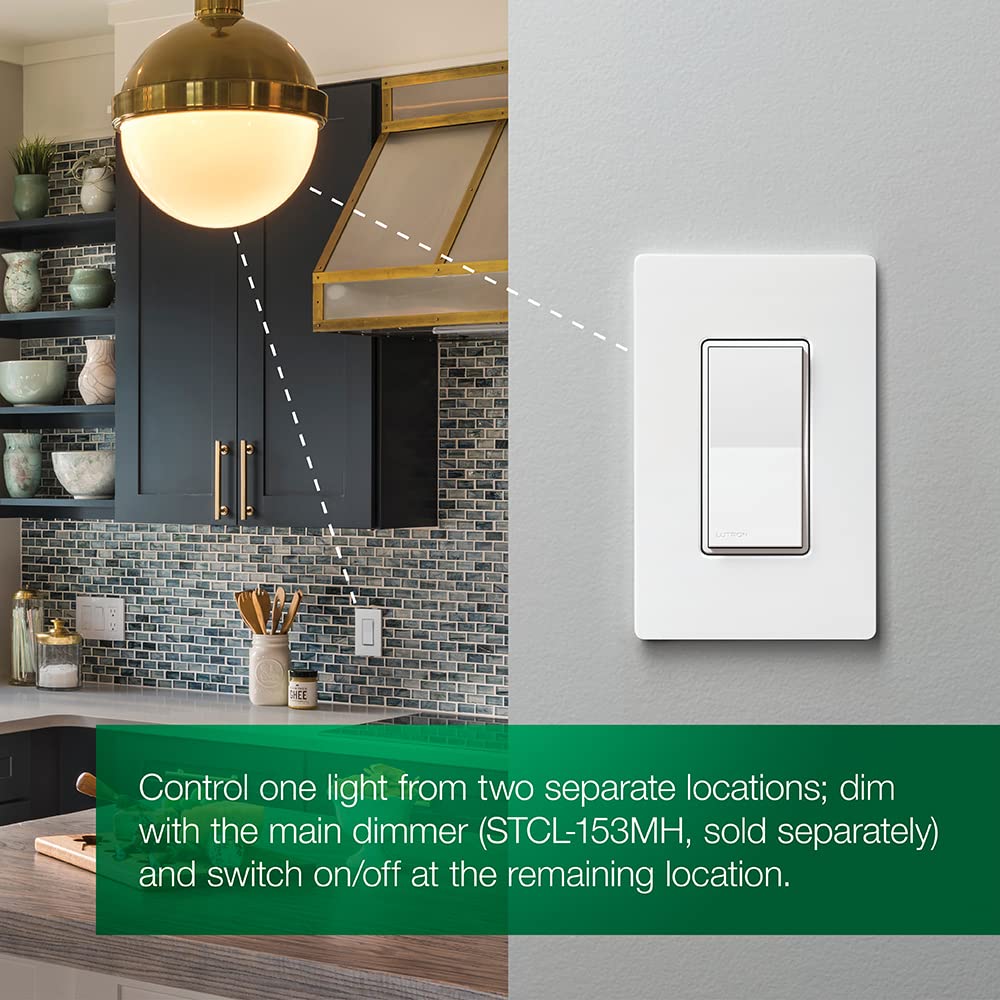
Figure 6: Touch controls on the Sunnata Accessory Switch.
Операция видеолору:
Video 4: Demonstration of the touch dimmer's basic on/off and dimming functions.
Video 5: деталдуу кайраview and demonstration of the Lutron Sunnata Touch Dimmer Switch, showcasing анын өзгөчөлүктөрү.
Video 6: A demonstration and review of the Sunnata Dimmer Switch, highlighting its operational aspects.
5. Кароо жана тейлөө
To ensure the longevity and proper functioning of your Lutron Sunnata On/Off Accessory Switch, follow these simple care and maintenance guidelines:
- Тазалоо: Которгучту жумшак менен тазалаңыз, гamp кездеме. Абразивдүү тазалагычтарды, эриткичтерди же катуу химиялык заттарды колдонбоңуз, анткени алар финишке же ички компоненттерге зыян келтириши мүмкүн.
- Ашыкча катуулануудан сактаныңыз: When installing or re-installing the wallplate, do not overtighten screws, which can cause cracking or damage.
- Экологиялык шарттар: Ensure the switch is installed in an environment within its specified operating temperature and humidity ranges.
6. Кыйынчылыктарды
If you experience issues with your Sunnata On/Off Accessory Switch, refer to the following common troubleshooting steps:
- Жарыктар жооп бербейт: Ensure power is supplied to the circuit. Verify that the accessory switch is correctly wired to a compatible Sunnata LED+ dimmer.
- Үзгүлтүксүз иштөө: Check all wiring connections for tightness and proper insulation. Ensure no wires are pinched or damaged.
- Accessory Switch Not Controlling Lights: Confirm that the main Sunnata LED+ dimmer is functioning correctly. The accessory switch relies on the dimmer for primary control.
- Жаркылдаган жарыктар: This may indicate an incompatibility with the connected LED bulbs or an issue with the main dimmer. Refer to the dimmer's manual or Lutron's LED compatibility tool.
Көбүрөөк жардам алуу үчүн, Lutron кардарларды колдоо кызматына кайрылыңыз.
7. Техникалык шарттар
| Спецификация | Нарк |
|---|---|
| Иштөө режими | ON-OFF-ON |
| Учурдагы рейтинг | 1.25 Amps |
| Operating Voltage | 120 вольт |
| Байланыш түрү | Адатта ачык |
| Туташтыргыч түрү | Clamp |
| Бренд | Lutron |
| Которуу түрү | Калак |
| Терминал | Through Hole |
| Материал | Металл, пластик |
| Буюмдун өлчөмдөрү L x W x H | 1.5 x 2.25 x 4.13 дюйм |
| Circuit Type | 3-жол |
| Монтаж түрү | Дубалга орнотуу |
| Актуатор түрү | Push Button |
| Позициялардын саны | 1 |
| Төмөнкү температура рейтинги | 32 градус Фаренгейт |
| Жогорку температура рейтинги | 104 градус Фаренгейт |
| Башкаруу ыкмасы | тийүү |
| Connectivity Protocol | Wi-Fi |
| Ватtage | 996 ватт |
| Түс | Пил сөөгү |
| Бирдик саны | 1.0 Сан |
| Элементтердин саны | 1 |
| Байланыш материалы | Жез |
| Эл аралык коргоо рейтинги | IP54 |
| Specification Met | UL |
| Модел | ST-AS-IV |
| Өндүрүүчү | Lutron |
| UPC | 784276811040 |
| Камтылган компоненттер | (1) Sunnata accessory switch (not for standalone use) |
8. Кепилдик маалыматы
The Lutron Sunnata On/Off Accessory Switch (ST-AS-IV) comes with a 1 жылдык чектелген кепилдик. For specific terms and conditions, please refer to the warranty documentation included with your product or visit the official Lutron webсайт.
9. Кардарларды колдоо кызматы
Lutron is committed to providing excellent customer service. We offer 24/7, U.S.-based lifetime technical support for any troubleshooting issues or questions you may have regarding your Sunnata On/Off Accessory Switch.
Байланыш маалыматы:
- Телефон: 844-588-7661 (24/7 Support)
- Webсайт: www.lutron.com
Video 7: Lutron's commitment to 24/7 customer support for all your needs.