
LFF LWC150
LFF Atomic Clock User Manual
Model: LWC150
Бренд: LFF
1. Киришүү
The LFF Atomic Clock (Model LWC150) is a versatile digital wall or desk clock designed for accurate timekeeping and environmental monitoring. It automatically synchronizes with the WWVB radio broadcast for precise time and features a large, easy-to-read LCD display showing time, date, day of the week, alarm status, and both indoor and outdoor temperature and humidity.
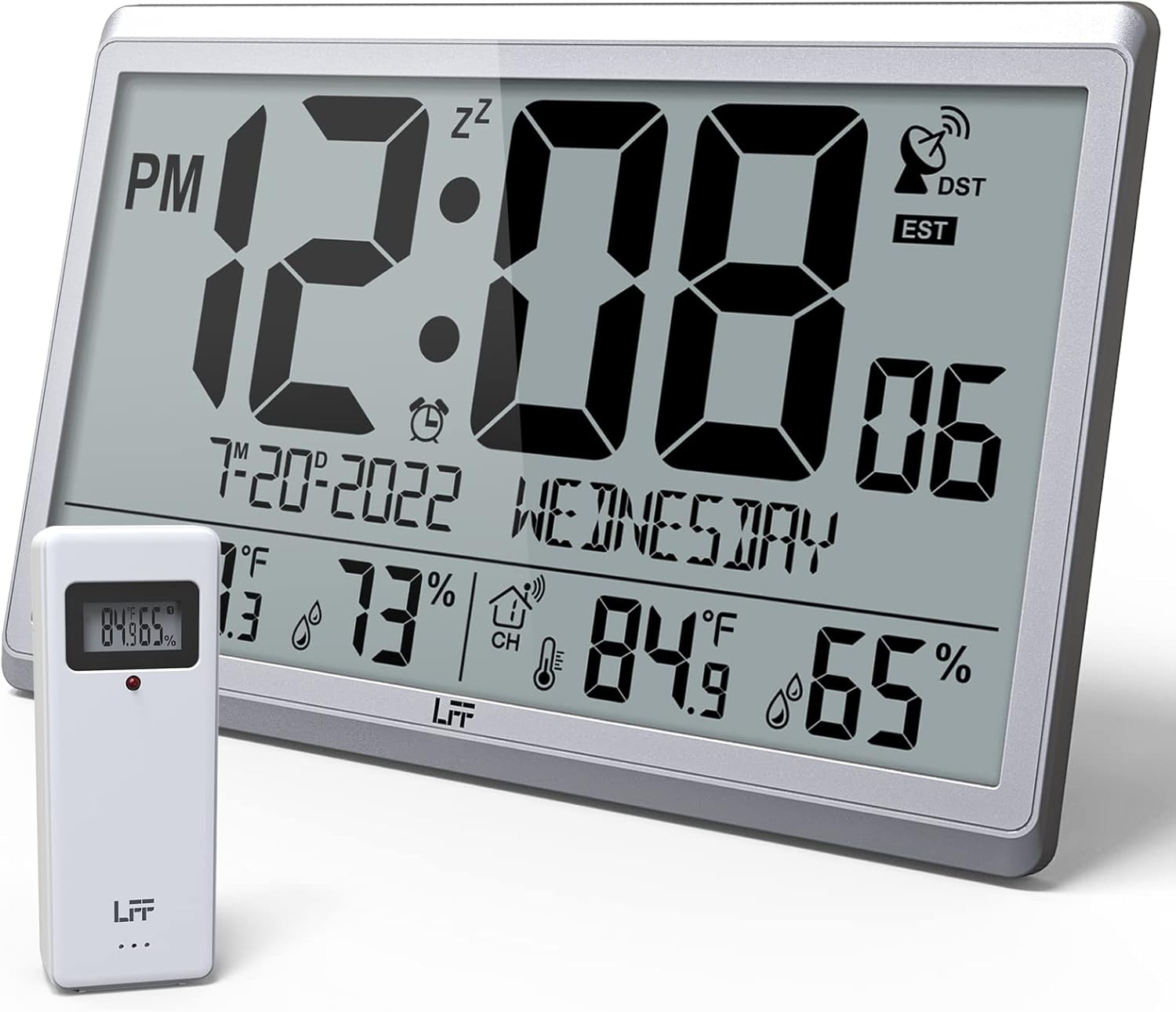
Figure 1.1: LFF Atomic Clock with its wireless outdoor sensor.
2. Өзгөчөлүктөрү
- Accurate Atomic Clock: Built-in receiver automatically synchronizes with the WWVB radio broadcast from NIST in Fort Collins, Colorado, ensuring precise time and calendar adjustments.
- Large LCD High-Definition Display: 9.4-inch tall display with large numbers for easy readability. Displays time (12/24H), calendar, day of the week, alarm, indoor/outdoor temperature (°C/°F), and humidity simultaneously.
- Зымсыз тышкы сенсор: Transmits accurate outdoor temperature and humidity measurements up to 328 feet (100 meters). The sensor has an IPX4 splash-proof rating.
- Батарея менен иштейт: Main clock requires 4 AA batteries (not included), and the outdoor sensor requires 2 AAA batteries (not included). No backlight display.
- Бир нече убакыт алкагы: Supports 8 time zones including EST, CST, MST, PST, AKT, HST, AST, NST.
- Ийкемдүү жайгаштыруу: Can be used as a wall clock (3 hanging holes) or a desk clock (integrated bracket).
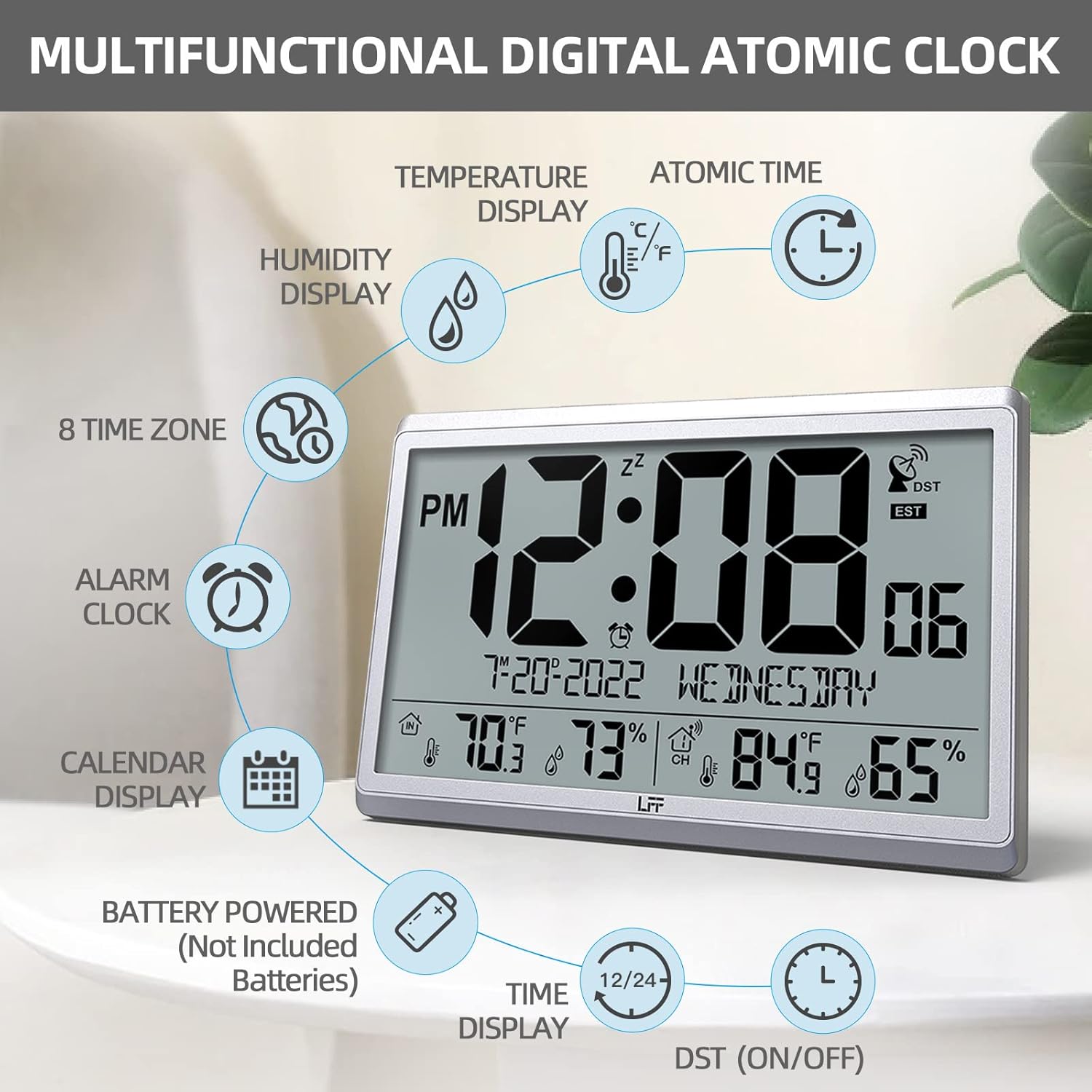
Figure 2.1: ашыкview of the clock's multifunctional display and features.
3. Пакеттин мазмуну
Сураныч, кутудан чыгарганда пакеттин мазмунун текшерип, бардык буюмдар бар экенин текшериңиз:
- 1 x LFF Atomic Clock (Main Unit)
- 1 x Зымсыз сырткы сенсор
- 1 x User Manual
4. Орнотуу
4.1 Батареяны орнотуу
The main clock unit and the outdoor sensor are battery-powered. Batteries are not included.
- For the Main Clock Unit: Open the battery compartment on the back of the clock. Insert 4 new AA batteries, ensuring correct polarity (+/-).
- Зымсыз сырткы сенсор үчүн: Open the battery compartment on the back of the sensor. Insert 2 new AAA batteries, ensuring correct polarity (+/-).

Figure 4.1: Battery installation and button layout on the main clock unit.
4.2 Сырткы сенсорду жайгаштыруу
For accurate temperature and humidity readings, place the outdoor sensor in a location that is:
- Out of direct sunlight and rain.
- Away from any heat sources (e.g., vents, exhaust fans) or extreme cold sources.
- Within the wireless transmission range of 328 feet (100 meters) from the main clock unit.

Figure 4.2: Optimal placement for the wireless outdoor sensor.
4.3 Initial Atomic Time Synchronization
After battery installation, the clock will automatically attempt to synchronize with the WWVB atomic time signal. This process may take several minutes to several hours, depending on your location and signal strength. Ensure the clock is placed in an area where it can receive a clear signal, ideally near a window and away from electronic interference.

Figure 4.3: The clock synchronizes with the atomic time signal broadcast from Fort Collins, Colorado.
5. Иштөө нускамалары
5.1 Убакытты жана датаны кол менен орнотуу
While the clock primarily relies on atomic synchronization, you can manually set the time and date if needed (e.g., during initial setup before signal acquisition or in areas with poor reception).
- басып, кармап туруңуз SET button on the back of the clock until the display flashes.
- колдонуу UP or DOWN/RCC жаркылдаган маанини тууралоо үчүн баскычтарды басыңыз (мисалы, саат, мүнөт, жыл, ай, күн).
- Басыңыз SET again to confirm the setting and move to the next value.
- Бардык керектүү жөндөөлөр конфигурацияланганга чейин кайталаңыз.
5.2 Time Zone Selection
The clock supports 8 time zones. After atomic synchronization, you may need to select your local time zone.
- басыңыз SET button repeatedly until the time zone setting flashes.
- колдонуу UP or DOWN/RCC buttons to cycle through the available time zones (EST, CST, MST, PST, AKT, HST, AST, NST).
- Басыңыз SET тандооңузду ырастоо үчүн.
5.3 Температура бирдигин тандоо (°C/°F)
To switch between Celsius and Fahrenheit for temperature display:
- баскычын кыскача басыңыз DOWN/RCC button. The temperature unit will toggle between °C and °F.
5.4 Ойготкуч саат функциясы
The clock includes an alarm function.
- басыңыз АЛАРМ баскычына view учурдагы ойготкуч убактысы.
- басып, кармап туруңуз АЛАРМ ойготкуч убактысы жаркылдаганга чейин баскычты басыңыз.
- колдонуу UP or DOWN/RCC каалаган ойготкуч саатын жана мүнөтүн коюу үчүн баскычтар.
- Басыңыз АЛАРМ ар бир жөндөөнү ырастоо үчүн.
- Ойготкучту иштетүү/өчүрүү үчүн, баскычын кыскача басыңыз АЛАРМ Ойготкучтун убактысы көрсөтүлгөндө баскычын басыңыз. Экранда ойготкучтун сүрөтчөсү пайда болот/жок болот.
5.5 Маалыматты көрсөтүү
The large LCD display provides comprehensive information at a glance:
- Жогорку бөлүм: Current time (with AM/PM indicator), atomic signal strength, DST indicator, and time zone.
- Ортоңку бөлүм: Date (Month-Day-Year) and Day of the Week.
- Төмөнкү бөлүм: Indoor temperature and humidity, and outdoor temperature and humidity (from wireless sensor).

Figure 5.1: The LFF Atomic Clock can be placed on a desk or mounted on a wall.
6. Техникалык тейлөө
6.1 Батареяны алмаштыруу
Replace batteries in both the main unit and the outdoor sensor when the display becomes dim or readings become erratic. Always replace all batteries at the same time with new ones of the same type. For temperatures below -4°F, lithium batteries are recommended for the outdoor sensor.
6.2 Тазалоо
Wipe the clock and sensor with a soft, dry cloth. Do not use abrasive cleaners or solvents, as they may damage the display or casing. Avoid getting moisture into the battery compartments or electronic components.
6.3 Сенсорго кам көрүү
Periodically check the outdoor sensor for any debris or obstructions that might affect its readings. Ensure it remains in a sheltered location to protect it from extreme weather conditions, despite its splash-proof design.
7. Кыйынчылыктарды
| Көйгөй | Мүмкүн себеп | Чечим |
|---|---|---|
| Саат атомдук убакыт менен синхрондоштурулбайт. | Weak signal, interference, incorrect time zone. | Relocate the clock closer to a window or away from electronic devices. Ensure correct time zone is selected. Allow up to 24 hours for initial synchronization. |
| Сырткы температура/нымдуулук көрсөтүлгөн эмес же так эмес. | Sensor out of range, low sensor batteries, sensor exposed to direct elements. | Ensure sensor is within 328 feet of the main unit. Replace sensor batteries. Reposition sensor in a shaded, dry area. Press the КАНАЛ туташууну кайра орнотуу үчүн негизги түзмөктөгү баскычты басыңыз. |
| Дисплей күңүрт же бош. | Негизги блокто батареялар аз. | Replace all 4 AA batteries in the main clock unit. |
| Time is incorrect after synchronization. | Туура эмес убакыт алкагы тандалды. | Verify and adjust the time zone setting as described in Section 5.2. |
8. Техникалык шарттар
| Өзгөчөлүк | Деталь |
|---|---|
| Модель номери | LWC150 |
| Дисплей түрү | Санарип LCD |
| Продукциянын өлчөмдөрү | 14.2"W x 9.4"H x 1.2"D |
| Кубат булагы (Негизги блок) | 4 x AA батарейкалар (киргизилген эмес) |
| Кубат булагы (тышкы сенсор) | 2 x AAA Батареялар (киргизилген эмес) |
| Жабык температура диапазону | 14.1°F – 122.0°F (-9.9°C – 50.0°C) |
| Тышкы температура диапазону | -58.0°F – 158.0°F (-50.0°C – 70.0°C) |
| Үй ичиндеги нымдуулук диапазону | 1% - 99% |
| Тышкы нымдуулук диапазону | 1% - 99% |
| Зымсыз берүү диапазону | Up to 328 feet (100 meters) in open area |
| Outdoor Sensor Waterproof Rating | IPX4 (чачууга каршы) |
| Материал | Пластик (акрилонитрил бутадиен стирол алкагы) |
| Элемент Салмагы | 2.7 фунт (1.23 килограмм) |
9. Кепилдик жана колдоо
LFF products are designed for reliability and performance. For any questions, technical support, or warranty claims, please contact LFF customer service through the retailer's platform or the official LFF webсайт. Сураныч, кепилдик максаттары үчүн сатып алганыңыздын далилин сактап коюңуз.
Ask a question about this manual
Ask about setup, troubleshooting, compatibility, parts, safety, or missing instructions. Manuals+ will review the question and use this page’s manual context to help answer it.