
1. Киришүү
Thank you for choosing the Havit MS1038 Programmable RGB Gaming Mouse. This manual provides essential information for setting up, operating, maintaining, and troubleshooting your new gaming mouse. Please read this guide thoroughly to ensure optimal performance and longevity of your device.
2. Продукт бүтүп калдыview
The Havit MS1038 is a high-performance wired gaming mouse designed for precision and customization. It features a high-precision optical sensor, adjustable DPI settings up to 8000, 7 programmable buttons, and dynamic RGB backlighting to enhance your gaming experience.
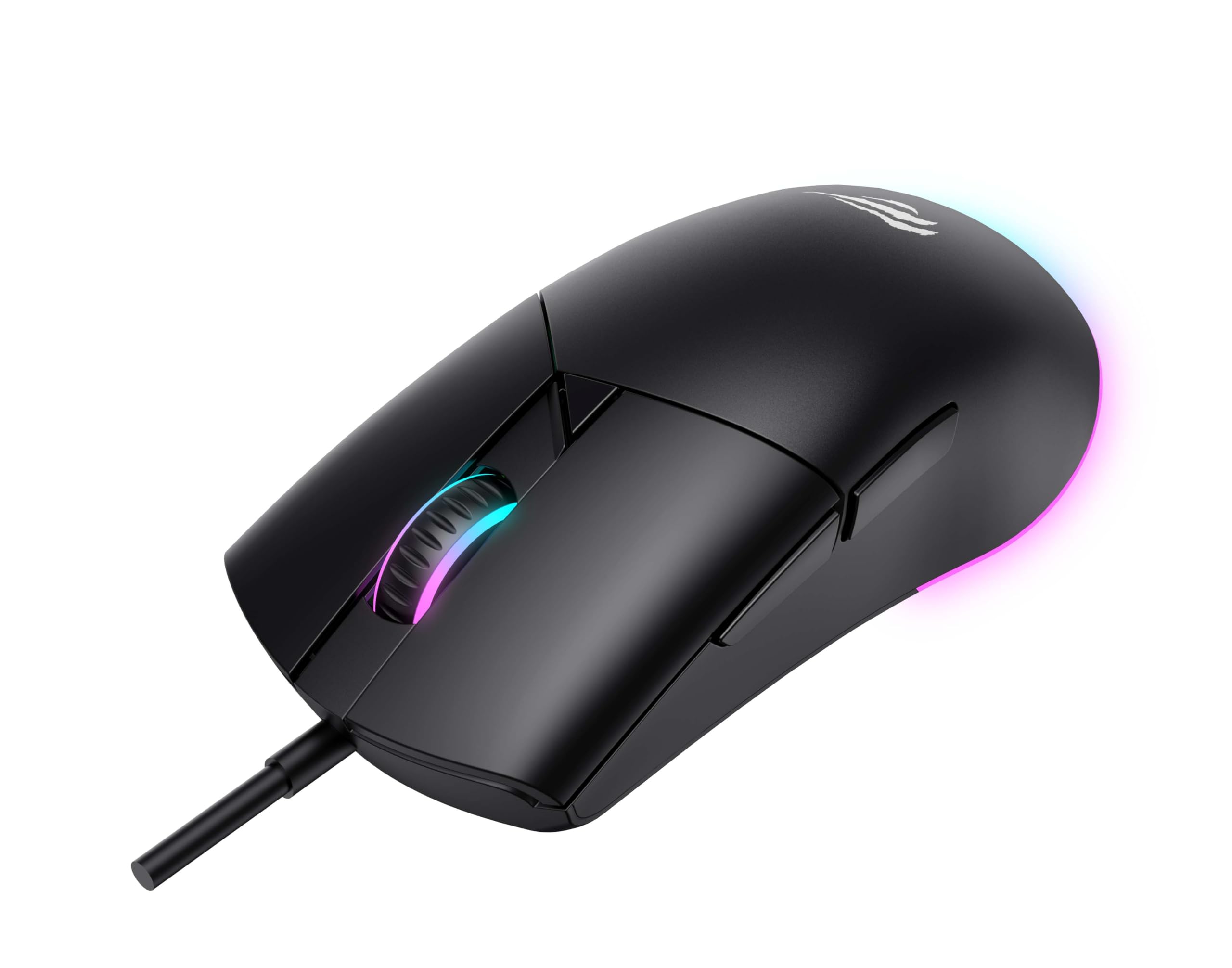
Сүрөт 1: Алдыңкы view of the Havit MS1038 Gaming Mouse, showcasinанын эргономикалык дизайны жана RGB жарыктандыруу.
3. Техникалык шарттар
| Өзгөчөлүк | Деталь |
|---|---|
| Бренд | Хавит |
| Модел | MS1038 |
| Түс | Кара |
| Байланыш | USB (Зымдуу) |
| Өзгөчөлүктөр | RGB Backlight, Programmable Buttons, High-Precision Optical Sensor |
| Шайкеш түзмөктөр | Компьютер, ноутбук, планшет |
| Motion Detection | Оптикалык |
| DPI орнотуулары | 1200-2400-3200-4800-6400-8000 DPI |
| баскычтардын саны | 7 |
| Негизги өмүр | 3,000,000 XNUMX чыкылдатуу |
| Кабелдин узундугу | 1.6 метр |
| Operating Voltage | 5V |
| Иштөө агымы | 150мА |
| Чип | SPCP199C |
| Өлчөмдөрү (L*W*H) | 121 x 64 x 42 мм |
| Продукт Салмагы | 82г |
| Батареялар талап кылынат | Жок |
| Power Source | жоон |
| Шайкеш OS | Windows, Mac, Linux |
| Келип чыккан өлкө | Кытай |
4. Орнотуу колдонмосу
- Чычканды таңгактан чыгаруу: Carefully remove the Havit MS1038 mouse from its packaging.
- Компьютерге туташуу: Чычкандын USB туташтыргычын компьютериңиздеги жеткиликтүү USB портуна сайыңыз.
- Драйверди орнотуу: The mouse is typically plug-and-play. Your operating system (Windows, Mac, Linux) should automatically detect and install the necessary drivers. Allow a few moments for the installation to complete.
- Программалык камсыздоону орнотуу (кошумча): For advanced customization of programmable buttons and RGB lighting, download the official Havit MS1038 software from the manufacturer's webсайт. Орнотуу үчүн экрандагы нускамаларды аткарыңыз.
5. Иштөө нускамалары
5.1 Негизги функциялар
- Сол чыкылдатуу: Негизги аракет.
- Оң чыкылдатуу: Кошумча аракет, адатта, контексттик менюларды ачат.
- Жылдыруу дөңгөлөгү: Scrolls content up or down. Pressing the scroll wheel often acts as a middle click.
5.2 DPI жөндөө
The Havit MS1038 features a dedicated DPI button (usually located behind the scroll wheel) to cycle through different sensitivity settings. Each press will switch to the next DPI level, indicated by a change in the RGB lighting color or pattern.
- Available DPI settings: 1200, 2400, 3200, 4800, 6400, 8000.
- Select the DPI that best suits your preference for gaming or general use.
5.3 Программалануучу баскычтар
The mouse has 7 buttons, including the standard left/right click, scroll wheel, DPI button, and additional side buttons. These additional buttons can be customized using the Havit MS1038 software.

2-сүрөт: Каптал view of the Havit MS1038 Gaming Mouse, highlighting the additional programmable buttons.
6. Ыңгайлаштыруу
To unlock the full potential of your Havit MS1038 mouse, utilize the dedicated software (available for download from the Havit official webсайт). Бул программа сизге төмөнкүлөргө мүмкүндүк берет:
- Remap Buttons: 7 программалануучу баскычтын каалаганына ыңгайлаштырылган функцияларды, макросторду же баскычтоптун жарлыктарын дайындаңыз.
- Adjust DPI Stages: Fine-tune the DPI levels and assign specific values to each stage.
- RGB жарыктандыруусун башкаруу: Choose from various lighting effects, colors, and brightness levels to personalize your mouse's appearance.
- Pro түзүүfiles: Ар кандай оюндар же тиркемелер үчүн ар кандай конфигурацияларды сактаңыз.
7. Техникалык тейлөө
Proper care ensures the longevity and performance of your mouse.
- Тазалоо: Чычкандын бетин сүртүү үчүн жумшак, кургак чүпүрөктү колдонуңуз. өжөр кир үчүн, бир аз гampчүпүрөктү суу же жумшак тазалоо эритмеси менен жууп салыңыз. Катуу химиялык заттардан алыс болуңуз.
- Сенсорго кам көрүү: Keep the optical sensor on the underside of the mouse clean and free from dust or debris. Use a cotton swab if necessary.
- Кабелдик башкаруу: Зыяндын алдын алуу үчүн USB кабелин курч ийилүүдөн же ашыкча тартуудан алыс болуңуз.
- Сактагыч: Колдонулбаганда, чычканды экстремалдык температурадан алыс, таза, кургак чөйрөдө сактаңыз.
8. Кыйынчылыктарды
If you encounter issues with your Havit MS1038 mouse, refer to the following common solutions:
- Чычкан жооп бербейт:
- USB кабели иштеген USB портуна бекем сайылганын текшериңиз.
- Чычканды башка USB портуна сайып көрүңүз.
- Компьютериңизди өчүрүп күйгүзүңүз.
- Курсордун туруксуз кыймылы:
- Чычкандын түбүндөгү оптикалык сенсорду тазалаңыз.
- Чычканды таза, чагылбаган бетте же чычкан жаздыгында колдонуп жатканыңызды текшериңиз.
- Check for any software conflicts or outdated drivers.
- RGB жарыктандыруу иштебейт:
- Чычкан туура туташтырылганын текшериңиз.
- If using customization software, ensure lighting effects are enabled and configured correctly.
- Баскычтар иштебейт:
- If programmable buttons are not working as expected, check the settings in the Havit MS1038 software.
- Ensure no other software is interfering with mouse button assignments.
9. Кепилдик жана колдоо
The Havit MS1038 Programmable RGB Gaming Mouse comes with a 1 жылдык кепилдик сатып алынган күндөн тартып. Бул кепилдик нормалдуу колдонуудагы өндүрүш кемчиликтерин камтыйт.
For technical support, warranty claims, or further assistance, please contact Havit customer service through their official website or your local retailer. Please have your proof of purchase ready when contacting support.