
Продукт бүттүview
The DEPOW Black Surge Protector Power Strip (Model: QT560-CU) is designed to provide power and protection for multiple electronic devices. It features 5 grounded AC outlets and 4 USB ports (2 USB-A, 2 USB-C) to charge up to 9 devices simultaneously. The ultra-thin flat plug and 5-foot extension cord offer flexible placement options, while its 1700 Joules surge protection safeguards your electronics from power fluctuations.
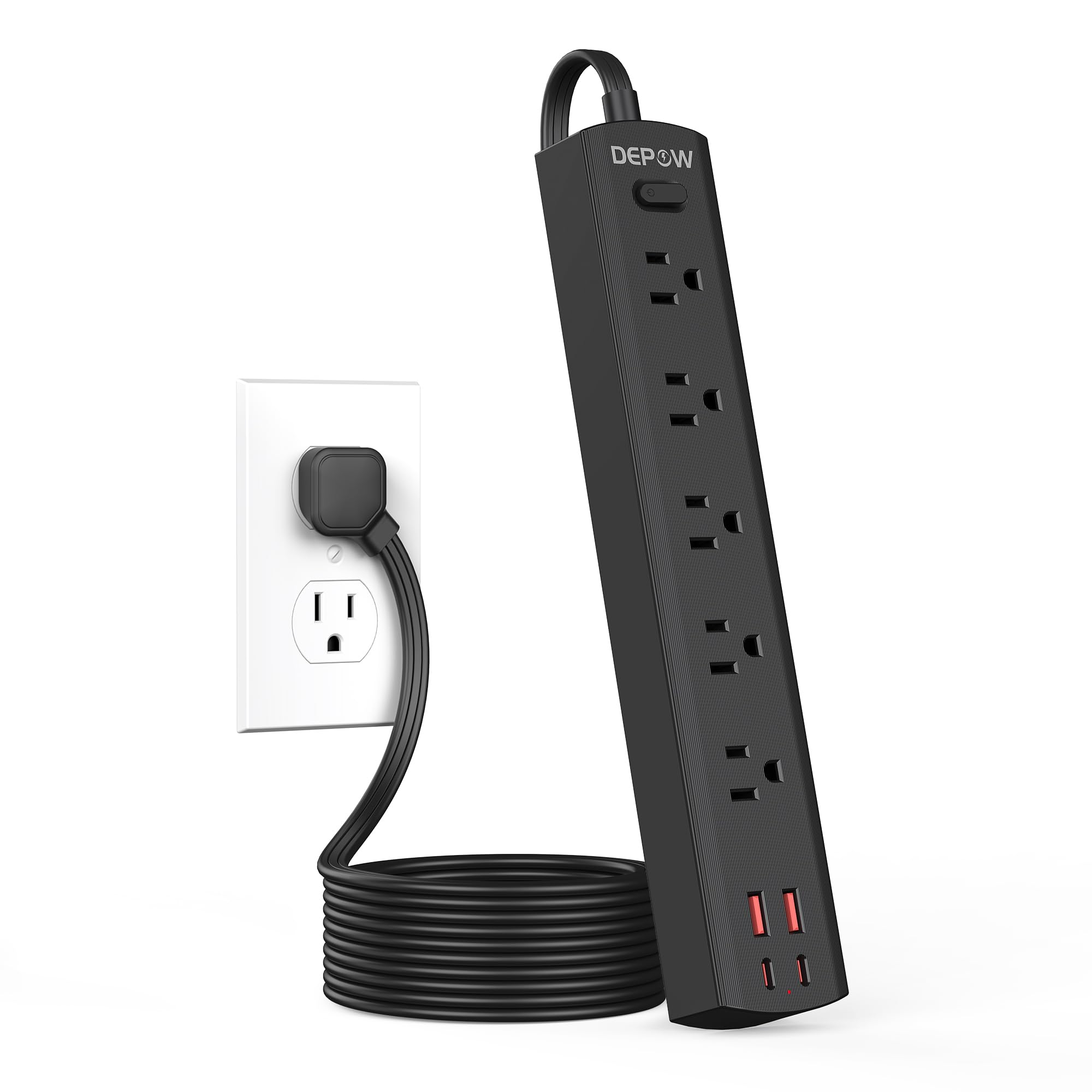
Image: The DEPOW Black Surge Protector Power Strip, showcasing its 5 AC outlets and 4 USB ports (2 USB-A, 2 USB-C) on a flat surface.
Негизги өзгөчөлүктөрү:
- 9-ин-1 Power Solution: 5 AC outlets and 4 USB ports (2 USB-A, 2 USB-C) for simultaneous charging.
- Өркүндөтүлгөн толкундан коргоо: 1700 Joules rating protects devices from power surges and spikes.
- Мейкиндикти үнөмдөөчү дизайн: Ultra-thin flat plug (0.33-inch profile) with a 45° right-angle design allows placement behind furniture without blocking other outlets.
- Ийкемдүү жайгаштыруу: 5-foot flat extension cord and wall-mountable design with 2 mounting holes.
- Smart USB заряддоо: USB ports deliver optimized charging (Max 3.4A/17W Shared) for smartphones, tablets, and other USB-powered devices.
- Комплекстүү коопсуздук: Features overload, short-circuit, grounded, USB over-voltage, USB over-current, USB over-heat, and flame retardant protection.
Орнотуу нускамалары
Follow these steps to set up your DEPOW Surge Protector Power Strip:
1. Таңгактан чыгаруу жана текшерүү:
- Электр тилкесин таңгагынан этияттык менен алып салыңыз.
- Түзмөктүн бузулуу белгилерин текшериңиз. Бузулган болсо, колдонбоңуз.
- Ensure all components are present: power strip, mounting screws (if applicable).

Image: The underside of the DEPOW power strip, highlighting the two mounting holes and product dimensions (10.83in length, 1.97in width).
2. Choosing a Location:
- Select a dry indoor location away from water sources and heat.
- Consider using the wall-mount feature for a tidy setup, especially in offices or behind furniture.
3. Электр кубатына туташуу:
- Plug the power strip's flat plug into a standard 125V AC wall outlet. The 45° right-angle design ensures it doesn't block adjacent outlets.
- The power indicator light on the strip will illuminate, confirming it is receiving power.

Image: A visual comparison demonstrating how the ultra-thin flat plug (0.33 inches) of the DEPOW power strip fits flush against a wall, unlike a thicker standard plug (2.04 inches).
4. Wall Mounting (Optional):
- Identify the two mounting holes on the back of the power strip.
- Mark the desired screw locations on the wall, ensuring they align with the mounting holes.
- Drill pilot holes if necessary and insert the provided screws, leaving them slightly protruding.
- Align the power strip's mounting holes with the screws and slide the strip down to secure it.
Иштөө нускамалары
This section details how to use your DEPOW Surge Protector Power Strip effectively.
1. Күйгүзүү/өчүрүү:
- The power strip features an On/Off switch. Press the switch to toggle power to all connected devices.
- The switch also acts as an overload protection reset button. If the strip experiences an overload (exceeding 1625W), it will automatically shut off. Press the switch to reset after reducing the load.
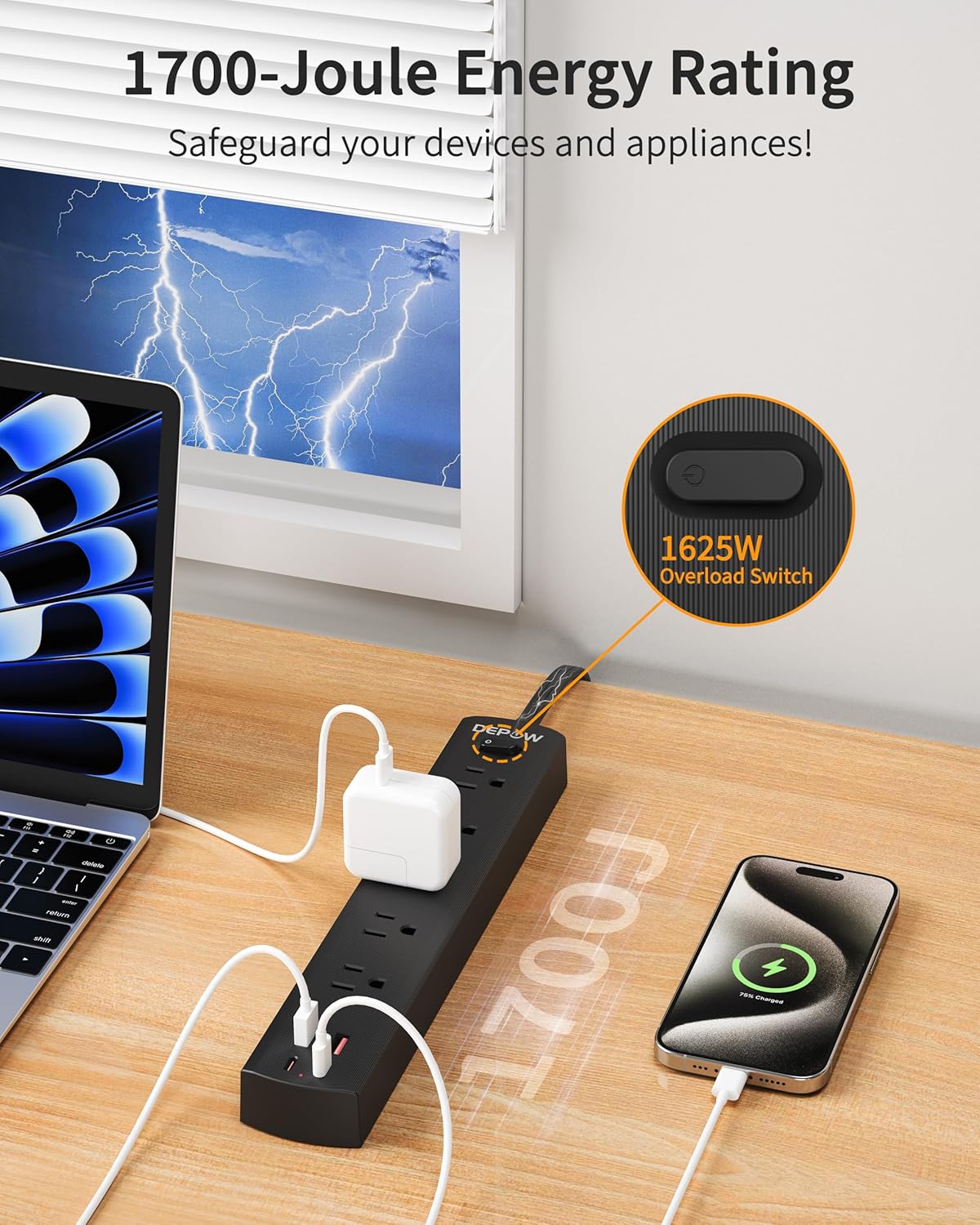
Image: The DEPOW power strip in use, highlighting the 1625W overload switch and indicating 1700 Joules of surge protection.
2. Connecting AC Devices:
- Plug your AC-powered devices into any of the 5 grounded AC outlets.
- The widely spaced outlets accommodate larger power adapters without blocking adjacent ports.
- Ensure the total power consumption of all connected AC devices does not exceed 1625W (13A at 125V).

Image: The DEPOW power strip on a desk, with various devices like laptops, phones, and chargers plugged into its AC and USB ports, demonstrating its multi-device charging capability.
3. Using USB Charging Ports:
- Connect your USB-powered devices (smartphones, tablets, smartwatches, etc.) to the 2 USB-A or 2 USB-C ports.
- The USB ports provide optimized charging with a maximum shared output of 3.4A/17W.

Image: A close-up of the DEPOW power strip's USB ports, illustrating the charging capabilities for USB-A (12W Max) and USB-C (15W Max) with a total shared output of 17W.
4. Video Demonstration:
Video: An official DEPOW video demonstrating the features and usage of the power strip, including its multiple outlets and USB ports. Note: This video title mentions "10 Ft" but the product is "5 Ft". The video content is generally applicable to the product's features.
Техникалык тейлөө
Proper maintenance ensures the longevity and safe operation of your power strip.
- Тазалоо: Тазалоодон мурун кубат тилкесин розеткадан сууруп алыңыз. Бетти кургак, жумшак чүпүрөк менен сүртүңүз. Суюк тазалоочу каражаттарды же аэрозольдорду колдонбоңуз.
- Сактагыч: When not in use for extended periods, store the power strip in a cool, dry place.
- Үзгүлтүксүз текшерүү: Periodically check the power cord and the unit for any signs of damage, such as frayed wires, cracks, or loose connections. If any damage is found, discontinue use immediately.
- Ашыкча жүктөөдөн качыңыз: Ар дайым жалпы кубаттуулукту текшериңизtage of connected devices does not exceed the maximum rating of 1625W to prevent tripping the overload protection.
Проблемаларды чечүү
If you encounter issues with your DEPOW Surge Protector Power Strip, refer to the following common problems and solutions:
| Көйгөй | Мүмкүн себеп | Чечим |
|---|---|---|
| Түзмөктөргө кубат жок. |
|
|
| Түзмөктөр USB аркылуу кубатталбай жатат. |
|
|
| Электр тилкеси жылуу сезилет. |
|
|
Техникалык мүнөздөмөлөр
| Өзгөчөлүк | Деталь |
|---|---|
| Модель номери | QT560-CU |
| AC розеткалары | 5 Негизделген розетка |
| USB порттору | 2 USB-A, 2 USB-C |
| USB чыгышы | Max 3.4A/17W Shared |
| AC Киргизүү/Чыгуу | 125V~, 60Hz, 13A, 1625W Max |
| Тоскоолдуктан коргоо | 1700 Джоуль |
| Кордун узундугу | 5 Feet (Flat Plug) |
| Өлчөмдөрү (L x W x Y) | 10.83 x 1.97 x 0.1 дюйм |
| Элемент Салмагы | 10.8 унция |
| Коопсуздук өзгөчөлүктөрү | Overload, Short-circuit, Grounded, USB Over-voltage, USB Over-current, USB Over-heat, Flame Retardant Protection |
Кепилдик жана колдоо
Кепилдик маалыматы:
DEPOW products are designed for reliability and performance. This product comes with a standard manufacturer's warranty. Please refer to the product packaging or the official DEPOW webатайын кепилдик шарттары жана шарттары үчүн сайт.
Кардарларды колдоо:
For technical assistance, troubleshooting, or warranty claims, please contact DEPOW customer support through the following channels:
- Онлайн: Visit the official DEPOW webКөп берилүүчү суроолор жана колдоо булактары үчүн сайт.
- Электрондук почта: Refer to your product packaging for the customer service email address.
- Телефон: Contact details may be available on the DEPOW webсайт же продукт документация.
Please have your model number (QT560-CU) and purchase information ready when contacting support.