
Introduction
This manual provides detailed instructions for the safe and efficient use of your Jectse N509 2G Flip Phone. Please read this manual thoroughly before operating the device and keep it for future reference.

Image: The Jectse N509 flip phone in its closed state, featuring a pink and white gradient finish adorned with elegant butterfly patterns.
Жайгашуу
1. Батареяны орнотуу
- Телефондун арткы капкагын кылдаттык менен алып салыңыз.
- Insert the provided 6800 mAh lithium-ion battery into the battery compartment, ensuring the contacts align correctly.
- Арткы капкакты чыкылдатмайынча ордуна коюңуз.
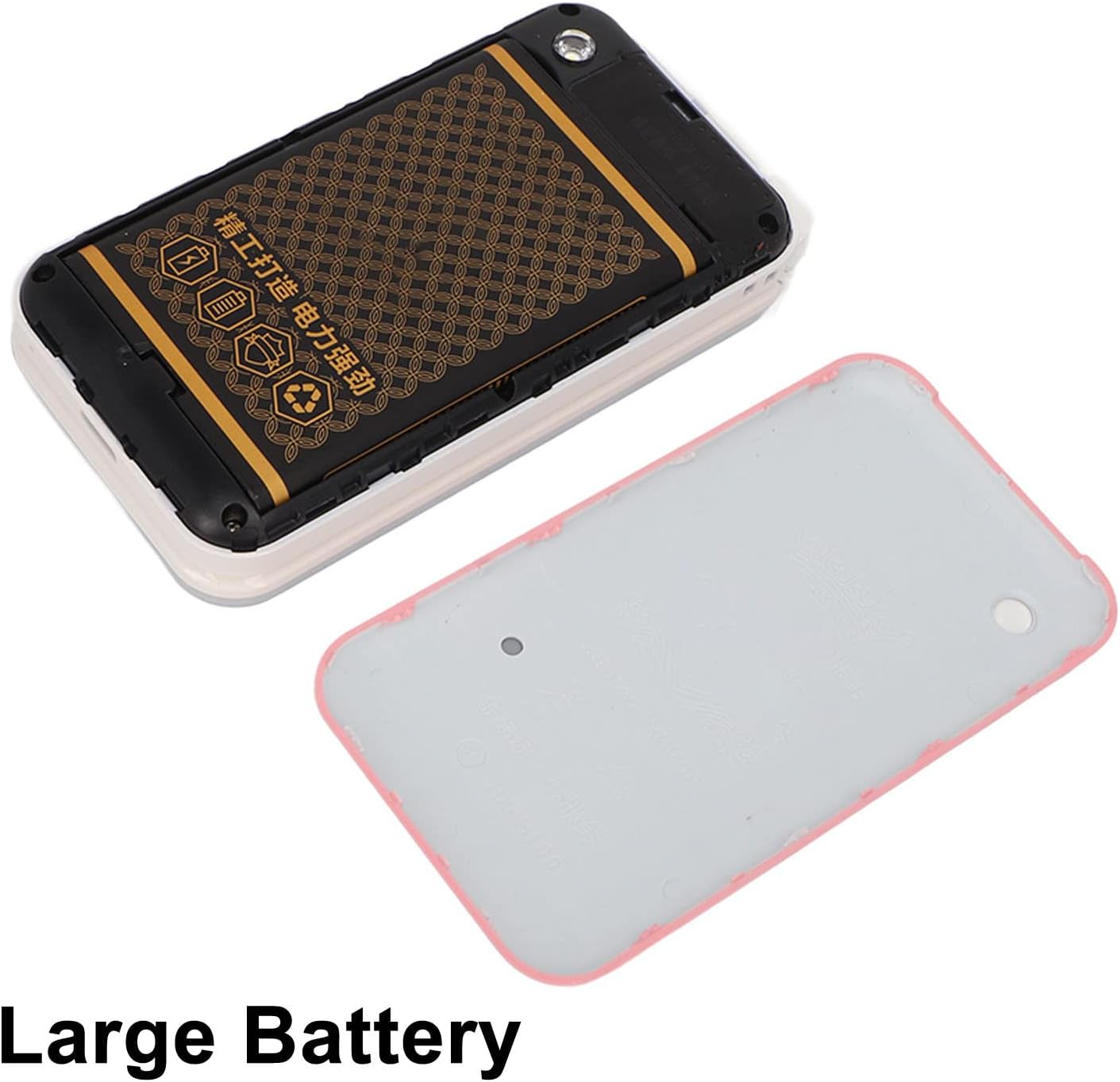
Image: The phone's back cover is removed, revealing the battery compartment and the large capacity battery ready for installation.
2. SIM картаны жана эстутум картасын орнотуу
The N509 supports dual SIM cards and one memory card (up to 16GB, not included).
- With the battery removed, locate the SIM card slots and memory card slot.
- SIM карталарыңызды белгиленген уячаларга салыңыз.
- If desired, insert a memory card into its slot.
- Батареяны жана арткы капкакты кайра орнотуңуз.
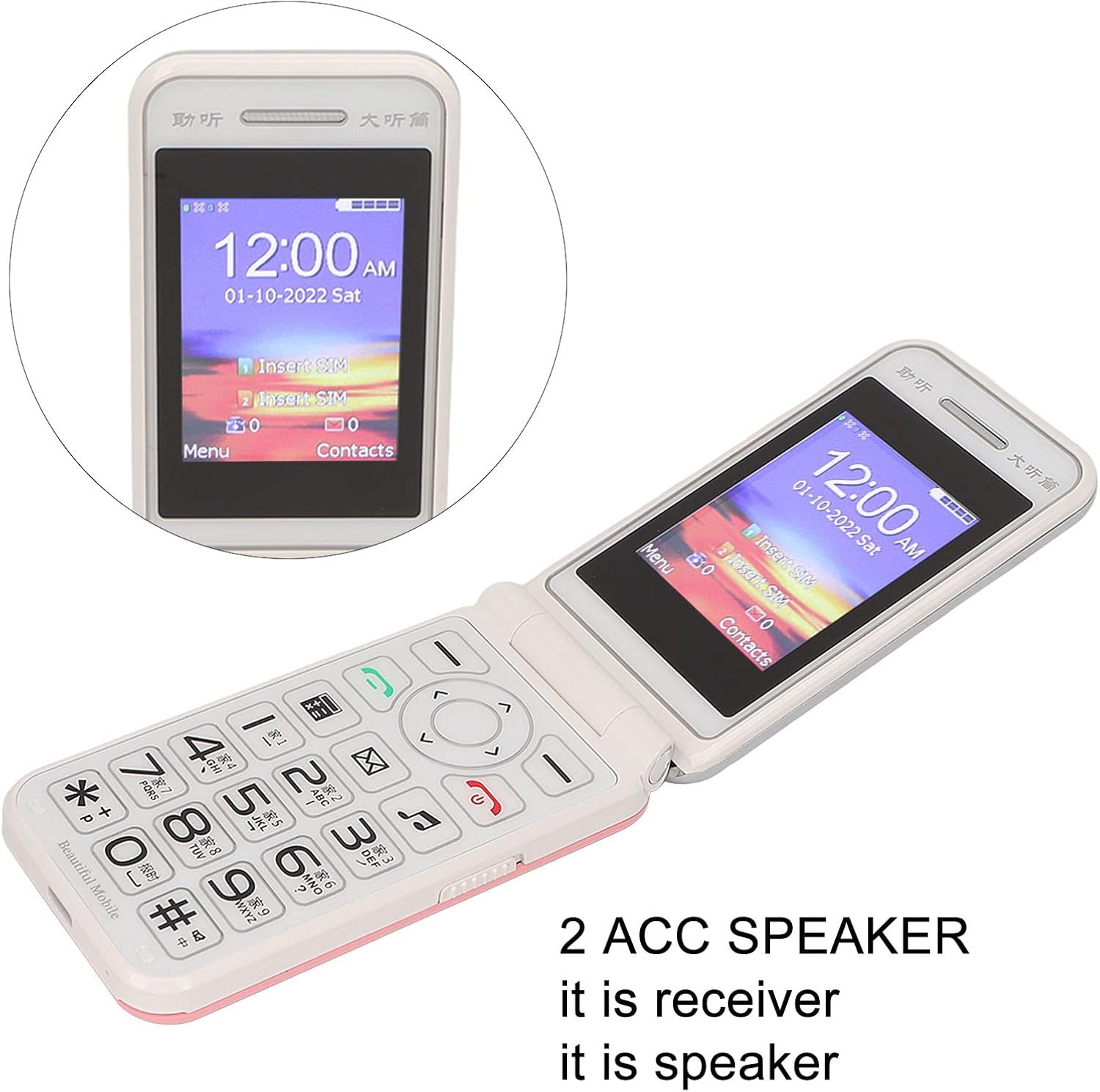
Image: The phone's screen prompts to "Insert SIM", indicating the need for SIM card installation before use.
3. Батареяны заряддоо
Биринчи жолу колдонуудан мурун, телефондун батарейкасын толугу менен заряддаңыз.
- Connect the Type-C charger cable to the charging port on the phone.
- Заряддоо түзүлүштү розеткага сайыңыз.
- The charging indicator will show the charging status. Disconnect the charger once the battery is full.

Сүрөт: жакын план view of the Type-C charging port on the Jectse N509 flip phone, highlighting its modern connectivity.
4. Күйгүзүү / Өчүрүү
- Күйгүзүү үчүн: Экран жарык болгонго чейин Кубат баскычын басып, кармап туруңуз.
- Өчүрүү үчүн: Press and hold the Power button until the power-off options appear, then select 'Power Off'.
Иштөө нускамалары
1. Негизги функциялар
- Чалууларды жасоо: Баскычтопту колдонуп телефон номерин терип, жашыл чалуу баскычын басыңыз.
- Чалууларга жооп берүү: Телефон шыңгыраганда жашыл чалуу баскычын басыңыз.
- Аяктаган чалуулар: Кызыл чалууну аяктоо баскычын басыңыз.
- Кабарларды жөнөтүү: Navigate to the 'Messages' menu, select 'New Message', enter the recipient's number and your text, then send.

Image: The Jectse N509 flip phone is open, showcasing its vibrant 2.4-inch HD color display and the clearly visible, large keypad with LED backlighting.
2. Баскычтоп жана навигация
The phone features large, backlit buttons for easy operation, especially in low-light conditions.
- Чабыттоо баскычтары: Use the directional pad to navigate through menus and options. The center button typically acts as 'OK' or 'Select'.
- Жумшак баскычтар: The keys directly below the screen perform functions indicated by the text on the display above them.
- Сан баскычтары: Used for dialing numbers and text input.
- Арткы жарык: The keypad features a backlight for visibility in dark environments.

Image: This composite image highlights key features: the large battery for extended use, oversized buttons for ease of dialing, a convenient on/off switch, and the modern Type-C charging port.
3. SOS функциясы
The N509 includes an SOS function for emergencies. Refer to the phone's settings to configure emergency contacts and messages.
- SOSту иштетүү: Typically, a dedicated SOS button or a long press of a specific key will activate this function, sending pre-set messages and dialing emergency contacts.
4. Extended Functions
The phone supports various additional features:
- Music and Video Player: Access multimedia fileэстутум картасында сакталган.
- Сүрөт браузери: View сүрөттөр.
- жаздыргыч: Аудио жаздыруу.
- Календар: Keep track of dates and events.
- Ойготкуч саат: Бир нече ойготкучтарды коюу.
- Калькулятор: Негизги эсептөөлөрдү жүргүзүү.
- Кол чырак: Орнотулган фонарьды иштетиңиз.
- Секундомер: Use for timing events.
- Call Blacklist: Block unwanted numbers.
- Чалуу тизмеси: View чалуу тарыхы.
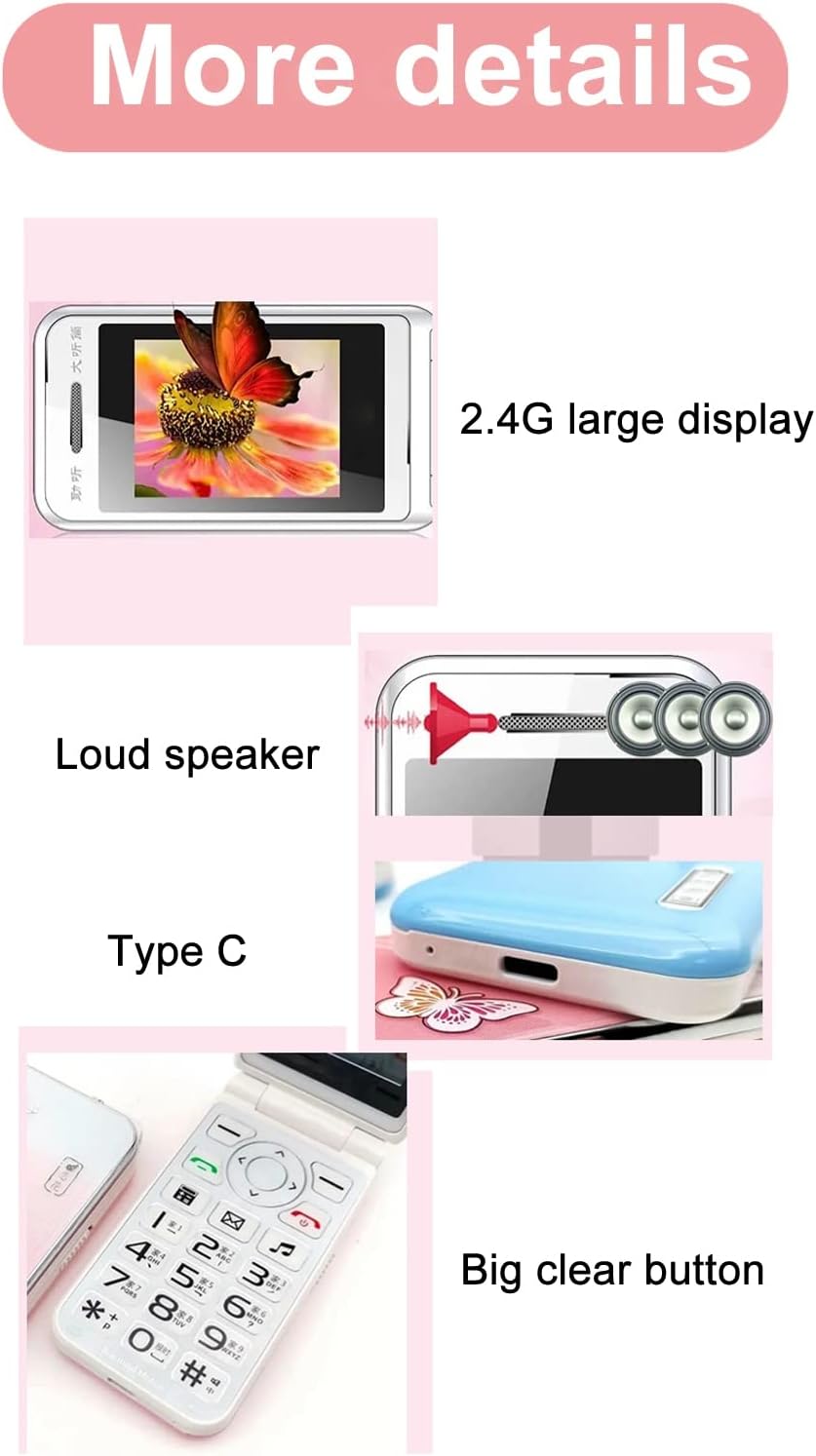
Image: This image details the phone's features, including its 2.4G large display, powerful loudspeaker, and convenient Type-C charging interface.
Техникалык тейлөө
1. Тазалоо
Телефондун сыртын тазалоо үчүн жумшак, кургак чүпүрөктү колдонуңуз. Суюк тазалоочу каражаттарды же абразивдүү материалдарды колдонуудан алыс болуңуз.
2. Батареяга кам көрүү
- Батареяны экстремалдуу температурага тийгизүүдөн сактаңыз.
- Батареяны тешип же зыян келтирбеңиз.
- Эгер телефон көпкө колдонулбаса, анын батарейкасынын иштөө мөөнөтүн сактоо үчүн аны мезгил-мезгили менен кубаттап туруңуз.
Проблемаларды чечүү
| Маселе | Мүмкүн чечим |
|---|---|
| Телефон күйбөйт | Батарея туура орнотулганын жана заряддалганын текшериңиз. Кубаттоочу түзүлүштү туташтырып, кайра аракет кылыңыз. |
| Тармак сигналы жок | Check if the SIM card is properly inserted. Verify with your service provider that your SIM card supports 2G GSM 900/1800 networks. The N509 only supports 2G networks. |
| Чалууларды кабыл алуу же жасоо мүмкүн эмес | Ensure you have network coverage. Check SIM card balance or plan. Verify that the number is not on the call blacklist. |
| Батарея заряддалбай жатат | Check the charger cable and adapter for damage. Ensure the Type-C port is clean and free of debris. Try a different power outlet. |
Тармактын шайкештиги боюнча маанилүү эскертүү: The Jectse N509 phone exclusively supports 2G GSM 900/1800 networks. Before purchasing or using, please confirm with your local SIM card operator that they provide 2G network services in your area. Some operators, particularly in regions like the USA (e.g., AT&T, T-Mobile), may no longer support 2G networks.
Техникалык шарттар
| Өзгөчөлүк | Деталь |
|---|---|
| Модел | N509 (Jectseft5hwserna-12) |
| Материал | ABS |
| Негизги экрандын өлчөмү | 2.4 inches HD Color Display |
| SIM карта уячалары | 2 (Dual SIM) |
| Memory Card Slot | 1 (supports up to 16GB, not included) |
| Батарея түрү | Литий-ион |
| Батарея сыйымдуулугу | 6800 мАч |
| Frequency Band | 2G GSM 900/1800 |
| Тармак түрү | 2G GSM |
| Көрүнүш | Flip Phone |
| Интерфейс | Type-C |
| Колдоого алынган тилдер | English, French, Portuguese, Malay, Indonesian, Vietnamese, Russian, Arabic, Hebrew, Thai |
| Өзгөчөлүктөр | Large Buttons, LED Backlight, SOS Function, Music/Video Player, Image Browser, Recorder, Calendar, Alarm, Calculator, Flashlight, Stopwatch, Call Blacklist |
| Өлчөмдөрү (пакет) | 15 x 9 x 6 см |
| Салмагы (болжол менен) | 246 г |
Кепилдик жана колдоо
For warranty information and technical support, please refer to the documentation included with your purchase or contact Jectse customer service through their official channels. Keep your proof of purchase for warranty claims.
Кошумча жардам алуу үчүн, сиз иш сапары менен болот Jectse Brand Store.