
1. Киришүү
Сатып алганыңыз үчүн рахматasing the SODLK T300 120W Portable Bluetooth Speaker. This manual provides essential information for setting up, operating, and maintaining your speaker. Please read it thoroughly before use to ensure optimal performance and longevity of your device. Keep this manual for future reference.
2. Коопсуздук маалыматы
- Динамикти экстремалдык температурага, түз күндүн нуруна же жогорку нымдуулукка дуушар кылбаңыз.
- Спикерди түшүрүүдөн же катуу таасирлерге дуушар кылуудан качыңыз.
- Do not disassemble, repair, or modify the speaker yourself. Contact qualified service personnel for any repairs.
- Динамикти суудан жана башка суюктуктардан алыс кармаңыз. Бул продукт суу өткөрбөйт.
- Заряддоо үчүн берилген USB кабелин гана колдонуңуз.
- Do not operate the speaker at excessively high volumes for prolonged periods to prevent hearing damage.
3. Пакеттин мазмуну
Сураныч, пакетте төмөнкү нерселерди текшериңиз:
- SODLK T300 Bluetooth динамиги
- USB заряддоо кабели
- User Manual
4. Продукт бүтүп калдыview
The SODLK T300 is a powerful portable Bluetooth speaker designed for robust audio performance. It features a durable exterior, integrated handle, and dynamic LED lighting on the sides. The speaker incorporates advanced audio technology for a rich sound experience.

Сүрөт: алдыңкы view of the SODLK T300 Portable Bluetooth Speaker, showcasing its black finish, front grille, and side LED lights.
Internally, the T300 is equipped with a sophisticated driver system to deliver its 120W output. This includes multiple dynamic driver units and vibrating diaphragms for enhanced bass and clear audio reproduction.

Сүрөт: жарылган view illustrating the internal components of the SODLK T300 speaker, highlighting the 4 dynamic driver units and DSP sound processing.
5. Орнотуу
5.1 Динамикти заряддоо
Before first use, fully charge the speaker. Connect the provided USB charging cable to the speaker's charging port and a compatible USB power adapter (not included). The LED indicator will show charging status and turn off or change color when fully charged.
5.2 Күйгүзүү/өчүрүү
- Күйгүзүү үчүн: Press and hold the Power button for a few seconds until the LED lights illuminate and you hear an audible prompt.
- Өчүрүү үчүн: Press and hold the Power button again for a few seconds until the LED lights turn off and you hear an audible prompt.
6. Иштөө нускамалары
6.1 Bluetooth жупташтыруу
The SODLK T300 features Bluetooth 5.1 for a stable and efficient wireless connection.

Image: Graphic illustrating the benefits of Bluetooth 5.1 connectivity for the SODLK T300, including faster and stronger connection, lower power consumption, better sound, more stable transfer, and higher noise reduction.
- Ensure the speaker is powered on and in Bluetooth pairing mode (the LED indicator will typically flash blue).
- Түзмөгүңүздө (смартфон, планшет, компьютер) Bluetooth иштетип, жеткиликтүү түзмөктөрдү издеңиз.
- Select "SODLK T300" from the list of devices.
- Once paired, the speaker will indicate a successful connection, and the LED light will change.
6.2 TWS (Чыныгы зымсыз стерео) туташуусу
To connect two SODLK T300 speakers for a stereo sound experience:
- Эки динамик тең күйгүзүлгөнүн жана эч кандай Bluetooth түзмөгүнө туташкан эмес экенин текшериңиз.
- On one speaker, press the TWS button. It will enter TWS pairing mode.
- The two speakers will automatically connect to each other. Once connected, one speaker will act as the master (left channel) and the other as the slave (right channel).
- Connect your device to the master speaker via Bluetooth as described in section 6.1.
6.3 Playing Music from Various Sources
The SODLK T300 supports multiple playback modes:
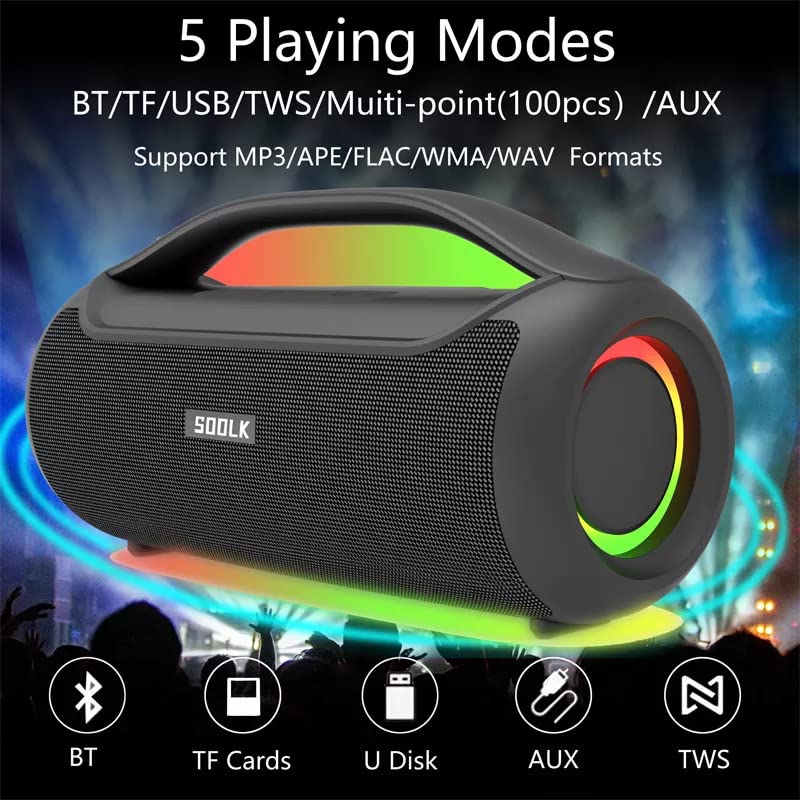
Image: Visual representation of the 5 playing modes supported by the SODLK T300: Bluetooth (BT), TF Cards, U Disk (USB), AUX, and TWS. It also indicates support for MP3/APE/FLAC/WMA/WAV formats.
- Bluetooth: Connect your device wirelessly as described in section 6.1.
- TF картасы: Аудио менен TF (MicroSD) картасын салыңыз filesти TF картанын уячасына киргизиңиз. Динамик автоматтык түрдө TF карта режимине которулуп, ойнотуу башталат.
- USB диск: Аудио менен USB флэш-дискти салыңыз fileUSB портуна салыңыз. Динамик автоматтык түрдө USB режимине которулуп, ойнотуу башталат.
- AUX киргизүү: Connect an external audio device using a 3.5mm AUX cable (not included) to the AUX port. The speaker will switch to AUX mode.
Use the speaker's control buttons to play/pause, skip tracks, and adjust volume.
6.4 EQ Playing Modes
The speaker offers three equalizer (EQ) modes to optimize your listening experience for different music genres.

Image: Graphic displaying the three EQ playing modes of the SODLK T300: HIFI 6D Surround, Vocal, and Deep Bass, with illustrative icons for each.
Press the EQ button to cycle through the following modes:
- HIFI 6D Surround: Имерсивдүү, кең үндөрдү камсыз кылатtage.
- Вокал: Enhances clarity for vocals, ideal for podcasts or acoustic music.
- Deep Bass: Boosts low frequencies for a more impactful bass response.
6.5 LED жарыгын башкаруу
The SODLK T300 features dynamic LED lights. Press the Light button to cycle through different lighting modes or to turn the lights off.
6.6 NFC Connection (Near Field Communication)
For compatible devices, NFC allows for quick and easy Bluetooth pairing.
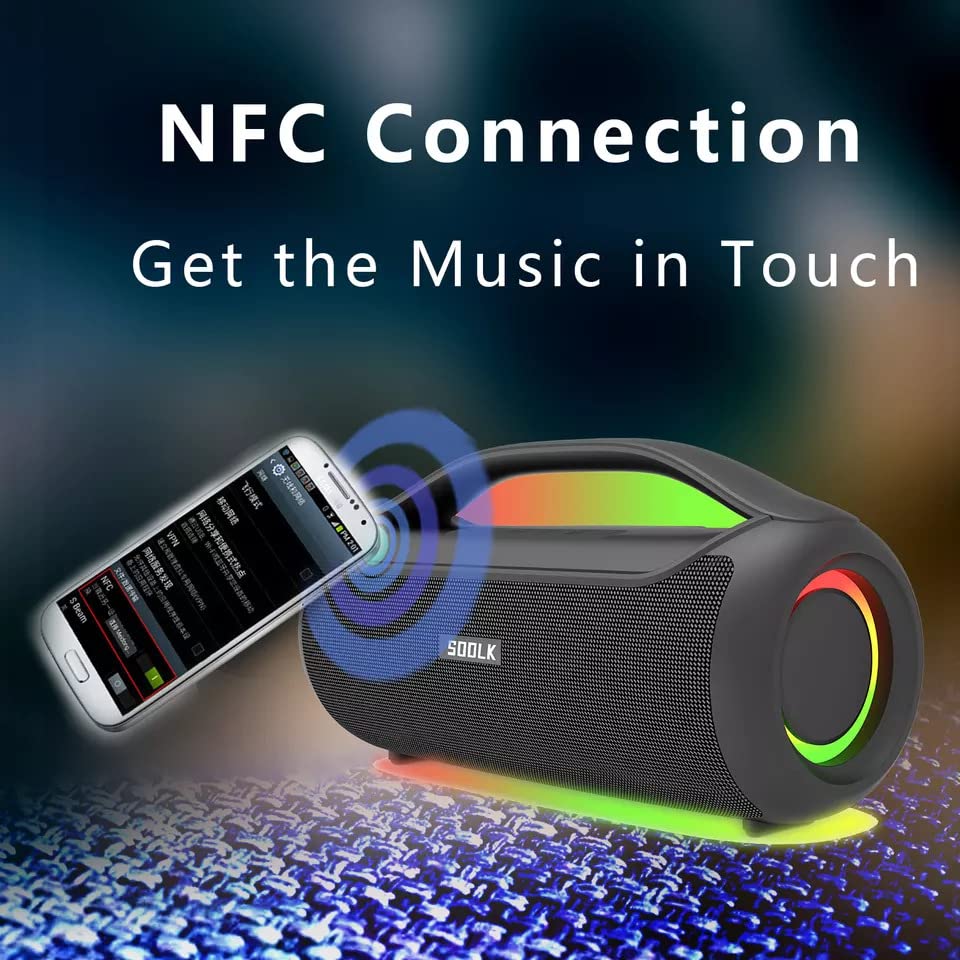
Image: A smartphone being tapped against the SODLK T300 speaker, illustrating the NFC connection process for instant music pairing.
- Смартфонуңузда же түзмөгүңүздө NFC иштетилгенин текшериңиз.
- Tap your NFC-enabled device gently against the NFC area on the speaker.
- Your device will prompt you to connect via Bluetooth. Confirm the connection.
7. Техникалык тейлөө
7.1 Тазалоо
Динамикти жумшак, кургак чүпүрөк менен сүртүңүз. Абразивдүү тазалоочу каражаттарды, спиртти же башка химиялык эриткичтерди колдонбоңуз, анткени алар бетине зыян келтириши мүмкүн.
7.2 Сактоо
Узак мөөнөткө колдонулбаганда, динамикти күн тийбеген жана өтө температурадан алыс, салкын, кургак жерде сактаңыз. Батареянын ден соолугун сактоо үчүн динамикти жок дегенде үч айда бир жолу заряддоо сунушталат.
8. Кыйынчылыктарды
| Көйгөй | Мүмкүн себеп | Чечим |
|---|---|---|
| Динамик күйбөйт. | Батарея аз. | Динамикти толук заряддаңыз. |
| Үн жок. | Үнү өтө төмөн; киргизүү режими туура эмес; түзмөк жупташтырылган эмес. | Increase volume; switch to correct input mode (BT, AUX, TF, USB); re-pair Bluetooth device. |
| Bluetooth жупташуусу болбой жатат. | Динамик жупташтыруу режиминде эмес; түзмөк Bluetooth өчүк; спикерден өтө алыс. | Ensure speaker is in pairing mode; enable Bluetooth on device; move device closer to speaker. |
| TWS байланышы ишке ашпай жатат. | Динамиктер мурунтан эле башка түзмөккө туташкан; өтө алыс. | Disconnect speakers from other devices; ensure speakers are close to each other. |
9. Техникалык шарттар
Detailed technical specifications for the SODLK T300 speaker:
| Өзгөчөлүк | Спецификация |
|---|---|
| Модель аты | T300 |
| Динамик түрү | Көчмө спикер |
| Өзгөчө өзгөчөлүк | Subwoofer, LED Light, TWS Connection |
| Байланыш технологиясы | Bluetooth 5.1, Auxiliary, TF Card, USB |
| Зымсыз байланыш | Bluetooth |
| Динамиктин максималдуу чыгаруу күчү | 120 Ватт |
| Аудио чыгаруу режими | Стерео |
| Көлөмдүү үн каналынын конфигурациясы | 6D |
| Power Source | Батарея менен иштейт |
| Башкаруу ыкмасы | Touch Buttons |
| Продукциянын өлчөмдөрү | 11.2D x 29.2W x 10.1H Сантиметр |
| Суу өткөрбөйт | Жок |
| Камтылган компоненттер | USB Cable, Speaker, User Manual |
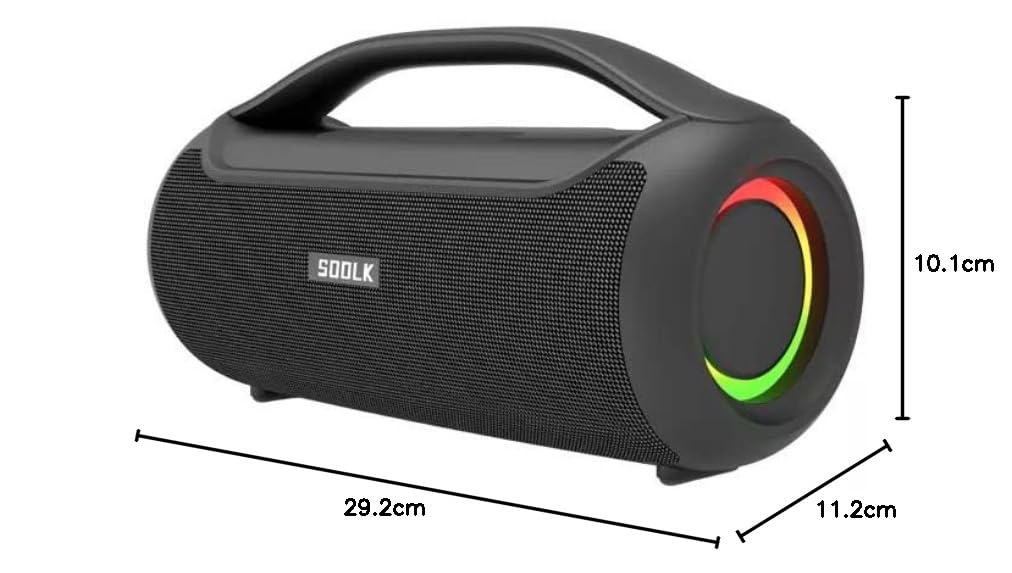
Image: Diagram showing the dimensions of the SODLK T300 speaker: 29.2cm (width), 11.2cm (depth), and 10.1cm (height).
10. Кепилдик жана колдоо
The SODLK T300 speaker comes with a 1 жылдык кепилдик сатып алынган күндөн тартып. Бул кепилдик өндүрүштүн кемчиликтерин жана нормалдуу колдонуудагы чеберчиликти камтыйт. Бул туура эмес колдонуудан, кырсыктардан, уруксатсыз өзгөртүүлөрдөн же кадимки эскирүүдөн келип чыккан зыянды камтыбайт.
For warranty claims, technical support, or any inquiries, please contact your retailer or the SODLK customer service department with your purchase details.