
1. Киришүү
This manual provides comprehensive instructions for the Poly Voyager 5200 Bluetooth headset. It covers essential information for setup, operation, maintenance, and troubleshooting, enabling users to maximize the headset's performance and utilize its advanced features effectively.
2. Продукт бүтүп калдыview
The Poly Voyager 5200 is a professional-grade Bluetooth headset designed for clear communication in various environments. It features advanced noise-canceling technology and voice control capabilities, making it ideal for mobile professionals.
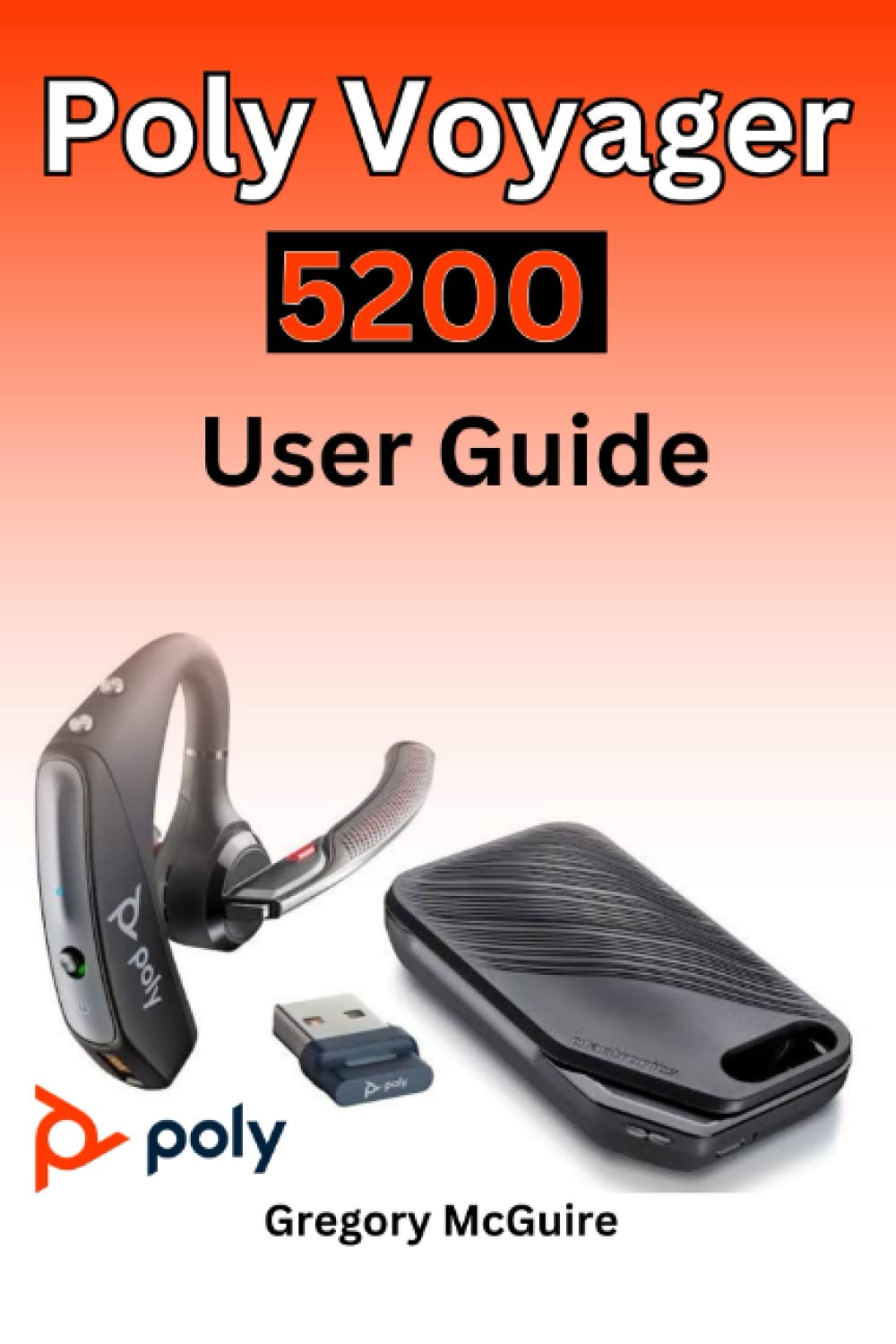
Figure 2.1: Front cover of the Poly Voyager 5200 User Guide book, featuring a red and orange gradient design with 'Copyrighted Material' text.

Figure 2.2: Back cover of the Poly Voyager 5200 User Guide book, displaying the ISBN 9798387380280 barcode and 'Copyrighted Material' text.
3. Орнотуу
3.1 Гарнитураны заряддоо
Before first use, fully charge your Poly Voyager 5200 headset.
- Берилген USB кубаттоо кабелин гарнитуранын кубаттоо портуна туташтырыңыз.
- Plug the other end of the USB cable into a USB wall charger or a powered USB port on your computer.
- The indicator light on the headset will illuminate to show charging status. It will typically turn off or change color when fully charged.
3.2 Түзмөк менен жупташтыруу
To use your headset, you must pair it with your Bluetooth-enabled device (e.g., smartphone, tablet, computer).
- Күйгүзүү: Turn on your Poly Voyager 5200 headset by pressing and holding the Power button until you hear a voice prompt or see the indicator light flash.
- Жупташтыруу режимин иштетүү: Press and hold the Call button on the headset until the indicator light flashes red and blue, indicating it is in pairing mode.
- Bluetooth иштетүү: On your device, go to the Bluetooth settings and ensure Bluetooth is enabled.
- Гарнитураны тандоо: From the list of available devices, select "Poly V5200" or "Plantronics V5200". If prompted for a passcode, enter "0000" (four zeros).
- Ырастоо: Once successfully paired, the headset's indicator light will stop flashing red and blue, and you will hear a voice prompt confirming the connection.
4. Иштөө нускамалары
4.1 Негизги башкаруу каражаттары
- Күйгүзүү/өчүрүү: Кубат баскычын болжол менен 2 секунд басып туруңуз.
- Чалууга жооп берүү/аяктоо: Чакыруу баскычын бир жолу басыңыз.
- Чакырууну четке кагуу: Press and hold the Call button for approximately 2 seconds.
- Үндү көзөмөлдөө: Use the Volume Up (+) or Volume Down (-) buttons located on the headset to adjust audio levels.
- Үнсүз/Ачуу: Press the Mute button during an active call.
- Voice Commands/Assistant: Press the Voice button to activate your device's voice assistant (e.g., Siri, Google Assistant).
4.2 Гарнитураны тагынуу
For optimal comfort and sound clarity, adjust the headset as follows:
- Gently place the ear tip into your ear.
- Rotate the microphone boom until it points towards your mouth.
- Ensure the headset is secure and comfortable for extended wear.
5. Техникалык тейлөө
5.1 Тазалоо
Гарнитураны үзгүлтүксүз тазалоо анын иштешин жана гигиенасын сактоого жардам берет.
- Wipe the headset with a dry, soft, lint-free cloth.
- Avoid using harsh chemicals, cleaning solvents, or abrasive materials, as these can damage the headset.
- Гарнитураны сууга же башка суюктукка салбаңыз.
5.2 Сактоо
Proper storage extends the life of your headset.
- Гарнитураны күн нурунан жана экстремалдык температурадан алыс салкын, кургак жерде сактаңыз.
- When not in use for extended periods, ensure the headset is partially charged to prevent deep discharge.
6. Кыйынчылыктарды
If you encounter issues with your Poly Voyager 5200 headset, refer to the following common troubleshooting steps:
- Кубат жок: Ensure the headset is fully charged. Verify that the charging cable and power source are functioning correctly.
- Жупташуу мүмкүн эмес: Confirm the headset is in pairing mode (indicator flashing red and blue). Ensure Bluetooth is enabled on your device and the headset is within range. Try deleting previous pairings on your device and re-pairing.
- Начар аудио сапаты: Check the headset's placement and ensure the microphone boom is positioned correctly towards your mouth. Move closer to your connected device to minimize interference. Ensure there are no physical obstructions between the headset and the device.
- Үн жок: Verify that the volume levels on both the headset and your connected device are turned up. Confirm that the Poly Voyager 5200 is selected as the audio output device on your phone or computer.
- Headset Not Responding: Try resetting the headset by turning it off and then on again. If the issue persists, consult the official Poly support resources.
7. Техникалык шарттар
| Өзгөчөлүк | Деталь |
|---|---|
| ASIN | B0BYR893FQ |
| Жарыялоочу | Көз карандысыз басылып чыккан |
| Жарыяланган датасы | 17-март, 2023-жыл |
| Тил | Англисче |
| Басып чыгаруу узундугу | 35 бет |
| ISBN-13 | 979-8387380280 |
| Элемент Салмагы | 3.68 унция |
| Өлчөмдөр | 6 x 0.08 x 9 дюйм |
8. Коопсуздук маалыматы
Please read and follow these safety guidelines to ensure safe operation and prevent damage to your headset:
- Avoid exposing the headset to extreme temperatures, direct sunlight, moisture, or corrosive substances.
- Do not attempt to disassemble, modify, or repair the headset yourself. Refer all servicing to qualified personnel.
- Use only manufacturer-approved charging cables and accessories.
- Гарнитураны жана анын аксессуарларын балдар жана үй жаныбарлары жетпеген жерде сактаңыз.
- Үндүн жогорку деңгээлдеги узакка созулган таасири угуунун бузулушуна алып келиши мүмкүн. Орточо үн менен угуңуз.
9. Кепилдик жана колдоо
Specific warranty details and support contact information for the Poly Voyager 5200 headset are not provided within this manual. For warranty claims, technical support, or further assistance, please refer to the official Poly (formerly Plantronics) webсайтка же түздөн-түз кардарларды тейлөөгө кайрылыңыз.