
1. Киришүү
Thank you for choosing the Delton Ergonomic Vertical Rechargeable Wireless Mouse S12. This manual provides detailed instructions for setting up, operating, and maintaining your new mouse. Designed for comfort and efficiency, this vertical mouse promotes a more natural hand and wrist posture, reducing strain during extended computer use.
Please read this manual thoroughly before use to ensure optimal performance and longevity of your device.
2. Пакеттин мазмуну
Пакетиңизде бардык буюмдар бар экенин текшериңиз:
- Delton Ergonomic Vertical Wireless Mouse
- USB Dongle (2.4GHz receiver)
- USB заряддоо кабели
- Колдонуучунун Колдонмосу (бул документ)
3. Продукт бүтүп калдыview
The Delton S12 mouse features an ergonomic vertical design, six programmable buttons, and adjustable DPI settings for precise control. It connects wirelessly via a 2.4GHz USB dongle and is powered by a rechargeable battery.

Image: The Delton S12 Ergonomic Vertical Wireless Mouse, shown with its accompanying USB dongle.
3.1 Эргономикалык дизайн
The vertical orientation of the mouse is designed to align your hand and wrist in a natural handshake position, which can help reduce muscle strain and discomfort often associated with traditional mice.

Image: A hand comfortably gripping the Delton vertical mouse, demonstrating the natural, ergonomic wrist position it promotes.
3.2 Зымсыз байланыш
The mouse connects wirelessly to your device via a 2.4GHz USB dongle, offering a stable connection up to 30 feet (10 meters). This provides flexibility and reduces cable clutter.

Image: The Delton vertical mouse wirelessly connected to a laptop, with the USB dongle inserted into the laptop's port.
3.3 кайра заряддалуучу батарея
Equipped with a built-in rechargeable Lithium-Ion battery, the mouse offers up to 30 days of daily use and 12 months of standby time on a single charge. It can also be used while charging.

Image: The Delton vertical mouse being charged via a USB cable, illustrating its rechargeable feature.
3.4 Six Buttons Functionality
The mouse features six responsive buttons for enhanced productivity:
- Сол чыкылдатуу
- Оң чыкылдатуу
- Scroll Wheel (with click function)
- DPI которуу баскычы
- Алга баскычы
- Артка баскычы

Image: A detailed diagram highlighting the location and function of the six buttons on the Delton vertical mouse.
3.5 Customizable DPI Levels
Adjust the mouse sensitivity with three DPI settings: 800, 1200, and 2400. An indicator light changes color to show the current DPI level.
- Көк: 800 DPI
- Кызыл: 1200 DPI
- Жашыл: 2400 DPI
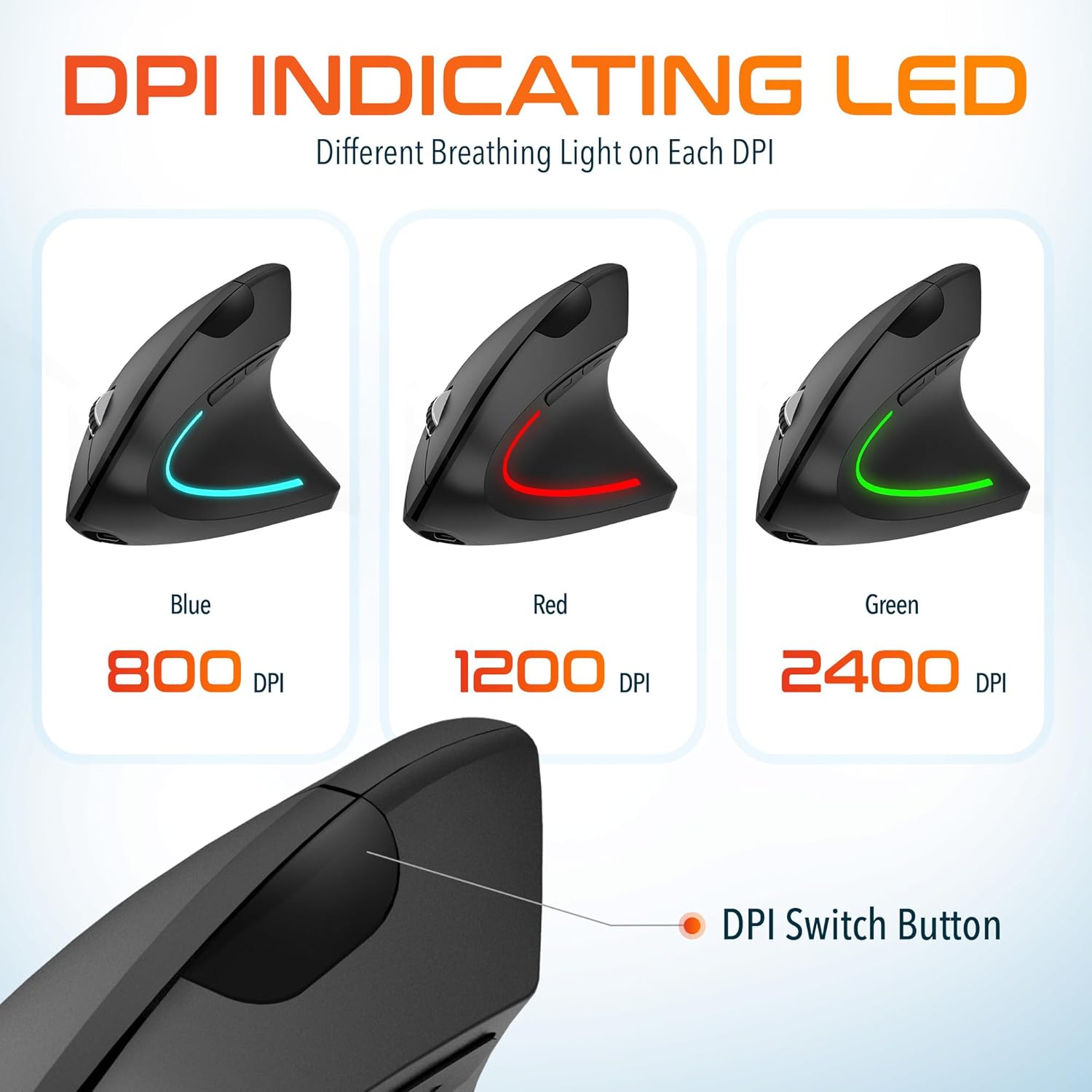
Image: The Delton vertical mouse displaying its LED indicator in blue (800 DPI), red (1200 DPI), and green (2400 DPI) to show current sensitivity settings.
4. Орнотуу нускамалары
4.1 Чычканды заряддоо
- Берилген USB заряддоо кабелин чычкандын алдыңкы жагындагы заряддоо портуна туташтырыңыз.
- Plug the other end of the USB cable into a USB power source (e.g., computer USB port, wall adapter, power bank).
- The LED indicator will illuminate during charging and turn off when fully charged. A full charge typically takes approximately 1 hour.
4.2 Connecting the USB Dongle
- Locate the USB dongle, usually stored in a compartment on the underside of the mouse.
- Insert the USB dongle into an available USB port on your computer (PC, Laptop, Mac, Chromebook).
- Система керектүү драйверлерди автоматтык түрдө таап, орнотот. Бул процесс бир нече мүнөткө созулушу мүмкүн.
4.3 Күйгүзүү/өчүрүү
Locate the power switch on the underside of the mouse. Slide the switch to the 'ON' position to power on the mouse. Slide it to 'OFF' when not in use to conserve battery life.
5. Иштөө нускамалары
5.1 DPI жөндөө
To change the mouse sensitivity (DPI), press the DPI switch button located on the top of the mouse, behind the scroll wheel. Each press cycles through the available DPI settings (800, 1200, 2400), indicated by the changing color of the LED light.
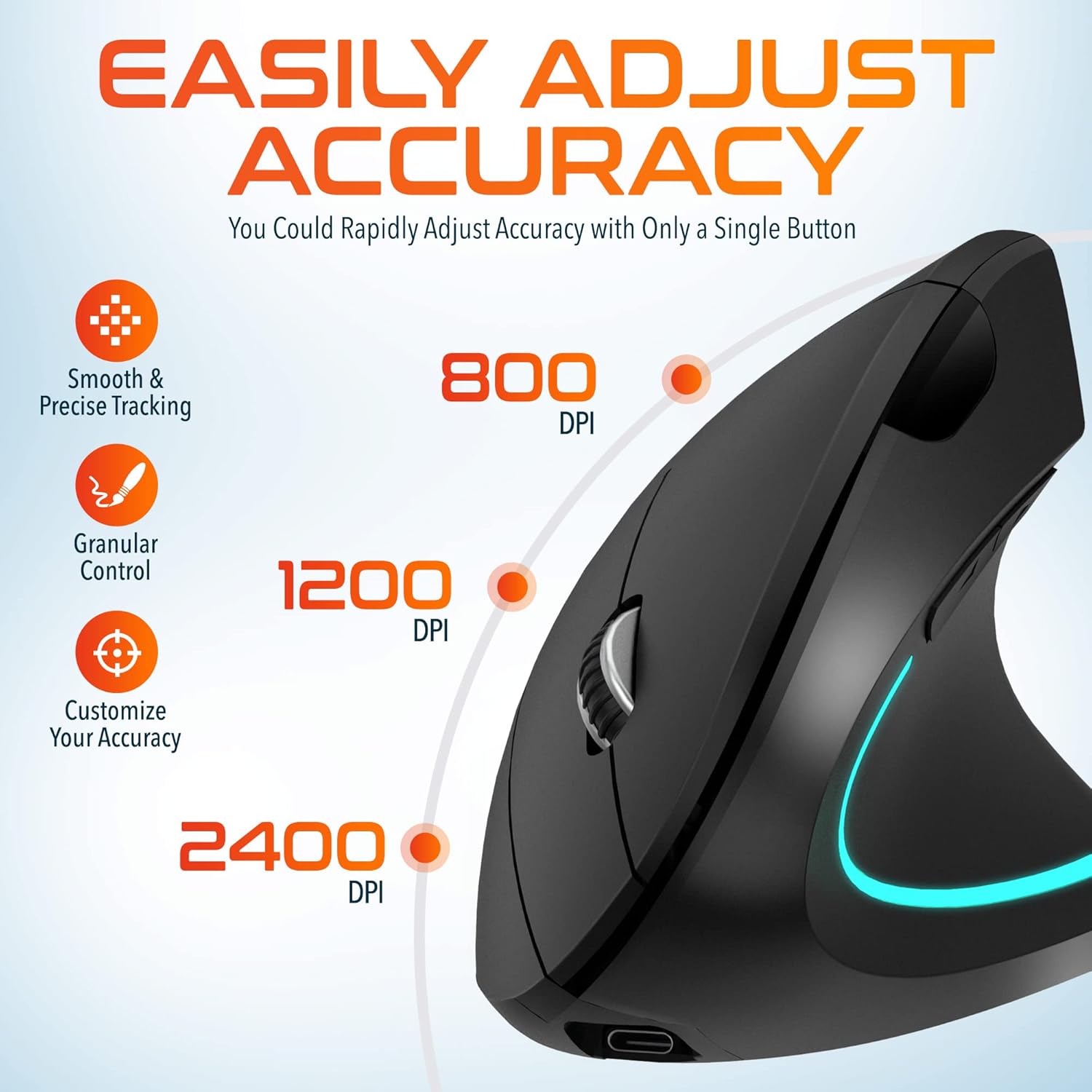
Image: A visual representation of the three adjustable DPI settings (800, 1200, 2400) and their corresponding cursor precision levels.
5.2 Баскыч функциялары
- Сол чыкылдатуу: Стандарттык негизги чыкылдатуу функциясы.
- Оң чыкылдатуу: Стандарттык кошумча чыкылдатуу функциясы.
- Жылдыруу дөңгөлөгү: Документтерди өйдө же ылдый сыдырыңыз жана web pages. Pressing the scroll wheel acts as a middle click.
- Алга баскычы: Алга карай жылдырат web браузерлер же file изилдөөчүлөр.
- Артка баскычы: Артка карай багыт алат web браузерлер же file изилдөөчүлөр.

Сүрөт: жакын план view of the mouse's scroll wheel and the conveniently placed forward and backward shortcut keys.
6. Техникалык тейлөө
- Тазалоо: Чычканды тазалоо үчүн жумшак, кургак чүпүрөктү колдонуңуз. өжөр кир үчүн, бир аз гampчүпүрөктү суу менен. Катуу химиялык заттарды же абразивдүү материалдарды колдонуудан алыс болуңуз.
- Сактагыч: When not in use for extended periods, store the mouse in a cool, dry place. Ensure the power switch is in the 'OFF' position to preserve battery life.
- Батареяга кам көрүү: Батареянын тез-тез толук зарядын жоготуп алуудан алыс болуңуз. Батареянын иштөө мөөнөтүн сактоо үчүн чычканды үзгүлтүксүз кубаттап туруңуз.
7. Кыйынчылыктарды
| Көйгөй | Мүмкүн себеп | Чечим |
|---|---|---|
| Чычкан жооп бербей жатат | Low battery; USB dongle not connected; Mouse not powered on; Driver issue | Charge the mouse; Ensure dongle is securely plugged in; Turn on the mouse; Try a different USB port; Restart computer |
| үзгүлтүктүү байланыш | Interference; Dongle too far from mouse; Low battery | Move mouse closer to dongle; Remove obstacles; Charge the mouse; Avoid using near other 2.4GHz devices |
| DPI өзгөрбөйт | DPI button not pressed correctly; Mouse unresponsive | Press the DPI button firmly; Check battery and connection |
| Чычкан курсору туруксуз | Dirty optical sensor; Uneven surface | Clean the optical sensor with a soft cloth; Use on a clean, flat mouse pad or surface |
8. Техникалык шарттар
| Өзгөчөлүк | Деталь |
|---|---|
| Модель номери | S12 |
| Байланыш | 2.4GHz Wireless (USB Dongle) |
| DPI деңгээли | 800 / 1200 / 2400 |
| Buttons | 6 (Сол, Оң, Айлантуу дөңгөлөгү, DPI, Алдыга, Артка) |
| Батарея түрү | Кайра заряддалуучу литий-ион (кошулган) |
| Зымсыз диапазон | 30 фут (10 метр) чейин |
| Продукциянын өлчөмдөрү | 5 x 2.6 x 3.25 дюйм |
| Элемент Салмагы | 4.9 унция |
| Шайкештик | PC, Laptop, Mac, Chromebook (Windows, macOS, iOS) |
9. Кепилдик жана колдоо
Delton products are designed for reliability and performance. For warranty information or technical support, please refer to the contact details provided with your purchase or visit the official Delton webсайт. Сатып алуу квитанциясын кепилдик дооматтары үчүн сатып алуунун далили катары сактаңыз.