
1. Продукт бүтүп калдыview
The TP-Link ER707-M2 is an Omada Multi-Gigabit VPN Router designed for high-performance networking environments. It features dual 2.5 Gigabit WAN ports, a Gigabit SFP WAN/LAN port, and multiple Gigabit RJ45 WAN/LAN ports, providing flexible connectivity and high-bandwidth aggregation. This router integrates seamlessly with the Omada SDN Controller for centralized management and offers robust security features including an SPI Firewall and various VPN protocols.
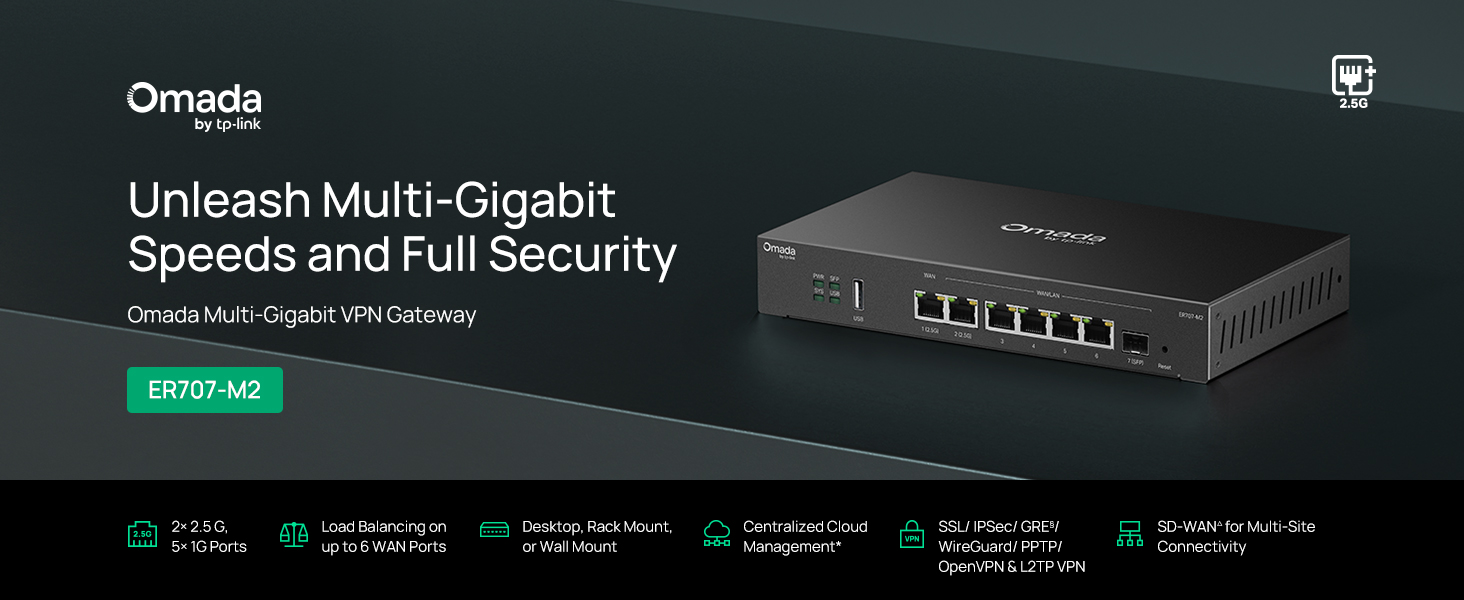
Сүрөт 1: Алдыңкы view of the ER707-M2 router, highlighting its ports and indicators.
Негизги өзгөчөлүктөрү:
- Ийкемдүү порт конфигурациясы: Includes 1x 2.5Gigabit WAN Port, 1x 2.5Gigabit WAN/LAN Port, 4x Gigabit WAN/LAN Ports, 1x Gigabit SFP WAN/LAN Port, and 1x USB 2.0 Port.
- High-Performance Network Capacity: Supports up to 500,000 concurrent sessions and over 1000 clients.
- Cloud Access: Centralized cloud management via Omada app and web интерфейс.
- Жогорку деңгээлде коопсуз VPN: 100га чейин LAN-LAN IPsec, 66 OpenVPN, 60 L2TP жана 60 PPTP VPN туташууларын колдойт.
- Өркүндөтүлгөн коопсуздук: Features SPI Firewall, Policy-based Firewall, Static Routing, Policy Routing, Multi-net DHCP, Guest Portal, and VLAN support.
- Load Balance & Link Backup: Optimizes multi-line broadband efficiency and reliability.
- USB 2.0 порт: Supports USB storage and LTE backup with a compatible LTE dongle.
2. Пакеттин мазмуну
Пакетиңизде төмөнкү заттар бар экенин текшериңиз:
- TP-Link ER707-M2 Omada Multi-Gigabit VPN Router
- Кубаттуу адаптер
- Ыкчам орнотуу колдонмосу
If any item is missing or damaged, please contact your reseller or TP-Link support.
3. Орнотуу
3.1 Аппараттык камсыздоону орнотуу
- Кубат туташуу: Connect the provided power adapter to the router's power input and then to a power outlet.
- WAN туташуу: Connect your modem or internet service provider's device to one of the WAN ports (e.g., WAN1 2.5G or WAN/LAN2 2.5G) using an Ethernet cable. For fiber connections, use the SFP port with a compatible SFP module.
- LAN туташуу: Connect your local network devices (e.g., computers, switches, Omada Access Points) to the LAN ports (WAN/LAN2-6) using Ethernet cables.
- USB түзмөгү (милдеттүү эмес): If using a USB storage device or an LTE dongle for backup, insert it into the USB 2.0 port.
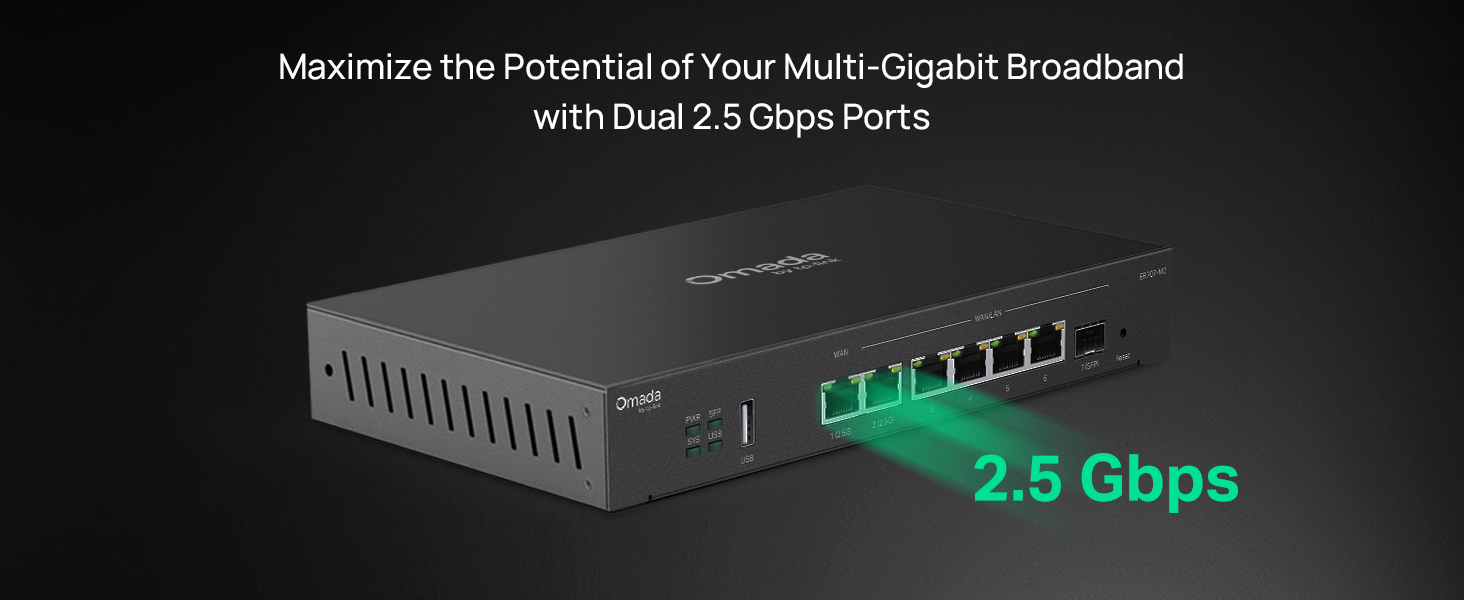
Figure 2: Illustration of the router's 2.5 Gbps ports for high-speed connectivity.
3.2 Баштапкы конфигурация
The ER707-M2 can be managed via the Omada SDN Controller or through its local web интерфейс.
- Роутерге туташуу: Компьютериңиз роутердин LAN портторунун бирине туташкандыгын текшериңиз.
- Мүмкүнчүлүк Web Интерфейс: ачуу а web браузер жана демейки IP дарегин киргизиңиз (адатта
192.168.0.1or192.168.1.1) дарек тилкесинде. Так демейки IP дарегин жана кирүү маалыматын алуу үчүн Тез Орнотуу Колдонмосун караңыз. - Орнотуу устасын аткарыңыз: The first time you log in, a setup wizard will guide you through basic internet connection settings, changing the default password, and configuring Wi-Fi (if applicable).
- Omada SDN Integration (Optional): For centralized management, adopt the router into your Omada SDN Controller. This allows for remote management and unified control of your network devices.
4. Иштөө нускамалары
4.1 Тармактын конфигурациясы
The router offers extensive configuration options for your network:
- WAN жөндөөлөрү: Configure WAN ports for different connection types (Dynamic IP, Static IP, PPPoE).
- LAN Орнотуулары: Manage IP addresses, DHCP server, and VLANs for your local network segments.
- Көп WAN жүктү тең салмактоо: Distribute internet traffic across multiple WAN connections to optimize bandwidth and provide redundancy.
- Link Backup: Configure a secondary WAN connection (e.g., via LTE dongle) to automatically take over if the primary connection fails.
4.2 VPN функциясы
The ER707-M2 supports various VPN protocols for secure remote access and site-to-site connectivity.
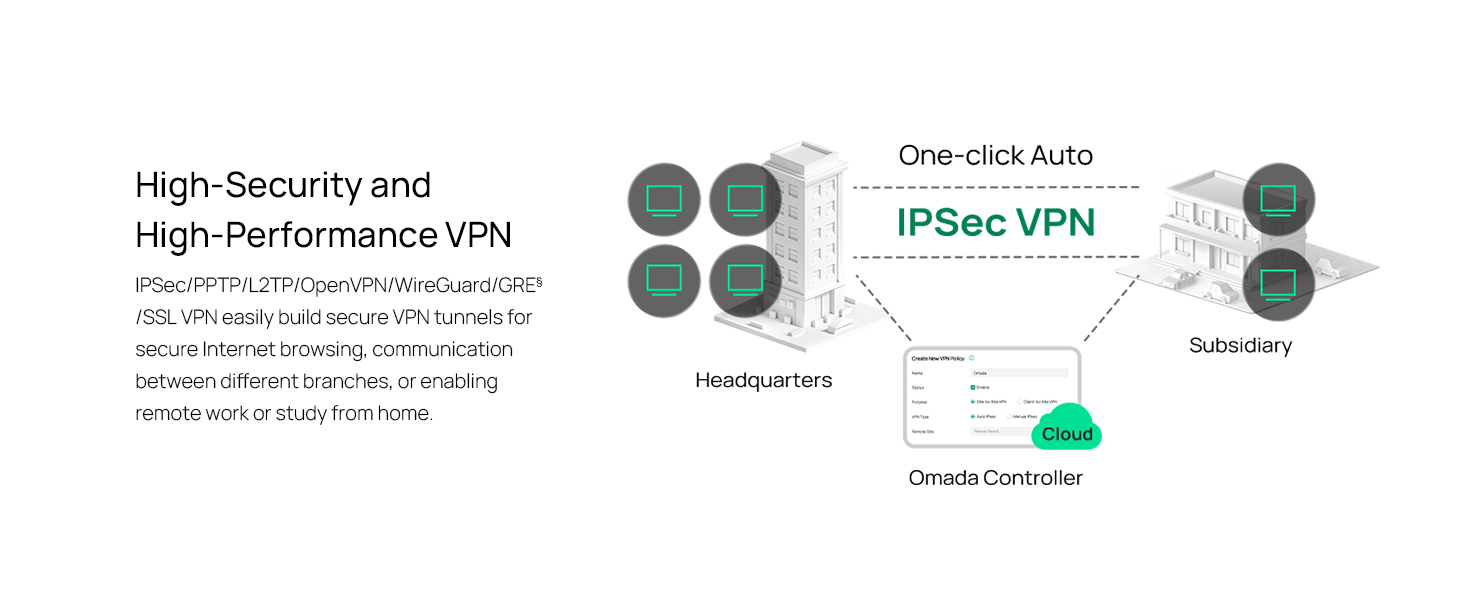
Figure 3: Visual representation of a secure VPN tunnel setup.
- IPsec VPN: Establish secure tunnels between networks (e.g., office to branch office).
- OpenVPN/SSL VPN: Provide secure remote access for individual users.
- PPTP/L2TP VPN: Legacy VPN protocols for various client connections.
4.3 Коопсуздук өзгөчөлүктөрү
The router includes advanced security measures to protect your network:
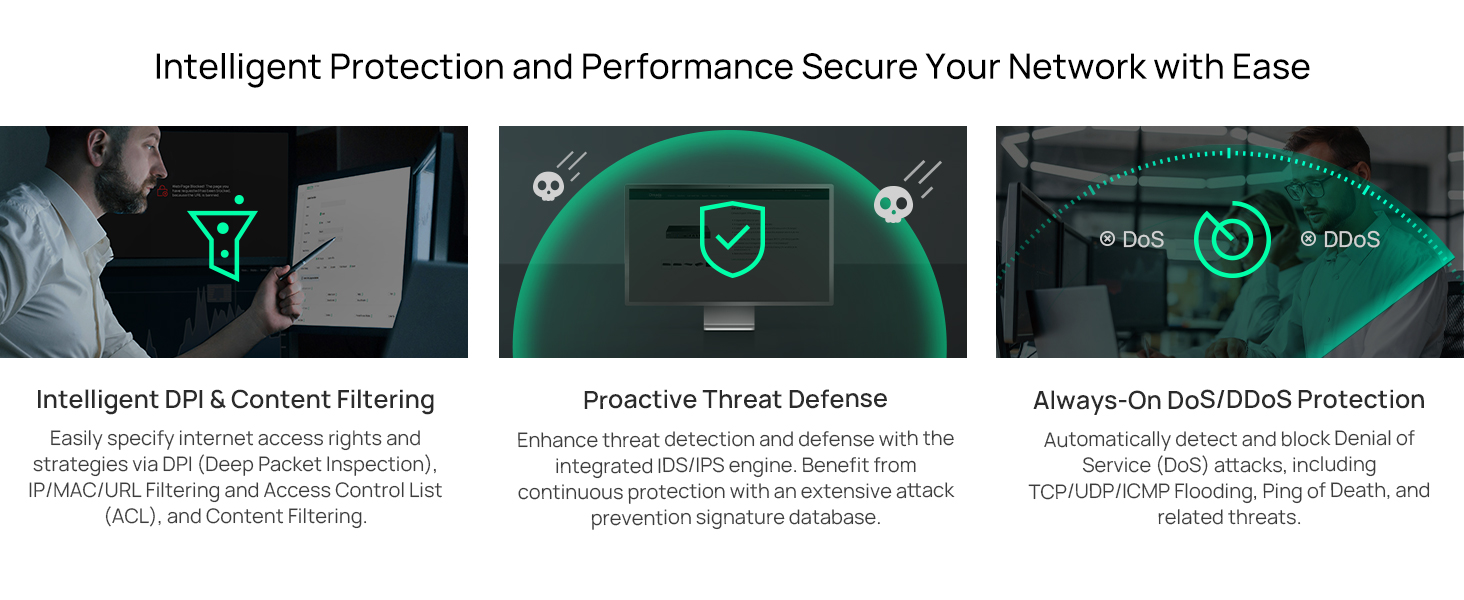
Figure 4: ашыкview of intelligent protection and performance features.
- SPI Firewall: Stateful Packet Inspection firewall for network protection.
- Policy-based Firewall: Define rules to control network traffic based on specific criteria.
- DoS/DDoS коргоо: Defend against Denial of Service and Distributed Denial of Service attacks.
- Кирүүнү башкаруу тизмеси (ACL): Manage network access for specific devices or users.
4.4 Omada SDN интеграциясы
The ER707-M2 is part of the Omada Software-Defined Networking (SDN) solution, allowing for centralized management of your entire network.

Figure 5: How the ER707-M2 integrates into an Omada SDN network.
- Борборлоштурулган башкаруу: Manage the router, access points, and switches from a single interface via the Omada Controller (hardware or software).
- Алыстан кирүү: Access and manage your network from anywhere using the Omada app or cloud portal.
- Seamless Scalability: Easily expand your network by adding more Omada devices.
5. Техникалык тейлөө
To ensure optimal performance and security of your ER707-M2 router, regular maintenance is recommended:
- Программалык камсыздоонун жаңыртуулары: Мезгил-мезгили менен TP-Link кызматкерин текшерип туруңуз webакыркы микропрограммалык камсыздоо версиялары үчүн сайт. Микропрограмманы жаңыртуу иштин натыйжалуулугун жакшыртып, жаңы функцияларды кошуп, коопсуздук кемчиликтерин оңдой алат.
- Конфигурациянын камдык көчүрмөсү: Regularly back up your router's configuration settings. This allows for quick restoration in case of accidental changes or system issues.
- Физикалык текшерүү: Ensure the router is placed in a well-ventilated area, free from dust and obstructions. Check cable connections for secure fit.
- Коопсуздук Review: Мезгил-мезгили менен кайраview your firewall rules, VPN settings, and access control lists to ensure they meet your current security requirements.
6. Кыйынчылыктарды
If you encounter issues with your ER707-M2 router, consider the following troubleshooting steps:
- Интернетке кирүү жок:
- Check all cable connections (WAN, LAN, Power).
- Verify your modem or ISP device is working correctly.
- Confirm WAN settings in the router's web интерфейси туура.
- Restart the modem, then the router, and then your connected devices.
- Кирүү мүмкүн эмес Web Башкаруу баракчасы:
- Компьютериңиз роутердин LAN портуна туташкандыгын текшериңиз.
- Verify your computer's IP address is in the same subnet as the router (e.g., if router is 192.168.0.1, computer should be 192.168.0.x).
- Браузериңиздин кэшин тазалап көрүңүз же башка браузерди колдонуп көрүңүз.
- If the issue persists, perform a factory reset (see below).
- Жай тармак ылдамдыгы:
- Интернет провайдериңиздин ылдамдыгын текшериңиз.
- Ensure all cables are Cat5e or higher for Gigabit/2.5Gig connections.
- Monitor network usage to identify bandwidth-intensive applications or devices.
- Verify duplex settings on connected devices and router ports.
- Заводдун баштапкы абалга келтирүү: If all else fails, you can restore the router to its factory default settings. Locate the Reset button on the router (often a small pinhole button), press and hold it for about 5-10 seconds until the system LED blinks, then release. This will erase all custom configurations.
7. Техникалык шарттар
| Өзгөчөлүк | Деталь |
|---|---|
| Бренд | TP-Link |
| Модель аты | ER707-M2 |
| Байланыш технологиясы | Ethernet |
| Порттардын саны | 6 (1x 2.5G WAN, 1x 2.5G WAN/LAN, 4x Gigabit WAN/LAN, 1x Gigabit SFP WAN/LAN, 1x USB 2.0) |
| LAN портунун өткөрүү жөндөмдүүлүгү | 10/100/1000/2500 Мбит/сек |
| Маалыматтарды өткөрүү ылдамдыгы | 2500 Мегабит секундасына |
| Maximum Upstream Data Transfer Rate | 5000 Мегабит секундасына |
| Коопсуздук протоколу | SSL, IPSec, GRE, SSH, IKEv1/v2, PPTP, L2TP, OpenVPN |
| Башкаруу ыкмасы | Колдонмо, Web Интерфейс |
| Операция системасы | ZyNOS (TP-Link Omada) |
| Элемент Салмагы | 1.1 килограмм |
| Элементтин өлчөмдөрү (L x W x Y) | 12.9"L x 9.5"W x 3.1"H |
8. Кепилдик маалыматы
The TP-Link ER707-M2 Omada Multi-Gigabit VPN Router is backed by an industry-leading 5 жылдык өндүрүүчүнүн кепилдиги. Бул кепилдик нормалдуу колдонуудагы материалдардагы жана жасалгадагы кемчиликтерди камтыйт. Кепилдик дооматтары үчүн сатып алганыңыздын далилин сактап коюңуз.
9. Колдоо
For technical assistance, product information, or warranty inquiries, please contact TP-Link support:
- Телефондук колдоо: (866) 225-8139 (Дүйшөмбүдөн жумага чейин, саат 6:00дөн 18:00гө чейин PST убактысы боюнча жеткиликтүү)
- Продукт Webсайт: myproducts.tp-link.com/us
- Электрондук почта колдоо: support.USA@tp-link.com