
BOROFONE BD2
BOROFONE BD2 Smart Sports Watch User Manual
Модел: BD2
1. Introduction and Overview
The BOROFONE BD2 Smart Sports Watch is a versatile wearable device designed to assist you in monitoring your health and fitness activities, as well as providing convenient smart notifications. It features a durable design with IP68 waterproof rating, making it suitable for daily use and various sports activities.
Key features include a 1.28-inch display, heart rate monitoring, Bluetooth 5.1 connectivity for call support, and robust memory for smooth operation.

Сүрөт 1.1: Алдыңкы view of the BOROFONE BD2 Smart Sports Watch, showcasinанын тегерек дисплейи жана жарашыктуу дизайны.
2. Орнотуу колдонмосу
2.1 Аппаратты заряддоо
Before first use, fully charge your BOROFONE BD2 Smart Sports Watch. Connect the magnetic charging cable to the charging points on the back of the watch and plug the USB end into a standard USB power adapter (5V/1A recommended). The watch display will indicate charging status. A full charge typically takes approximately 2 hours.
2.2 Колдонмону орнотуу жана жупташтыруу
- Коштоочу тиркемени жүктөп алыңыз: Издөө the official BOROFONE companion app (e.g., 'WearFit Pro' or similar, refer to packaging for exact name) on your smartphone's app store (Google Play Store for Android or Apple App Store for iOS).
- Bluetooth иштетүү: Смартфонуңузда Bluetooth иштетилгенин текшериңиз.
- Колдонмону ачуу: Орнотулган колдонмону ишке киргизип, аккаунт түзүү же кирүү үчүн экрандагы көрсөтмөлөрдү аткарыңыз.
- Түзмөк кошуу: Within the app, navigate to the 'Device' or 'Add Device' section. The app will scan for available devices. Select 'BD2' or 'BOROFONE BD2' from the list.
- Жупташтыруу ырастоо: A pairing request may appear on both your watch and smartphone. Confirm the pairing on both devices to establish a connection.
Once paired, the watch will synchronize time and data with your smartphone. Ensure the app is running in the background for continuous data synchronization and notification delivery.

Сүрөт 2.1: Каптал view of the BOROFONE BD2 Smart Sports Watch, showing the strap and profile.
3. Иштөө нускамалары
3.1 Негизги навигация
- Сенсордук экран: Swipe left/right, up/down to navigate through menus and watch faces. Tap to select an option.
- Каптал баскычы: Press the side button to wake the screen, return to the main watch face, or access the app menu (functionality may vary based on single/long press).
3.2 Негизги функциялар
- Убакытты көрсөтүү: The main watch face displays the current time, date, and other selected information.
- Эскертмелер: Receive call, SMS, and app notifications directly on your watch when connected to your smartphone. Swipe down from the main screen to view акыркы эскертмелер.
- Жүрөктүн кагышын көзөмөлдөө: Access the heart rate function from the app menu. The watch will automatically measure your heart rate. For accurate readings, ensure the watch is snug on your wrist.
- Активдүүлүккө көз салуу: The watch tracks steps, distance, and calories burned. View your daily progress on the watch or in the companion app.
- Уйкунун мониторинги: Wear the watch to bed to track your sleep patterns. Detailed sleep analysis is available in the app.
- Спорт режимдери: Select from various sports modes (e.g., running, walking, cycling) to track specific workout data.
- Call Support: With Bluetooth connectivity, the watch supports receiving and making calls directly from your wrist.
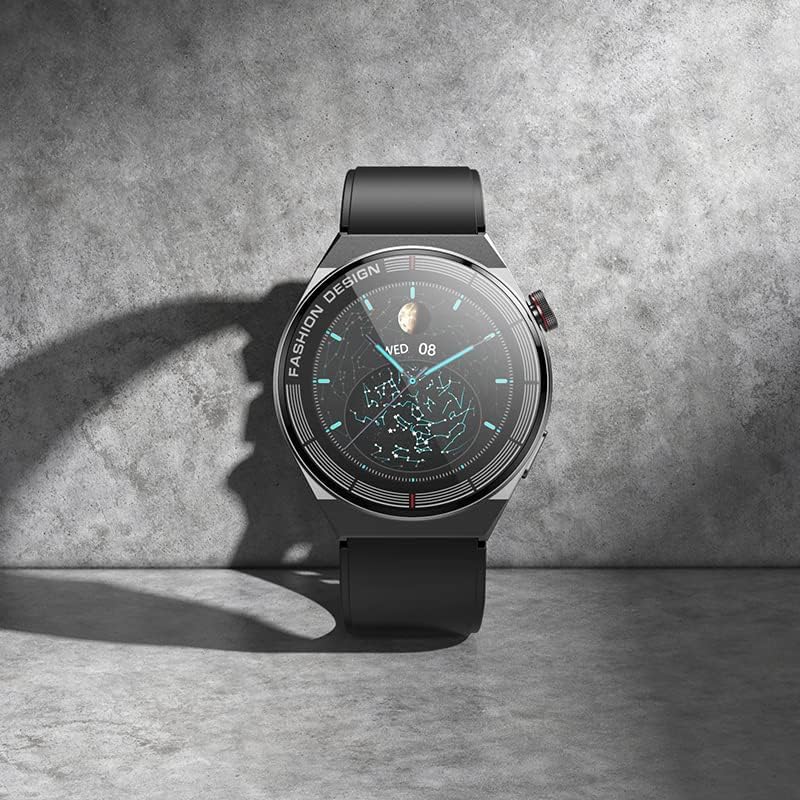
Image 3.1: The BOROFONE BD2 Smart Sports Watch resting on a surface, highlighting its display.
4. Техникалык тейлөө
4.1 Тазалоо
Regularly clean your watch and strap to prevent skin irritation and maintain device longevity. Use a soft, lint-free cloth. For stubborn dirt, slightly dampчүпүрөктү суу менен. Катуу химиялык заттарды же абразивдүү материалдарды колдонбоңуз.
4.2 Сууга туруктуулук (IP68)
The BOROFONE BD2 is IP68 waterproof, meaning it is resistant to dust and can withstand immersion in water up to 1.5 meters for up to 30 minutes. It is suitable for washing hands, rain, and shallow swimming. However, it is not recommended for hot showers, saunas, or diving, as steam and high pressure can compromise the seals.
4.3 Батареяга кам көрүү
- Батареяны бат-баттан толук кубаттап калуудан алыс болуңуз.
- Charge the watch using the provided cable and a compatible power adapter.
- Саатты узак убакытка колдонбосо, салкын, кургак жерде сактаңыз.
4.4 Программалык камсыздоо жаңыртуулары
Periodically check the companion app for firmware updates. Keeping your watch's software up-to-date ensures optimal performance and access to new features.
5. Кыйынчылыктарды
If you encounter issues with your BOROFONE BD2 Smart Sports Watch, refer to the following common problems and solutions:
- Күйгүзүлбөй жаткан саат: Сааттын толук заряддалганын текшериңиз. Аны кубаттагычка туташтырып, күйгүзүүдөн мурун бир нече мүнөт күтө туруңуз.
- Cannot connect/pair with smartphone:
- Смартфонуңузда жана саатыңызда Bluetooth иштетилгенин текшериңиз.
- Саат телефонуңуздун Bluetooth диапазонунда экенин текшериңиз.
- Саатты да, смартфонуңузду да өчүрүп күйгүзүңүз.
- Forget the device in your phone's Bluetooth settings and try pairing again through the companion app.
- Өнөктөш колдонмо эң акыркы версияга жаңыртылганын текшериңиз.
- Inaccurate heart rate/activity data:
- Саат билегиңизге бекем тагылганын, туурасы билек сөөгүнөн бир манжага жакын экенин текшериңиз.
- Сааттын артындагы сенсорду тазалаңыз.
- Өлчөө учурунда ашыкча кыймылдан качыңыз.
- Билдирмелер алынган жок:
- Сааттын колдонмого туура туташканын текшериңиз.
- Ensure notification permissions are enabled for the companion app in your smartphone's settings.
- Verify that notification settings are enabled within the companion app for specific applications.
- Батарея бат эле түгөнөт:
- Экран жарыктыгын азайтыңыз.
- Зарыл болбосо, жүрөктүн кагышын үзгүлтүксүз көзөмөлдөөнү өчүрүңүз.
- Саатка эскертмелерди жөнөтүүчү колдонмолордун санын чектөө.
- Ensure the watch firmware is up-to-date.
If the problem persists, consider performing a factory reset via the watch settings or the companion app (note: this will erase all data on the watch). For further assistance, contact BOROFONE customer support.
6. Техникалык шарттар
| Өзгөчөлүк | Деталь |
|---|---|
| Модель аты | Borofone BD2 |
| Бренд аты | БОРОФОН |
| Screen Size | 1.28 дюйм |
| Элементтин формасы | Тегерек |
| GPS | GPS жок |
| Зымсыз байланыш стандарты | Bluetooth |
| Байланыш технологиясы | Bluetooth |
| Өзгөчөлүктөр | Waterproof, Heart Rate, Smart, Wearable, Bluetooth |
| Эстутум сактоо сыйымдуулугу | 192 KB |
| Операция системасы | Акылдуу саат |
| Элементтин моделинин номери | BD2 |
| ASIN | B0C28PL2GJ |
| Өндүрүүчү | БОРОФОН |
| Дата биринчи жеткиликтүү | 28 май 2023 жыл |
| Пакеттин өлчөмдөрү | 22.2 x 7.1 x 3.2 см; 190 г |

Image 6.1: Packaging of the BOROFONE BD2 Smart Sports Watch.
7. Кепилдик жана колдоо
The BOROFONE BD2 Smart Sports Watch is manufactured by BOROFONE. For information regarding warranty coverage, terms, and conditions, please refer to the warranty card included with your product or visit the official BOROFONE website. For technical support or service inquiries, please contact BOROFONE customer service through their official channels.
This product was first made available on 28 May 2023.
Ask a question about this manual
Ask about setup, troubleshooting, compatibility, parts, safety, or missing instructions. Manuals+ will review the question and use this page’s manual context to help answer it.