
Introduction
Thank you for choosing JVC Marshmallow True Wireless Bluetooth 5.3 Earbuds. These earbuds are designed for comfort and convenience, featuring soft memory foam earpieces, Bluetooth 5.3 connectivity, and IPX4 water resistance. This manual provides essential information for setting up, operating, and maintaining your earbuds.
Кутуда эмне бар
- JVC Marshmallow True Wireless Earbuds
- Зымсыз кубаттоо кутусу
- USB заряддоо кабели
- Memory Foam Earpieces (multiple sizes)
- Silicone Earpieces (multiple sizes)
Жайгашуу
1. Кулакчындарды жана кутуну кубаттоо
Before first use, fully charge the earbuds and charging case. Connect the provided USB charging cable to the charging port on the back of the case and to a power source. The indicator lights on the case will show the charging status. Once fully charged, the lights will remain solid or turn off.

Image: JVC Marshmallow Earbuds in their charging case, illustrating the charging process.
2. Earpiece Selection and Fit
The earbuds come with both memory foam and silicone earpieces in various sizes. Choose the size that provides a snug, comfortable fit and optimal sound isolation. Gently insert the earbud into your ear canal and twist slightly to secure it.

Сүрөт: Жакын план view of JVC Marshmallow earbuds highlighting the soft and elastic ear tips for a comfortable fit.

Image: A selection of memory foam and silicone earpieces in different sizes, included with the earbuds for personalized comfort.
3. Bluetooth Жупташтыруу
- Заряддоо кутучасын ачыңыз. Кулакчындар жупташтыруу режимине автоматтык түрдө кирет.
- Түзмөгүңүздө (смартфон, планшет ж.б.) Bluetooth иштетиңиз жана жеткиликтүү түзмөктөрдү издеңиз.
- Select "JVC HAA18TB" from the list to connect.
- Жупташтырылгандан кийин, кулакчындар кутудан чыгарылганда автоматтык түрдө түзмөгүңүзгө туташат.
Иштөө нускамалары
1. Сенсордук башкаруу элементтери
The earbuds feature intuitive touch sensor controls for various functions:
- Ойнотуу/тындыруу: Кулакчындарды бир жолу таптаңыз.
- Кийинки трек: Оң кулакчынды эки жолу таптаңыз.
- Мурунку трек: Сол кулакчынды эки жолу таптаңыз.
- Көлөмү: Оң кулакчынды үч жолу таптаңыз.
- Үнүн азайтуу: Сол кулакчынды үч жолу таптаңыз.
- Чалууга жооп берүү/аяктоо: Кулакчындарды бир жолу таптаңыз.
- Чакырууну четке кагуу: Кулакчындардын бирин басып, кармап туруңуз.
- Үн Жардамчысын жандыруу: Press and hold on either earbud (when not on a call).

Image: An earbud with a glowing circle on its surface, demonstrating the convenient touch sensor controls.
2. Үн режимдери
The earbuds offer three distinct sound modes to customize your listening experience:
- Кадимки: Күнүмдүк угуу үчүн тең салмактуу аудио.
- Тазалоо: Enhanced vocals and treble for podcasts and spoken content.
- Бас: Amplified low frequencies for a richer, deeper sound.
To switch between sound modes, press and hold the touch sensor on the left earbud for approximately 1 second.

Image: Visual representation of the three sound modes (Normal, Clear, Bass) available on the JVC Marshmallow earbuds.
3. Төмөн күтүү режими
Activate Low Latency Mode for a delay-free audio experience, ideal for gaming and video playback. This mode minimizes audio lag, ensuring synchronization between visuals and sound.

Image: JVC Marshmallow earbuds demonstrating Low Latency Mode, suitable for gaming and video content.
Техникалык тейлөө
1. Тазалоо
Regularly clean your earbuds and charging case to ensure optimal performance and hygiene. Use a soft, dry cloth to wipe the surfaces. For earpieces, remove them and gently clean with a damp чүпүрөк, алар кайра кийер алдында толугу менен кургап камсыз кылуу.
2. Сууга туруктуулук (IPX4)
The earbuds are IPX4 water-resistant, meaning they are protected against splashing water from any direction. This makes them suitable for workouts and light rain. However, they are not designed for submersion in water. Ensure the earbuds are dry before placing them back in the charging case.
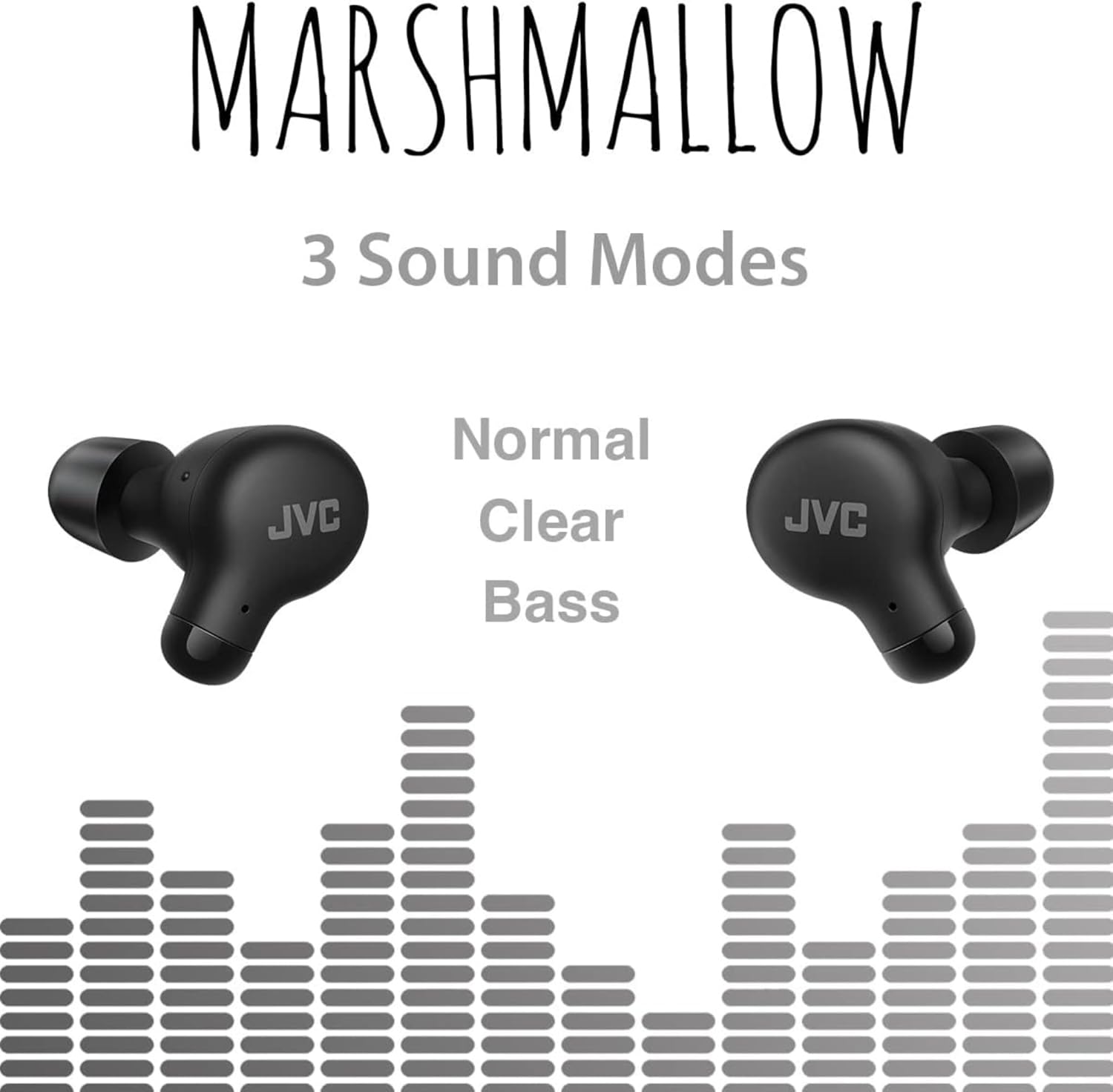
Image: A person wearing JVC Marshmallow earbuds during a workout, highlighting their IPX4 water-resistant design.
Проблемаларды чечүү
- Кулакчындар жупташкан жок: Эки кулакчын тең кубаттоочу кутуда экенин текшерип, жупташтыруу режимин баштоо үчүн капкакты ачыңыз. Түзмөгүңүздүн Bluetooth жөндөөлөрүн текшерип, кайра туташтырып көрүңүз.
- Бир кулакчындан үн чыкпайт: Place both earbuds back in the case, close the lid, and then reopen. This often resets the connection.
- Көлөмү төмөн же үн сапаты начар: Ensure earpieces are clean and properly fitted. Adjust sound modes (Normal, Clear, Bass) to your preference.
- Заряддоо маселелери: Verify the charging cable is securely connected to both the case and power source. Clean the charging contacts on the earbuds and inside the case.
Техникалык шарттар
| Бренд | JVC |
| Модель номери | HAA18TB |
| Байланыш технологиясы | Bluetooth 5.3 |
| Кулак жайгаштыруу | Кулакта |
| Сууга туруктуулук деңгээли | IPX4 (Сууга туруктуу) |
| Батареянын орточо иштөө мөөнөтү | 28 саат (заряддоо кутусу менен) |
| Батареяны заряддоо убактысы | 2 саат |
| Башкаруу ыкмасы | Тийүү, Үн |
| Элемент Салмагы | 1.44 унция |
| UPC | 046838501890 |
Кепилдик жана колдоо
Your JVC Marshmallow True Wireless Earbuds come with a 1-year warranty covering parts and labor. For technical support, warranty claims, or further assistance, please visit the official JVC webсайтына кириңиз же JVC кардарларды тейлөө кызматына кайрылыңыз.
Video: Official JVC Marshmallow True Wireless Earbuds (HAA18T) product overview, негизги өзгөчөлүктөрүн жана колдонулушун көрсөтүү.