
1. Киришүү
This manual provides essential information for the safe and effective operation of your MASINGO Allegro X8 2.0 Professional Karaoke Machine. Please read all instructions carefully before use and retain this manual for future reference.
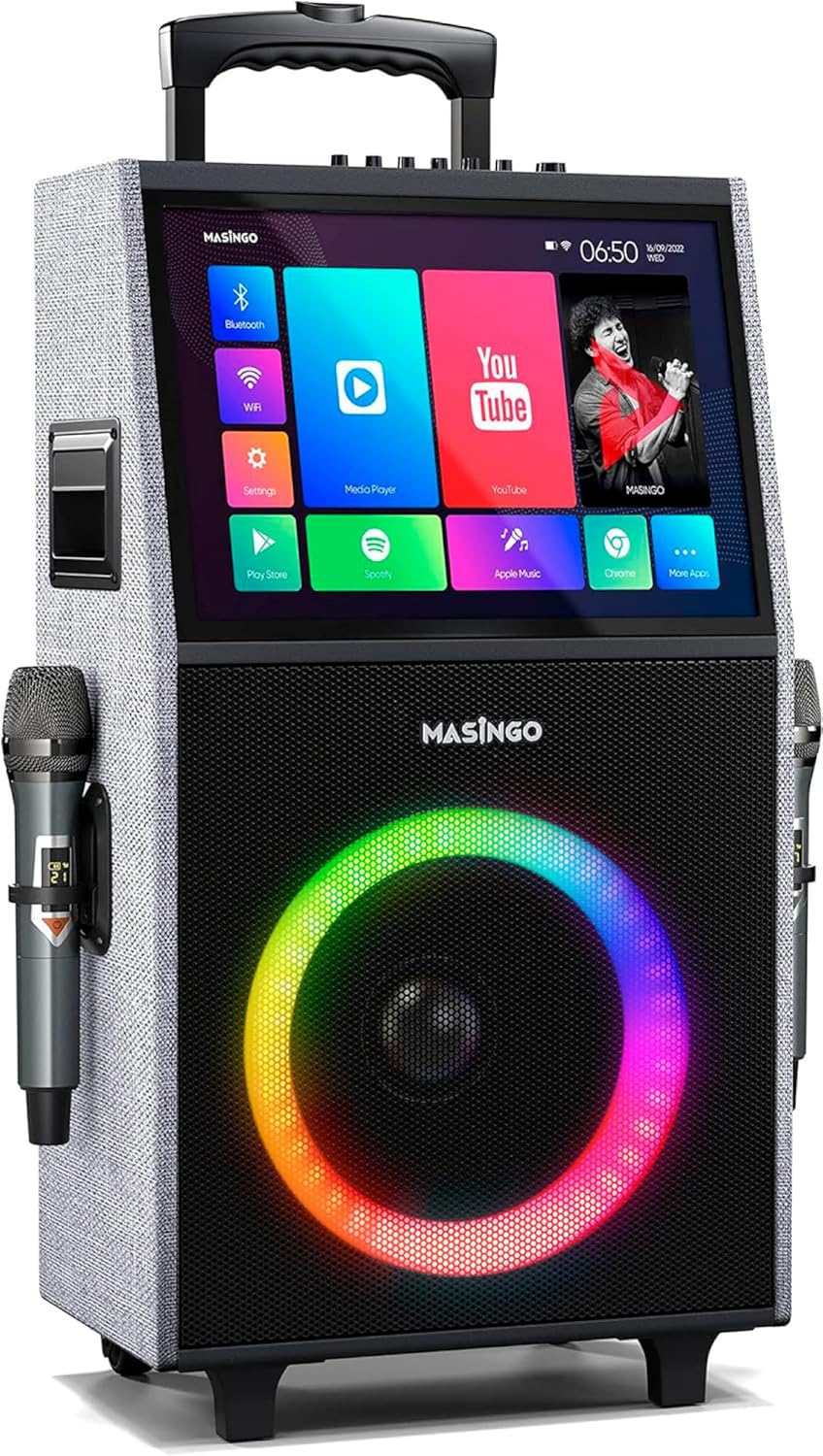
Figure 1: MASINGO Allegro X8 2.0 Professional Karaoke Machine
2. Кутуда эмне бар
Пакетте бардык буюмдар бар экенин текшериңиз:
- Allegro X8 караоке машинасы
- 2 Зымсыз микрофон
- Заряддоо адаптери
- User Manual
- Көмөкчү кабель

Figure 2: All-inclusive karaoke equipment
3. Орнотуу
3.1 Алгачкы заряддоо
Before first use, fully charge the karaoke machine using the provided charging adapter. The unit features a rechargeable battery providing 3-4 hours of operation.
3.2 Микрофонду орнотуу
Insert AA batteries into each wireless microphone. The microphones are rechargeable via USB-C (cable not included for microphones, but the main unit's charging adapter is provided).

Figure 3: Dual crystal-clear wireless microphones
3.3 Wi-Fi туташуусу
Power on the unit. On the touchscreen, navigate to 'Settings' and connect to your local Wi-Fi network for online content access.
4. Иштөө нускамалары
4.1 Touchscreen Tablet
The Allegro X8 2.0 features a built-in 14.1-inch touch screen tablet. It comes with pre-installed apps like YouTube, Spotify, Apple Music, and Chrome. You can also download additional apps from the Play Store.

Figure 4: Lyrics display from built-in music apps
4.2 Зымсыз микрофон
The two wireless microphones feature individual displays for battery levels and frequency. Adjust microphone volume, echo, and EQ directly on the microphones or via the main control panel for optimal sound.
4.3 Байланыш параметрлери
The unit supports multiple playback modes:
- Планшет режими: Utilize the built-in touchscreen for apps and content.
- Bluetooth: Connect wirelessly to your smartphone or other Bluetooth-enabled devices.
- USB: Медиа файлдарды түз эле USB дискинен ойнотуңуз.
- AUX-out: Тышкы аудио системаларга туташыңыз.
- Micro-SD: Play media from a Micro-SD card.
- HDMI: Output video to an external display or TV.
- Гитара киргизүү: Connect a guitar to use the unit as an ampөмүрлүү.

Figure 5: Top control panel with various inputs and adjustments
4.4 Voice Effects (Magic Mode)
Engage 'Magic Mode' to alter your voice with various effects such as 'Man', 'Woman', 'Electric', and 'Shout'. These settings can be adjusted for enhanced karaoke experiences.
4.5 LED жарыктары
The speaker features colorful LED lights that change in sync with the music, adding a dynamic visual element to your performance. These can be controlled via the unit's buttons.
4.6 Көчүрүү
The Allegro X8 2.0 is designed for portability with wheels and a telescoping handle, allowing for easy transport. The internal rechargeable battery provides 3-4 hours of continuous use.
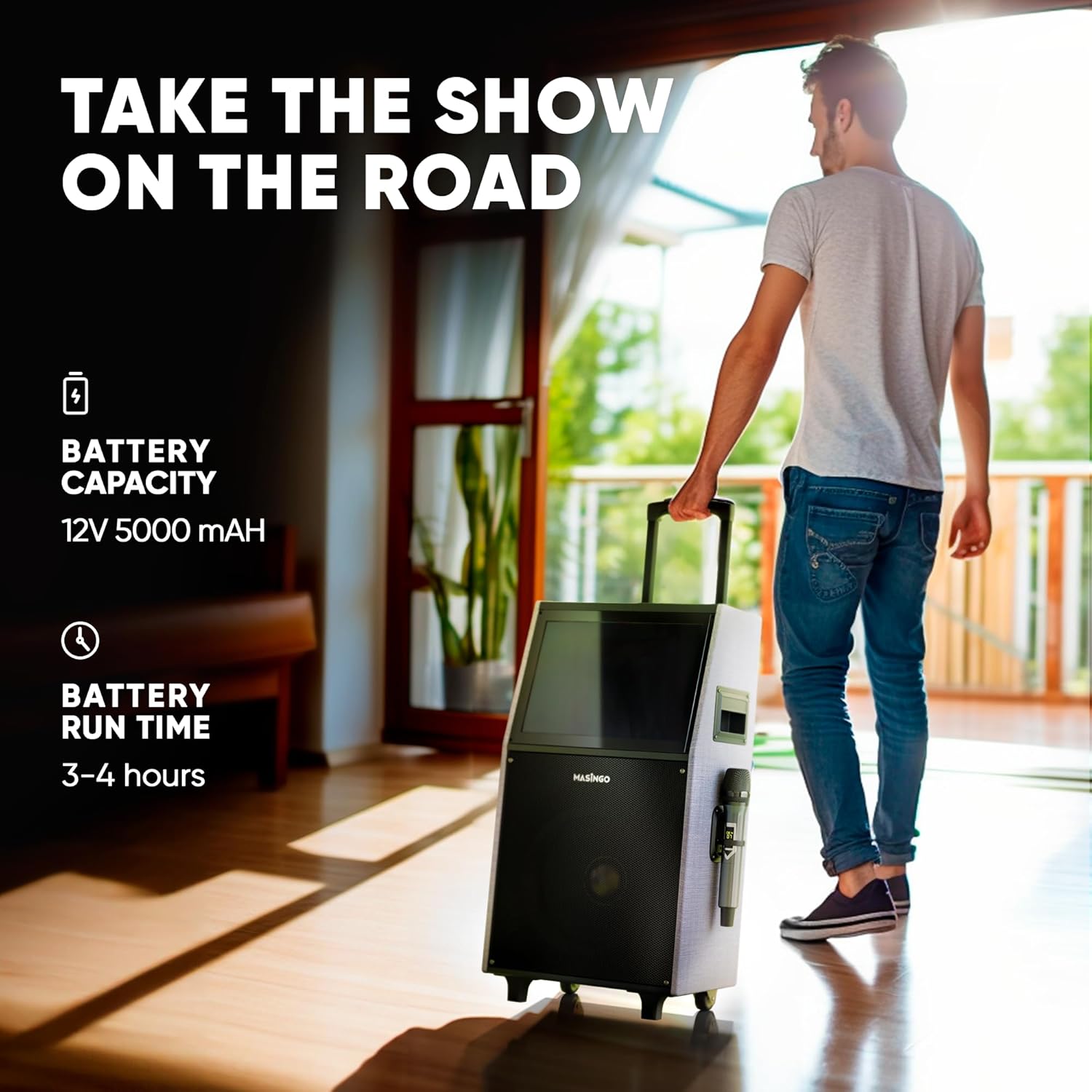
Figure 6: Rolling speaker with telescoping handle for easy transport
4.7 Расмий продукт Video
Video 1: Introduction to the MASINGO Allegro X8 2.0 Karaoke Machine, showcasing анын өзгөчөлүктөрү жана көчүрүү.
5. Техникалык тейлөө
To ensure longevity and optimal performance of your karaoke machine:
- Keep the unit clean by wiping with a soft, dry cloth.
- Аппаратты экстремалдык температурага же нымдуулукка дуушар кылуудан алыс болуңуз.
- Колдонулбаганда салкын, кургак жерде сактаңыз.
- Ensure microphones are fully charged before each use.
6. Кыйынчылыктарды
If you encounter issues with your Allegro X8 2.0, try the following:
- Кубат жок: Ensure the unit is fully charged or connected to the charging adapter. Check the power switch.
- Microphone Not Connecting: Ensure microphones have fresh batteries and are powered on. Re-pair them if necessary.
- Үн жок: Check volume levels on both the main unit and microphones. Ensure correct input source is selected.
- Сенсордук экран жооп бербейт: Restart the unit. If the issue persists, contact customer support.
- Жай аткаруу: Ensure a stable Wi-Fi connection. Close unnecessary background applications on the tablet.
7. Техникалык шарттар
- Продукциянын өлчөмдөрү: 18 x 12 x 32 дюйм
- Элемент Салмагы: 36.4 фунт
- Модель номери: Allegro X8 - 2.0 Model
- Бренд: MASINGO
- Өзгөчө өзгөчөлүгү: Cordless, Portable, Wireless
- Түсү: Боз (2.0)
- Продукт үчүн сунушталган колдонуулар: Үй

Сүрөт 7: Продукциянын өлчөмдөрү
8. Кепилдик жана колдоо
МASINGO Allegro X8 2.0 Karaoke Machine comes with a 60-day warranty. For further assistance or warranty claims, please refer to the contact information provided in your product packaging or visit the MASINGO official webсайт.