
1. Киришүү
Thank you for choosing the TTEC Dynamite Duo Portable Wireless Bluetooth Speaker. This manual provides essential information for setting up, operating, and maintaining your speaker. Please read it carefully before use to ensure optimal performance and longevity of your device.
The TTEC Dynamite Duo offers a 360-degree wireless sound experience, featuring dual passive radiators and dual active drivers for rich audio. With Bluetooth 5.0 connectivity, up to 12 hours of battery life, and an IP65 certified water and dust resistant design, it is built for versatile use. It also includes a built-in microphone for hands-free calls and supports True Wireless Stereo (TWS) pairing for an enhanced audio experience.
2. Коопсуздук маалыматы
- Динамикти өтө жогорку температурага, түз күн нуруна же ачык отко тийгизбеңиз.
- While the speaker is IP65 certified for water and dust resistance, it is not designed for submersion in water. Avoid prolonged exposure to heavy rain or splashing.
- Динамикти бөлүктөргө бөлбөңүз, оңдобоңуз же өзгөртпөңүз. Бул кепилдикти жокко чыгарып, коопсуздук коркунучтарын жаратышы мүмкүн.
- Динамикти балдардан жана үй жаныбарларынан алыс кармаңыз.
- Берилген заряддоо кабелин же тастыкталган эквивалентти гана колдонуңуз.
- Динамикти жумшак, кургак чүпүрөк менен тазалаңыз. Абразивдүү тазалагычтарды же эриткичтерди колдонбоңуз.
- Динамикти жана анын батарейкасын жергиликтүү эрежелерге ылайык жоопкерчилик менен жок кылыңыз.
3. Пакеттин мазмуну
Сураныч, пакетте төмөнкү нерселерди текшериңиз:
- 1 x TTEC Dynamite Duo Portable Bluetooth Speaker
- 1 х AUX кабели
- 1 x Micro USB заряддоо кабели
- 1 x Ташуу боосу
- 1 х Колдонуучунун колдонмосу (бул документ)
4. Продукт бүтүп калдыview
Familiarize yourself with the components and controls of your TTEC Dynamite Duo speaker.
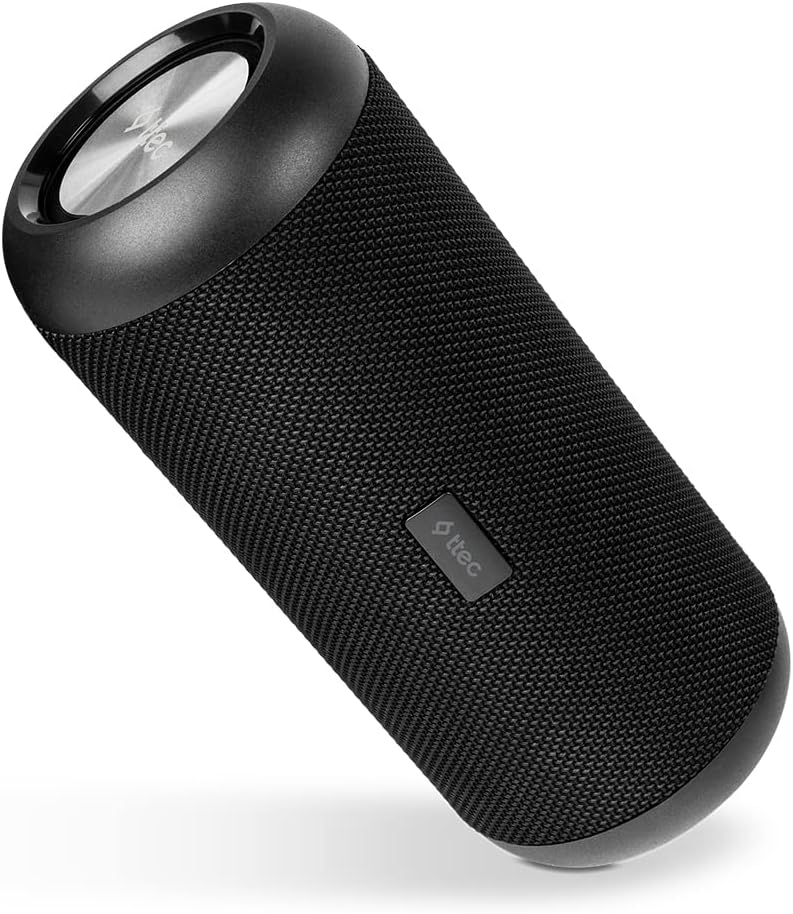
4.1-сүрөт: Негизги view of the TTEC Dynamite Duo Portable Bluetooth Speaker, showcasing анын цилиндрдик дизайны жана динамиктердин торлору.

4.2-сүрөт: Close-up of the control panel on the TTEC Dynamite Duo speaker, showing the power, play/pause, volume, and mode buttons.

4.3-сүрөт: View of the charging port (Micro USB) and auxiliary input (AUX) on the TTEC Dynamite Duo speaker, typically located under a protective flap.
Башкаруу каражаттары жана көрсөткүчтөр:
- Кубат баскычы: Динамикти күйгүзүү/өчүрүү үчүн басып кармап туруңуз.
- Ойнотуу/тындыруу баскычы: Press to play or pause music. During a call, press to answer or end a call. Press and hold to reject an incoming call.
- Үндү азайтуу / Мурунку трек баскычы: Үндү азайтуу үчүн басыңыз. Мурунку трекке өтүү үчүн басып кармап туруңуз.
- Үндү катуулатуу / Кийинки трек баскычы: Үндү катуулатуу үчүн басыңыз. Кийинки трекке өтүү үчүн басып кармап туруңуз.
- Режим баскычы: Press to switch between Bluetooth and AUX input modes.
- LED көрсөткүчү: Displays charging status, Bluetooth pairing status, and operational mode.
5. Орнотуу
5.1 Динамикти заряддоо
Before first use, fully charge the speaker. Use the provided Micro USB cable.
- Connect the Micro USB end of the charging cable to the speaker's charging port (refer to Figure 4.3).
- USB-A учун USB кубат адаптерине (кошулмага кирбейт) же компьютердин USB портуна туташтырыңыз.
- The LED indicator will show charging status (e.g., red for charging, off or green for fully charged).
- A full charge takes approximately [X] hours (specific time not provided, user should refer to product packaging or quick start guide if available).
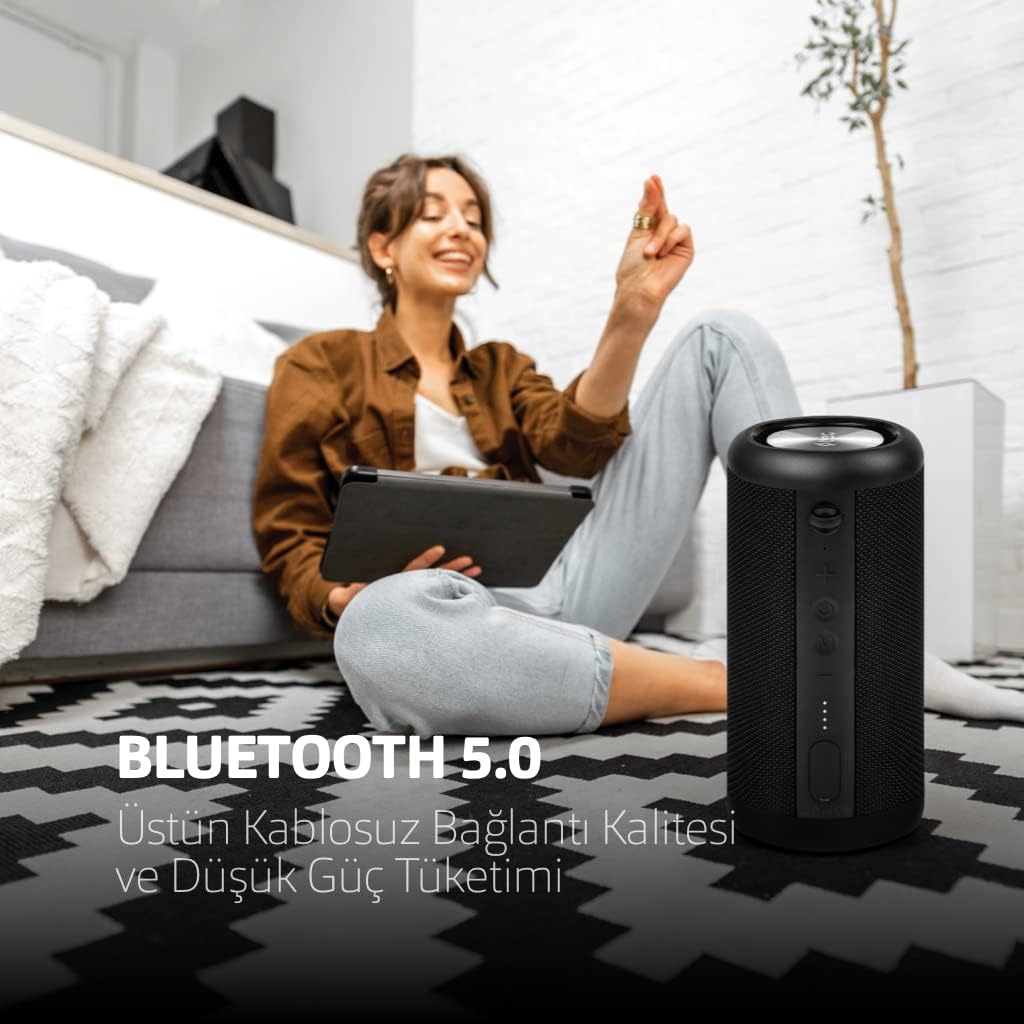
5.1-сүрөт: The TTEC Dynamite Duo speaker highlighting its extended battery life of up to 12 hours on a single charge.
5.2 Күйгүзүү/өчүрүү
- Күйгүзүү үчүн: Press and hold the Power Button (refer to Figure 4.2) for approximately 3 seconds until you hear an audible prompt and the LED indicator lights up.
- Өчүрүү үчүн: Press and hold the Power Button for approximately 3 seconds until you hear an audible prompt and the LED indicator turns off.
5.3 Bluetooth жупташтыруу
Connect your TTEC Dynamite Duo speaker to a Bluetooth-enabled device.
- Ensure the speaker is powered on and in Bluetooth pairing mode (the LED indicator will typically flash blue rapidly). If not, press the Mode Button to switch to Bluetooth mode.
- Түзмөгүңүздө (смартфон, планшет, ноутбук) Bluetooth иштетиңиз жана жеткиликтүү түзмөктөрдү издеңиз.
- Select "TTEC Dynamite Duo" from the list of found devices.
- Once successfully paired, the LED indicator will turn solid blue, and you will hear a confirmation sound.
- Эгерде түзмөктүн Bluetooth функциясы активдүү болсо жана анын диапазонунда болсо, динамик күйүп турганда акыркы жупташтырылган түзмөккө автоматтык түрдө кайра туташат.
5.4 Чыныгы зымсыз стерео (TWS) жупташтыруу
Connect two TTEC Dynamite Duo speakers for a stereo sound experience.
- Ensure both Dynamite Duo speakers are powered on and not connected to any other Bluetooth device.
- On one of the speakers (this will be the primary speaker), press and hold the Play/Pause button for approximately 3-5 seconds until you hear a pairing tone. The LED indicator will flash.
- The two speakers will automatically search for and connect to each other. Once connected, you will hear a confirmation sound, and the LED indicators on both speakers will change (e.g., primary speaker flashes slowly, secondary speaker is solid blue).
- Now, pair your device to the primary speaker via Bluetooth as described in Section 5.3. The audio will play in stereo through both speakers.

5.2-сүрөт: Illustration of two TTEC Dynamite Duo speakers wirelessly connected to each other, enabling True Wireless Stereo (TWS) audio playback.
5.5 AUX туташуусу
Use the AUX cable to connect the speaker to devices without Bluetooth functionality.
- Динамикти иштетүү.
- Connect one end of the provided AUX cable to the speaker's AUX port (refer to Figure 4.3).
- AUX кабелинин экинчи учун түзмөгүңүздүн аудио чыгаруу уячасына туташтырыңыз.
- The speaker will automatically switch to AUX mode, or you may need to press the Mode Button to select AUX input.
- In AUX mode, playback controls (play/pause, next/previous track) on the speaker may not function, and you will need to control playback from your connected device. Volume control on the speaker will still work.
6. Иштөө нускамалары
6.1 Музыканы ойнотуу (Bluetooth режими)
- Ойнотуу/тындыруу: Press the Play/Pause Button.
- Кийинки трек: Press and hold the Volume Up / Next Track Button.
- Мурунку трек: Press and hold the Volume Down / Previous Track Button.
6.2 Чалууларды башкаруу
With the built-in microphone, you can manage phone calls when connected via Bluetooth.
- Чакырууга жооп берүү: Press the Play/Pause Button when an incoming call rings.
- Чакырууну аяктоо: Press the Play/Pause Button during an active call.
- Чакырууну четке кагуу: Press and hold the Play/Pause Button when an incoming call rings.
6.3 Үндү башкаруу
- Көлөмүн жогорулатуу: Press the Volume Up / Next Track Button.
- Көлөмдү азайтуу: Press the Volume Down / Previous Track Button.
7. Техникалык тейлөө
- Тазалоо: Динамикти жумшак, кургак, түксүз чүпүрөк менен сүртүңүз. Суюк тазалагычтарды, аэрозолдорду же эриткичтерди колдонбоңуз.
- Сактагыч: When not in use for extended periods, store the speaker in a cool, dry place, away from direct sunlight and extreme temperatures. It is recommended to charge the battery at least once every three months to maintain battery health.
- Суу жана чаңга туруктуулугу: Ensure the protective flap covering the charging and AUX ports is securely closed to maintain the IP65 water and dust resistance.

7.1-сүрөт: The TTEC Dynamite Duo speaker demonstrating its IP65 certification, making it resistant to water splashes and dust ingress.
8. Кыйынчылыктарды
| Көйгөй | Мүмкүн себеп | Чечим |
|---|---|---|
| Динамик күйбөйт. | Батарея аз. | Динамикти толук заряддаңыз. |
| Bluetooth аркылуу жупташтыруу мүмкүн эмес. | Динамик жупташтыруу режиминде эмес; түзмөк Bluetooth өчүк; аппараттан өтө алыс. | Ensure speaker is in pairing mode (flashing LED). Turn on device Bluetooth. Move speaker closer to device. Forget "TTEC Dynamite Duo" on your device and re-pair. |
| Үн жок. | Үн өтө төмөн; киргизүү режими туура эмес; түзмөк аудиону ойнотпой жатат. | Increase speaker and device volume. Press Mode button to select correct input (Bluetooth/AUX). Ensure audio is playing on your device. |
| Үндүн бузулушу. | Үн өтө жогору; аз батарея; кийлигишүү. | Reduce volume on speaker and device. Charge the speaker. Move away from other electronic devices. |
| TWS жупташтыруу ишке ашкан жок. | Speakers already paired to other devices; incorrect pairing procedure. | Ensure both speakers are disconnected from other devices. Follow TWS pairing steps carefully (Section 5.4). |
9. Техникалык шарттар
| Бренд: | TTEC |
| Модель аты: | Dynamite Duo |
| Динамик түрү: | Tower |
| Байланыш технологиясы: | Bluetooth 5.0 |
| Аудио чыгаруу режими: | Стерео |
| Кубат булагы: | Батарея менен иштейт |
| Батареянын иштөө мөөнөтү: | 12 саатка чейин |
| Суу жана чаңга туруктуулугу: | IP65 Certified (Resistant to water jets and dust, not submersible) |
| Камтылган микрофон: | Ооба |
| Башкаруу ыкмасы: | Buttons |
| Продукциянын өлчөмдөрү: | 9D x 9W x 21H сантиметр |
| Продукт Салмагы: | 1.22 килограмм |
| Шайкеш түзмөктөр: | Smartphones, tablets, laptops, game consoles, MP3 players |
| Өндүрүүчү: | Tesan |
10. Кепилдик жана колдоо
The TTEC Dynamite Duo Portable Wireless Bluetooth Speaker comes with a limited warranty. Please refer to the warranty card included in your package or contact your retailer for specific terms and conditions.
For technical support or further assistance, please contact the retailer where you purchased the product or visit the official TTEC webкардарларды тейлөө маалымат сайты.