
Introduction
This manual provides detailed instructions for the operation and maintenance of your Hoco HC9 Dazzling Pulse Sports Wireless Speaker. Please read this manual carefully before use to ensure proper functionality and extend the product's lifespan.
Коопсуздук маалыматы
- Динамикти экстремалдык температурага, нымдуулукка же түз күн нуруна дуушар кылбаңыз.
- Спикерди түшүрүүдөн же катуу таасирлерге дуушар кылуудан качыңыз.
- Do not disassemble, repair, or modify the speaker yourself. Refer to qualified service personnel.
- Балдар жетпеген жерде сактаңыз.
- Көрсөтүлгөн кубаттоо көлөмүн гана колдонуңузtage жана ток.
Пакеттин мазмуну
- Hoco HC9 Wireless Speaker
- Заряддоо кабели (USB)
- User Manual
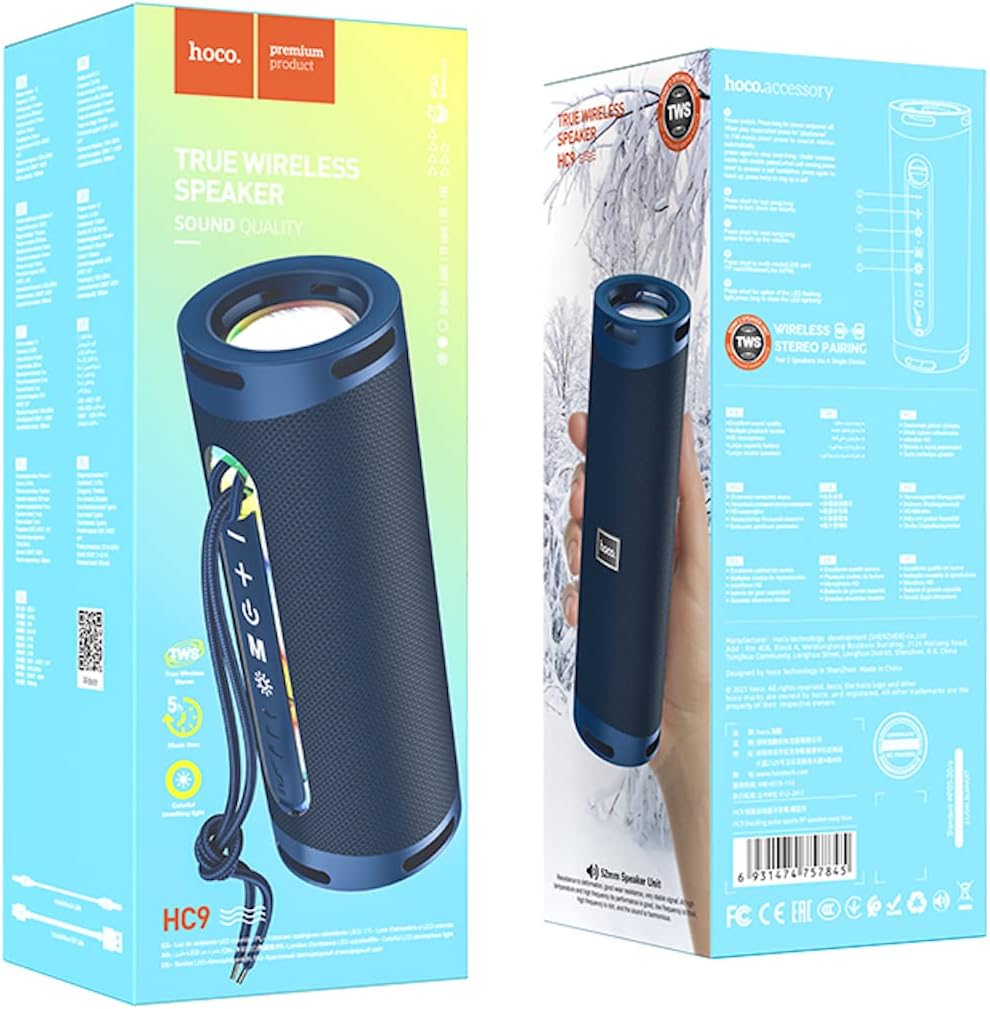
Image: The retail packaging of the Hoco HC9 speaker, illustrating the speaker itself, the included charging cable, and the user manual.
Продукт бүттүview
Спикердин компоненттери жана башкаруу элементтери менен таанышыңыз.
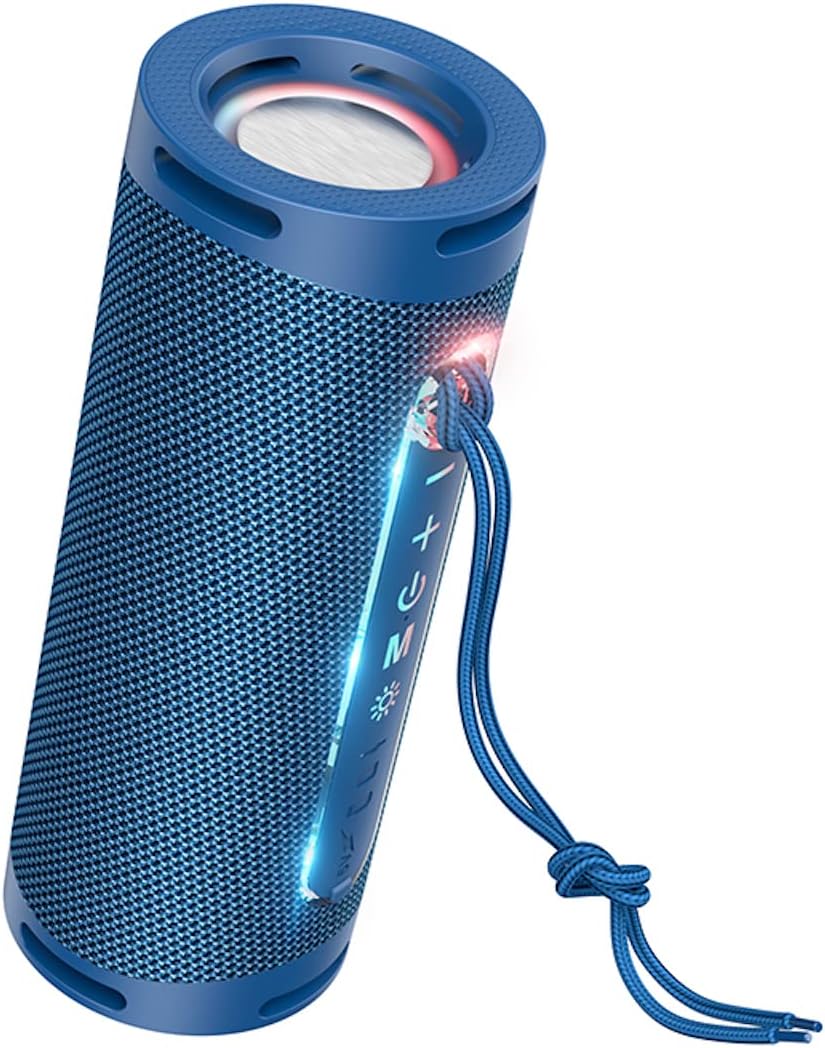
Сүрөт: деталдуу view of the Hoco HC9 speaker, highlighting its control panel with buttons for power, volume, mode, and playback, along with visible ports.
Башкаруу каражаттары жана порттор
- Кубат баскычы: Күйгүзүү/өчүрүү үчүн басып туруңуз.
- Ойнотуу/тындыруу баскычы: Музыканы ойнотуу же тындыруу үчүн басыңыз.
- Үндү катуулатуу / Кийинки трек баскычы: Үнүн жогорулатуу үчүн кыска басыңыз, кийинки трекке узакка басыңыз.
- Үндү азайтуу / Мурунку трек баскычы: Үндү азайтуу үчүн кыска басыңыз, мурунку трек үчүн көпкө басыңыз.
- Режим баскычы (M): Press to switch between Bluetooth, TF card, USB, and AUX modes.
- Заряддоо порту: USB заряддоо кабелин туташтыруу үчүн.
- TF карта уячасы: MicroSD карталары үчүн.
- USB Flash Drive порту: For USB drives.
- AUX порту: Зымдуу аудио туташуу үчүн.
- LED көрсөткүчү: Кубаттоону, кубаттоону жана туташуу абалын көрсөтөт.
Жайгашуу
Баштапкы заряддоо
Биринчи колдонуудан мурун динамикти толук заряддаңыз.
- Берилген USB заряддоо кабелин динамиктин заряддоо портуна туташтырыңыз.
- Кабелдин экинчи учун USB кубат адаптерине (5V/1A сунушталат) же компьютердин USB портуна туташтырыңыз.
- The LED indicator will show charging status (e.g., red light while charging, off when fully charged).
- Заряддоо убактысы болжол менен 3 саатты түзөт.
Күйгүзүү/өчүрүү
Press and hold the Power button for 3 seconds to turn the speaker on or off. A prompt sound will indicate the status.
Иштөө нускамалары
Bluetooth Жупташтыруу
- Динамикти күйгүзүңүз. Ал автоматтык түрдө Bluetooth жупташтыруу режимине кирет, жаркыраган LED менен көрсөтүлгөн.
- Түзмөгүңүздө (смартфон, планшет ж.б.) Bluetooth иштетиңиз жана жеткиликтүү түзмөктөрдү издеңиз.
- Select "Hoco HC9" from the list of found devices.
- Once paired, the LED indicator will stop flashing and a confirmation sound will play.
- The speaker will automatically connect to the last paired device when turned on, if within range.
TF карта режими
MP3 аудиосу бар TF (MicroSD) картасын салыңыз filesти TF картанын уячасына киргизиңиз. Динамик автоматтык түрдө TF карта режимине которулуп, ойнотуу башталат.
USB Flash Drive режими
MP3 аудиосу бар USB флеш-дискти салыңыз fileUSB портуна салыңыз. Динамик автоматтык түрдө USB режимине которулуп, ойнотуу башталат.
AUX режими
Connect one end of a 3.5mm audio cable (not included) to the speaker's AUX port and the other end to the audio output of your device. The speaker will automatically switch to AUX mode.
TWS (Чыныгы Wireless Stereo) функциясы
The TWS function allows you to pair two Hoco HC9 speakers together for a stereo sound experience.
- Ensure both Hoco HC9 speakers are turned off.
- Turn on both speakers. They should both be in Bluetooth pairing mode.
- On one of the speakers (this will be the primary speaker), double-press the Mode (M) button. You will hear a prompt sound indicating TWS pairing mode.
- Эки динамик бири-бирине автоматтык түрдө туташат. Туташтырылгандан кийин, негизги динамиктин LED жарыгы күйүп-өчүп, ал эми экинчи динамиктин LED жарыгы туруктуу күйөт.
- Эми, "Bluetooth жупташтыруу" бөлүмүндө сүрөттөлгөндөй, Bluetooth аркылуу түзмөгүңүздү негизги динамикке туташтырыңыз.
- Аудио эми эки динамиктен тең стерео режиминде ойнотулат.

Image: Two Hoco HC9 speakers, one in navy blue and another in white, positioned on a wooden table, illustrating the True Wireless Stereo (TWS) capability.
Техникалык тейлөө
Тазалоо
Use a soft, dry cloth to clean the speaker's surface. Do not use abrasive cleaners, alcohol, or chemical solvents.
Сактагыч
Узак мөөнөткө колдонулбаганда, динамикти күн тийбеген жана өтө температурадан алыс, салкын, кургак жерде сактаңыз.
Проблемаларды чечүү
- Кубат жок: Динамик заряддалганын текшериңиз. Кубат булагына туташып, кайра аракет кылыңыз.
- Үн жок: Check the volume level on both the speaker and your connected device. Ensure the correct mode (Bluetooth, AUX, etc.) is selected.
- Bluetooth жупташтыруу мүмкүн эмес: Ensure the speaker is in pairing mode. Turn off and on the Bluetooth on your device. Clear previous pairings on your device and try again. Ensure no other devices are connected to the speaker.
- Үн сапаты начар: Move the speaker closer to your Bluetooth device. Check for interference from other electronic devices. Try a different audio source.
- TWS Pairing Failure: Ensure both speakers are Hoco HC9 models. Make sure both are in Bluetooth pairing mode before initiating TWS pairing. Try resetting both speakers.
Техникалык шарттар
- Модел: HC9
- Өлчөмдөрү: 196 x 74 x 74 мм
- Салмагы: 487г
- Bluetooth версиясы: 5.1
- Bluetooth чипи: JL AC6965E
- Батарея сыйымдуулугу: 1800mAh
- Заряддоо убактысы: Болжол менен 3 саат
- Music/Talk Time: 5 саатка чейин
- Динамик бирдиги: 52мм * 2
- Чыгуу кубаттуулугу: 5W * 2 (Жалпысынан 10W)
- Колдоого алынган режимдер: Bluetooth, TF card, USB flash drive, AUX, TWS
- Өзгөчөлүктөр: Built-in colorful ambient light
Кепилдик жана колдоо
For warranty information and technical support, please refer to the official HOCO webсайтка кайрылыңыз же жергиликтүү дистрибьютериңиз менен байланышыңыз. Сатып алганыңыздын далили катары сатып алуу дүмүрчөгүңүздү сактаңыз.