
1. Киришүү
This manual provides detailed instructions for the proper use and maintenance of your HOCO BS45 Deep Sound Sports Wireless Speaker. Please read this manual thoroughly before operating the device to ensure optimal performance and longevity. The HOCO BS45 is a portable wireless speaker featuring Bluetooth V5.0 connectivity, FM radio, and TF card support, designed for versatile audio playback.
2. Пакеттин мазмуну
- HOCO BS45 Wireless Speaker
- USB заряддоо кабели
- User Manual
3. Продукт бүтүп калдыview
The HOCO BS45 speaker features a compact, spherical design with a durable mesh fabric finish. It incorporates a single speaker unit and intuitive controls for various functions.
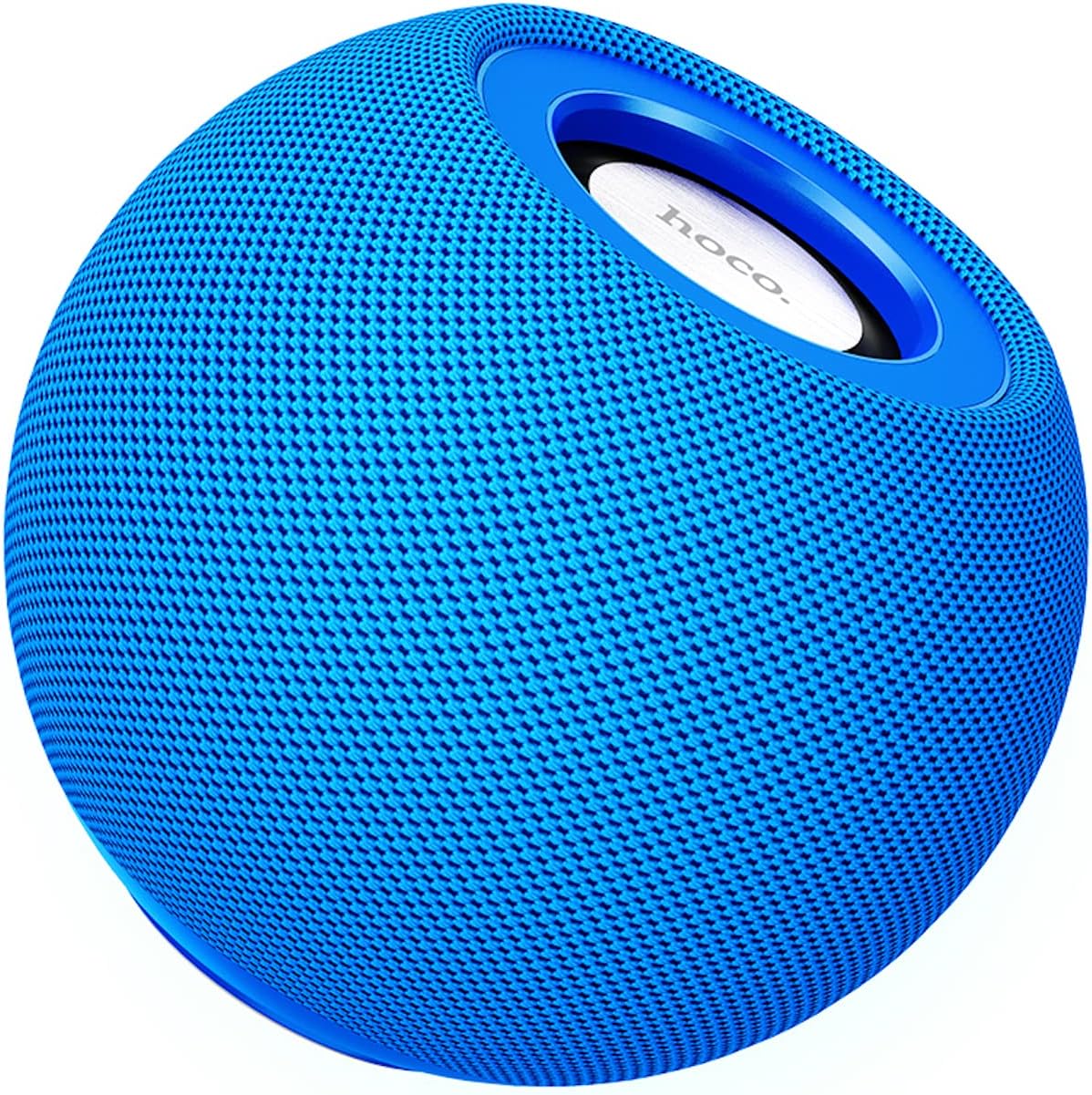
3.1-сүрөт: Фронт view of the HOCO BS45 speaker, showcasing its blue mesh exterior and top-mounted control area with the HOCO logo.
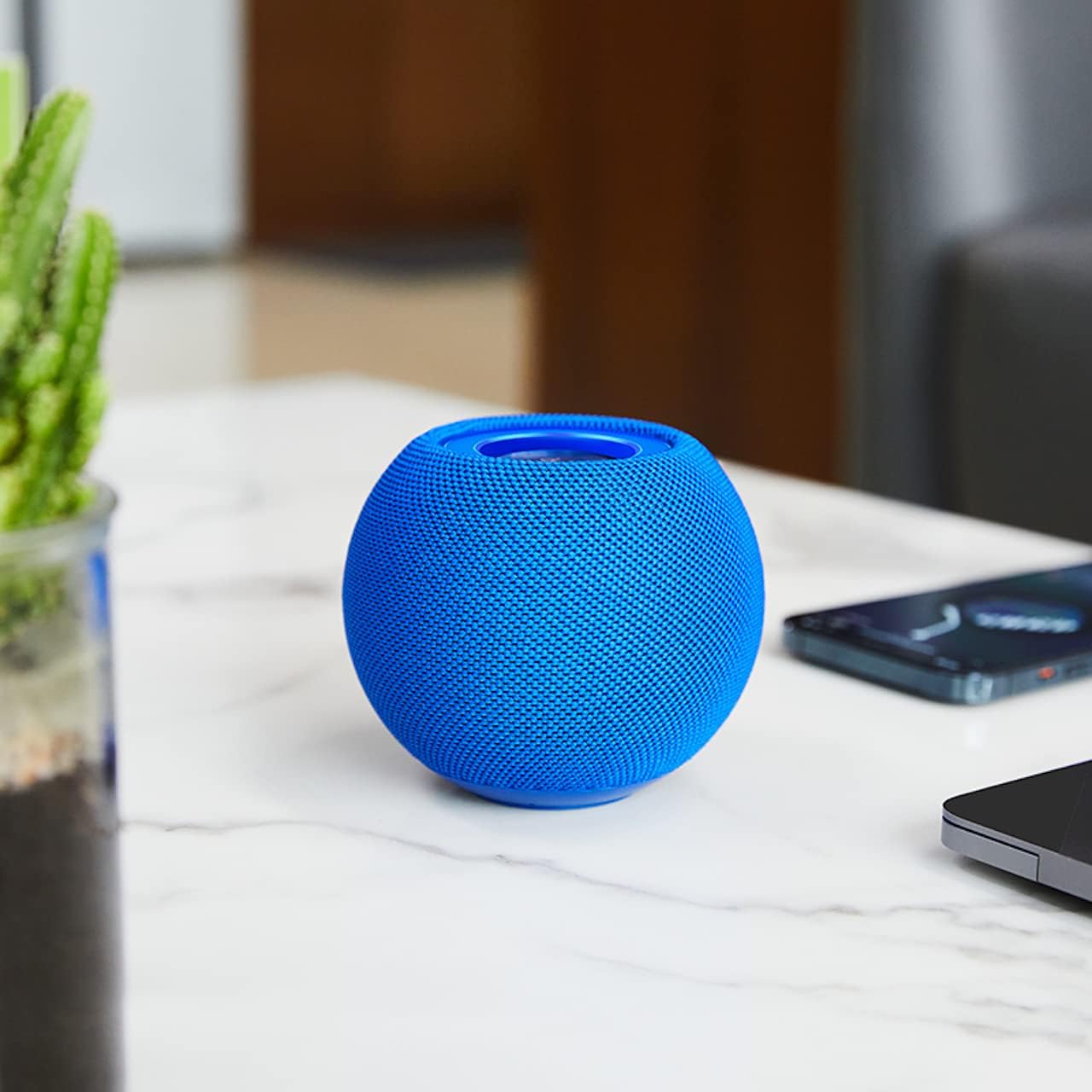
3.2-сүрөт: The HOCO BS45 speaker positioned on a tabletop, illustrating its compact size relative to a smartphone and a small plant, suitable for various indoor settings.

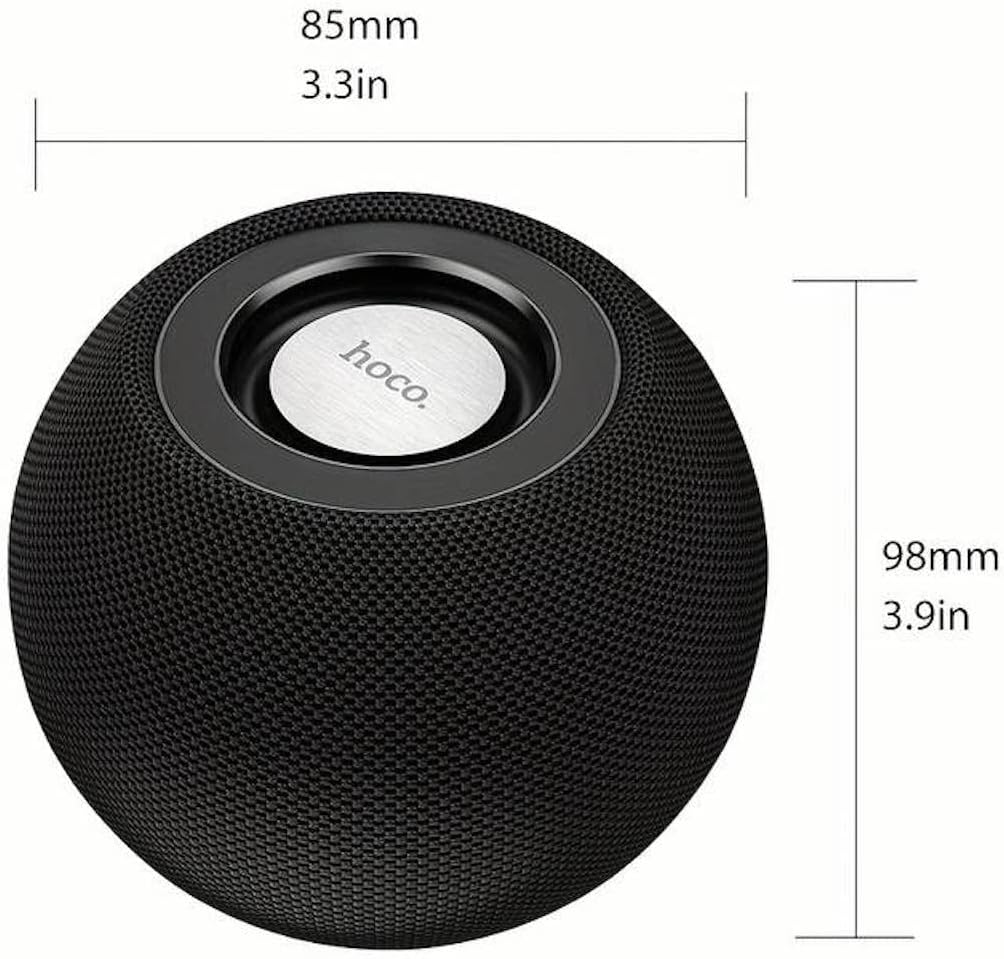
3.3-сүрөт: Technical diagram indicating the dimensions of the HOCO BS45 speaker: 85mm (3.3 inches) in width and 98mm (3.9 inches) in height.
4. Орнотуу
4.1 Динамикти заряддоо
- Берилген USB заряддоо кабелин динамиктеги заряддоо портуна туташтырыңыз.
- USB кабелинин экинчи учун туура келген USB кубат адаптерине (кошумча эмес) же компьютердин USB портуна туташтырыңыз.
- Заряддоо индикатору заряддоо учурунда күйөт.
- Толук кубаттоо болжол менен 1.5 саатты алат. Кубаттоо аяктагандан кийин индикатор жарыгы өзгөрөт же өчөт.
The speaker has a built-in 500mAh battery, providing approximately 2 hours of talk or music playback time on a full charge.
4.2 Күйгүзүү/өчүрүү
- To power on, press and hold the Power button (location not specified, typically a multi-function button) for a few seconds until you hear an audible prompt or see an indicator light.
- Өчүрүү үчүн, үн чыкканга чейин же индикатор жарыгы өчкөнгө чейин Кубат баскычын бир нече секунд басып туруңуз.
4.3 Bluetooth жупташтыруу
- Ensure the speaker is powered on and in Bluetooth pairing mode (indicated by a flashing LED light, if present).
- Мобилдик түзмөгүңүздө (смартфон, планшет, ноутбук) Bluetooth функциясын иштетиңиз.
- Издөө available Bluetooth devices. The speaker will appear as "HOCO BS45" or similar.
- Select "HOCO BS45" from the list to connect.
- Once successfully paired, you will hear a confirmation sound, and the LED indicator will typically stop flashing and remain solid.
The HOCO BS45 uses Bluetooth 5.0 technology for a stable and reliable connection.
4.4 TWS (чыныгы зымсыз стерео) жупташтыруу
To achieve a stereo sound experience, you can pair two HOCO BS45 speakers together.
- Ensure both HOCO BS45 speakers are powered on and not connected to any other Bluetooth device.
- On one of the speakers (this will be the primary speaker), press and hold the TWS pairing button (if available, or a multi-function button) until you hear a pairing prompt.
- The two speakers will automatically search for and connect to each other. A confirmation sound will indicate successful TWS pairing.
- TWS жупташкандан кийин, мобилдик түзмөгүңүздү 4.3-бөлүмдө сүрөттөлгөндөй Bluetooth аркылуу негизги динамикке туташтырыңыз.
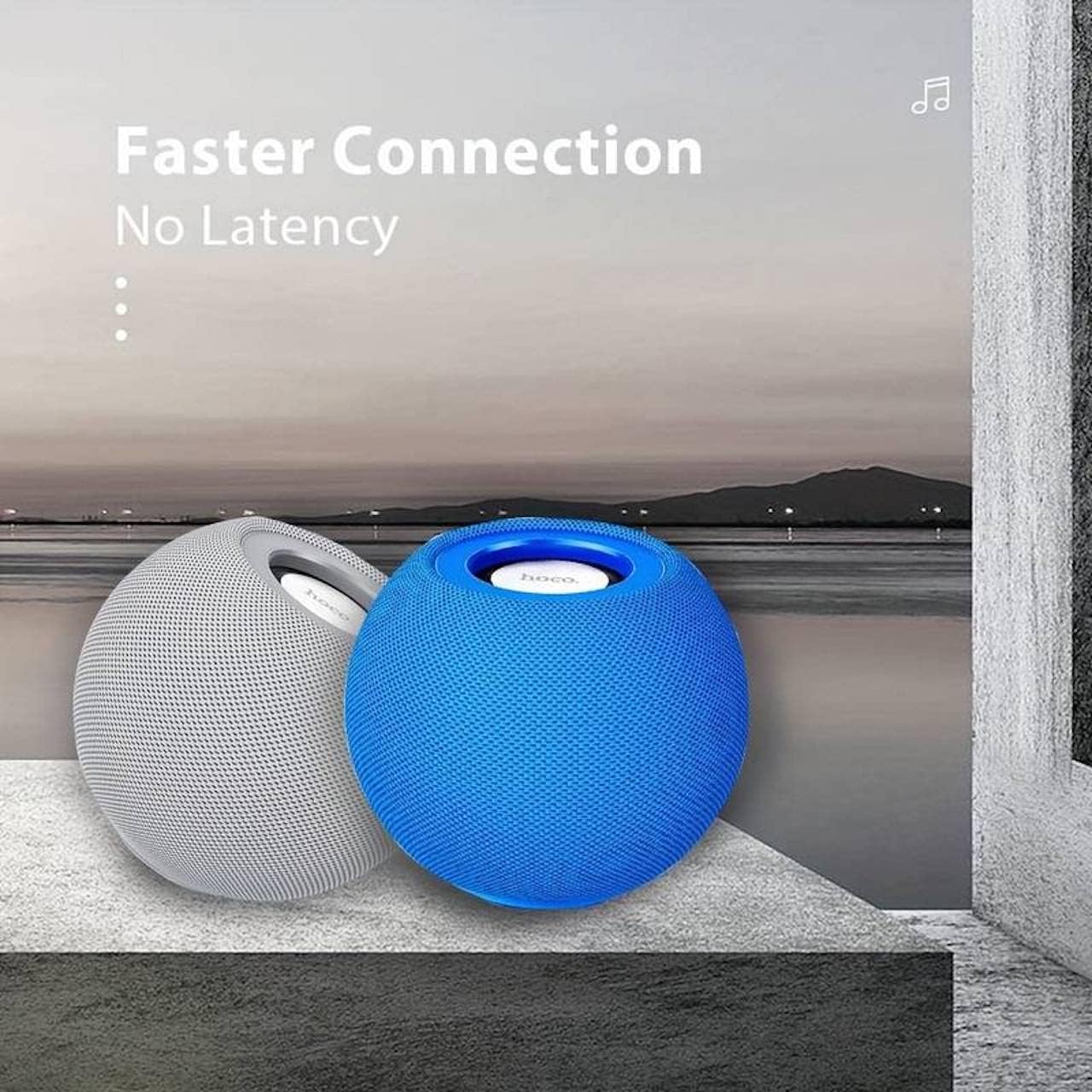
4.1-сүрөт: Two HOCO BS45 speakers, one grey and one blue, shown together to illustrate the True Wireless Stereo (TWS) pairing capability for enhanced audio.
5. Иштөө режимдери
5.1 Bluetooth режими
After successful Bluetooth pairing (Section 4.3), you can play audio from your connected device. Use your device's media player to control playback (play, pause, skip tracks) and volume. Some speaker models may also support these controls directly via integrated buttons.
5.2 FM радио режими
- Press the Mode button (if available) to switch to FM Radio mode.
- Press the Play/Pause button to initiate an automatic scan for FM stations. The speaker will save available stations.
- Use the Next/Previous track buttons to navigate between saved FM stations.
5.3 TF карта режими
- Аудио менен TF (microSD) картасын салыңыз files into the designated TF card slot on the speaker.
- The speaker should automatically switch to TF Card mode and begin playing music. If not, press the Mode button to select TF Card mode.
- Use the speaker's control buttons (e.g., Play/Pause, Next/Previous) to manage playback.
6. Башкаруу
The HOCO BS45 speaker features integrated controls for easy operation. While specific button layouts may vary, common functions include:
- Кубат баскычы: Күйгүзүү/өчүрүү үчүн басып туруңуз.
- Ойнотуу/тындыруу баскычы: Press to play or pause audio. In FM mode, press to auto-scan.
- Үндү жогорулатуу/Кийинки трек: Үнүн жогорулатуу үчүн кыска басыңыз, кийинки трекке узакка басыңыз.
- Үнүн азайтуу/Мурунку трек: Үндү азайтуу үчүн кыска басыңыз, мурунку трек үчүн көпкө басыңыз.
- Режим баскычы: Bluetooth, FM радио жана TF карта режимдеринин ортосунда которулуу үчүн басыңыз.
- Call Siri / Voice Assistant: Some models support touch operation to activate voice assistants.

6.1-сүрөт: A black HOCO BS45 speaker, illustrating its high power capacity and support for various controls including song switching and voice assistant activation via touch operation.
7. Техникалык тейлөө
- Динамикти кургак кармаңыз. Аны сууга же ашыкча нымдуулукка тийгизбеңиз.
- Динамикти жумшак, кургак чүпүрөк менен тазалаңыз. Абразивдүү тазалагычтарды же эриткичтерди колдонбоңуз.
- Avoid extreme temperatures. Store the speaker in a cool, dry place.
- Динамикти өз алдынча бөлүктөргө бөлүүгө же оңдоого аракет кылбаңыз. Бул кепилдикти жокко чыгарат.
8. Кыйынчылыктарды
| Көйгөй | Мүмкүн себеп | Чечим |
|---|---|---|
| Динамик күйбөйт. | Батарея аз. | Динамикти кеминде 1.5 саатка заряддаңыз. |
| Bluetooth аркылуу жупташтыруу мүмкүн эмес. | Динамик жупташтыруу режиминде эмес; түзмөк Bluetooth өчүк; аппараттан өтө алыс. | Ensure speaker is in pairing mode. Enable Bluetooth on your device. Move speaker closer to device (within 10 meters). |
| Үн жок. | Volume too low; speaker not connected; incorrect mode. | Increase volume on both speaker and connected device. Re-pair Bluetooth. Ensure correct operating mode (Bluetooth, FM, TF card). |
| FM радиосун кабыл алуу начар. | Алсыз сигнал; экологиялык кийлигишүү. | Move the speaker to a location with better signal. Avoid obstructions. |
9. Техникалык шарттар
- Модел: BS45
- Bluetooth версиясы: 5.0 (Chip: JL AC6965)
- Батарея сыйымдуулугу: 500mAh
- Заряддоо убактысы: Болжол менен 1.5 саат
- Сүйлөшүү/Музыка убактысы: Болжол менен 2 саат
- Динамик бирдиги: 57мм * 1
- Динамиктин кубаттуулугу: 5 Вт * 1
- Байланыш технологиясы: Bluetooth, FM, TF card, TWS
- Аудио чыгаруу режими: Курчап
- Монтаж түрү: Стол үстү
- Динамик түрү: Сыртта
- Продукциянын өлчөмдөрү: 9.8 x 8.5 x 8.5 см (3.9 x 3.3 x 3.3 дюйм)
- Продукт Салмагы: 242 г
- Шайкеш түзмөктөр: Компьютер, ноутбук, MP3 ойноткуч, смартфон, планшет
9.1-сүрөт: A display of four HOCO BS45 speakers in various colors (black, blue, red, grey), emphasizing core specifications such as Bluetooth 5.0, 2 hours of music playback, and a 500mAh battery capacity.
10. Коопсуздук маалыматы
- Динамикти өтө жогорку температурага, түз күн нуруна же ачык отко тийгизбеңиз.
- Спикерди түшүрүүдөн же катуу таасирлерге дуушар кылуудан качыңыз.
- Динамикти балдардан жана үй жаныбарларынан алыс кармаңыз.
- Берилген кубаттоочу кабелди же сертификатталган кубаттоочу кабелди гана колдонуңуз.
- Do not operate the speaker in wet environments or near water.
- Продукцияны жергиликтүү эрежелерге ылайык таштаңыз.
11. Кепилдик жана колдоо
Specific warranty details for the HOCO BS45 speaker may vary by region and retailer. Please refer to your purchase documentation or contact your point of sale for warranty information. For technical support or inquiries, please visit the official HOCO webсайтка же кардарларды тейлөөгө кайрылыңыз.