
1. Киришүү
This manual provides detailed instructions for the installation, operation, and maintenance of your Aiwit Wireless Doorbell Camera. Please read this manual thoroughly before use to ensure proper functionality and safety. This device is designed to enhance your home security by providing real-time video surveillance and two-way communication at your doorstep.
2. Эмнелер камтылган
Төмөндө тизмеленген нерселердин баары пакетиңизде бар экенин текшериңиз:
- Aiwit Wireless Doorbell Camera
- Wireless Chime Ringer
- Монтаждоо бурамалар жана анкерлер
- Жабышкак монтаждоо лентасы
- USB заряддоо кабели
- User Manual

3. Негизги өзгөчөлүктөрү
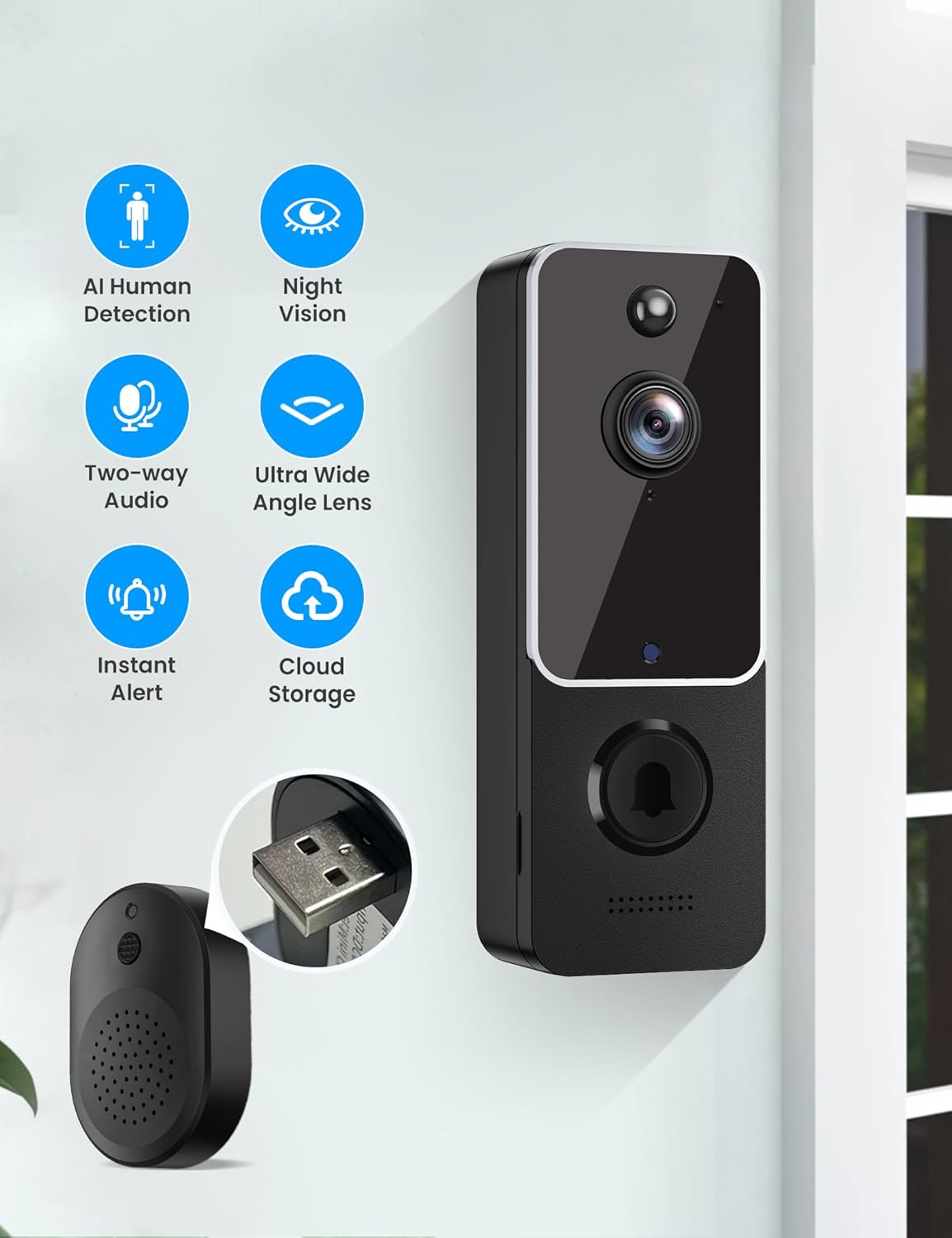
The Aiwit Wireless Doorbell Camera is equipped with several advanced features to provide comprehensive home security:
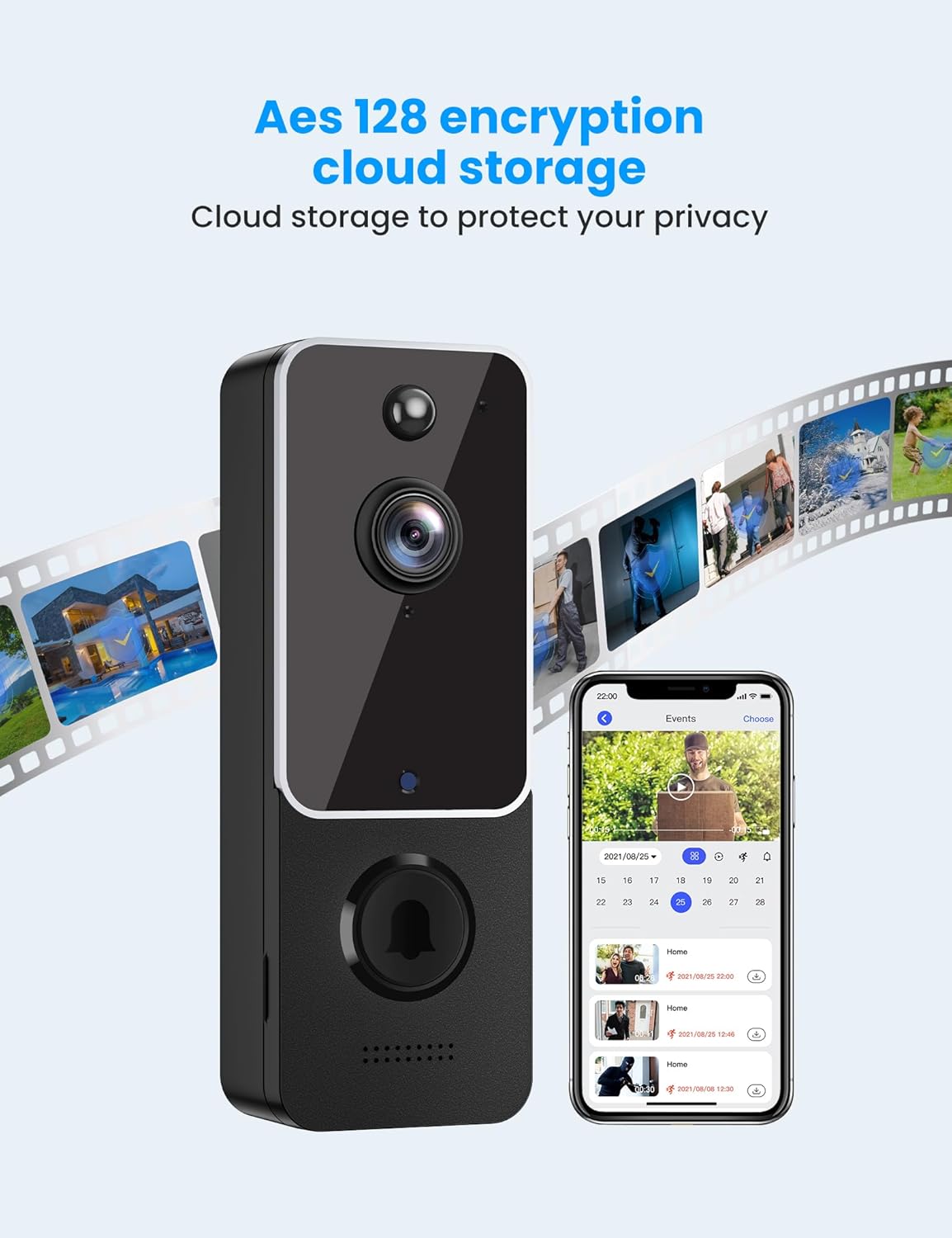
- Secure Cloud Storage Options: Enjoy AES-128 encrypted cloud storage with an optional subscription plan (sold separately). Take advantage of a 30-day free trial for uninterrupted recording, reviewing, and sharing.
- Real-Time Two-Way Communication: Easily interact with visitors from any location in real-time.
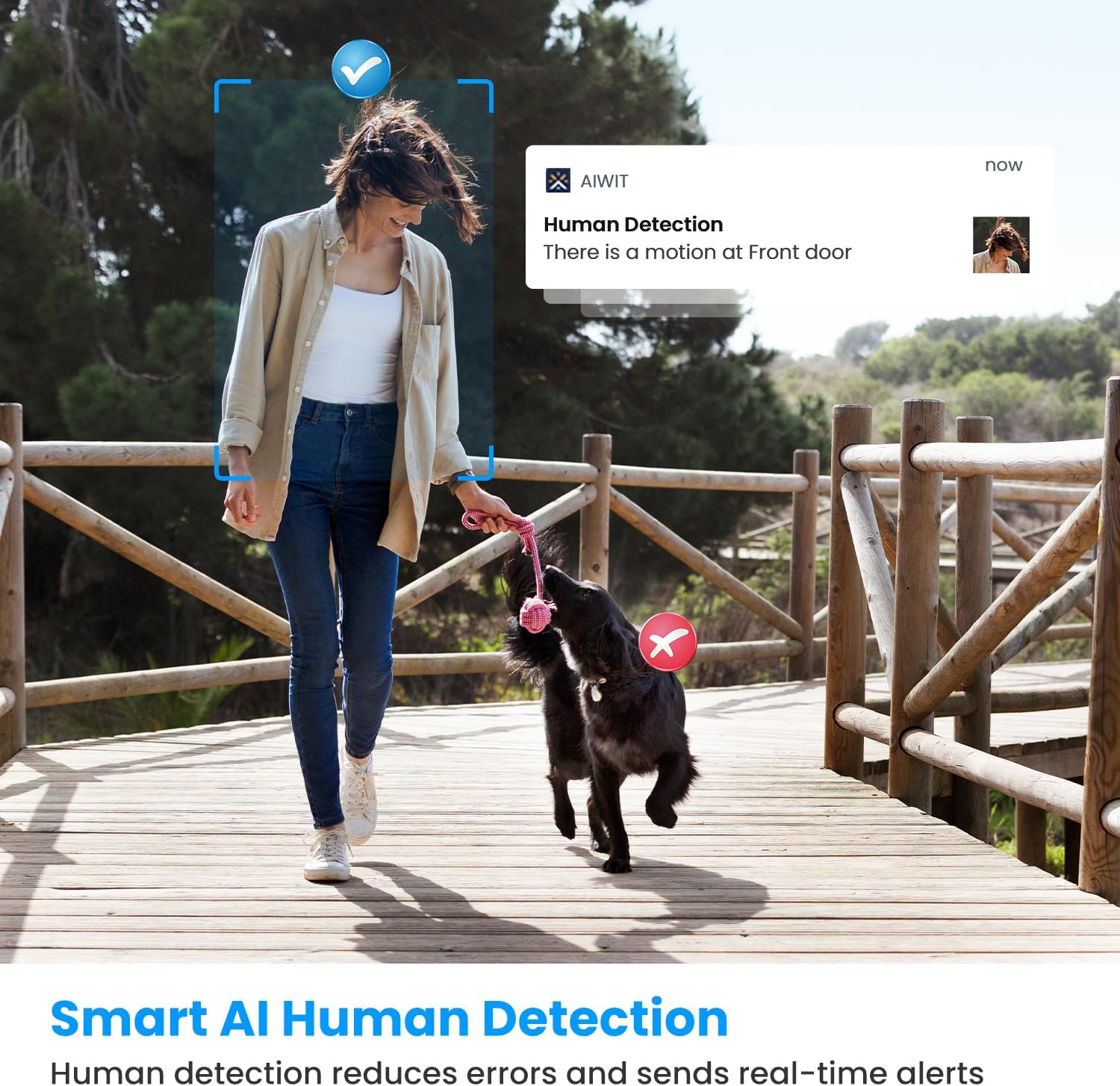
- AI-Enhanced Human Detection: Utilize advanced AI technology to accurately identify people while filtering out irrelevant motion, such as cars and trees.
- Cutting-Edge Night Vision Capabilities: Six infrared lights and a smart IR sensor provide crisp, high-resolution videos in low-light conditions, both day and night.
- Complimentary Chime for Added Convenience: Place the included doorbell chime in your dining room, kitchen, or terrace to receive instant alerts. Connect multiple chimes to a single doorbell for increased versatility.



4. Орнотуу колдонмосу
4.1 Коңгуроону заряддоо
Before initial use, fully charge the doorbell camera using the provided USB charging cable. Connect the cable to the doorbell's charging port and a standard USB power adapter (not included). The indicator light will show charging status.
4.2 Aiwit тиркемесин жүктөп алып, орнотуңуз
Издөө 'Aiwit' in your smartphone's app store (Google Play Store for Android or Apple App Store for iOS) and download the application. Follow the on-screen instructions to create an account and log in.
4.3 Pairing the Doorbell and Chime
- Plug the wireless chime into a power outlet.
- Open the Aiwit app and follow the prompts to add a new device.
- Press the doorbell button on the camera to initiate pairing. The chime will ring once successfully paired.
4.4 Mounting the Doorbell Camera
The doorbell camera offers two mounting options:
- Клей монтаждоо: For smooth, clean surfaces, use the strong adhesive tape provided. Ensure the surface is dry and free of dust before application.
- Бурама орнотуу: For a more secure installation, use the included screws and anchors. Mark the desired drilling spots, drill pilot holes, insert anchors, and then secure the doorbell with screws.

5. Иштөө нускамалары
Once your Aiwit Wireless Doorbell Camera is set up, you can utilize its features through the Aiwit app:
- Live View: Open the Aiwit app to access a real-time video feed from your doorbell camera at any time.
- Эки тараптуу сүйлөшүү: Качан viewing the live feed or receiving a call, use the microphone icon in the app to speak with visitors at your door.
- Кыймылды аныктоо эскертүүлөрү: The camera will automatically detect human motion and send instant notifications to your smartphone. Tap the notification to view окуя.
- Түнкү көрүнүш: Камера аз жарык шарттарында автоматтык түрдө түнкү көрүү режимине өтүп, так кара жана ак видеону камсыз кылат.
- Cloud Storage Access: Review recorded events and video clips from the cloud storage section within the app. You can filter by date and event type.
6. Техникалык тейлөө
To ensure optimal performance and longevity of your Aiwit Wireless Doorbell Camera, follow these maintenance guidelines:
- Тазалоо: Камеранын линзасын жана анын тегерегиндеги жерди мезгил-мезгили менен жумшак, d чүпүрөк менен сүртүп туруңуз.amp cloth to remove dust and smudges. Avoid using harsh chemicals or abrasive materials.
- Батареяга кам көрүү: Recharge the doorbell camera when the battery level is low, as indicated in the Aiwit app. Avoid prolonged exposure to extreme temperatures, which can affect battery life.
- Программалык камсыздоонун жаңыртуулары: Keep the Aiwit app and doorbell firmware updated to the latest versions to benefit from new features and security enhancements.
7. Кыйынчылыктарды
If you encounter issues with your Aiwit Wireless Doorbell Camera, refer to the following common problems and solutions:
| Көйгөй | Мүмкүн себеп | Чечим |
|---|---|---|
| Эшиктин коңгуроосу Wi-Fi'га туташпай жатат | Weak Wi-Fi signal, incorrect password, or router issues. | Ensure the doorbell is within Wi-Fi range. Verify Wi-Fi password. Restart your router. |
| Видеонун сапаты начар же кечигүү | Low Wi-Fi bandwidth, interference, or dirty lens. | Improve Wi-Fi signal strength. Reduce network congestion. Clean the camera lens. |
| Кыймылды аныктоо иштебей жатат | Incorrect sensitivity settings, or obstructions. | Adjust motion detection sensitivity in the Aiwit app. Clear any obstructions in the camera's view. |
| Батарея бат эле түгөнөт | Frequent motion events, extreme temperatures, or old battery. | Reduce motion detection sensitivity. Avoid placing in direct sunlight or extreme cold. Consider battery replacement if very old. |
| Коңгуроо кагылбай жатат | Chime unplugged, not paired, or out of range. | Ensure chime is plugged in. Re-pair the chime with the doorbell. Move chime closer to the doorbell. |
For further assistance, please refer to the Aiwit app's help section or contact customer support.
8. Техникалык шарттар
| Өзгөчөлүк | Деталь |
|---|---|
| Модел | B0C49K415Y |
| Бренд | Айвит |
| Power Source | Батарея менен иштейт (2 литий-полимердик батарейка камтылган) |
| Connectivity Protocol | Wi-Fi (2.4 ГГц) |
| Controller Type | Aiwit App |
| Монтаж түрү | Дубалга орнотуу |
| Түс | Ак |
| Зымсыз байланыш технологиясы | Wi-Fi |
| Орнотуу түрү | Дубалга орнотулган |
| Ватtage | 12 ватт |
| Өлчөмдөрү (L x W x Y) | 2 x 1.5 x 5.3 дюйм |
| Элемент Салмагы | 8.4 унция |
| Төмөн жарык технологиясы | Түнкү түс |
| Эскертүү түрү | Кыймыл гана |
| Видео тартуу форматы | H.264 |
| Эл аралык коргоо рейтинги | IP65 |
| Өзгөчө өзгөчөлүк | Түнкү көрүнүш, кыймыл сенсору |
| Ички/тышкы колдонуу | Сыртта |
9. Кепилдик жана колдоо
For warranty information and technical support, please refer to the Aiwit app's help section or visit the official Aiwit website. You may also contact Aiwit customer service directly for assistance with product issues, troubleshooting, or inquiries regarding cloud storage subscriptions.