
Introduction
This manual provides detailed instructions for the installation, operation, and maintenance of your Mars Gaming MARSGAMING MCX ATX PC Gaming Case, Model MCF. Please read this manual thoroughly before beginning assembly to ensure proper setup and optimal performance.

Figure 1: Mars Gaming MARSGAMING MCX ATX PC Gaming Case (Model MCF)
Негизги өзгөчөлүктөрү
- Advanced Gaming Lighting: Features triple vented front and rear fans with ARGB lighting, complemented by a Metal-Mesh front design and tempered glass side window.
- Аэродинамикалык дизайн: Sophisticated look with pure geometric lines and premium finishes. The aerodynamically designed front panel enhances ventilation and airflow.
- Full ARGB Compatibility: ARGB lighting with multiple preset effects, controllable via an ARGB connector or motherboard for extensive aesthetic customization.
- Максималдуу муздатуу кубаттуулугу: Includes a triple front fan system and a 120mm rear fan. Supports up to 6 x 120mm fans, removable magnetic top and bottom filters, and dual chamber design. Full support for up to 360mm liquid cooling.
- Maximum Internal Capacity: Supports ATX, micro-ATX, and mini-ITX motherboards, up to 5 hard drives, and efficient internal cable management. Accommodates VGAs up to 305mm long (330mm without front fan) and 167mm wide, and heatsinks up to 177mm high.
Пакеттин мазмуну
Орнотууну улантуудан мурун, бардык компоненттердин пакетте бар экенин текшериңиз.
- Mars Gaming MARSGAMING MCX ATX PC Gaming Case (Model MCF)
- 4 x 120mm ARGB Fans (pre-installed)
- Кошумча жабдуулар топтому (бурамалар, бекиткичтер, кабелдик байлагычтар)
- Колдонуучунун Колдонмосу (бул документ)
Орнотуу нускамалары
1. Ишти даярдоо
Place the case on a stable, flat surface. Remove the tempered glass side panel by unscrewing the thumb screws at the rear of the case and carefully sliding the panel off.
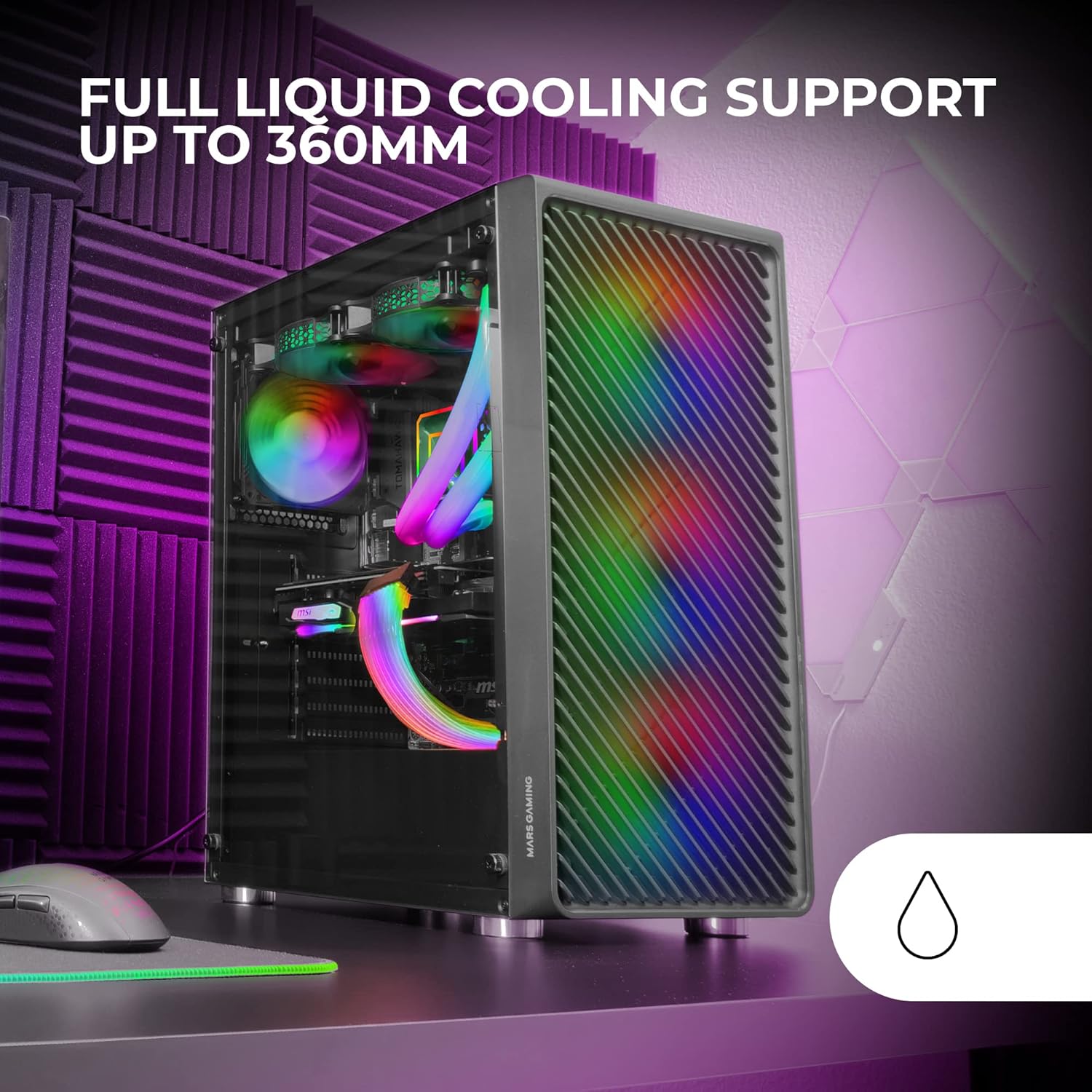
Figure 2: Tempered Glass Side Window
The front panel features a Metal-Mesh design for optimal airflow.

Figure 3: Metal-Mesh Front Panel
2. Motherboard орнотуу
Install the appropriate standoffs for your ATX, Micro-ATX, or Mini-ITX motherboard. Carefully place the motherboard into the case, aligning it with the standoffs and the I/O shield opening. Secure the motherboard with screws from the accessory kit.
3. Электр менен камсыздоо блогун (PSU) орнотуу
The case features a bottom-mount power supply design. Slide your PSU into its designated compartment at the bottom rear of the case and secure it with screws. Route the necessary cables through the cable management cutouts.
4. Сактоочу дискти орнотуу
Install your 3.5-inch hard drives and 2.5-inch solid-state drives into the available drive bays. The case supports up to 5 hard drives. Refer to the internal layout diagram for bay locations.
5. Graphics Card (VGA) Installation
Remove the necessary PCI-E slot covers. Insert your graphics card into the appropriate PCI-E slot on your motherboard and secure it with screws. The case supports VGAs up to 305mm long (330mm without a front fan) and 167mm wide.
6. Муздатуу системасын орнотуу (вентиляторлор жана суюк муздатуу)
The case comes with four pre-installed 120mm ARGB fans (three front, one rear). Additional fans can be installed as follows:
- Жогорку: Up to 2 x 120mm or 2 x 140mm fans.
- Алдыңкы: Up to 3 x 120mm or 2 x 140mm fans (pre-installed).
- Арткы: 1 x 120mm fan (pre-installed).
For liquid cooling, the case supports radiators up to 360mm.

Figure 4: Pre-installed 4x 120mm ARGB Fans

Figure 5: Internal Layout and Cooling Support
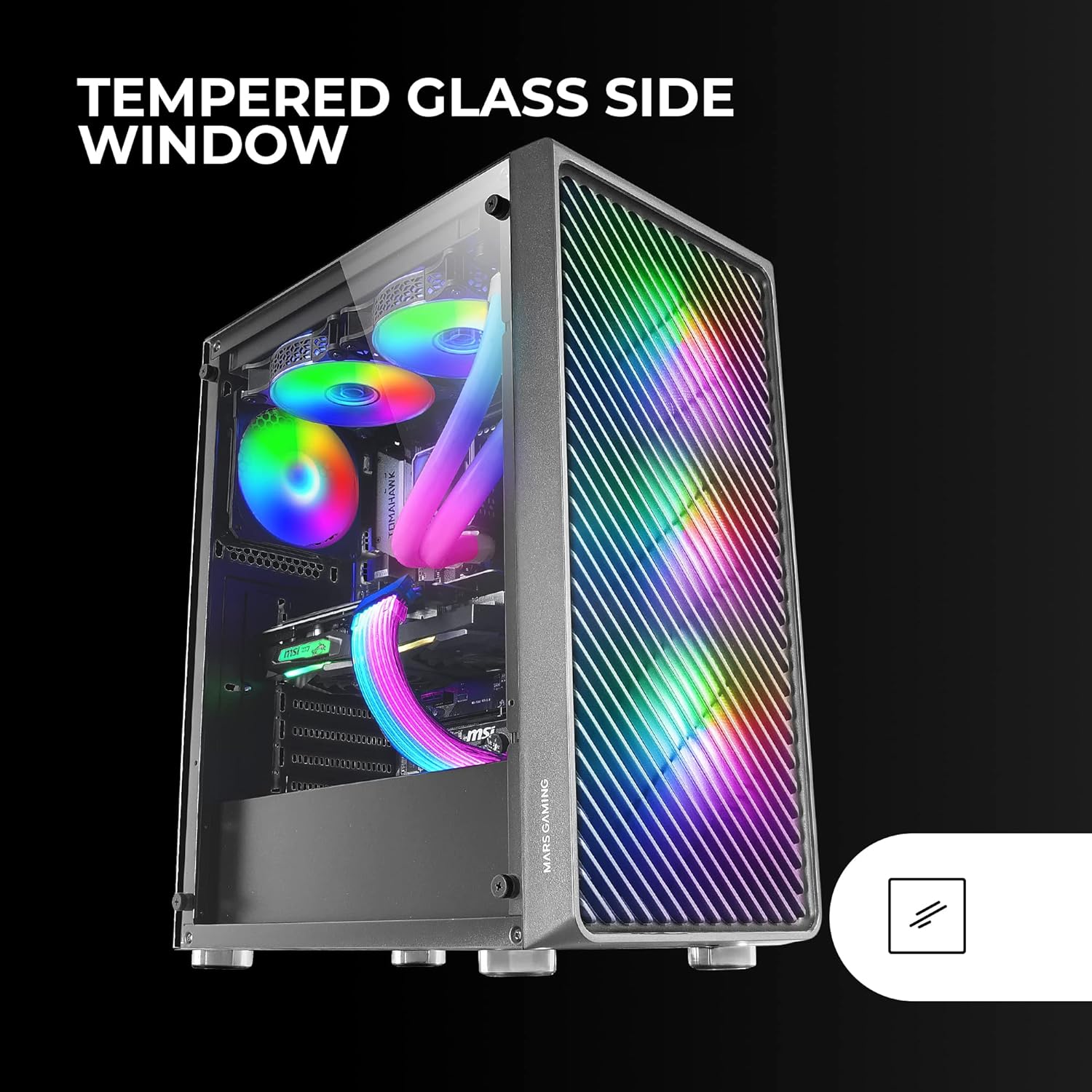
Figure 6: Liquid Cooling Support
7. Кабелдик башкаруу
Кабелдерди өткөрүү жана бекитүү үчүн энелик плата лотогунун артындагы кабелдерди башкаруу кесиктерин жана бекитүүчү чекиттерди колдонуңуз. Бул аба агымын жана эстетиканы жакшыртат.
8. Жыйынтыктоочу жыйын
Бардык компоненттер орнотулгандан жана кабелдер башкарылгандан кийин, чыңдалган айнек каптал панелин кайра бекитип, аны баш бармактын бурамалар менен бекитиңиз.
Иштөө нускамалары
Күйгүзүлүүдө
Connect your power supply to a wall outlet. Press the power button located on the top panel of the case to turn on your system.
ARGB жарыкты башкаруу
The pre-installed ARGB fans can be controlled via your motherboard's ARGB software (if connected to an ARGB header) or through the integrated controller (if applicable). Refer to your motherboard manual for specific ARGB software instructions. The case offers multiple preset lighting effects.
Техникалык тейлөө
Ишти тазалоо
Корпустун сыртын жумшак, d чүпүрөк менен үзгүлтүксүз тазалап туруңузamp cloth. Avoid abrasive cleaners. For interior cleaning, use compressed air to remove dust from components and fans.
Чаң чыпкасын тейлөө
The case features removable magnetic dust filters on the top and bottom. Periodically remove and clean these filters to maintain optimal airflow and prevent dust buildup inside the system. Wash with water and mild soap, then dry completely before reattaching.
Проблемаларды чечүү
Желдеткичтер айланбай жатат / RGB иштебей жатат
- Check all fan and ARGB connections to the motherboard or controller.
- Ensure the power supply is providing adequate power.
- Verify that ARGB software or physical controls are correctly configured.
Poor Airflow / Overheating
- Clean all dust filters and fans.
- Ensure proper fan orientation for intake and exhaust.
- Verify that no cables are obstructing airflow.
- Consider adding additional fans if temperatures remain high.
Система күйбөй жатат
- Check all power connections from the PSU to the motherboard and components.
- Алдыңкы панелдеги кубат баскычынын кабели энелик платага туура туташкандыгын текшериңиз.
- Verify the PSU is switched on.
Техникалык шарттар
| Өзгөчөлүк | Деталь |
|---|---|
| Бренд | Mars Gaming |
| Модель аты | MCF |
| Иштин түрү | Ара Tower |
| Motherboard шайкештиги | ATX, Микро ATX, Мини-ITX |
| Материал | Металл |
| Түс | Кара |
| Элементтин өлчөмдөрү (D x W x Y) | 14.96"D x 8.5"W x 18.11"H |
| Элемент Салмагы | 4.7 килограмм |
| Internal Bays Quantity | 5 (for 3.5" Hard Disk Form Factor) |
| GPU Max Length | 305mm (330mm without front fan) |
| CPU Cooler Max Бийиктиги | 177мм |
| Алдын ала орнотулган күйөрмандар | 4 x 120мм ARGB күйөрмандары |
| Муздатуу ыкмасы | Аба, суу |
| Суюк муздатуу колдоо | Up to 360mm radiator |
| Кубат менен камсыздоону орнотуу түрү | Төмөнкү тоо |
| Жалпы USB порттору | 2 2.0 (USB XNUMX) |
| Өзгөчөлүктөр | RGB Lighting, Tempered Glass Side Panel, Metal-Mesh Front Panel |
Кепилдик жана колдоо
For warranty information and technical support, please refer to the official Mars Gaming webсайтка же кардарларды тейлөө бөлүмүнө кайрылыңыз. Кепилдик дооматтар үчүн сатып алганыңыздын далилин сактаңыз.
Өндүрүүчү: Mars Gaming