
UTRAI Jstar 8
UTRAI Portable Car Jump Starter Jstar 8 User Manual
Model: Jstar 8
Introduction
Thank you for choosing the UTRAI Portable Car Jump Starter Jstar 8. This manual provides essential information for the safe and effective operation, maintenance, and troubleshooting of your device. Please read this manual thoroughly before use and retain it for future reference.
The UTRAI Jstar 8 is a versatile and powerful portable jump starter designed to provide reliable starting power for a wide range of 12V vehicles, including cars, SUVs, pickups, vans, RVs, motorcycles, snowmobiles, and lawnmowers. It is capable of jump-starting gasoline engines up to 10 liters and diesel engines up to 8 liters. Beyond its primary function, it also serves as a portable power bank for your electronic devices and features a multi-mode LED flashlight for emergencies.

Image: The UTRAI Portable Car Jump Starter Jstar 8, showcasing the main unit with its digital display and the attached smart jumper clamps.
Кутуда эмне бар
Upon opening your UTRAI Portable Car Jump Starter package, you should find the following items:
- 1x JS-8 Car Jump Starter
- 1x Smart Jumper Clip
- 1x USB-C кабели
- 1x Колдонуучунун колдонмосу
- 1x Сактоочу баштык
Продукт бүттүview
Familiarize yourself with the components of your UTRAI Jstar 8 jump starter:

Image: A detailed diagram illustrating the various components of the UTRAI Jstar 8, including the power button, display screen, USB output ports, LED light, EC5 output port, and the smart jumper clamp with its red and black battery clamps and LED indicators.
- Негизги блок: Houses the battery, display, and control circuitry.
- 3-inch Super Large LCD Display: Батареянын пайызын көрсөтөтtage, input/output status, and warning symbols.
- Кубат баскычы: Activates the device and controls the LED flashlight.
- USB чыгаруу порттору (x2): For charging external electronic devices.
- EC5 Output Port: Connection point for the smart jumper clamp.
- LED фонарик: Integrated light with multiple modes.
- Smart Jumper Clamp: Features red (positive) and black (negative) clamps with built-in safety features and LED indicators.
Жайгашуу
Баштапкы заряддоо
Before first use, fully charge the UTRAI Jstar 8. Use the provided USB-C cable to connect the jump starter to a USB wall adapter (not included) or a powered USB port. The LCD display will show the charging progress. A full charge is indicated by 100% on the display.
Батарея деңгээлин текшерүү
Press the power button once to activate the display and check the remaining battery percentage. It is recommended to keep the jump starter charged above 50% for optimal performance, especially before attempting to jump start a vehicle.
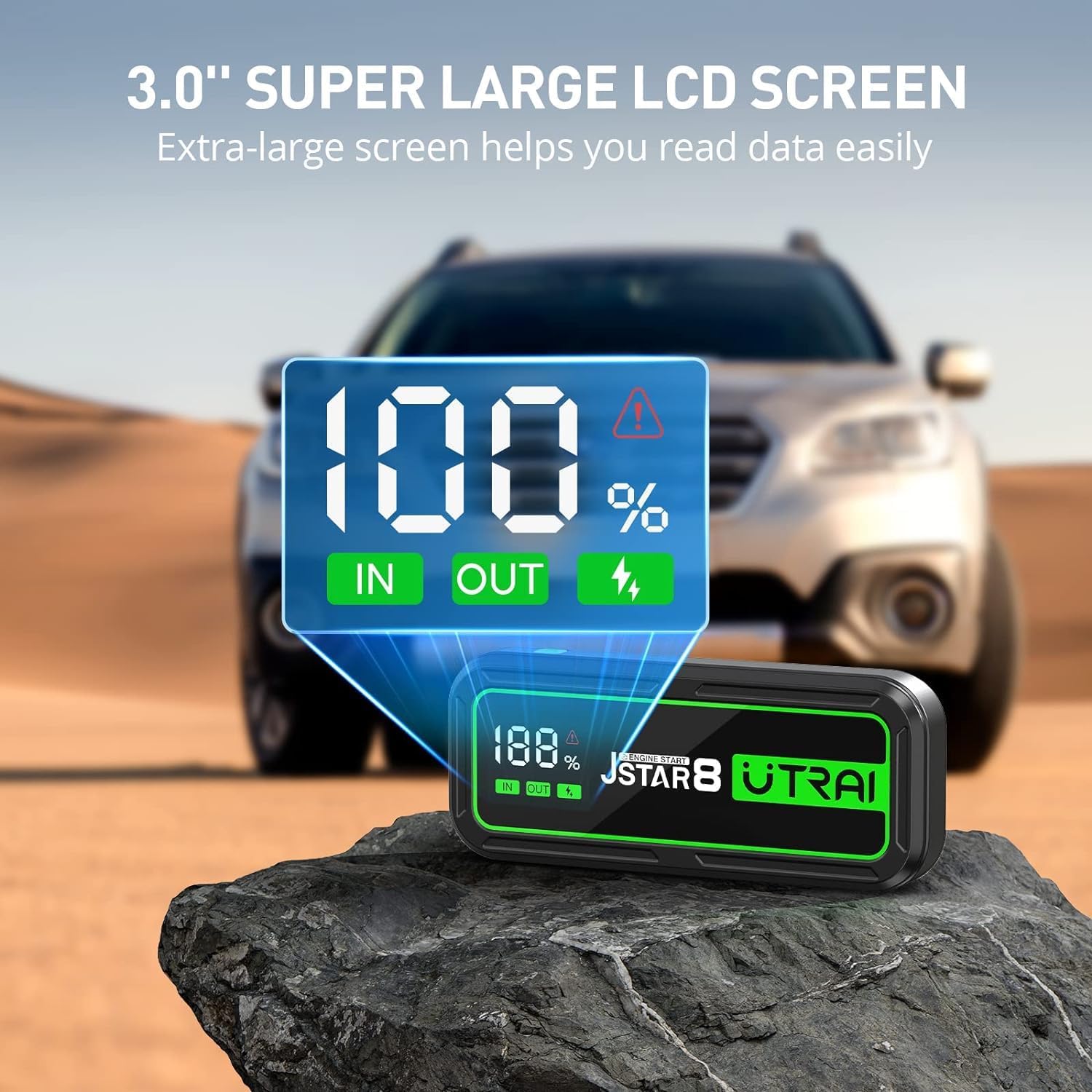
Image: The UTRAI Jstar 8 with its large LCD screen prominently displaying '100%' charge, along with 'IN' and 'OUT' indicators, signifying its readiness for use.
Иштөө нускамалары
Унааны секирип баштоо
Унааны от алдыруу үчүн төмөнкү кадамдарды кылдаттык менен аткарыңыз:
- Унааны даярдоо: Унаанын от алдыруу системасы өчүрүлгөнүн жана бардык кошумча жабдуулар (жарыктар, радио, кондиционер) өчүрүлгөнүн текшериңиз. Алып баруучу тормозду басыңыз.
- Smart Cl туташтырыңызamp: Plug the blue end of the smart jumper clamp into the EC5 output port on the UTRAI Jstar 8. Ensure a firm connection.
- Унаа батареясына туташуу:
- туташтыруу кызыл (+) clamp -га оң (+) терминал унаанын аккумуляторунан.
- туташтыруу кара (-) clamp -га терс (-) терминал унаанын аккумуляторунан.
акылдуу clamp's LED indicator will show the connection status. Refer to the smart clamp's manual for specific indicator meanings (e.g., solid green for ready, flashing for error).
- Унааны баштоо: Акылдуу клуб болгондон кийинamp indicates a safe connection (usually a solid green light), return to your vehicle and start the engine. Do not crank for more than 3 seconds. If the vehicle does not start, wait at least 30 seconds before attempting again.
- Clamps: As soon as the vehicle starts, immediately disconnect the black (-) clamp from the vehicle battery, then disconnect the red (+) clamp. Finally, unplug the smart clamp секирүү стартерден.

Image: A visual guide showing the three easy steps to jump start a vehicle: 1) Plug the clamp into the jump starter, 2) Clip the clamp to the car battery, and 3) Start your vehicle.
Portable Power Bank катары колдонуу
The UTRAI Jstar 8 features a 74000mWh battery capacity and two USB output ports, allowing you to charge various electronic devices such as smartphones, tablets, smartwatches, and cameras.
- Түзмөгүңүздүн USB кубаттоочу кабелин стартердеги USB чыгаруу портторунун бирине туташтырыңыз.
- The jump starter will automatically begin charging your device. The LCD display will show 'OUT' indicating power output.

Image: The UTRAI Jstar 8 acting as a power bank, simultaneously charging an iPhone, a Samsung Galaxy S23, and an iPad Air, demonstrating its 74000mWh battery capacity.
Жарык диоддук чыракты колдонуу
The integrated 200-lumen LED flashlight offers three modes for various situations:
- Жарык режими: Press and hold the power button for 3 seconds to turn on the steady light.
- Жаркыроо режими: Press the power button once more to switch to flashing mode.
- SOS режими: Press the power button a third time to activate the SOS signal mode.
- Өчүрүү: Press the power button again to turn off the flashlight, or press and hold for 3 seconds.
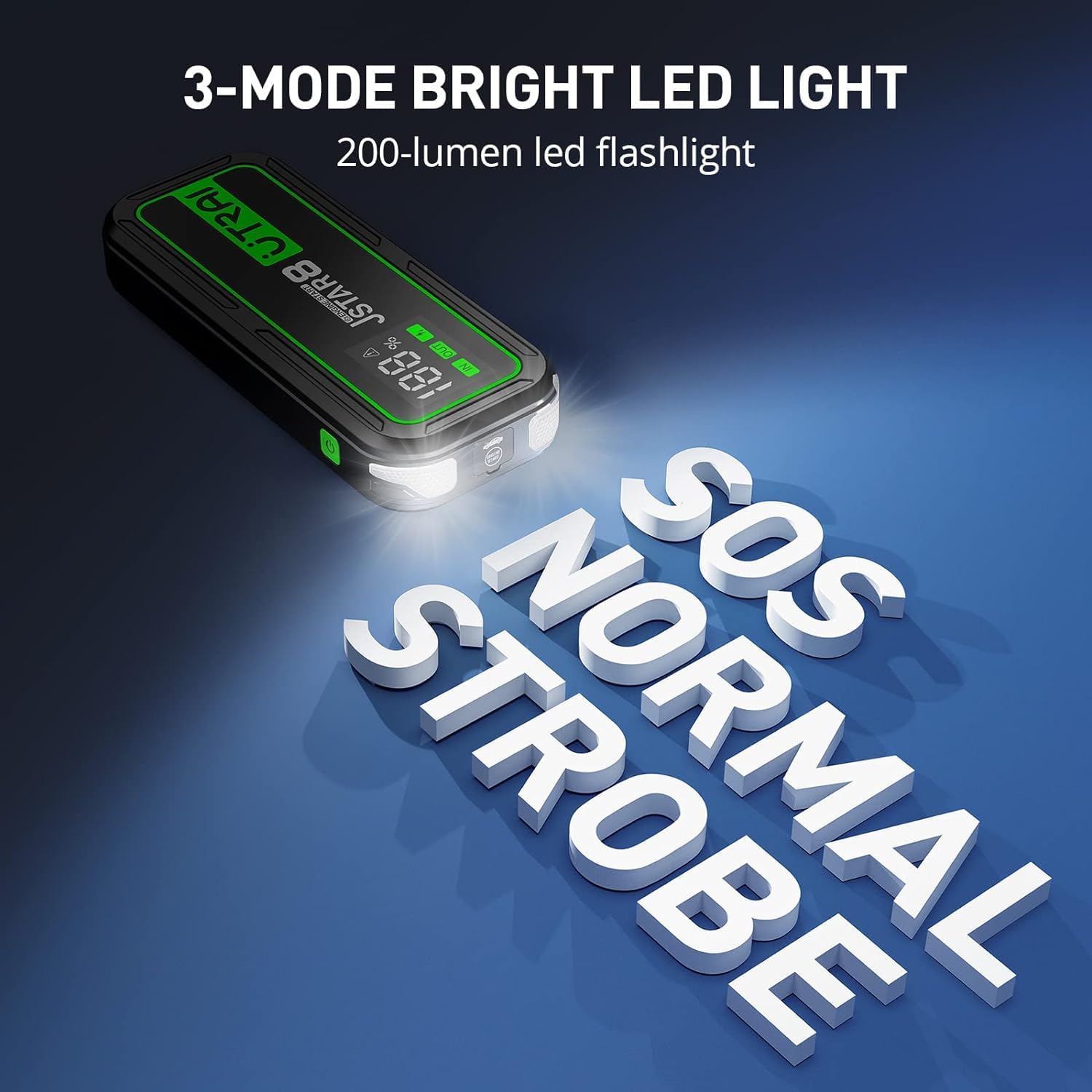
Image: The UTRAI Jstar 8 with its bright LED flashlight illuminated, highlighting its three modes: SOS, Normal, and Strobe, useful for various emergency situations.
Техникалык тейлөө
Proper maintenance ensures the longevity and performance of your UTRAI Jstar 8:
- Үзгүлтүксүз заряддоо: To maintain battery health, recharge the jump starter at least once every 3-6 months, even if not used. This prevents deep discharge and extends battery life.
- Сактагыч: Store the device in a cool, dry place away from direct sunlight, moisture, and flammable materials. Use the provided storage bag for protection.
- Тазалоо: Агрегатты жумшак, кургак чүпүрөк менен сүртүңүз. Катуу химиялык заттарды же абразивдүү тазалагычтарды колдонбоңуз.
- Температура: Avoid exposing the device to extreme temperatures. While designed to work in cold conditions (down to -40°F), prolonged storage in such conditions or extreme heat can affect battery performance.

Image: An infographic highlighting key features of the UTRAI Jstar 8, including its 74000mWh battery, power bank capability, 3-mode light, Smart NTC protection, and ABS fireproof shell, all contributing to its robust design.
Проблемаларды чечүү
If you encounter issues with your UTRAI Jstar 8, refer to the following common problems and solutions:
| Көйгөй | Мүмкүн себеп | Чечим |
|---|---|---|
| Device does not turn on or display is blank. | Батарея толугу менен заряды бүттү. | Түзмөктү USB-C кабели аркылуу толук кубаттаңыз. |
| Унаа туташтырылгандан кийин башталбайт. | Туура эмес clamp connection; vehicle battery too low; engine size exceeds capacity; smart clamp ката. | Камсыз кылуу clamps are connected correctly (red to +, black to -). Check smart clamp LED indicators for error codes. Ensure jump starter is sufficiently charged. Wait 30 seconds before re-attempting. |
| Overheat warning symbol on display. | Device is overheating due to prolonged use or high load. | Disconnect the device and allow it to cool down for several minutes before attempting further use. |
| USB кубаттоо иштебей жатат. | Device not powered on; cable issue; device being charged is incompatible. | Ensure jump starter is powered on. Try a different USB cable. Verify your device is compatible with standard USB charging. |
Эгерде көйгөйлөр чечилбесе, кошумча жардам алуу үчүн Кепилдик жана колдоо бөлүмүн караңыз.
Техникалык шарттар
| Өзгөчөлүк | Спецификация |
|---|---|
| Бренд | УТРАЙ |
| Модель номери | Jstar 8 |
| Жогорку ток | 3000 Amps |
| Батарея сыйымдуулугу | 74000mWh (74Wh) |
| Кыймылдаткычтын шайкештиги (Газ) | 10 литрге чейин |
| Кыймылдаткычтын шайкештиги (Дизель) | 8 литрге чейин |
| Output Ports | 2x USB Output, 1x EC5 Output |
| LED фонарик | 200 Lumens (Lighting/Flash/SOS modes) |
| Дисплей | 3-inch Super Large LCD Screen |
| Иштөө температурасы | Designed to work in -40°F (specific range not provided, but cold weather performance highlighted) |
| Өлчөмдөр (D x W x H) | 3"D x 8.1"W x 6.1"H |
| Элемент Салмагы | 2.64 фунт (1.2 килограмм) |
| Батарея түрү | Литий полимери |
Коопсуздук маалыматы
Сиздин коопсуздугуңуз баарынан маанилүү. Сураныч, төмөнкү коопсуздук эрежелерин сактаңыз:
- Аппаратты иштетүүдөн мурун ар дайым колдонуучу нускаманы толугу менен окуп чыгыңыз.
- Тоңуп калган батареяны секирип баштоого аракет кылбаңыз.
- Шайманды туташтырганда туура полярдуулукту камсыз кылыңызamps (red to positive, black to negative). Incorrect connection can cause sparks, damage the device, or injure the user. The smart clamp has built-in protections to help prevent this.
- Кызыл жана кара кл жол бербеamps to touch each other once connected to the jump starter.
- Аппаратты балдардан алыс кармаңыз.
- Аппаратты жамгырга же сууга тийгизбеңиз.
- Түзмөктү өз алдынча бөлүктөргө бөлбөңүз, өзгөртпөңүз же оңдоого аракет кылбаңыз. Бул кепилдикти жокко чыгарат жана зыян келтириши мүмкүн.
- Use only the provided smart jumper clamp and USB-C cable.
- If the device becomes excessively hot during use, disconnect it immediately and allow it to cool down. The device features NTC protection to prevent overheating.
- Dispose of the device according to local regulations for lithium-ion batteries. Do not dispose of in household waste.

Image: An illustration of the UTRAI Jstar 8's unique safety design, highlighting features like NTC protection, ABS fireproof shell, and safeguards against swelling, overheating, explosion, and leakage.
Кепилдик жана колдоо
For warranty information, technical support, or any inquiries regarding your UTRAI Portable Car Jump Starter Jstar 8, please contact UTRAI customer service directly. Refer to the contact information provided on the product packaging or the official UTRAI webсайт.
Ask a question about this manual
Ask about setup, troubleshooting, compatibility, parts, safety, or missing instructions. Manuals+ will review the question and use this page’s manual context to help answer it.