Introduction
The OnePlus Pad is designed to provide a seamless and efficient mobile experience, combining immersive entertainment with a comfortable design. This manual provides essential information for setting up, operating, and maintaining your device.
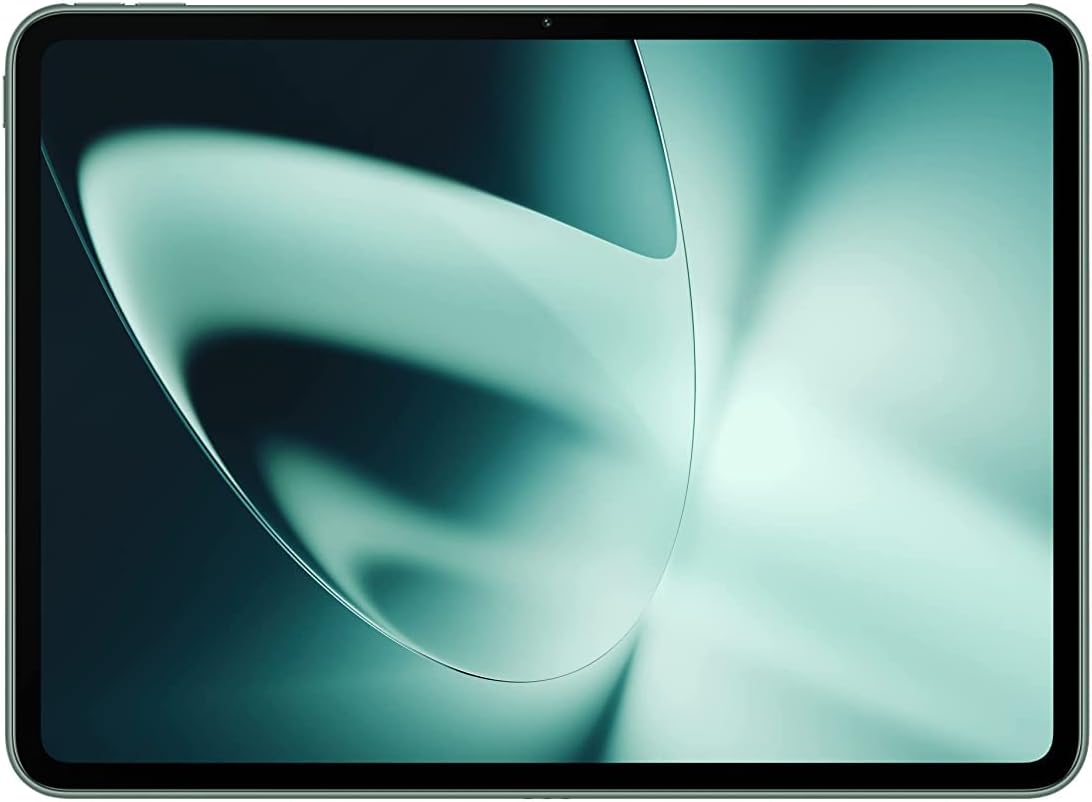
The OnePlus Pad, showcasing анын саркеч дизайны жана жандуу дисплей.
Кутуда эмне бар
Upon unboxing your OnePlus Pad, you will find the following items:
- OnePlus Pad device
- Type-C кабели
- Quick Start Guide
- Коопсуздук маалыматы жана кепилдик картасы
- SUPERVOOC Power Adapter

The OnePlus Pad with its optional accessories, including the keyboard and stylus, demonstrating its versatility for work and play.
Жайгашуу
Follow these steps to set up your new OnePlus Pad:
- Аппаратты заряддоо: Connect the provided Type-C Cable to the OnePlus Pad and the SUPERVOOC Power Adapter. Plug the adapter into a power outlet. The device supports 67W SUPERVOOC charging for rapid power replenishment.
- Күйгүзүү: Press and hold the power button (located on the side) until the OnePlus logo appears on the screen.
- Баштапкы конфигурация: Тилиңизди тандоо, Wi-Fi тармагына туташуу жана Google аккаунтуңузду орнотуу үчүн экрандагы көрсөтмөлөрдү аткарыңыз.
- Кошумча аксессуарлар: If you have the OnePlus Stylo or OnePlus Magnetic Keyboard, they can be paired with the device for enhanced productivity. The OnePlus Stylo offers precise input for creativity, while the Magnetic Keyboard provides an effortless typing experience.

The OnePlus Pad connected to its 67W SUPERVOOC charger, illustrating the fast charging capability.
Operating Your OnePlus Pad
Дисплей жана Визуалдар
The OnePlus Pad features an 11.61-inch LCD display with a unique 7:5 ReadFit ratio, optimizing content viewing and reading comfort. It boasts a 2800x2000 pixel resolution (296 PPI) and a silky-smooth 144 Hz refresh rate for ultra-responsive scrolling and fluid visuals. With 500 nits of brightness and 2048 levels of intelligent brightness control, the display is designed for comfortable viewing in various lighting conditions. It also supports 10-bit True Color for vibrant and natural color reproduction.

The OnePlus Pad's 7:5 ReadFit display ratio, designed for an optimized viewing and reading experience.
Performance
Powered by the MediaTek Dimensity 9000 processor, the OnePlus Pad delivers fast and smooth performance for multitasking, entertainment, and productivity. The Android 13.1 operating system provides a user-friendly interface and access to a wide range of applications.
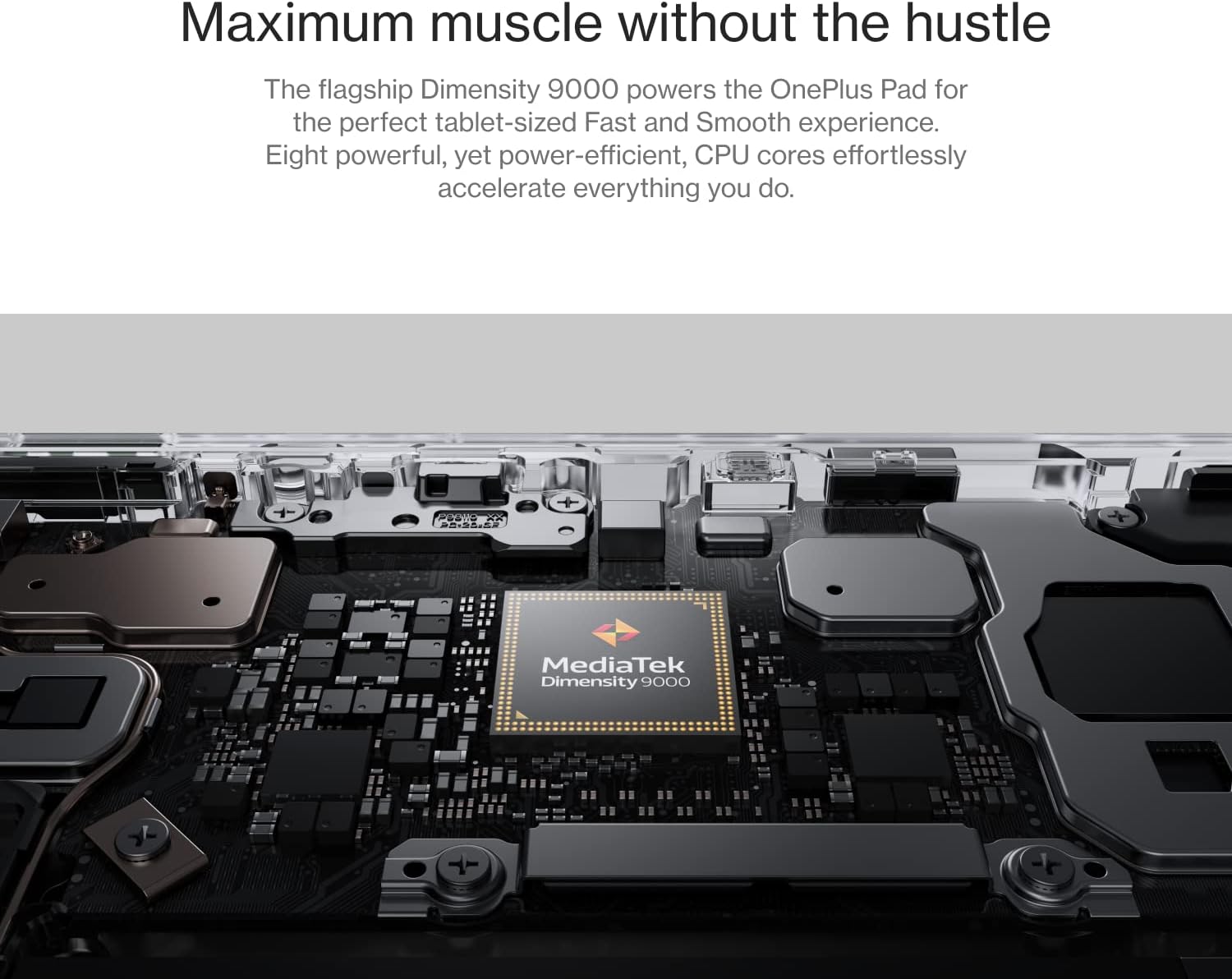
Ички view of the OnePlus Pad, highlighting the MediaTek Dimensity 9000 processor, which ensures smooth performance.
Аудио жана көңүл ачуу
Experience immersive audio with Dolby Vision and Dolby Atmos support. The tablet's omnibearing sound field provides rich, cinematic sound for all your media. The 6.7mm super-slim bezels and 88% screen-to-body ratio maximize your immersive viewтажрыйбасы.

A user enjoying multimedia content on the OnePlus Pad, demonstrating its suitability for entertainment on the go.
Байланыш
The OnePlus Pad supports Wi-Fi (802.11n) and offers cellular data sharing capabilities, ensuring smooth and secure connectivity. Bluetooth 5.3 is also available for connecting wireless accessories.
Камералар
The tablet is equipped with a 13MP rear camera and an 8MP front camera, capable of 1080p video recording. The rear camera is centrally positioned for convenience.
Расмий продукт Video
Расмий продукт видео showcasing the features and design of the OnePlus Pad, including its powerful chipset, sleek design, ReadFit display, 144Hz refresh rate, Dolby Vision & Atmos, Omnibearing Sound Field, 5G Cellular Data Sharing, 67W SUPERVOOC charging, and compatibility with OnePlus Stylo and Magnetic Keyboard.
Техникалык тейлөө
To ensure the longevity and optimal performance of your OnePlus Pad, consider the following:
- Батареянын ден соолугу: Utilize the advanced Battery Health Engine for optimized charging. Avoid extreme temperatures and prolonged exposure to direct sunlight.
- Тазалоо: Экранды жана денени тазалоо үчүн жумшак, түксүз чүпүрөктү колдонуңуз. Абразивдүү материалдардан же катуу химиялык заттардан алыс болуңуз.
- Программалык камсыздоо жаңыртуулары: Regularly check for and install system updates to ensure your device has the latest features and security enhancements.
Проблемаларды чечүү
If you encounter any issues with your OnePlus Pad, try the following basic troubleshooting steps:
- Түзмөк жооп бербейт: Кайра күйгүзүүгө мажбурлоо үчүн кубат баскычын 10-15 секунд басып туруңуз.
- кубаттоо маселелери: Ensure the charging cable and adapter are securely connected and free from damage. Try a different outlet.
- Wi-Fi/Bluetooth байланышы: Toggle Wi-Fi or Bluetooth off and on. Restart your router or the connected device if necessary.
- Колдонмо маселелери: If an app is not working correctly, try clearing its cache or reinstalling it.
- Заводдун баштапкы абалга келтирүү: Акыркы чара катары, сиз заводдук жөндөөлөргө кайтарууну жасай аласыз. Эскертүү: Бул түзмөгүңүздөгү бардык маалыматтарды өчүрөт. Улантуудан мурун маанилүү маалыматтардын камдык көчүрмөсүн сактап коюңуз.
For more detailed troubleshooting or persistent issues, please refer to the official OnePlus support resources.
Техникалык шарттар
| Өзгөчөлүк | Деталь |
|---|---|
| Модель аты | OnePlus Pad |
| Дисплей өлчөмү | 11.61 дюйм |
| Screen Resolution | 2800 x 2000 пиксел (296 PPI) |
| Жаңыртуу ылдамдыгы | 144 Гц |
| Жарыктык | 500 nits (2048 levels intelligent brightness control) |
| Түс тереңдиги | 10-бит Чыныгы түс |
| Процессор | MediaTek Dimensity 9000 (3.05 ГГц) |
| Операция системасы | Android 13.1 |
| RAM | 8 ГБ |
| Сактагыч | 128 ГБ Flash эстутум |
| Арткы камера | 13 MP (1080p recording) |
| Алдыңкы камера | 8 MP (1080p recording) |
| Зымсыз байланыш | Wi-Fi (802.11n), Bluetooth 5.3, Cellular Data Sharing |
| Батарея | 1 литий-иондук батарейка (кошулган) |
| Заряддоо | 67W SUPERVOOC |
| Өлчөмдөр | 11.1 x 8.46 x 2.17 дюйм (Пакет) |
| Салмагы | 552г (болжол менен 1.22 фунт) |
| Экрандын корпуска катышы | 88% |
| Алкактар | 6.7mm super-slim |
Кепилдик жана колдоо
Your OnePlus Pad comes with a warranty as detailed in the included Safety Information and Warranty Card. For technical support, service, or warranty claims, please visit the official OnePlus support webсайтка же кардарларды тейлөөгө кайрылыңыз. Кепилдикти текшерүү үчүн сатып алганыңыздын далилин сактаңыз.
Көбүрөөк маалымат алуу үчүн, киргиле OnePlus Store on Amazon.