
1. Продукт бүтүп калдыview
The EPOS Impact 1030T is a single-sided Bluetooth office headset designed for professionals requiring clear communication while maintaining situational awareness. It features advanced noise-canceling microphone technology, Super Wideband Audio, and EPOS BrainAdapt™ technology to reduce cognitive load. This headset is optimized for open office environments and certified for Microsoft Teams, Zoom, and Skype.
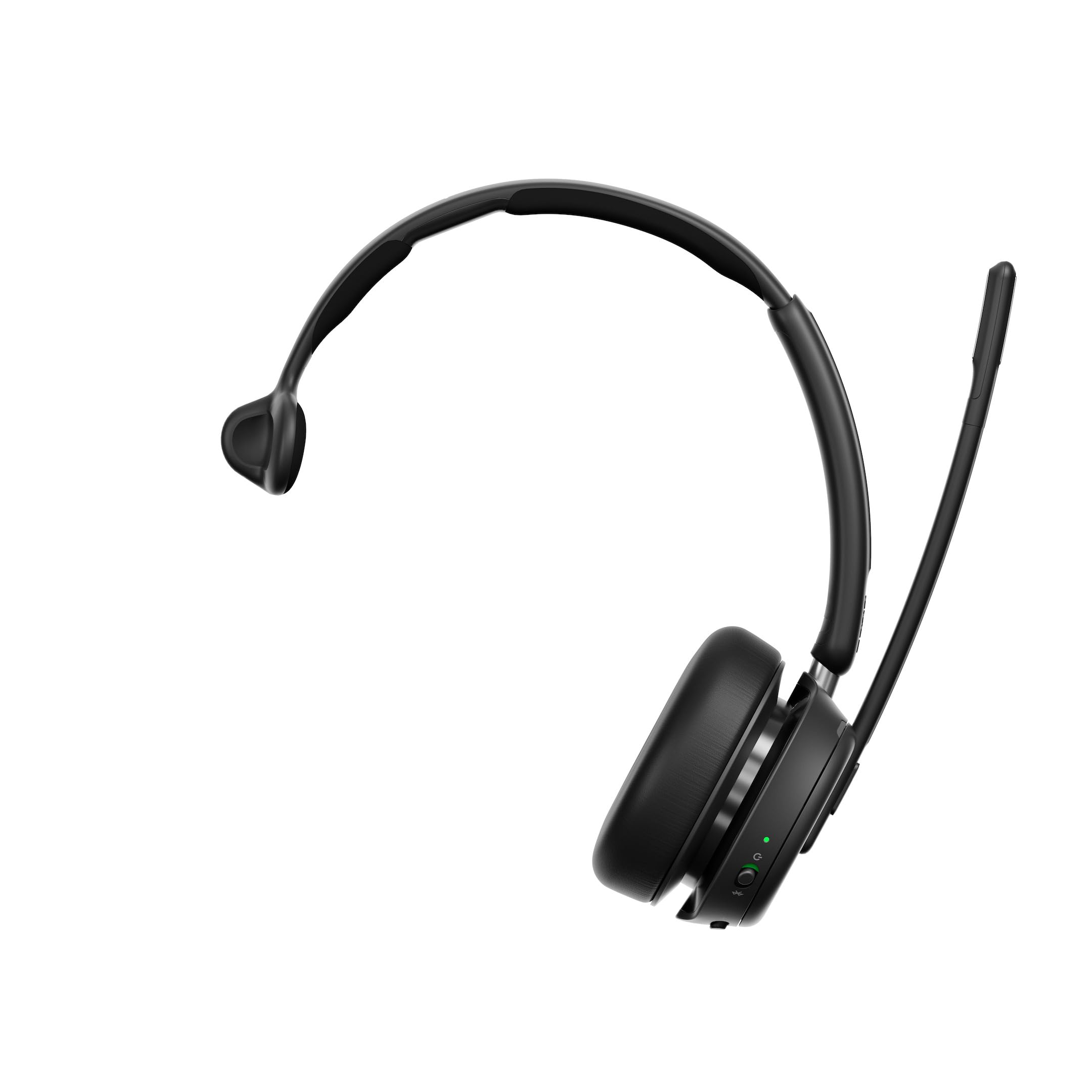
Figure 1: EPOS Impact 1030T Headset
The single-sided design allows one ear to remain open to the surroundings, while the other provides high-quality audio. Soft ear cushions and a padded headband ensure comfort during extended use. A 360-degree busylight indicates when you are on a call, minimizing interruptions. Triple wireless connectivity enables seamless switching between PC, laptop, smartphone, and tablet. Intuitive controls allow for call management, such as muting by raising the boom arm and automatically ending calls when the headset is removed.

2-сүрөт: Жогорку view of the EPOS Impact 1030T Headset
2. Кутуда эмне бар
Таңгакта бардык компоненттер бар экенин текшериңиз:
- EPOS Impact 1030T Headset
- USB-C кабели (1.2м)
- Bluetooth USB Dongle
- Soft Carry Pouch
- Safety & Compliance Sheet
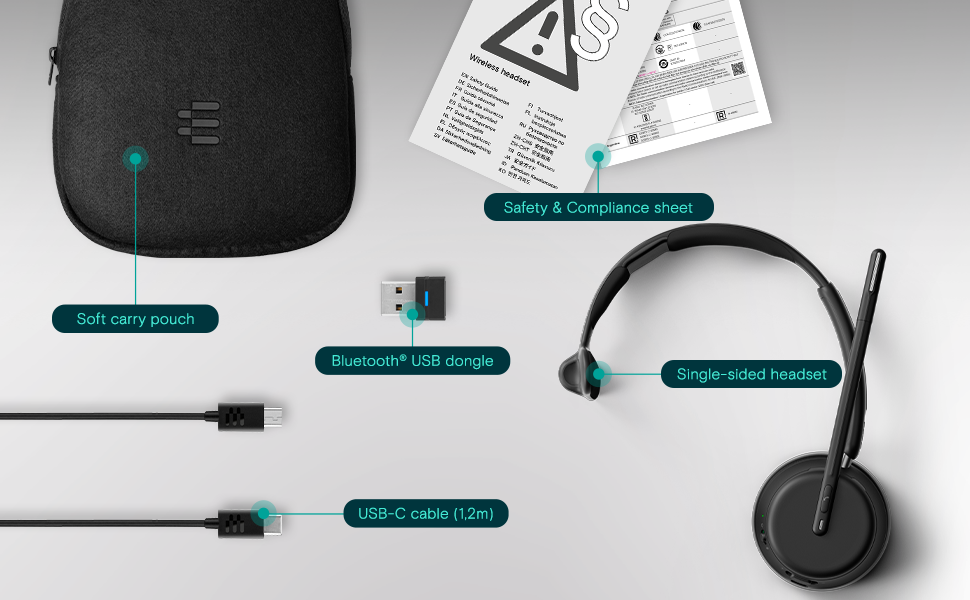
3-сүрөт: Пакеттин мазмуну
3. Орнотуу жана туташуу
3.1 Гарнитураны заряддоо
Before initial use, fully charge the headset using the provided USB-C cable. Connect the USB-C end to the headset and the USB-A end to a power source (e.g., computer USB port or wall adapter). The charging indicator light will show the charging status.
3.2 Гарнитураны тагынуу
Place the ear cup over one ear and adjust the headband for a comfortable and secure fit. Position the microphone boom arm close to your mouth for optimal voice pickup. The boom arm can be rotated to either side depending on your preference.
3.3 Bluetooth жупташтыруу
The EPOS Impact 1030T supports triple wireless connectivity, allowing connection to multiple devices.
- To a PC/Laptop (using USB Dongle): Insert the Bluetooth USB dongle into an available USB port on your computer. The headset and dongle are pre-paired and should connect automatically.
- To a Smartphone/Tablet: Put the headset into pairing mode (refer to the headset's specific button combination, usually holding the power button). On your device, go to Bluetooth settings and select 'EPOS Impact 1030T' from the list of available devices.
4. Иштөө нускамалары
4.1 Күйгүзүү/өчүрүү
Press and hold the Power button for approximately 2 seconds to turn the headset on or off.
4.2 Чалууларды башкаруу
- Чалууга жооп берүү/аяктоо: Чакыруу баскычын басыңыз.
- Микрофондун үнүн басуу: Raise the microphone boom arm upwards. Lower it to unmute.
- Automatic Call End: The headset is designed to automatically end calls when removed from your head.
4.3 Үндү башкаруу
Use the volume up (+) and volume down (-) buttons located on the ear cup to adjust the listening volume.
4.4 Noise Cancellation (Adaptive ANC)
The headset features Adaptive Noise Cancellation (ANC) to reduce ambient noise. This function helps to minimize listening effort and improve concentration. The ANC can be toggled on or off using the dedicated ANC button on the ear cup.
4.5 Бош жарык
The integrated 360-degree busylight automatically illuminates when you are on a call, signaling to others that you are busy and should not be disturbed.
4.6 EPOS AI™ Voice Pickup
The EPOS AI™ adaptive microphones are engineered to provide industry-leading voice pickup, effectively filtering out background noise to ensure your voice is transmitted clearly during calls.
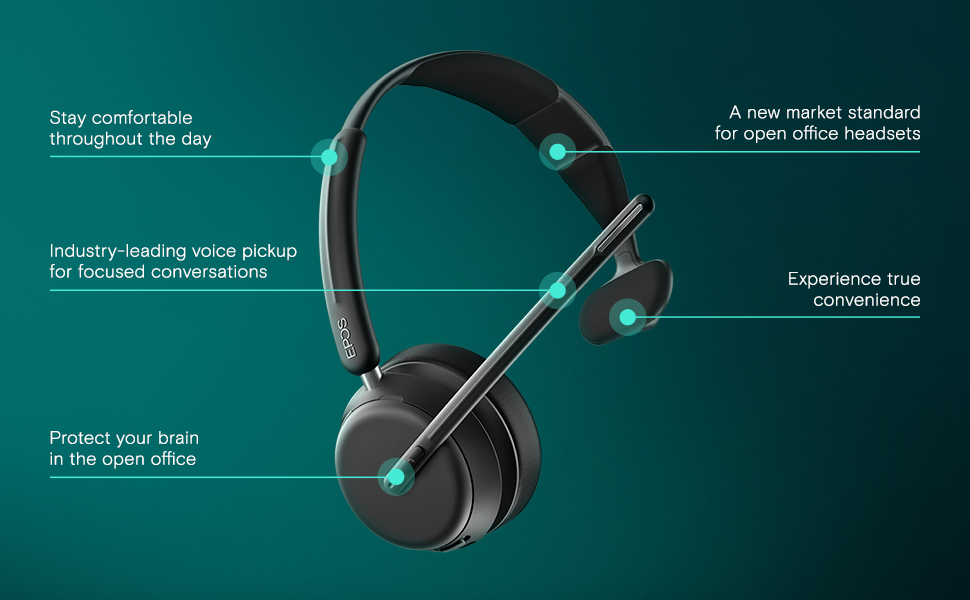
Figure 4: Key Features of the EPOS Impact 1030T
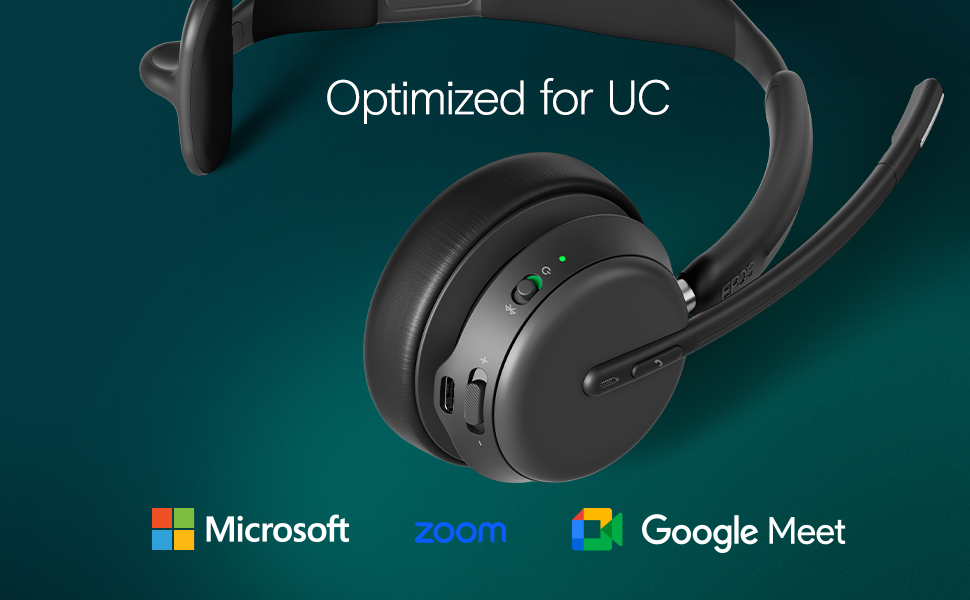
Figure 5: Optimized for Unified Communications Platforms
Video 1: Powerful Sound and Comfort for Your Workday. This video demonstrates the EPOS Impact 1000 series headset's features, including its comfortable design, noise reduction capabilities, and clear audio for professional use.
5. Техникалык тейлөө
5.1 Тазалоо
Regularly clean the headset with a soft, dry cloth. For ear cushions, use a slightly damp cloth with mild soap if necessary, and ensure they are completely dry before use. Do not use harsh chemicals or abrasive materials.
5.2 Сактоо
When not in use, store the headset in its soft carry pouch to protect it from dust and damage. Avoid storing in extreme temperatures or direct sunlight.
6. Кыйынчылыктарды
6.1 Аудио жок/Аудио сапаты начар
- Гарнитура күйгүзүлгөнүн жана толук заряддалганын текшериңиз.
- Verify Bluetooth connection to your device. Re-pair if necessary.
- Гарнитуранын жана туташкан түзмөгүңүздүн үн деңгээлин текшериңиз.
- Confirm the headset is selected as the default audio input/output device in your computer's sound settings or communication application.
6.2 Микрофон иштебейт
- Микрофондун штанганы түшүрүлгөнүн жана үнү басылбаганын текшериңиз.
- Check microphone settings in your computer or communication application to ensure the headset microphone is selected and not muted.
6.3 Байланыш маселелери
- Bluetooth диапазонунда экениңизди текшерүү үчүн туташкан түзмөгүңүзгө жакыныраак жылыңыз.
- Гарнитураны да, туташкан түзмөгүңүздү да өчүрүп-күйгүзүңүз.
- Clear previous Bluetooth pairings on your device and re-pair the headset.
7. Техникалык шарттар
| Өзгөчөлүк | Деталь |
|---|---|
| Бренд | EPOS |
| Модель аты | IMPACT 1030T |
| Модель номери | 1001137 |
| Байланыш технологиясы | Зымсыз (Bluetooth) |
| Bluetooth версиясы | 4.0 |
| Кулак жайгаштыруу | On Ear |
| Форма фактору | On Ear |
| Noise Control | Ыңгайлаштырылган ызы-чууну жокко чыгаруу |
| Микрофон | Noise-Canceling Mic with EPOS AI™ Voice Pickup |
| Аудио драйвер түрү | Динамикалык драйвер |
| Жыштык диапазону | 20 Гц - 20 000 Гц |
| Башкаруу түрү | Үндү башкаруу, баскыч |
| Кошумча функциялар | Adjustable Headband, Lightweight, Busylight, Wireless Charging (with compatible stand) |
| Шайкеш түзмөктөр | Laptops, Desktops, Tablets, Telephones, Smart Speakers |
| Материал | Fabric, Leather, or Memory Foam |
| Түс | Кара |
8. Кепилдик маалыматы
The EPOS Impact 1030T headset comes with a 2 жылдык өндүрүүчүнүн кепилдиги. Please retain your proof of purchase for warranty claims. For detailed terms and conditions, refer to the official EPOS webсайтына же өнүмүңүзгө тиркелген кепилдик документтерине.
9. Колдоо
For further assistance, technical support, or to access additional resources such as FAQs and software updates, please visit the official EPOS support webсайт. Кардарларды тейлөө үчүн байланыш маалыматы да өндүрүүчүдөн тапса болот webсайтында же продуктунун таңгагында.