
Introduction
Thank you for choosing the Hoco ES50 Rima Air Conduction Sports Bluetooth Headset. This manual provides detailed instructions on how to set up, operate, and maintain your new headset. Please read this manual thoroughly before using the product to ensure proper functionality and longevity.
The Hoco ES50 features Bluetooth V5.0 connectivity, an ear-hook design for comfortable wear, and air conduction sound technology, allowing you to enjoy audio while remaining aware of your surroundings. It offers up to 6 hours of use time and up to 120 hours of standby time, making it ideal for sports and daily activities.
Продукт бүттүview
Familiarize yourself with the components and design of your Hoco ES50 headset.
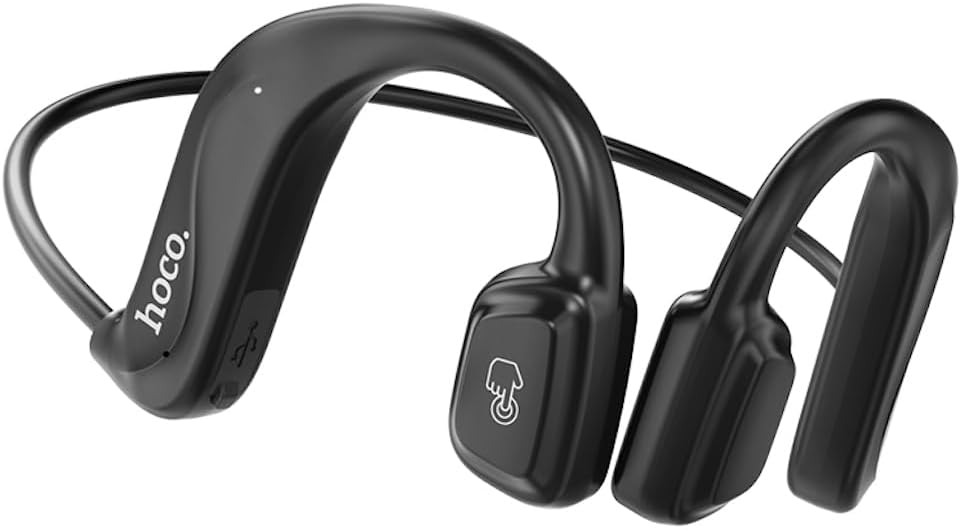
1-сүрөт: Фронт view of the Hoco ES50 headset, showcasing the ear-hook design and main control area with the 'hoco.' logo and a touch-sensitive button icon.
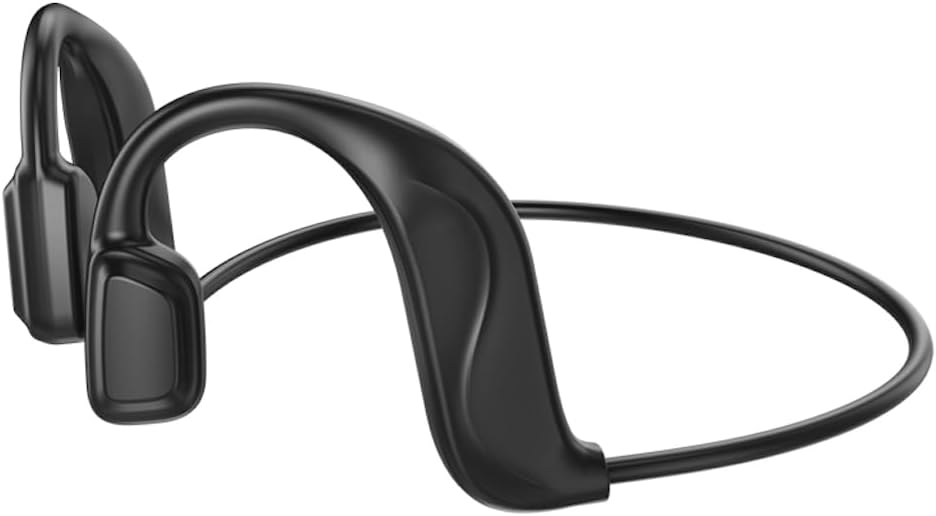
2-сүрөт: Арткы view of the Hoco ES50 headset, highlighting the flexible neckband connecting the two ear units.
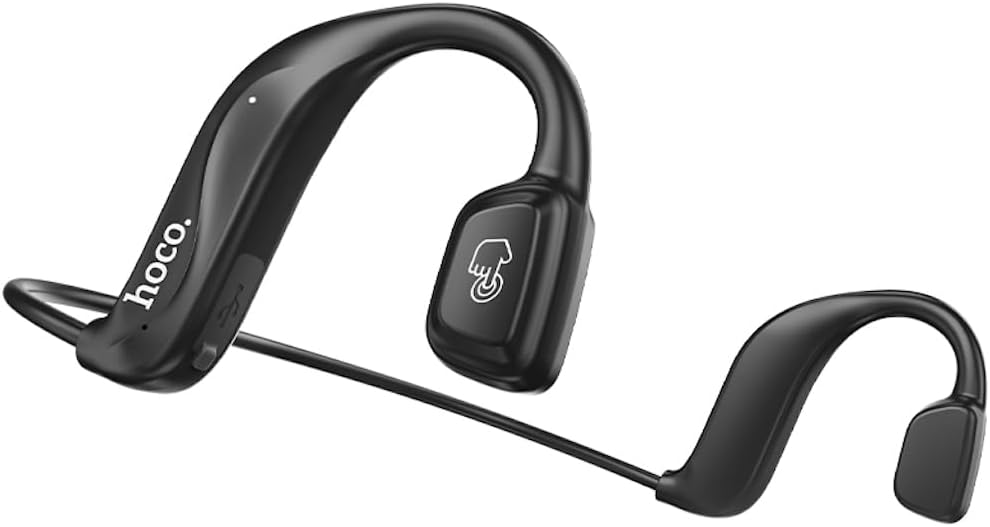
3-сүрөт: Бурчтуу view of the Hoco ES50 headset, showing the ergonomic shape designed to fit comfortably around the ear.

4-сүрөт: Жакын план view of the main ear unit, detailing the 'hoco.' branding, charging port, and indicator light.

5-сүрөт: The Hoco ES50 headset being worn by a person, demonstrating its discreet and secure fit during use.

6-сүрөт: Retail packaging of the Hoco ES50 headset, showing product features and branding.
Жайгашуу
1. Гарнитураны заряддоо
Before first use, fully charge the headset. The battery capacity is 140mAh, and a full charge takes approximately 2 hours.
- Connect the charging cable (included) to the charging port on the headset.
- Кабелдин экинчи учун USB кубат булагына туташтырыңыз (мисалы, компьютердин USB порту, дубал адаптери).
- The indicator light will show charging status (refer to product specific light behavior, usually red for charging, blue/off for full).
- Толук заряддалгандан кийин, заряддоо кабелин ажыратыңыз.
2. Bluetooth Жупташтыруу
Pair your Hoco ES50 headset with your Bluetooth-enabled device (smartphone, tablet, etc.).
- Гарнитура өчүрүлгөнүн текшериңиз.
- Press and hold the multi-function button on the headset until the indicator light flashes red and blue alternately, indicating pairing mode.
- Түзмөгүңүздө Bluetooth жөндөөлөрүнө өтүп, Bluetooth күйгүзүңүз.
- Издөө available devices. You should see "Hoco ES50" or a similar name appear in the list.
- Select "Hoco ES50" to connect. Once connected, the indicator light on the headset will typically stop flashing and remain solid blue or turn off.
- Эгер сырсөз суралса, "0000" (төрт нөл) киргизиңиз.
Эскертүү: The headset will automatically attempt to reconnect to the last paired device when powered on, if the device's Bluetooth is active and within range.
Иштөө нускамалары
Күйгүзүү/өчүрүү
- Күйгүзүү: Күйгүзүү сигналы угулуп, индикатор жарыгы күйүп-өчкөнгө чейин көп функциялуу баскычты болжол менен 3 секунд басып туруңуз.
- Өчүрүү: Өчүрүү сигналы угулуп, индикатор жарыгы өчкөнгө чейин көп функциялуу баскычты болжол менен 5 секунд басып туруңуз.
Музыканы ойнотуу
- Ойнотуу/тындыруу: Көп функциялуу баскычты бир жолу басыңыз.
- Кийинки трек: Көп функциялуу баскычты эки жолу чыкылдатыңыз.
- Мурунку трек: Triple-click the multi-function button.
Чалууларды башкаруу
- Чалууга жооп берүү/аяктоо: Кирүүчү чалуу же активдүү чалуу учурунда көп функциялуу баскычты бир жолу басыңыз.
- Чакырууну четке кагуу: Кирүүчү чалуу учурунда көп функциялуу баскычты болжол менен 2 секунд басып туруңуз.
- Акыркы номерди кайра терүү: Double-click the multi-function button when not on a call.
Үн жардамчысы
To activate your device's voice assistant (Siri, Google Assistant, etc.):
- Press and hold the multi-function button for approximately 1 second (or as per specific model instruction) until you hear a prompt.
Эскертүү: When not connected to a device, double-clicking the multi-function button will produce a beep sound, indicating a voice prompt switch function.
Техникалык тейлөө
Proper care and maintenance will extend the lifespan of your Hoco ES50 headset.
Тазалоо
- Гарнитураны жумшак, кургак, түксүз чүпүрөк менен сүртүңүз.
- Абразивдүү тазалагычтарды, эриткичтерди же аэрозолдук спрейлерди колдонбоңуз.
- Ар кандай тешиктерге ным кирүүдөн сактаңыз.
Сактагыч
- Гарнитураны күн нурунан жана экстремалдык температурадан алыс салкын, кургак жерде сактаңыз.
- When not in use for extended periods, charge the headset periodically (e.g., once every three months) to maintain battery health.
Проблемаларды чечүү
If you encounter issues with your Hoco ES50 headset, refer to the following common problems and solutions:
| Көйгөй | Мүмкүн себеп | Чечим |
|---|---|---|
| Гарнитура күйбөйт. | Батарея аз. | Гарнитураны толук заряддаңыз. |
| Түзмөк менен жупташтыруу мүмкүн эмес. | Гарнитура жупташтыруу режиминде эмес; түзмөктө Bluetooth өчүк; аппарат өтө алыс. | Ensure headset is in pairing mode (flashing red/blue). Turn on Bluetooth on your device. Move device closer to headset. Forget previous pairings on device and try again. |
| Үн жок же үнү төмөн. | Volume too low on headset or device; headset not connected; audio source issue. | Increase volume on both headset and connected device. Ensure headset is properly connected. Try playing audio from a different source. |
| Intermittent connection or static. | кийлигишүү; аппарат өтө алыс; аз батарея. | Move closer to your device. Avoid strong electromagnetic interference. Charge the headset. |
| Voice prompt switch beep when not connected. | This is a feature, not a problem. | This indicates the voice prompt switch function is active when the headset is not connected to a device. |
Эгер көйгөй чечилбесе, кардарларды колдоо менен байланышыңыз.
Техникалык шарттар
| Модель аты | ES50 |
| Бренд | HOCO |
| Байланыш технологиясы | Зымсыз (Bluetooth) |
| Зымсыз байланыш технологиясы | Bluetooth 5.0 (Chip: BK 3266) |
| Батарея сыйымдуулугу | 140mAh |
| Заряддоо убактысы | Болжол менен 2 саат |
| Сүйлөшүү/Музыка убактысы | 6 саатка чейин |
| Күтүү убактысы | 120 саатка чейин |
| Наушниктерди кулакка жайгаштыруу | In Ear (Air Conduction, Ear-hook design) |
| Наушник форма фактору | Кулакта |
| Noise Control | Жок |
| Наушник уясы | Жок Джек |
| Түс | Кара |
| Камтылган компоненттер | Кулак жаздыкчалары |
| Өндүрүүчү | HOCO |
| Келип чыккан өлкө | Кытай |
| Элемент моделинин номери | ES50 Black |
| ASIN | B0C5KQDBQ8 |
| Пакеттин өлчөмдөрү | 18.4 x 14.1 x 4.4 см; 21 г |
Кепилдик жана колдоо
HOCO products are manufactured to the highest quality standards. For information regarding warranty coverage, please refer to the warranty card included with your product or visit the official HOCO webсайт.
For technical support, troubleshooting assistance, or service inquiries, please contact HOCO customer support through their official channels. Keep your purchase receipt and product model number (ES50) handy when contacting support.
Онлайн ресурстар: For the latest information, FAQs, and support, please visit the official HOCO webсайт.