
Introduction
Thank you for choosing the WOPET Automatic Cat Feeder FT70. This device is designed to provide scheduled and portion-controlled meals for your cats and small dogs, ensuring they are fed consistently even when you are away. Please read this manual thoroughly before use to ensure proper operation and maintenance.
Продукт бүттүview
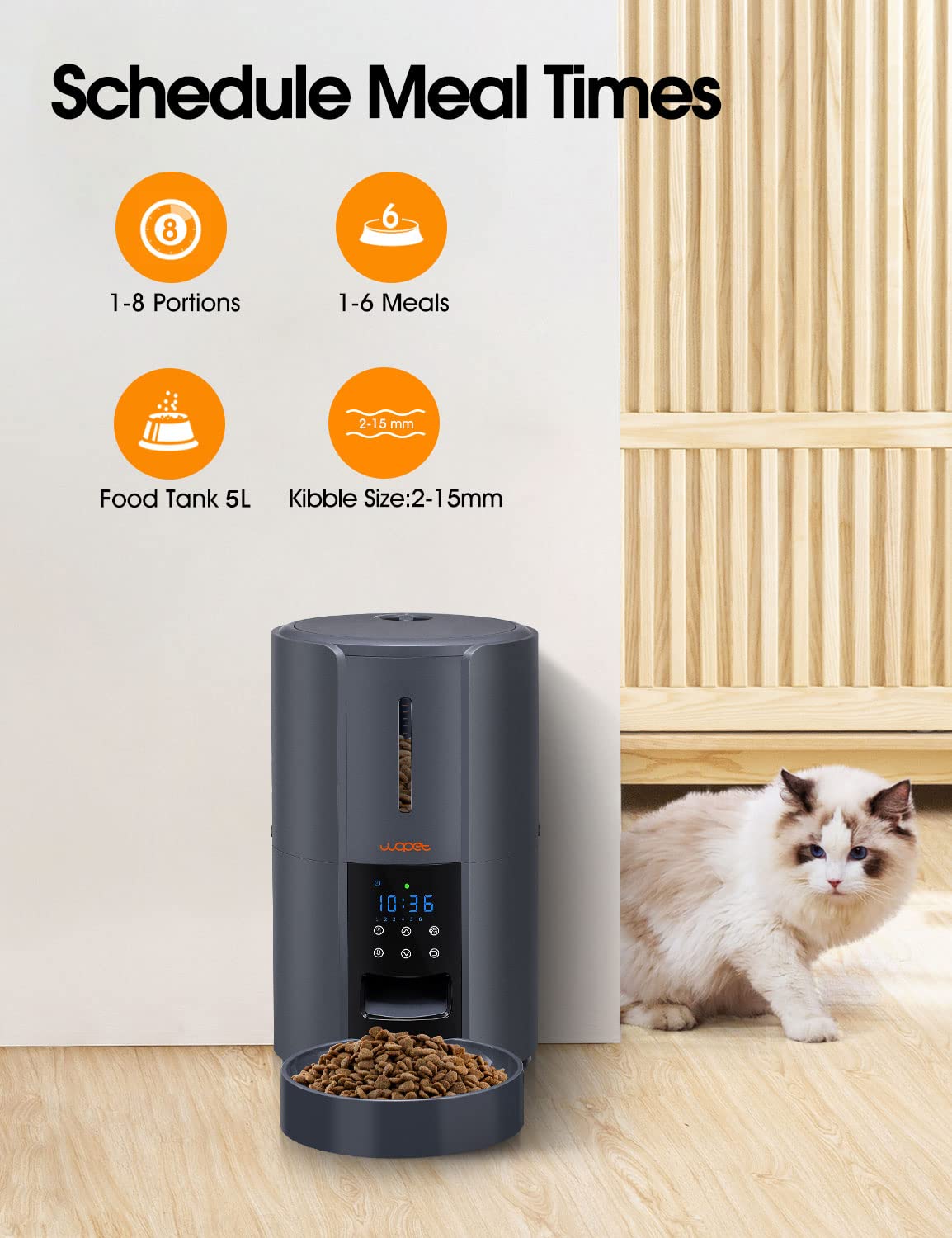
The WOPET Automatic Cat Feeder FT70 features a 3-liter food tank, capable of dispensing 1 to 8 portions per meal, with up to 6 meals per day. It supports kibble sizes between 2mm and 15mm. The feeder also includes a customizable voice recording feature to call your pet at meal times.

Жайгашуу
- Фидерди таңгактан чыгаруу: Carefully remove all components from the packaging. Ensure all parts are present: the main feeder unit, food bowl, and power adapter.
- Электр камсыздоо:
- AC адаптери: 5V кубат адаптерин азыктандыргычка туташтырып, аны розеткага сайыңыз.
- Батареянын камдык көчүрмөсү (кошумча): Бийлик үчүнtages or portability, insert three D-size batteries (not included) into the battery compartment at the bottom of the unit. Ensure correct polarity.

Сүрөт: жакын план view of the WOPET Automatic Cat Feeder's base, illustrating the dual power supply options: a 5V power adapter connection and the compartment for three D-size batteries (not included). - Fill the Food Tank: Open the lid of the food tank and pour dry pet food (kibble size 2-15mm) into the reservoir. Close the lid securely.
- Attach Food Bowl: Securely attach the food bowl to the base of the feeder.
- Баштапкы программалоо: Refer to the "Operating Instructions" section to set the current time, schedule meals, and define portion sizes.
- Үн жаздыруу: The feeder supports a 10-second customizable voice recording. Press and hold the record button to record your voice, which will play at each mealtime to call your pet.

Иштөө нускамалары
The control panel on the front of the feeder allows you to program and manage meal schedules.
- Учурдагы убакытты орнотуу:
Press the "SET" button. Use the "UP" and "DOWN" buttons to adjust the hour, then press "SET" again to confirm. Repeat for minutes.
- Scheduling Meals:
Press the "MEAL" button to enter meal programming mode. You can set up to 6 meals per day. For each meal:
- Use "UP" and "DOWN" to set the desired feeding time (hour and minute).
- Press "PORTION" to set the number of portions (1-8) for that meal.
- Press "MEAL" again to move to the next meal setting or exit.
- Кол менен тамактандыруу:
To dispense food immediately, press the "MANUAL" button. One portion will be dispensed. Press multiple times for additional portions.
- Adjusting Portion Sizes:
During meal scheduling, the "PORTION" button allows you to select the amount of food dispensed per meal, from 1 to 8 portions. Each portion is a fixed volume.
Техникалык тейлөө
Regular cleaning ensures the longevity and hygienic operation of your WOPET Automatic Cat Feeder.
- Cleaning the Food Tank and Bowl:
The food tank and bowl are detachable for easy cleaning. Кол менен гана жуу with mild soap and water. Rinse thoroughly and ensure all parts are completely dry before reassembling.

Image: Detachable components of the WOPET Automatic Cat Feeder, including the food tank and bowl, being hand washed in water, demonstrating the ease of cleaning. - Негизги блокту тазалоо:
Негизги блокту жарнама менен сүртүңүзamp cloth. Do not submerge the main unit in water or use abrasive cleaners.
- Refilling Food:
Check the food level regularly and refill as needed to ensure continuous feeding for your pet.
Проблемаларды чечүү
| Көйгөй | Мүмкүн себеп | Чечим |
|---|---|---|
| Азыктандыруучу тамак бербейт. |
|
|
| Туура эмес порциянын өлчөмү берилген. |
|
|
| Batteries drain quickly. |
|
|
| Voice recording not playing or too low. |
|
|
Техникалык шарттар
| Модель номери | FT70 |
| Бренд | WOPET |
| Кубаттуулугу | 3 литр |
| Максаттуу түрлөр | Cat, Dog (Small) |
| Kibble Size Range | 2-15 мм |
| Күнүнө максималдуу тамактануу | 6 |
| Тамактанууга порциялар | 1-8 |
| Power Source | 5V Power Adapter (Included), 3 x D Batteries (Not Included) |
| Продукциянын өлчөмдөрү (LxWxH) | 18.59 x 18.59 x 28.58 см |
| Элемент Салмагы | 1.53 кг |
| Care Instructions | Кол менен гана жууса болот (ажыратылуучу бөлүктөр) |
Кепилдик жана колдоо
For warranty information or technical support, please refer to the contact details provided with your product packaging or visit the official WOPET webсайт. Кепилдик дооматтары үчүн сатып алганыңыздын далилин сактап коюңуз.