
HOCO HB29 - Metal Grey
Hoco HB29 Multi-Function Hub Converter User Manual
Model: HB29 - Metal Grey
Introduction
Thank you for choosing the Hoco HB29 Multi-Function Hub Converter. This device is designed to expand the connectivity of your Type-C enabled notebooks, allowing you to connect to HDMI and VGA displays simultaneously. Please read this manual carefully to ensure proper use and optimal performance of your device.

Image: The Hoco HB29 Multi-Function Hub Converter, showcasing its compact design and Type-C cable, HDMI port, and VGA port.
Продукт өзгөчөлүктөрү
- Материал: Constructed from durable aluminum alloy and ABS for longevity.
- Компакт өлчөмү: Dimensions of 109*28.8*11.6mm with a wire length of 150±5mm, weighing only 40g, making it highly portable.
- Интерфейс: Features a Type-C male connector for input, and HDTV (HDMI) plus VGA ports for output.
- HDMI чыгышы: Supports 4K resolution at 30Hz, providing synchronized audio and video.
- VGA чыгаруу: Supports 1080P resolution. Please note that VGA does not support audio output.
- Бир убактагы чыгаруу: When both HDMI and VGA ports are used simultaneously, the output resolution is 1080P.
- Кеңири шайкештик: Designed for Type-C notebooks and compatible with most operating systems, including Windows and Mac OS, for connection to projectors, TVs, and monitors.
Орнотуу нускамалары
- Хабды түзмөгүңүзгө туташтырыңыз: Insert the Type-C male connector of the Hoco HB29 into the Type-C port of your notebook, laptop, or compatible smartphone.
- Дисплейге туташуу (HDMI): For HDMI connection, use a standard HDMI cable (not included) to connect the HDMI port on the Hoco HB29 to the HDMI input on your TV, monitor, or projector. Ensure the display device is powered on and set to the correct HDMI input source.
- Connect to Display (VGA): For VGA connection, use a standard VGA cable (not included) to connect the VGA port on the Hoco HB29 to the VGA input on your monitor or projector. Ensure the display device is powered on and set to the correct VGA input source.
- Бир убактагы туташуу: You can connect both an HDMI and a VGA display simultaneously. The output resolution will be 1080P for both displays.
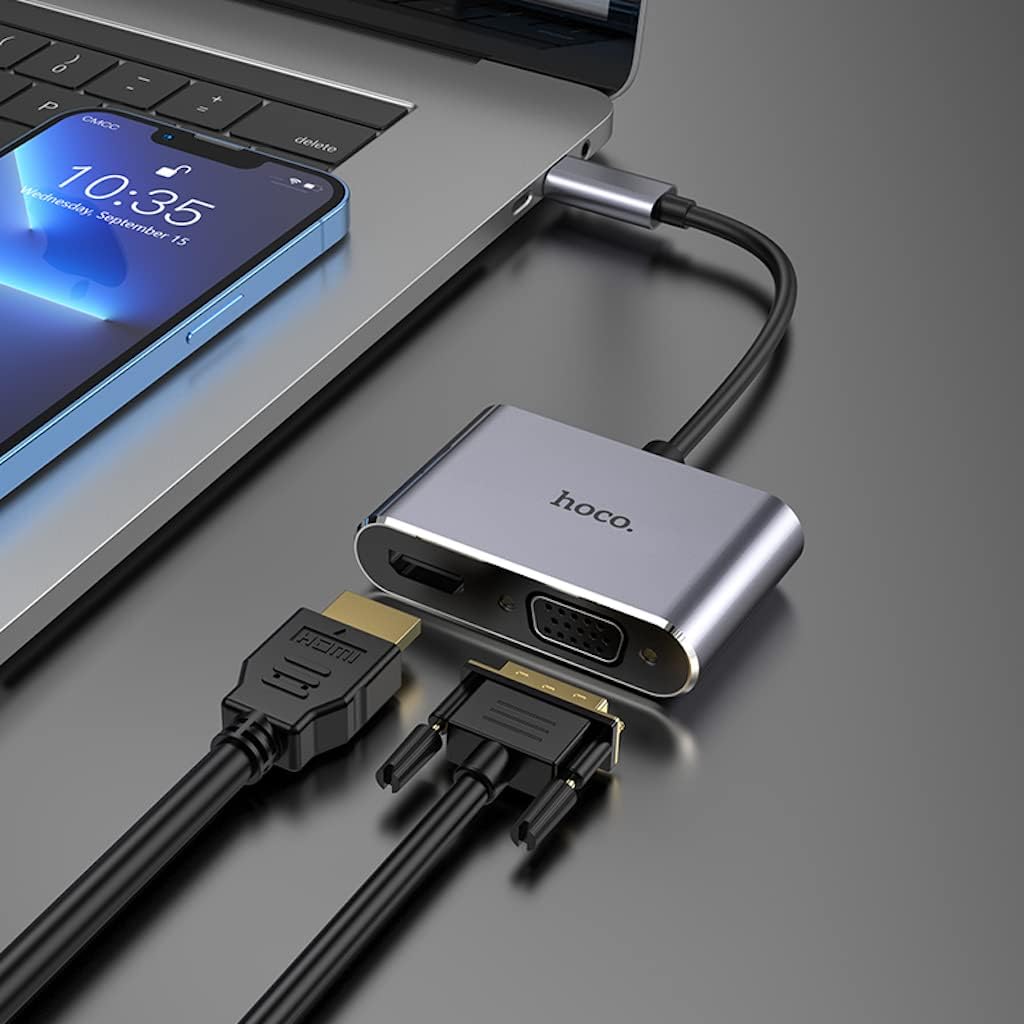
Image: The Hoco HB29 converter connected to a laptop, demonstrating how to plug in both HDMI and VGA cables for dual display output.
Иштөө нускамалары
Once connected, your operating system should automatically detect the external display(s). You may need to adjust display settings within your operating system.
- Windows OS:
- Right-click on your desktop and select "Display settings" or "Screen resolution".
- You can choose to "Duplicate these displays" (mirror your primary screen), "Extend these displays" (use the external display as an extension of your desktop), or "Show only on 1/2" (use only one display).
- Зарылчылыкка жараша чечилишин жана багытын тууралаңыз.
- MacOS:
- Go to "System Preferences" > "Displays".
- In the "Arrangement" tab, you can arrange your displays, mirror them, or extend your desktop.
- In the "Display" tab, you can adjust resolution and refresh rate.

Image: A laptop connected via the Hoco HB29 converter to two external monitors, demonstrating an extended desktop setup for increased productivity.
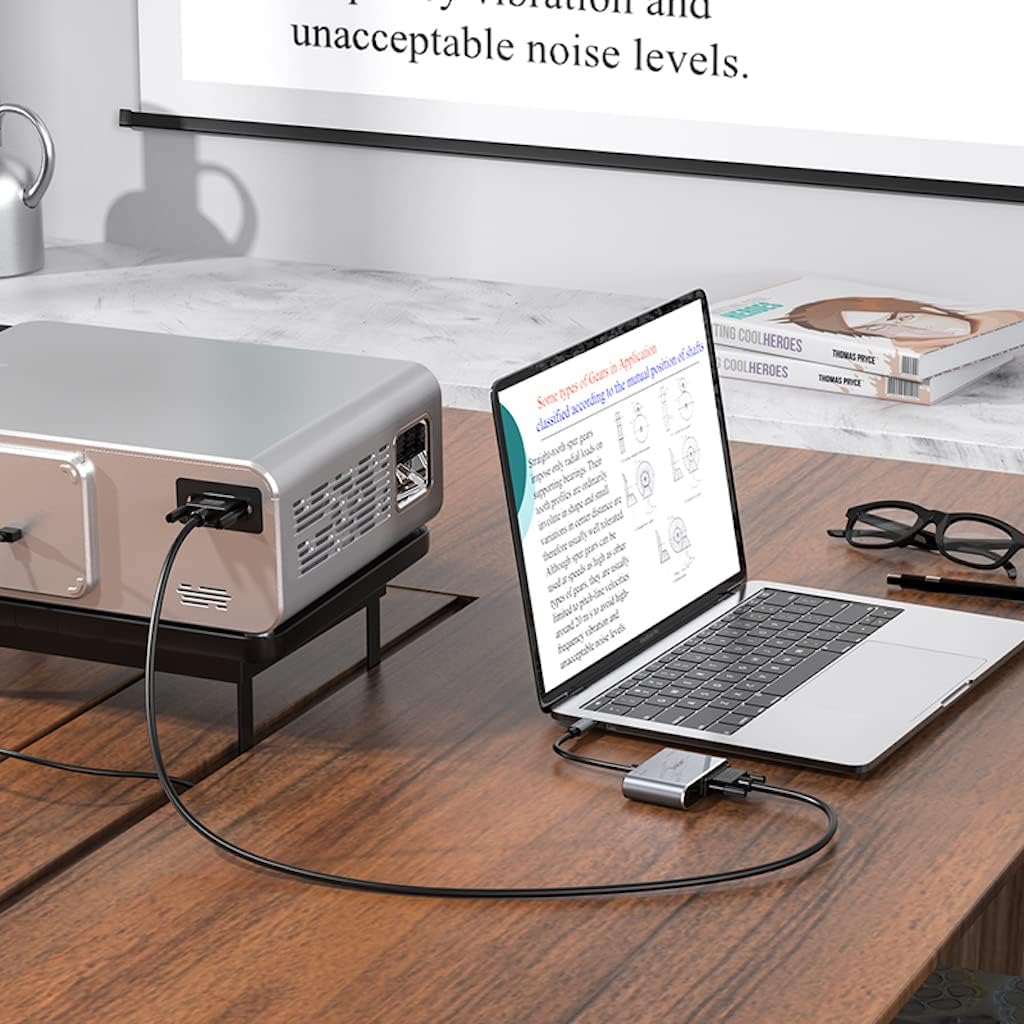
Image: The Hoco HB29 converter facilitating a connection between a laptop and a projector, ideal for presentations or larger screen viewing.
Техникалык тейлөө жана кам көрүү
- Тазалоо: Use a soft, dry cloth to clean the surface of the converter. Avoid using liquid cleaners or aerosols.
- Сактагыч: Аппаратты түз күн нурунан жана экстремалдык температурадан алыс салкын, кургак жерде сактаңыз.
- Колдонуу: Avoid dropping the converter or subjecting it to strong impacts. Do not bend the cable excessively.
- Байланыш: Always ensure cables are inserted and removed gently to prevent damage to the ports.
Проблемаларды чечүү
| Көйгөй | Мүмкүн болгон себеп / Чечим |
|---|---|
| Дисплейдин чыгышы жок. |
|
| No audio from HDMI. |
|
| VGA output has no audio. | VGA is a video-only interface and does not transmit audio. Audio must be routed separately from your source device. |
| Resolution is not 4K (HDMI) or 1080P (VGA). |
|
Техникалык шарттар
| Өзгөчөлүк | Деталь |
|---|---|
| Модель номери | HB29 - Metal Grey |
| Материал | Алюминий эритмеси + ABS |
| Өлчөмдөрү (L x W x Y) | 10.9 x 2.88 x 1.16 см |
| Wire Length | 150 ± 5 мм |
| Салмагы | 40 г |
| киргизүү Interface | Type-C Эркек |
| Output Interfaces | HDTV (HDMI), VGA |
| HDMI Resolution Support | Up to 4K @ 30Hz (Audio and Video Sync) |
| VGA чечилишин колдоо | Up to 1080P (Video Only, No Audio) |
| Simultaneous Output Resolution | 1080P for both HDMI and VGA |
| Шайкеш операциялык системалар | Windows, Mac OS, and other Type-C enabled systems |
| Өндүрүүчү | Hoco |
| Дата биринчи жеткиликтүү | 18 май 2023 жыл |
Кепилдик жана колдоо
For warranty information and technical support, please refer to the official HOCO webсайтка же сатуучуга кайрылыңыз. Кепилдик дооматтар үчүн сатып алуу дүмүрчөгүңүздү сактаңыз.
Кошумча жардам алуу үчүн, сиз иш сапары менен болот HOCO official webсайт.
Ask a question about this manual
Ask about setup, troubleshooting, compatibility, parts, safety, or missing instructions. Manuals+ will review the question and use this page’s manual context to help answer it.